Malaysia
 Thailand
 Indonesia


EasyConnect
Integrate XiaoHongShu AllValue with EasyParcel in 5 steps.
-
Install AllValue App
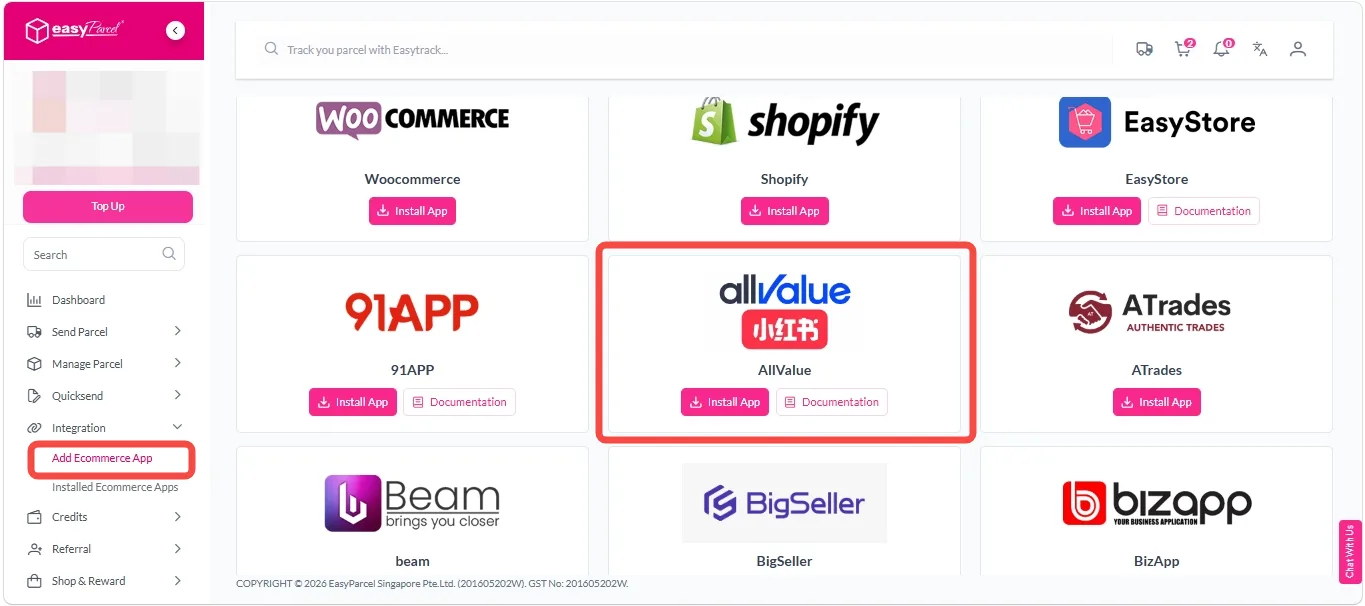
Under "Integration" section, click on "Add Ecommerce App", find "AllValue" and click on "Install App".
-
Authorize & Connect Store
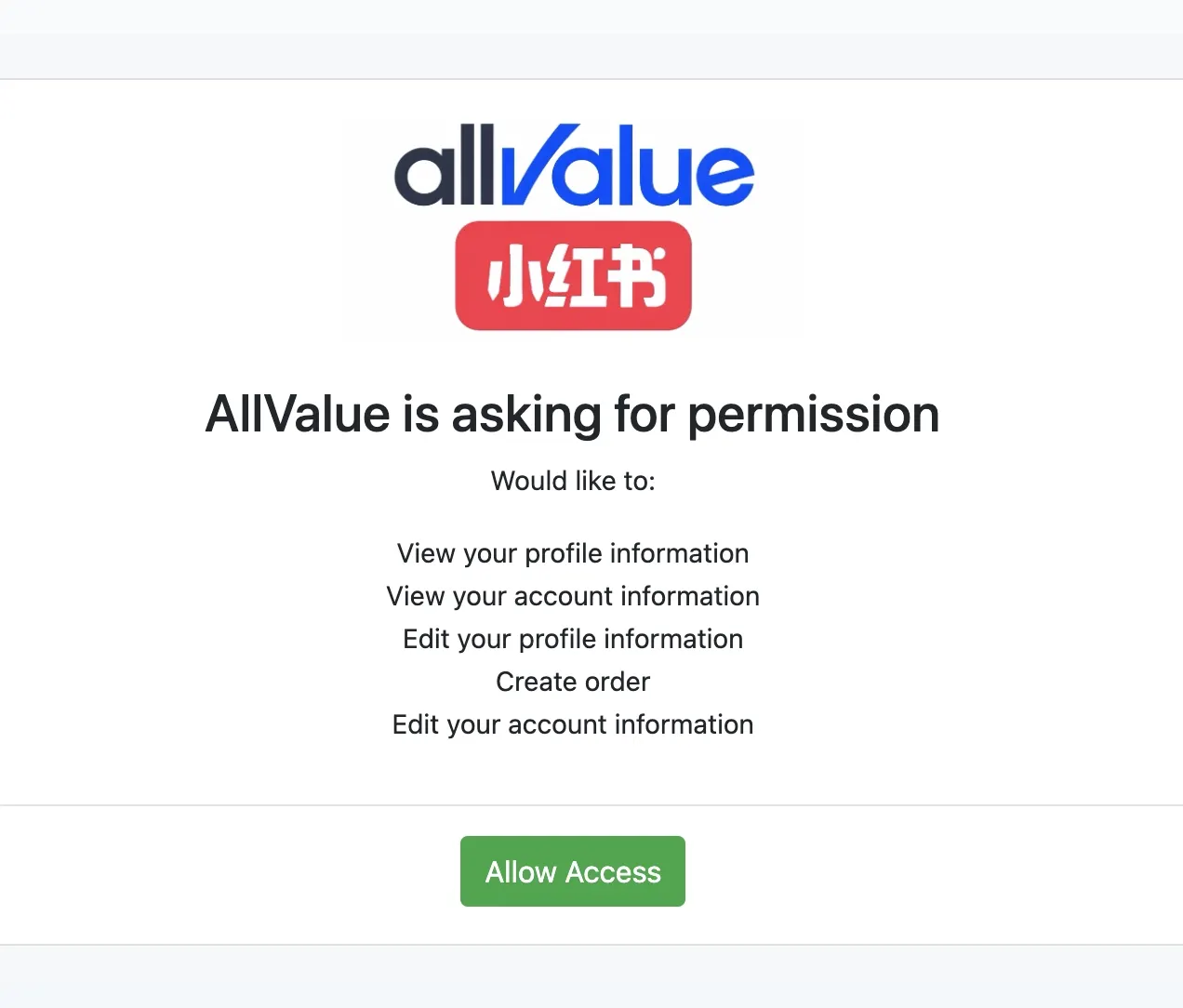
Click on the "Allow Access" button to authorize EasyParcel to access your AllValue store data.
-
Confirm Shop & Connect
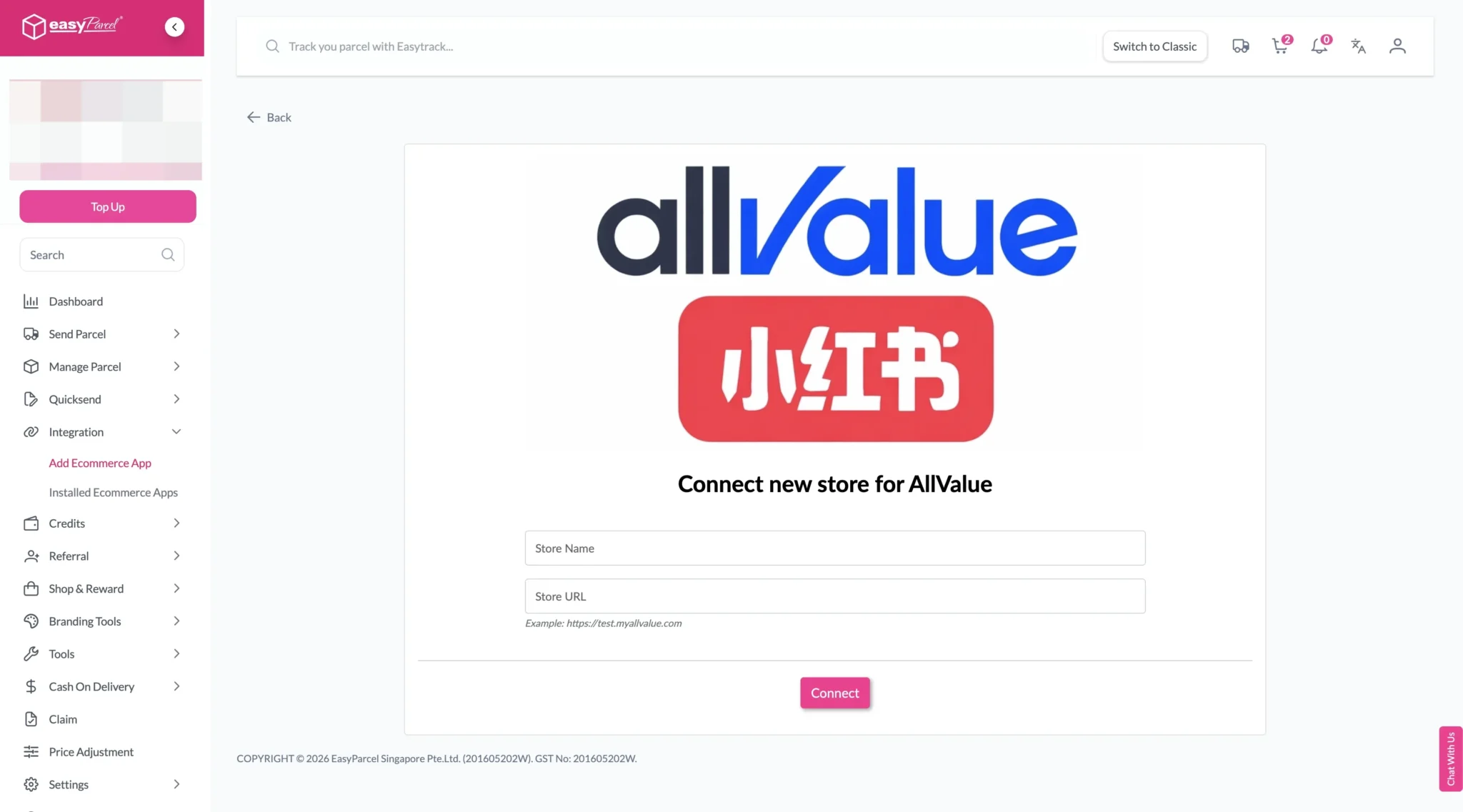
Enter your store name, store URL, then click "Connect".
-
Login / Register
You will be redirected to AllValue admin page. Login if you haven't login yet.
-
Authorize & Return to EasyParcel
Select EasyParcel in the App Market. Authorize the app and you will be redirected back to EasyParcel.
Install AllValue App
Log in to your EasyParcel account, navigate to EasyConnect, then click 'Add Ecommerce App'. Find 'AllValue' and click 'Install App' to get started.
Authorize & Connect Store
Click on the 'Allow Access' button to authorize EasyParcel to access your AllValue store data.
Confirm Shop & Connect
Enter your store name and store URL, then click 'Connect' to proceed.
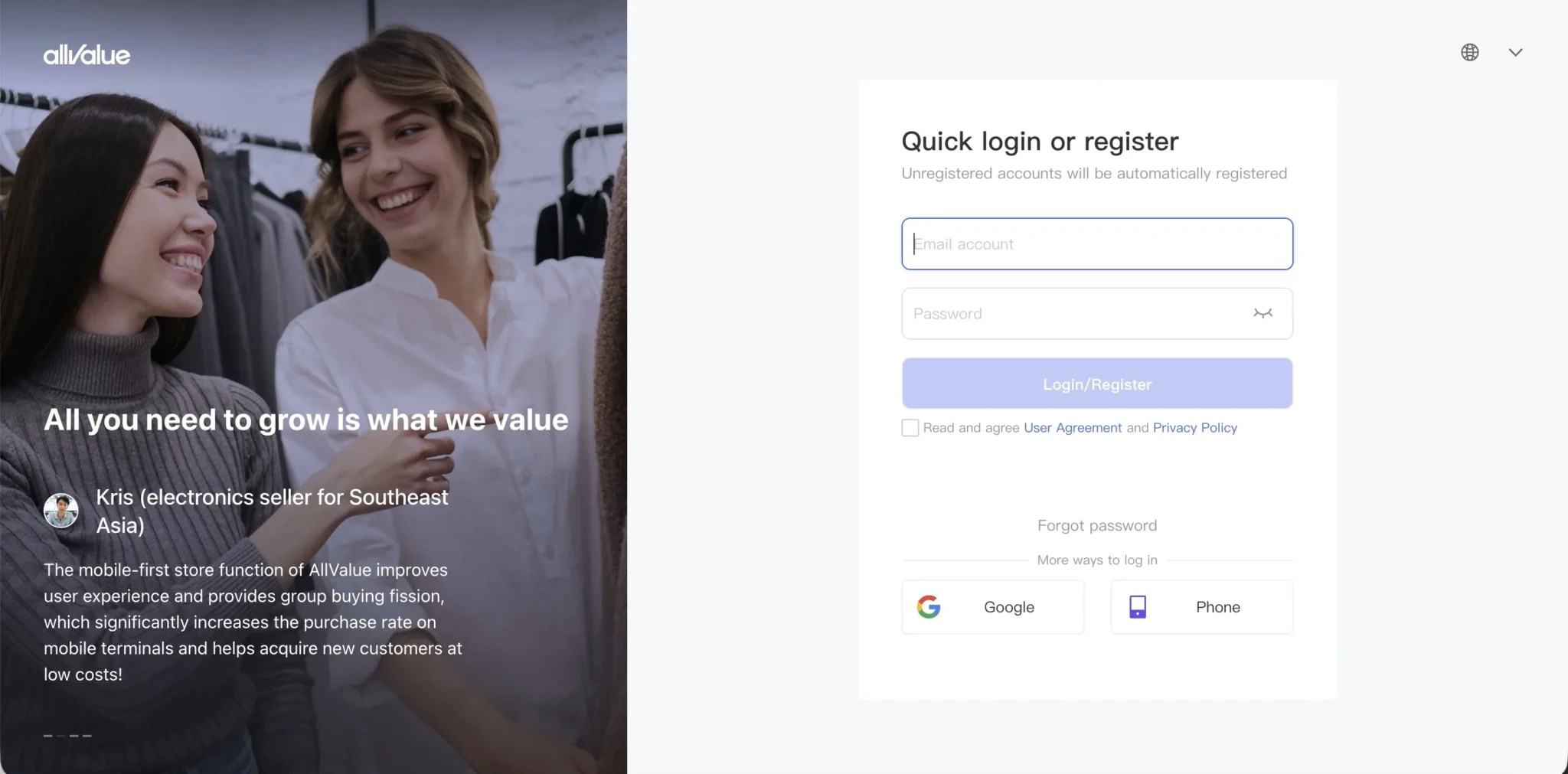
Login / Register
You will be redirected to the AllValue admin page. Login with your AllValue credentials if you haven't already done so.
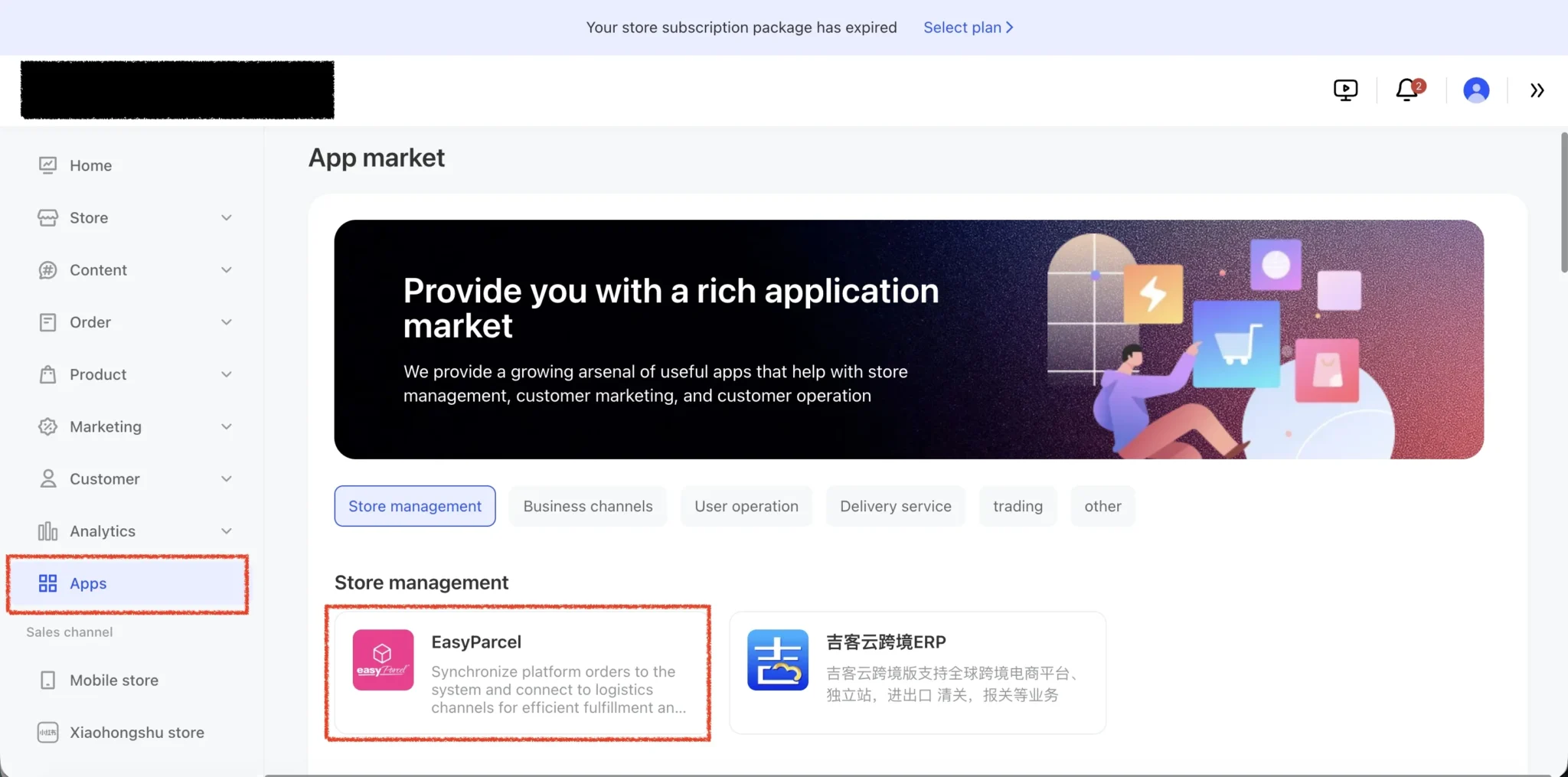
Authorize & Return to EasyParcel
Select EasyParcel in the App Market. Authorize the app and you will be redirected back to EasyParcel — your integration is complete!
EasyConnect
Integrate XiaoHongShu AllValue with EasyParcel in 5 steps.
Log in to your EasyParcel account, navigate to EasyConnect, then click 'Add Ecommerce App'. Find 'AllValue' and click 'Install App' to get started.
Click on the 'Allow Access' button to authorize EasyParcel to access your AllValue store data.
Enter your store name and store URL, then click 'Connect' to proceed.
You will be redirected to the AllValue admin page. Login with your AllValue credentials if you haven't already done so.
Select EasyParcel in the App Market. Authorize the app and you will be redirected back to EasyParcel — your integration is complete!