Malaysia
 Thailand
 Indonesia


1. Link
Sync your store with EasyParcel with few clicks only

2. Receive
Have your orders pushed to EasyParcel automatically

3. Book
Compare and book your prefered courier

4. Track
Track your parcels anytime at your convenience


EasyConnect
Integrate Lazada with EasyParcel in 7 steps.
-
Install Lazada App
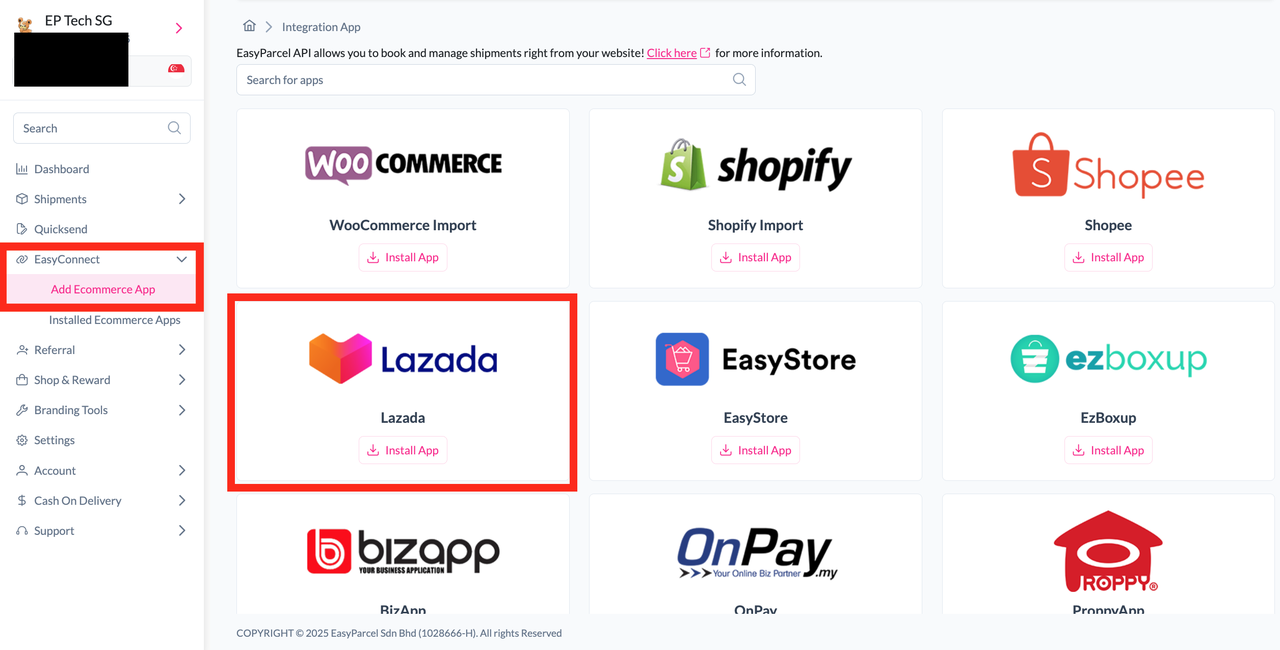
Under EasyConnect, click 'Add Ecommerce App', find 'Lazada' and install it.
-
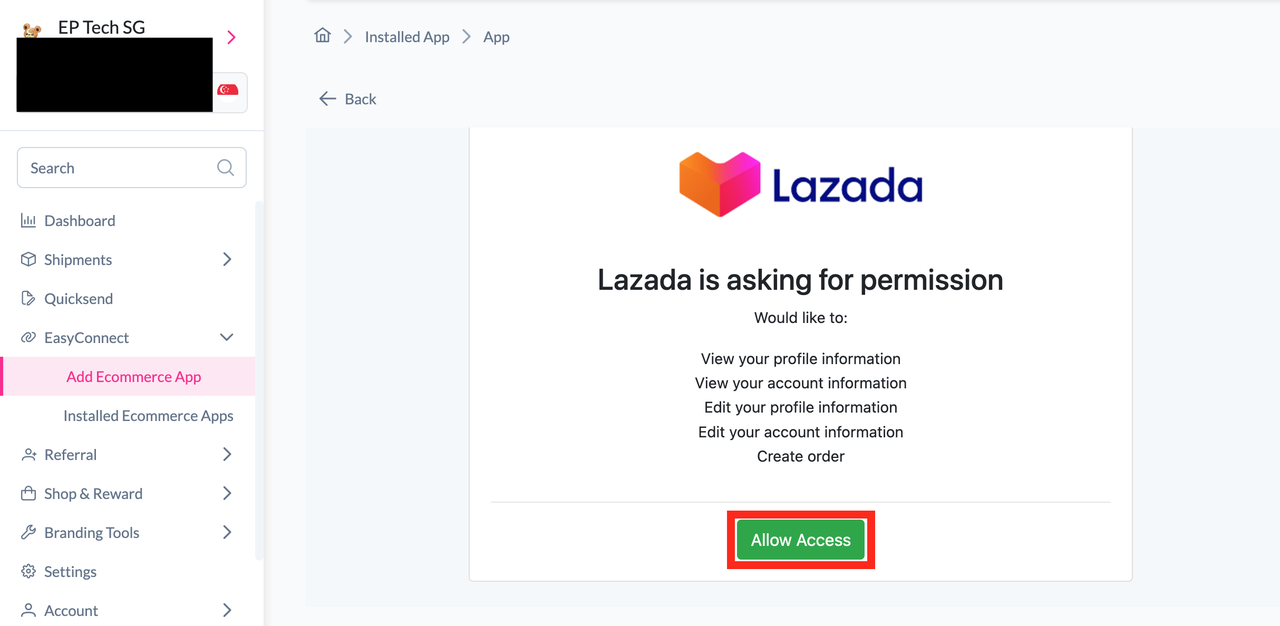
Allow Access
Click the 'Allow Access' button to grant EasyParcel permission.
-
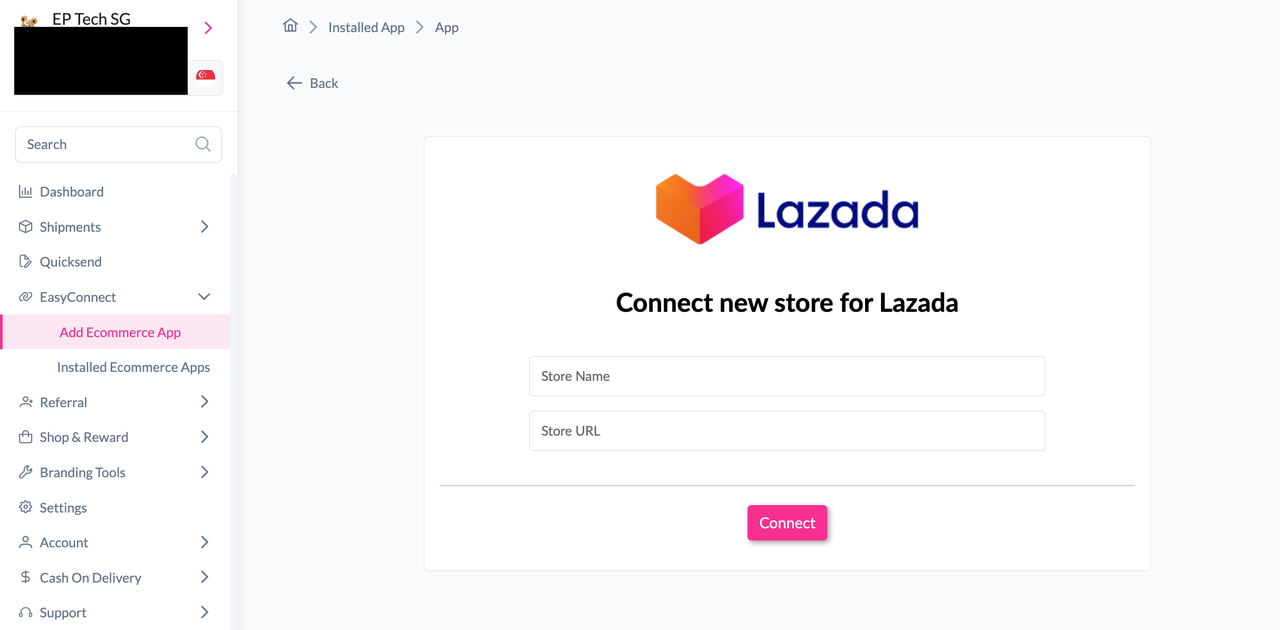
Enter Store Details
Key in your Store Name and Store URL, then click 'Connect'.
-
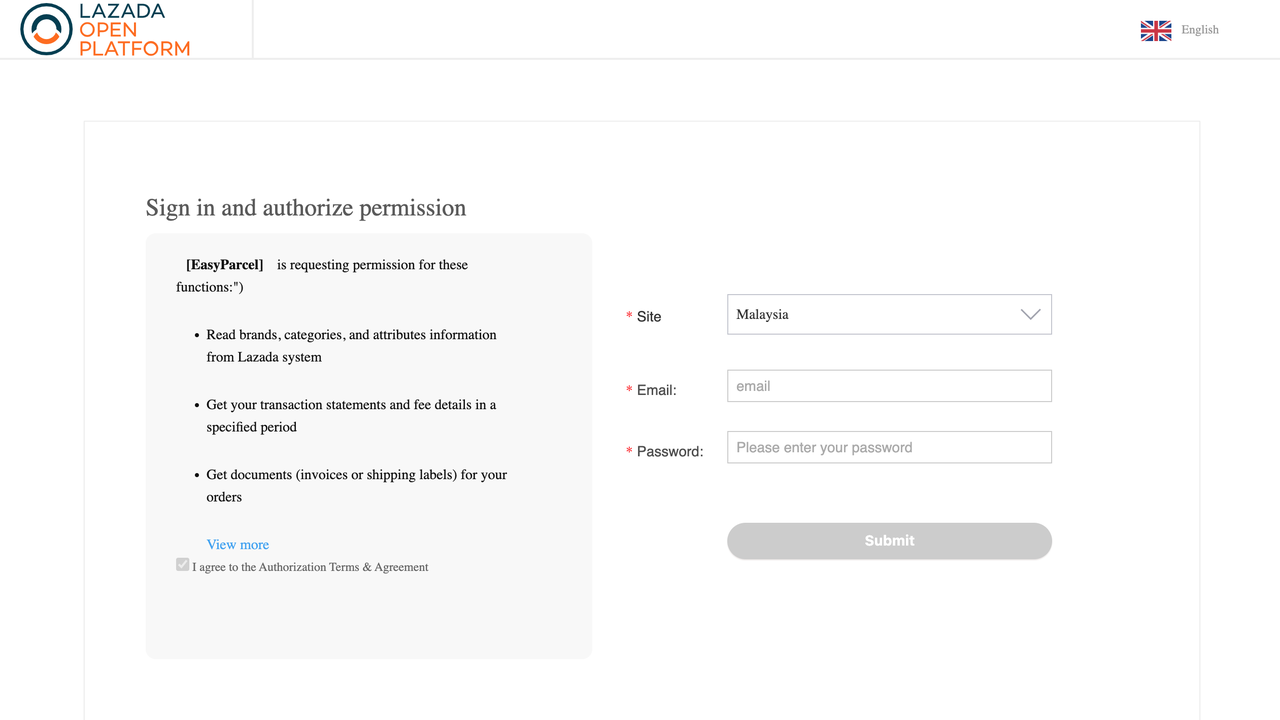
Log In to Lazada
Log in to your Lazada account when redirected.
-
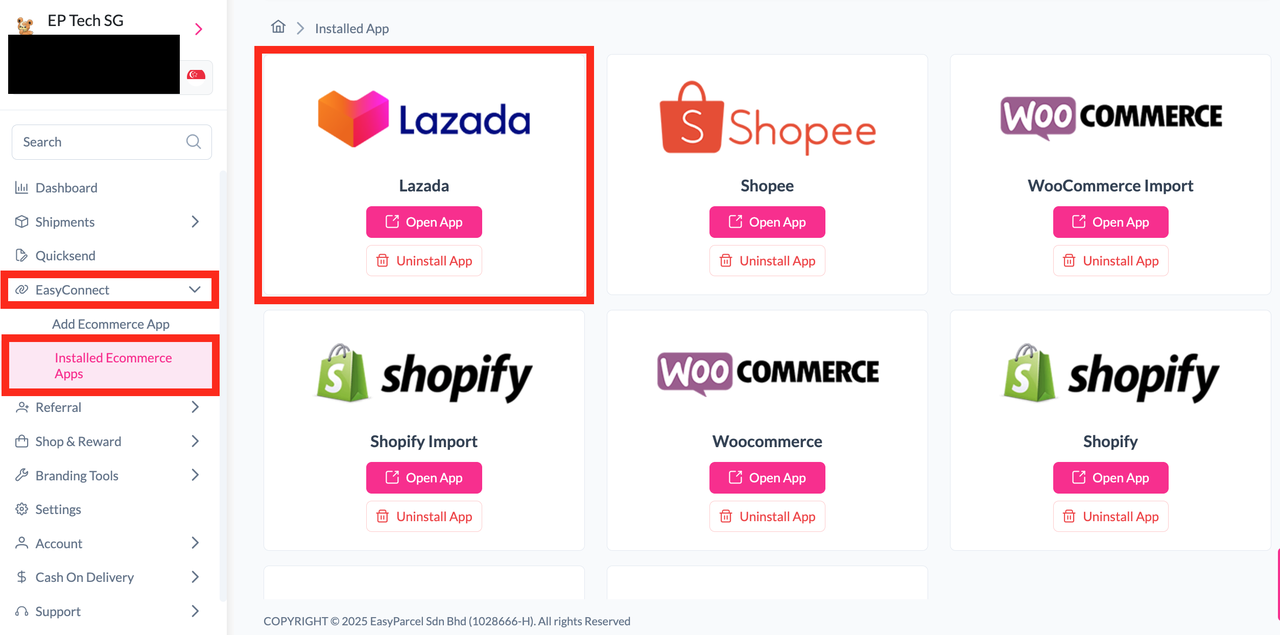
Open the Lazada App
Under 'Installed Ecommerce Apps', find Lazada and click 'Open App'.
-
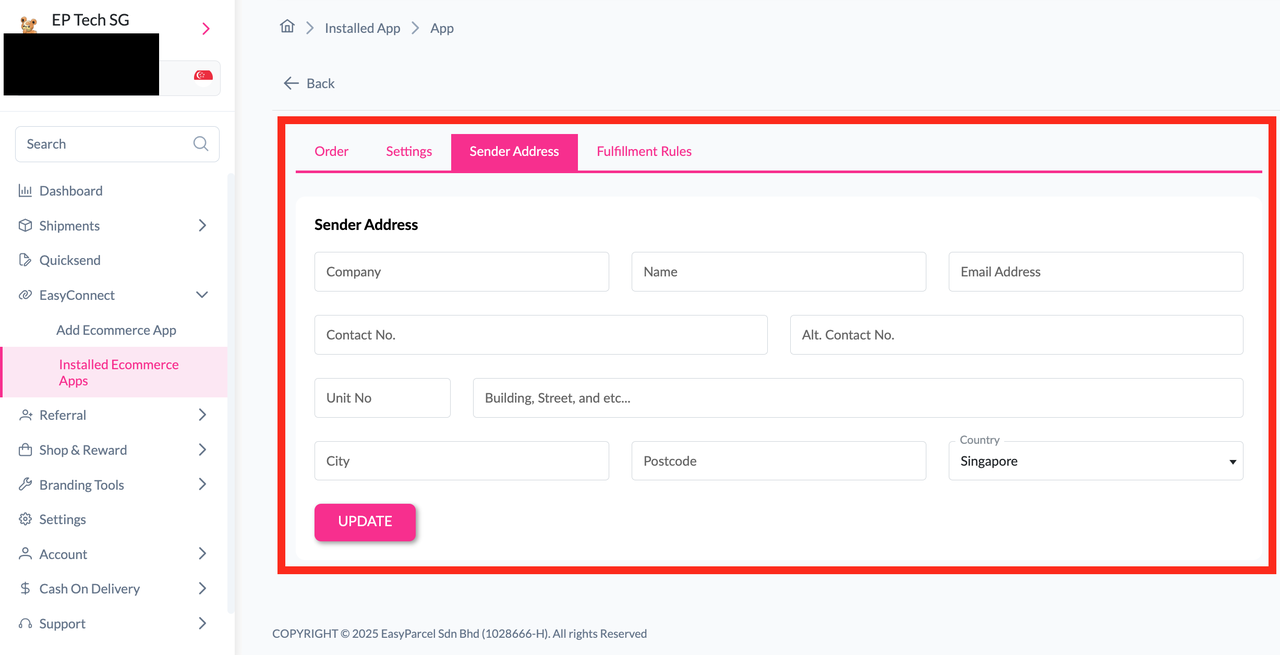
Set Sender Address
Click 'Sender Address', fill in your sender details and click 'Update'.
-
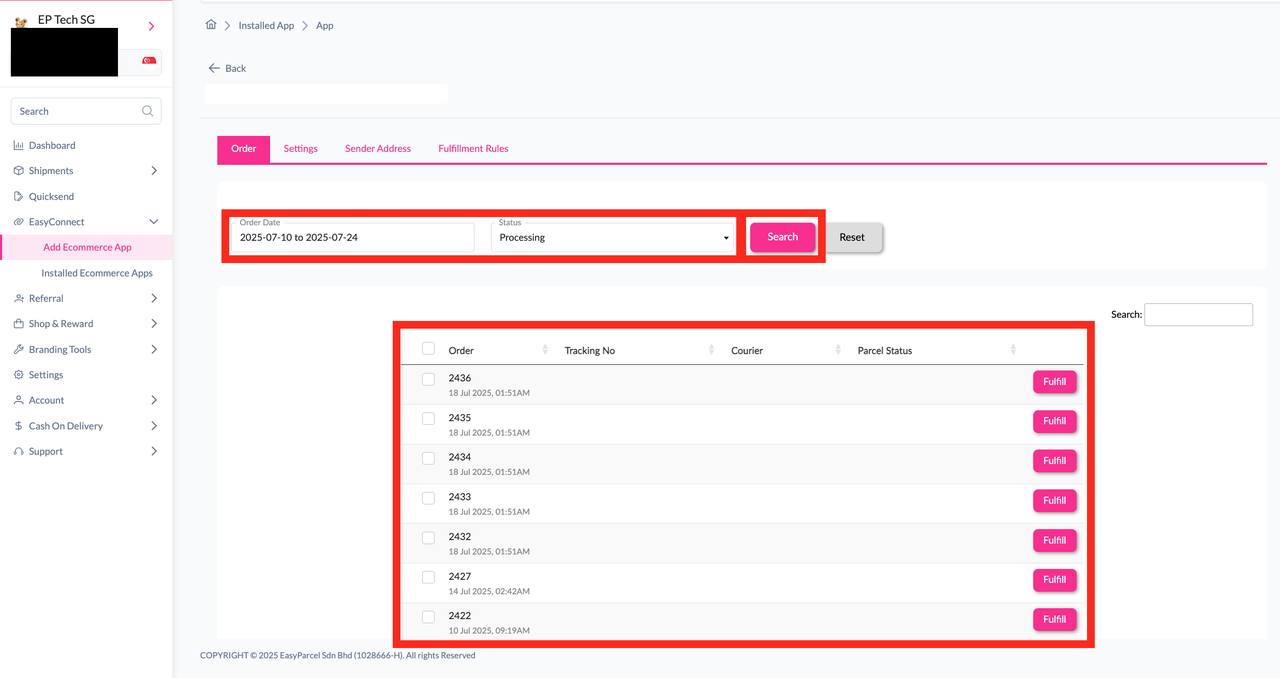
Import Orders & Fulfill
Search for orders by date and status, then click 'Fulfill' on the order you want to ship.
Install Lazada App
Log in to your EasyParcel account and navigate to EasyConnect. Click 'Add Ecommerce App', find 'Lazada', and click 'Install App' to get started.
Allow Access
Click the 'Allow Access' button to grant EasyParcel the necessary permissions to connect with your Lazada store.
Enter Store Details
Key in your Store Name and Store URL, then click the 'Connect' button to proceed.
Log In to Lazada
You will be redirected to the Lazada login page. Log in to your Lazada account to continue the authorization process.
Open the Lazada App
Go back to EasyConnect and click on 'Installed Ecommerce Apps'. Find Lazada in the list and click the 'Open App' button.
Set Sender Address
In the store, click 'Sender Address' and key in your sender details, then click the 'Update' button to save your information.
Import Orders & Fulfill
Click on 'Order', select the order date and order status, then click the 'Search' button. The orders will be imported and shown in the list below. Click the 'Fulfill' button on the order you want to fulfill.
EasyConnect
Integrate Lazada with EasyParcel in 7 steps.
Log in to your EasyParcel account and navigate to EasyConnect. Click 'Add Ecommerce App', find 'Lazada', and click 'Install App' to get started.
Click the 'Allow Access' button to grant EasyParcel the necessary permissions to connect with your Lazada store.
Key in your Store Name and Store URL, then click the 'Connect' button to proceed.
You will be redirected to the Lazada login page. Log in to your Lazada account to continue the authorization process.
Go back to EasyConnect and click on 'Installed Ecommerce Apps'. Find Lazada in the list and click the 'Open App' button.
In the store, click 'Sender Address' and key in your sender details, then click the 'Update' button to save your information.
Click on 'Order', select the order date and order status, then click 'Search'. The orders will be imported and shown in the list. Click the 'Fulfill' button on the order you want to fulfill.