Malaysia
 Thailand
 Indonesia

EasyConnect
Integrate Wix with EasyParcel in 8 steps.
-
Login & Install Wix App
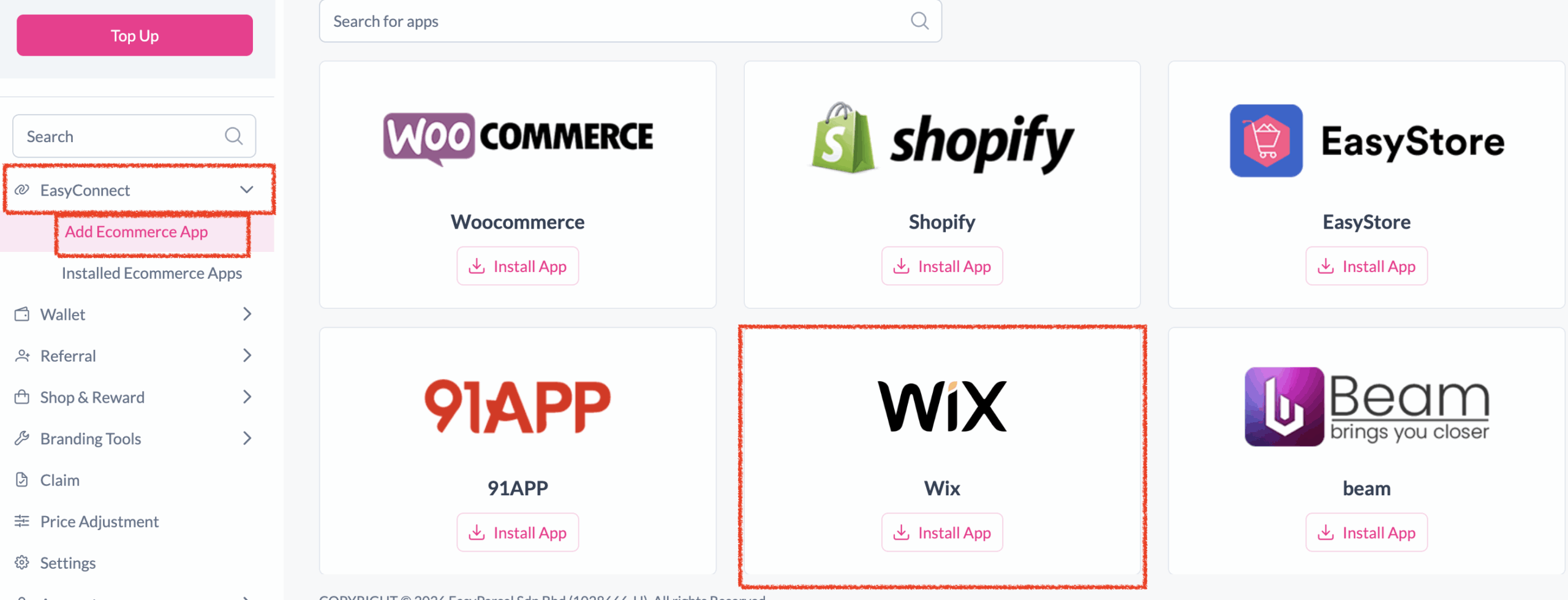
Log in to EasyParcel, go to EasyConnect, and install the Wix app.
-
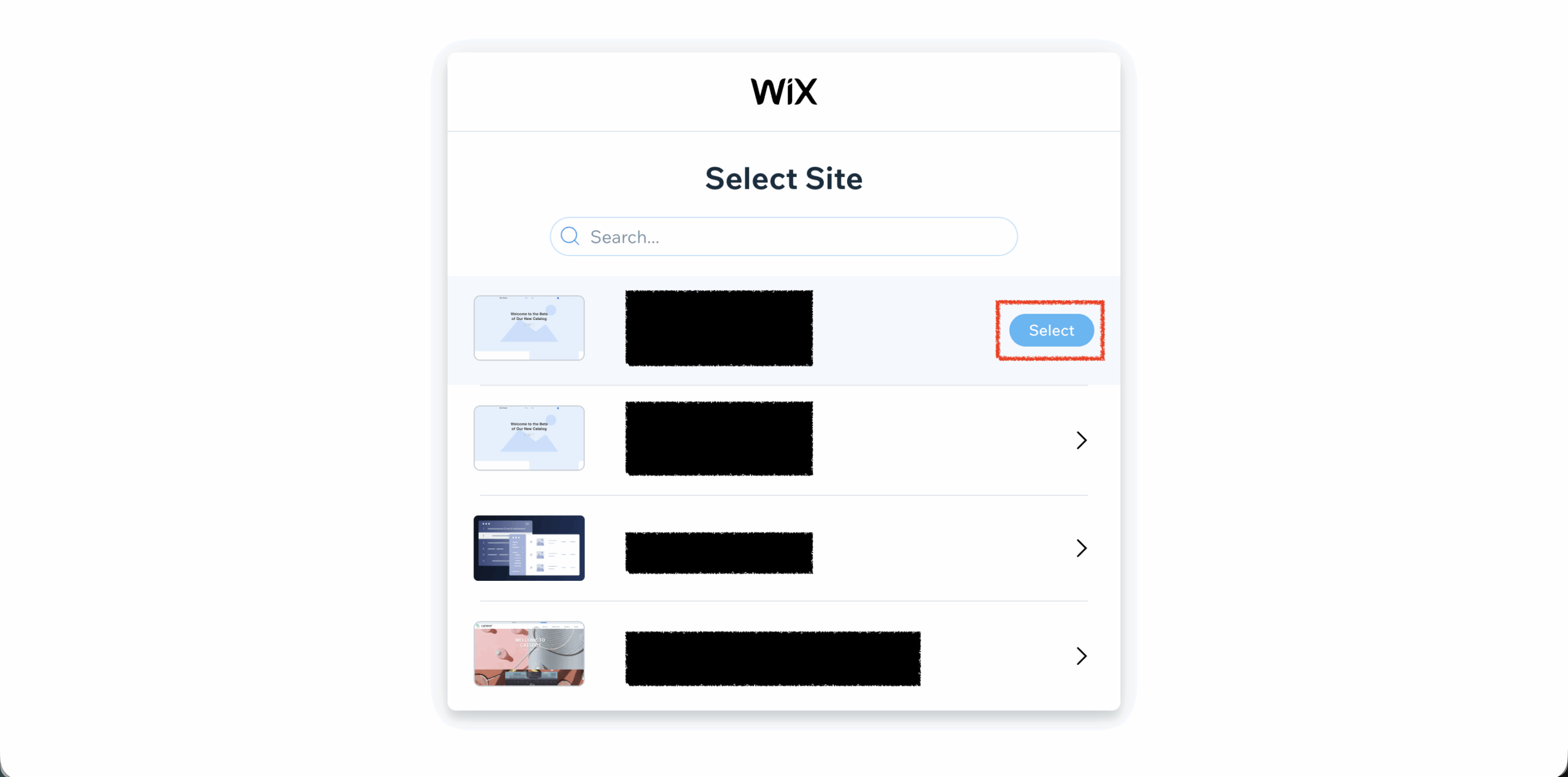
Allow Access
Click 'Allow Access' to authorize EasyParcel to access your Wix store data.
-
Enter Store Details
Fill in your store name and store URL, then click 'Connect'.
-
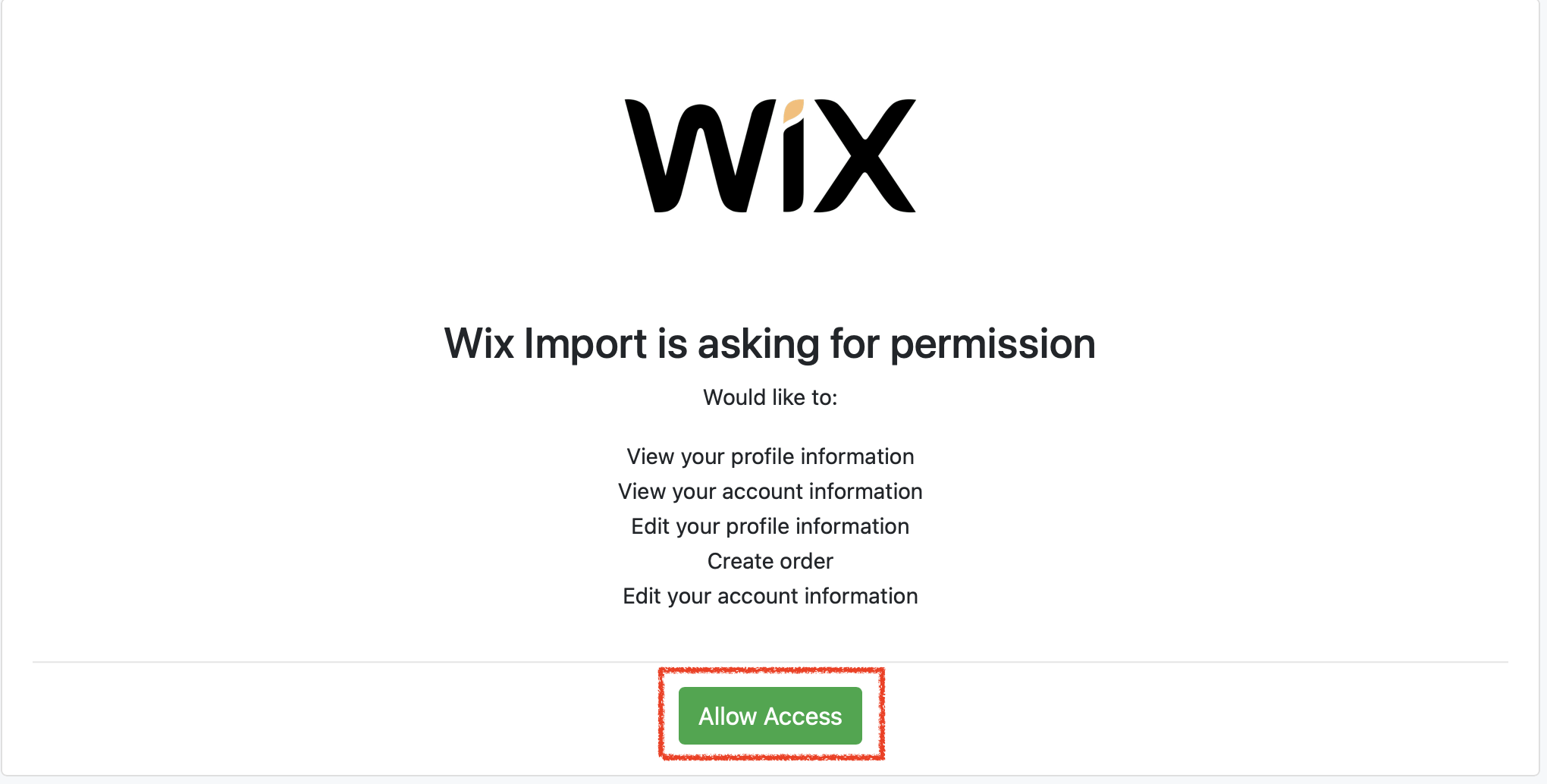
Select Store on Wix
You'll be redirected to Wix to grant app permissions. Select the store to integrate.
-
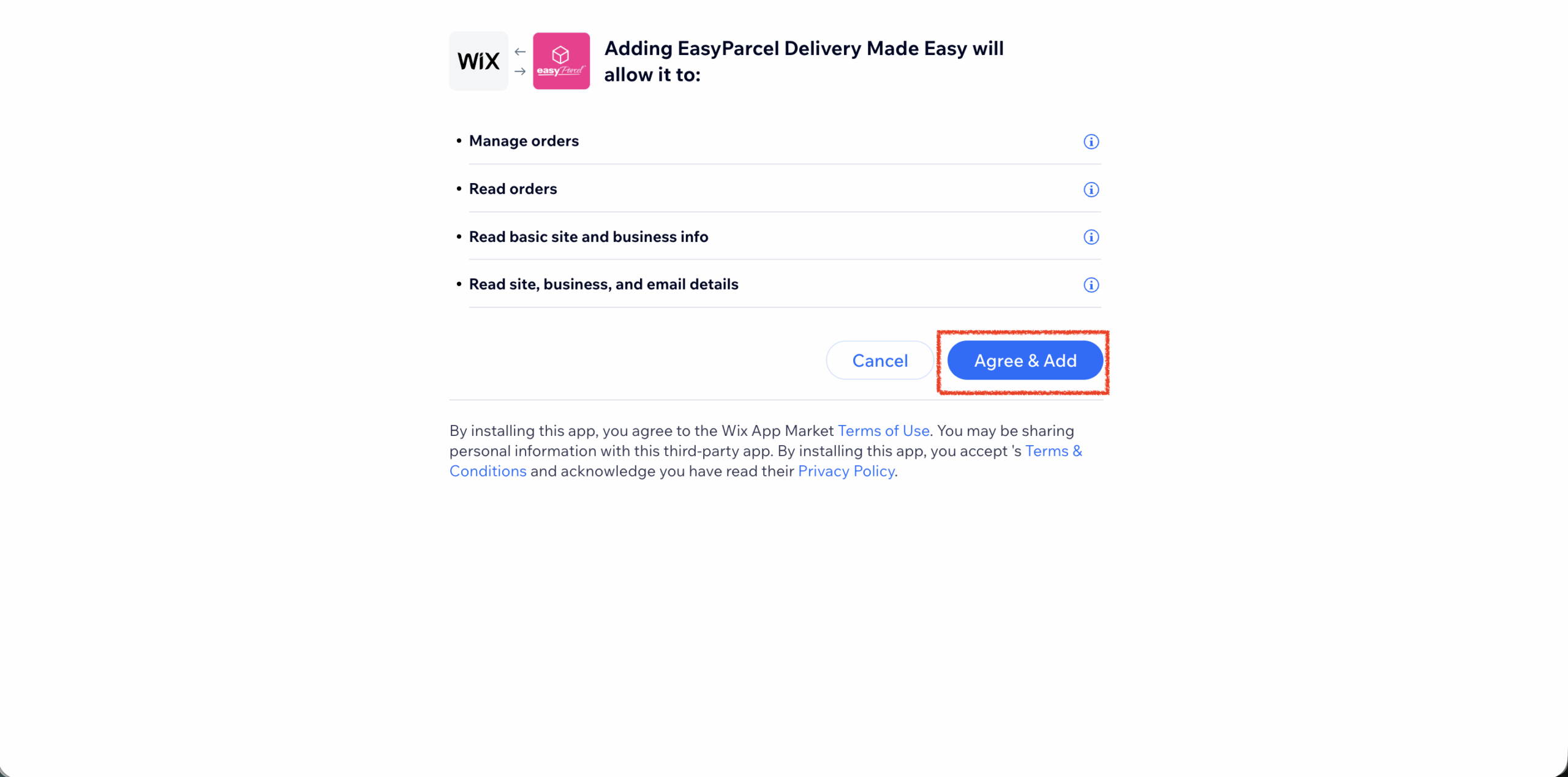
Grant App Permission
Grant the app permission by clicking 'Agree & Add'.
-
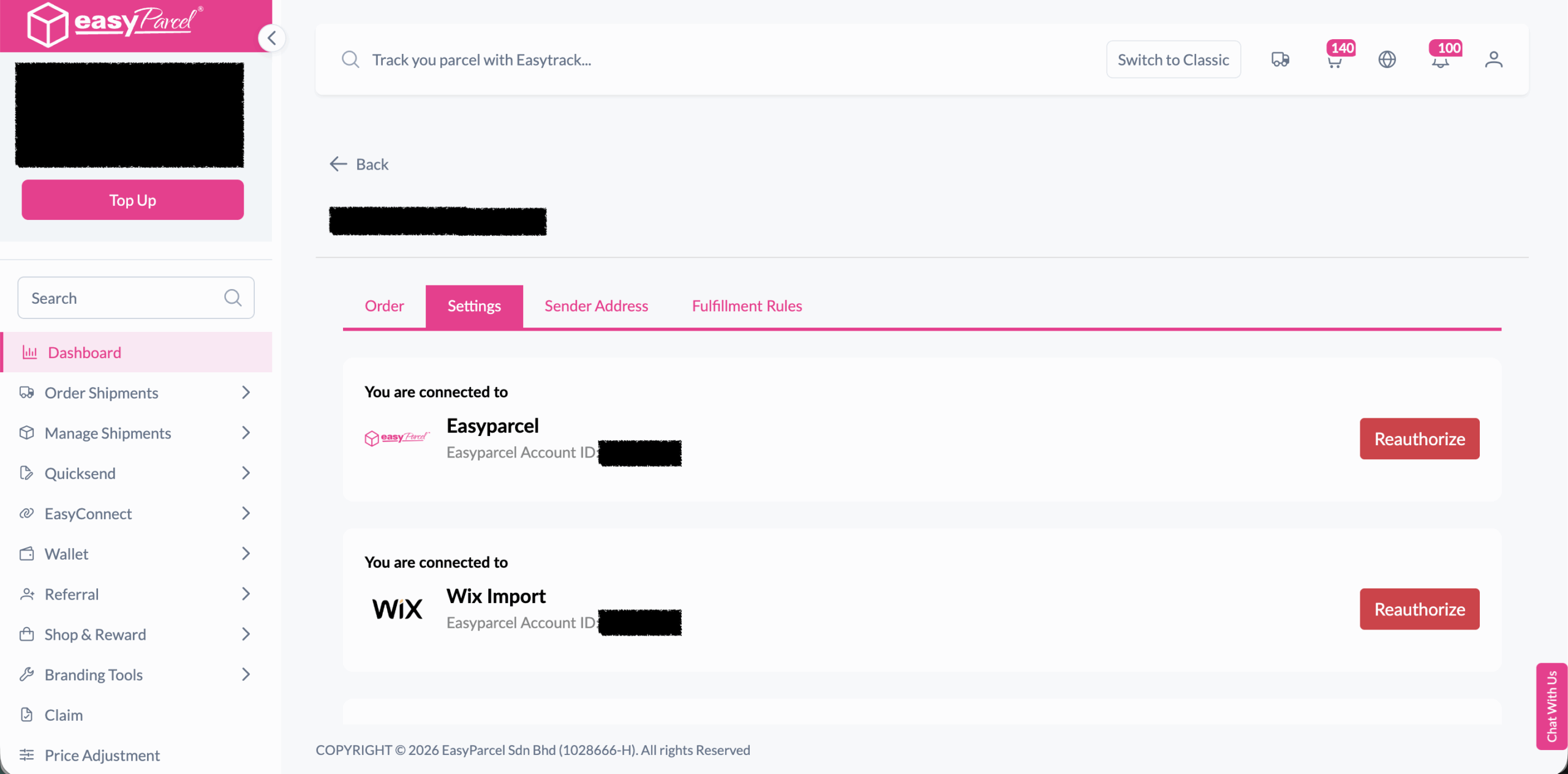
Integration Complete
You'll be redirected back to EasyParcel — the integration is now complete.
-
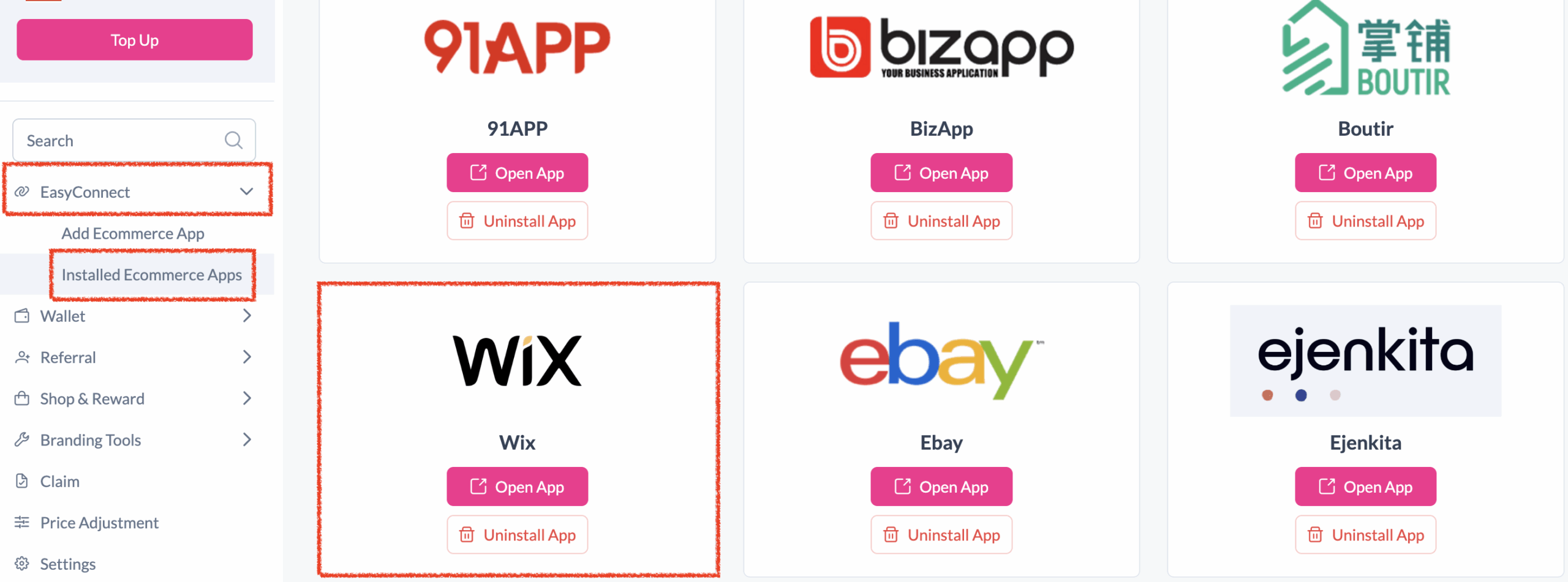
Verify Installed App
Under EasyConnect, click 'Installed Ecommerce Apps' to confirm Wix is installed.
-
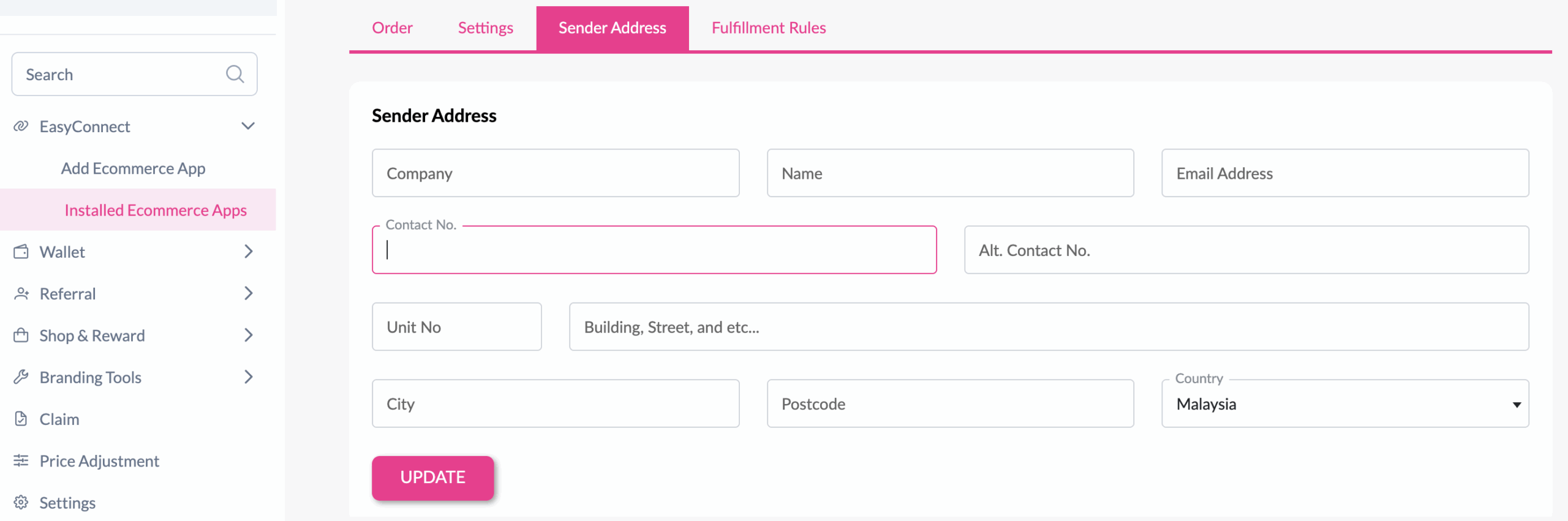
Set Sender Address
In the store, click 'Sender Address', fill in your details, and click 'Update'.
Login & Install Wix App
Log in to your EasyParcel account. After login, click on 'Add Ecommerce App' under the EasyConnect section, find Wix and click 'Install App'.
Allow Access
Click 'Allow Access' to authorize EasyParcel to access your Wix store data.
Enter Store Details
Fill in your store name and store URL, then click 'Connect' to proceed.

Select Store on Wix
You will be redirected to Wix to grant app permissions. Select the store you wish to integrate.
Grant App Permission
Grant the app permission by clicking 'Agree & Add'.
Integration Complete
You will be redirected back to EasyParcel. The integration is now complete.
Verify Installed App
Under EasyConnect, click on 'Installed Ecommerce Apps' and find Wix — you should see your Wix app successfully installed.
Set Sender Address
In the store, click 'Sender Address', key in your sender details, and click the 'Update' button.
EasyConnect
Integrate Wix with EasyParcel in 8 steps.
Log in to your EasyParcel account. After login, click on 'Add Ecommerce App' under the EasyConnect section, find Wix and click 'Install App'.
Click 'Allow Access' to authorize EasyParcel to access your Wix store data.
Fill in your store name and store URL, then click 'Connect' to proceed.
You will be redirected to Wix to grant app permissions. Select the store you wish to integrate.
Grant the app permission by clicking 'Agree & Add'.
You will be redirected back to EasyParcel. The integration is now complete.
Under EasyConnect, click on 'Installed Ecommerce Apps' and find Wix — you should see your Wix app successfully installed.
In the store, click 'Sender Address', key in your sender details, and click the 'Update' button.