Malaysia
 Thailand
 Indonesia


EasyConnect
Integrate Shoppegram with EasyParcel in 6 steps.
-
Login & Install Shoppegram App
Log in to EasyParcel, go to EasyConnect, and install the Shoppegram app.
-
Enter Store Details
Fill in your store name and store URL, then click 'Add'.
-
Copy Integration ID
Your store API key / Integration ID will be generated. Copy it.
-
Go to Shipping Providers
In Shoppegram admin, click Settings then Shipping providers.
-
Activate EasyParcel
Find 'EasyParcel Delivery made easy' and click the Activate button.
-
Paste API Key & Enable
Paste your API key and toggle on to enable EasyParcel.
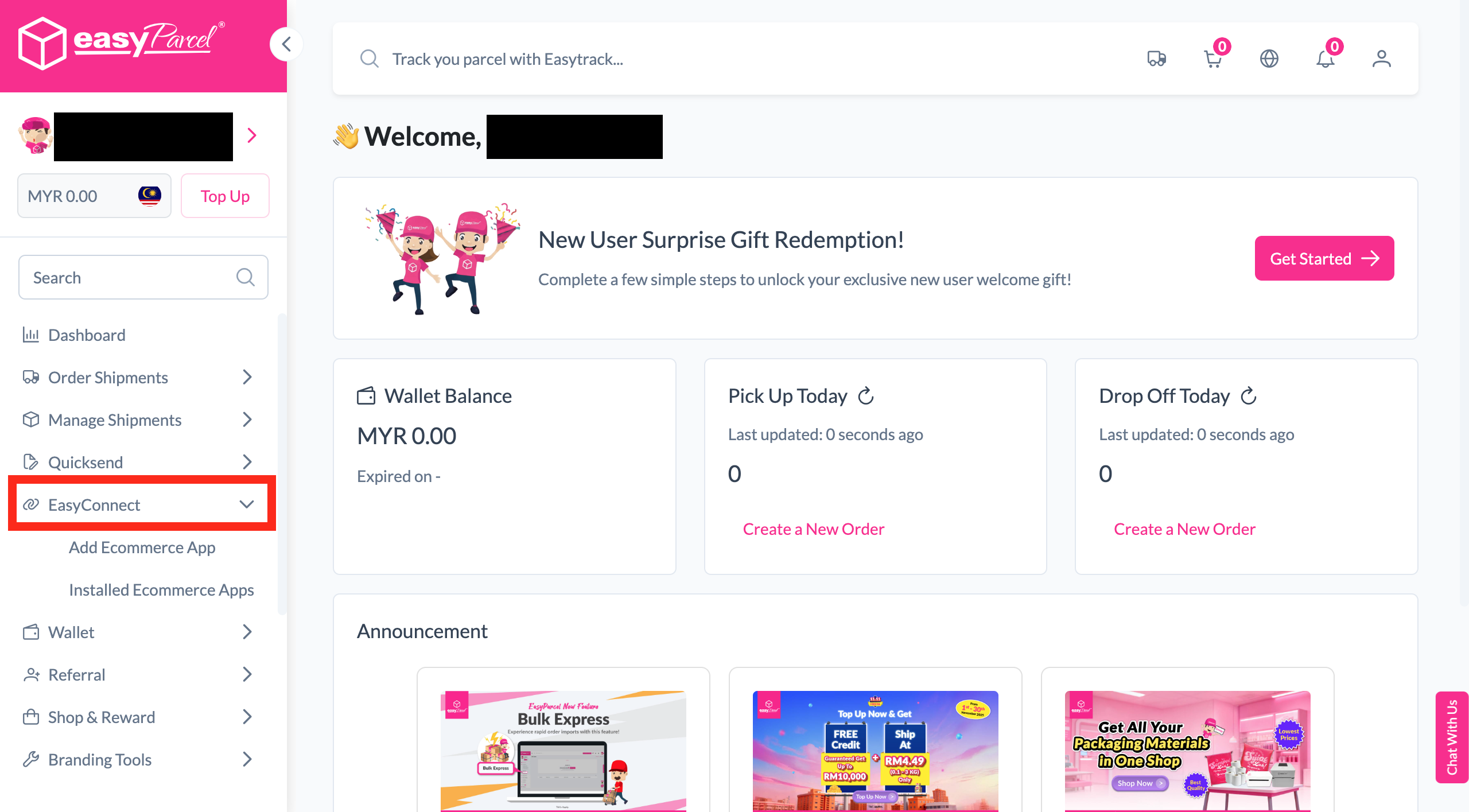
Login & Install Shoppegram App
Log in to your EasyParcel account, navigate to EasyConnect, then click 'Add Ecommerce App'. Find 'Shoppegram' and click 'Install App' to get started.
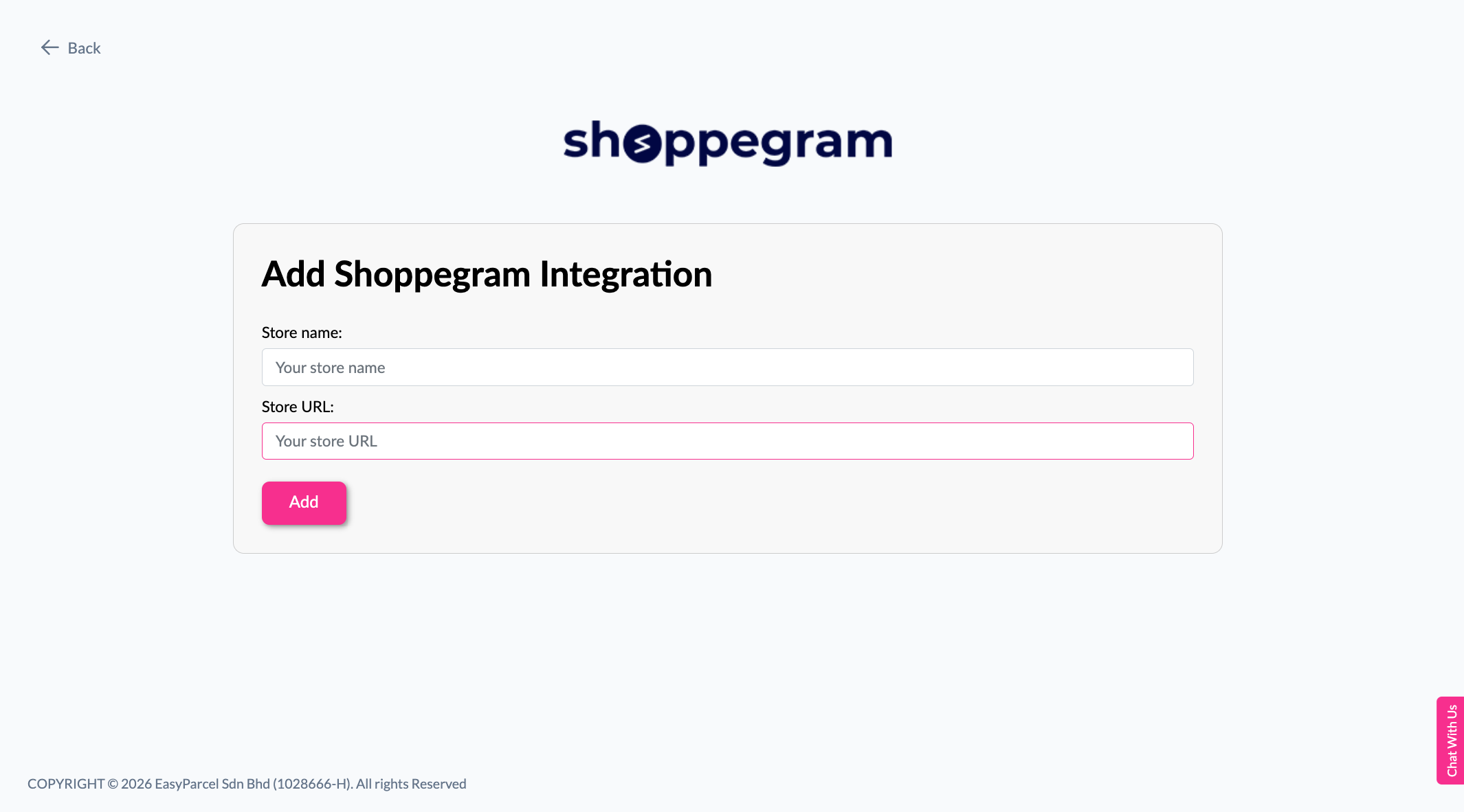
Enter Store Details
Fill in your store name and store URL, then click 'Add' to proceed.
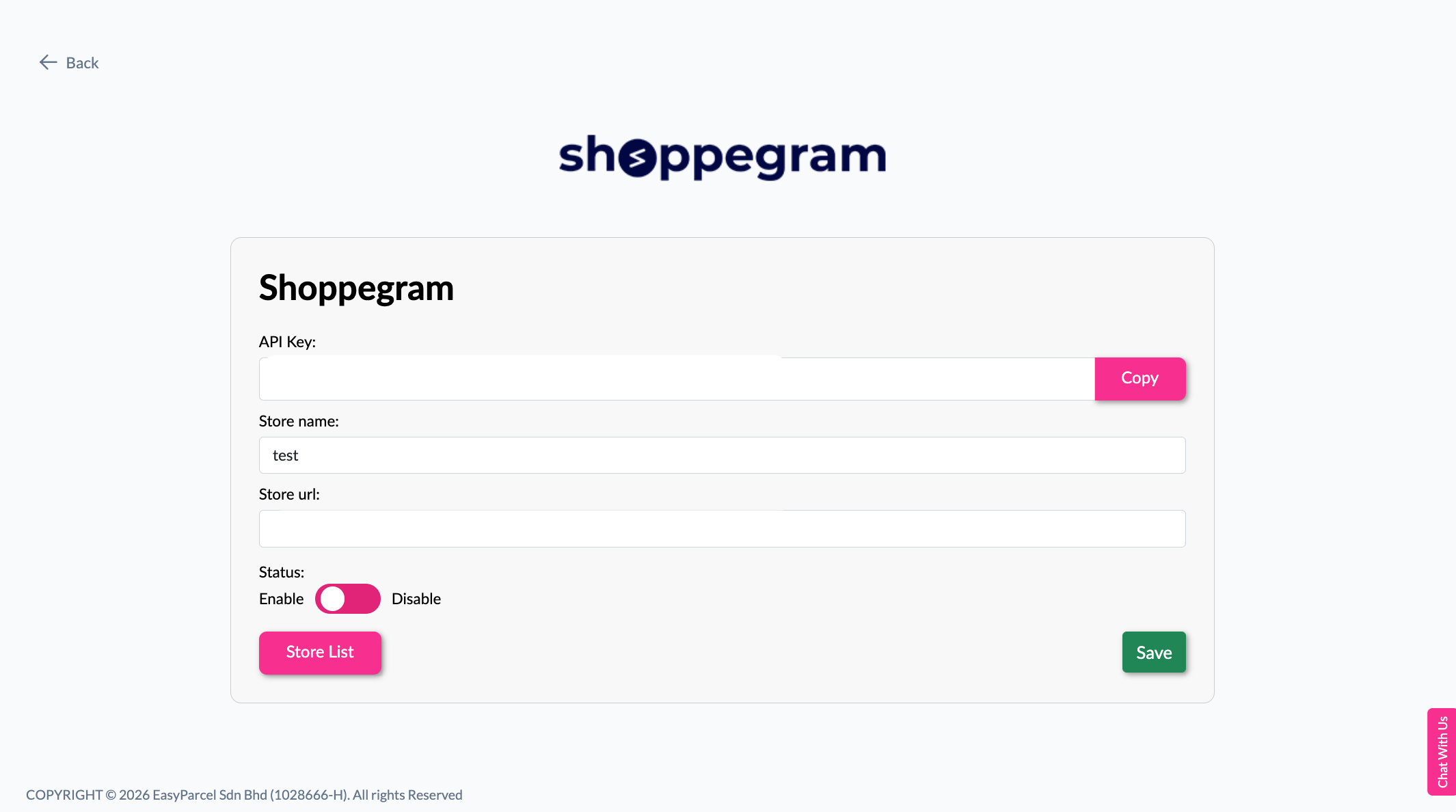
Copy Your Integration ID
Your store API key / Integration ID will be generated. Copy it — you'll need it in Step 6.
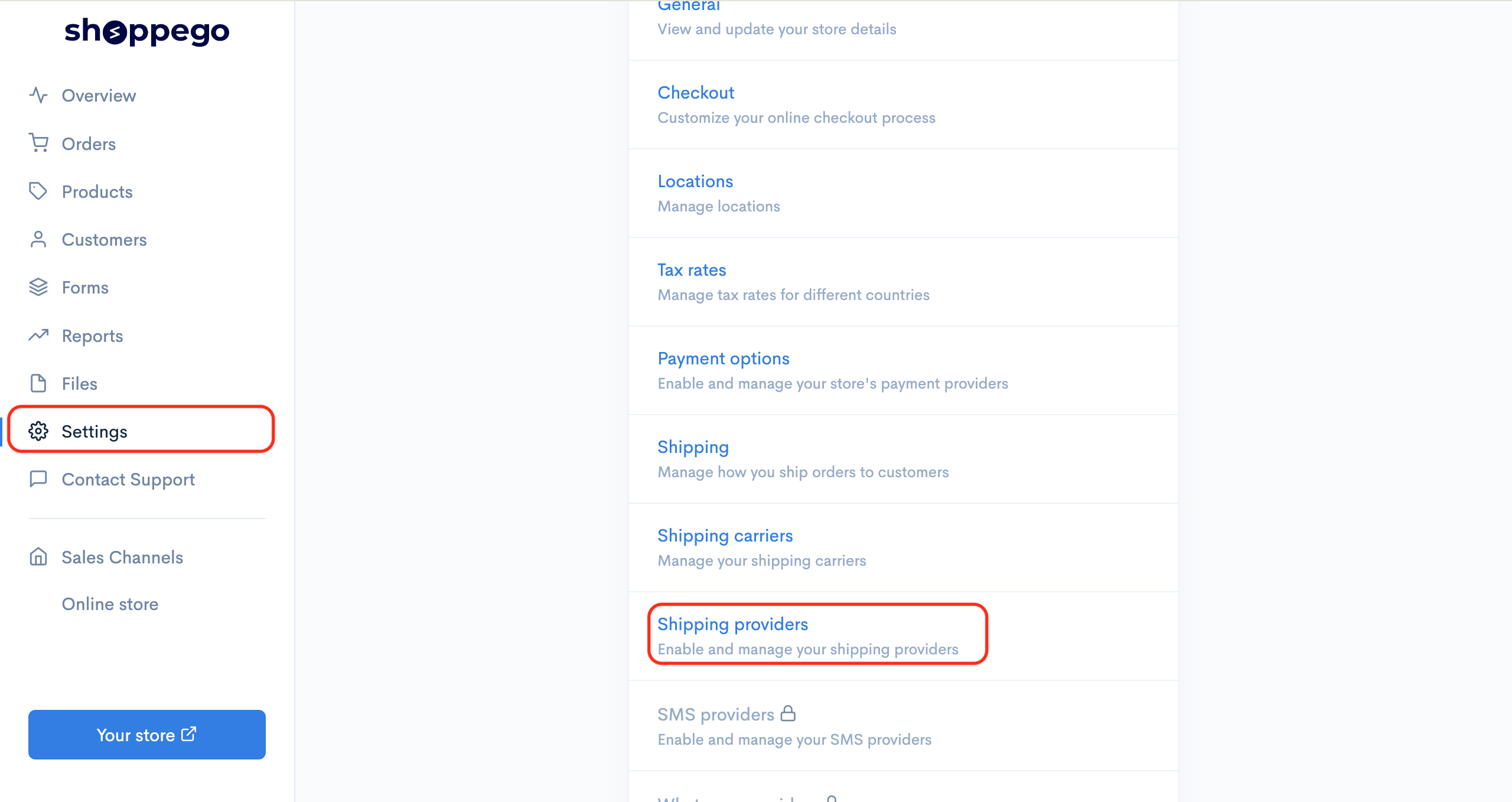
Go to Shipping Providers
In your Shoppegram admin panel, click on 'Settings', then select 'Shipping providers'.
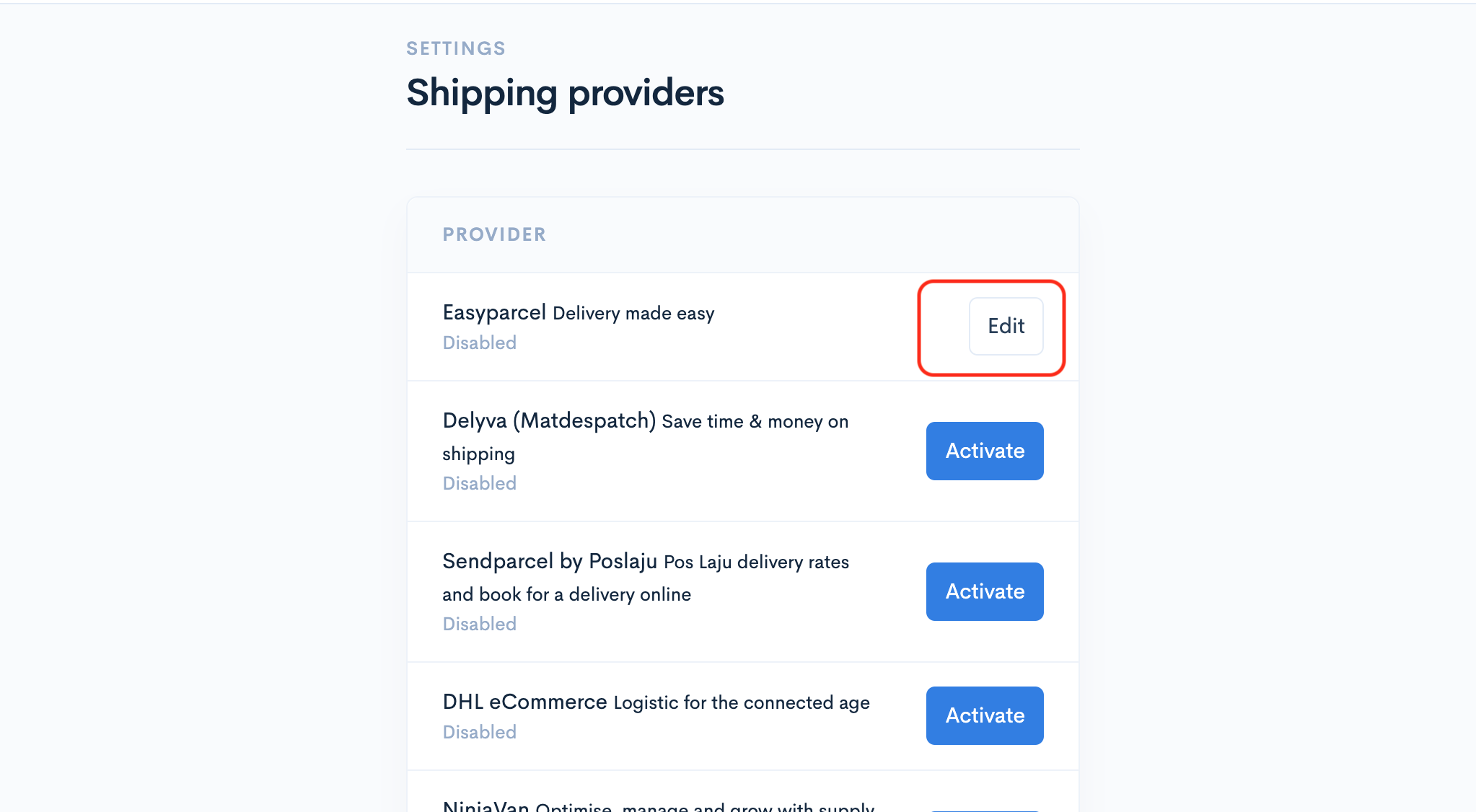
Activate EasyParcel
In the Shipping provider settings, find 'EasyParcel Delivery made easy' and click the 'Activate' button.
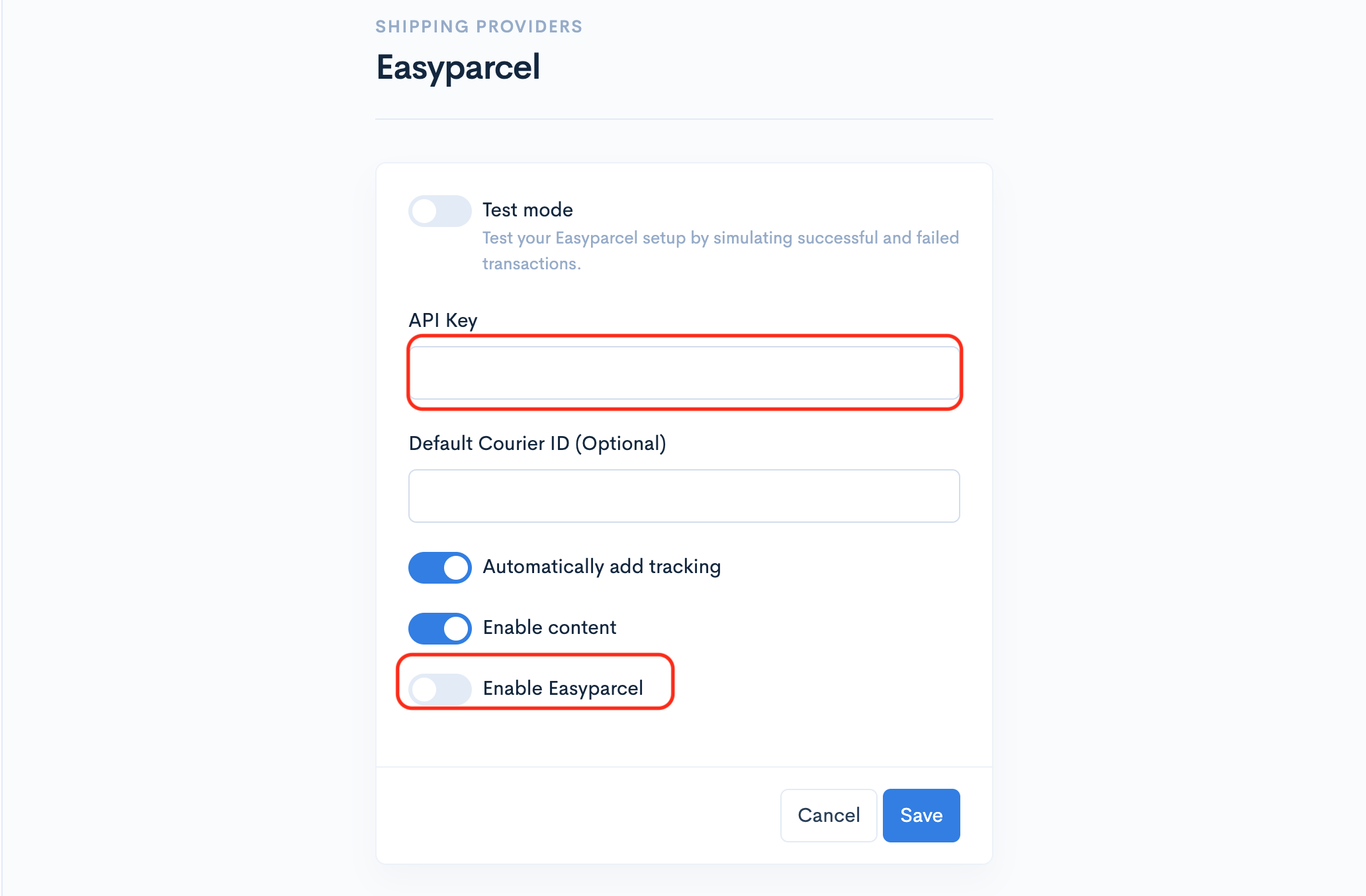
Paste API Key & Enable
Paste the API key you copied in Step 3 into the respective field, then toggle on to enable EasyParcel. Your integration is now complete!
EasyConnect
Integrate Shoppegram with EasyParcel in 6 steps.
Log in to your EasyParcel account, navigate to EasyConnect, find 'Shoppegram' and click 'Install App'.
Fill in your store name and store URL, then click 'Add'.
Your store API key / Integration ID will be generated. Copy it — you'll need it in Step 6.
In your Shoppegram admin panel, click 'Settings', then select 'Shipping providers'.
Find 'EasyParcel Delivery made easy' in the list and click the 'Activate' button.
Paste the API key from Step 3 into the field, then toggle on to enable EasyParcel. Integration complete!