Malaysia
 Thailand
 Indonesia


EasyConnect
Integrate Orderla.my with EasyParcel in 13 steps.
-
Install Orderla.my App
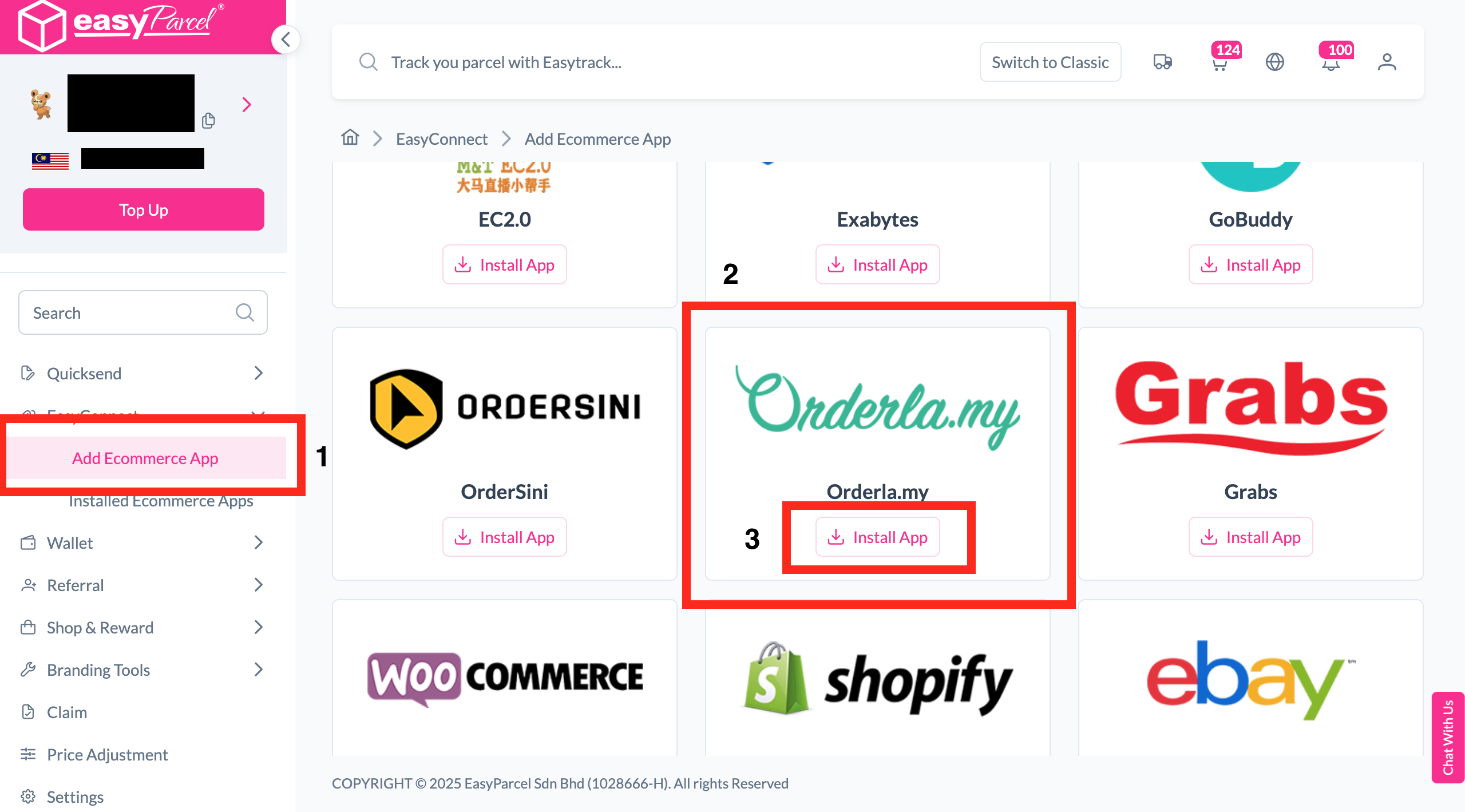
Under "Integration", click "Add Ecommerce App", find "Orderla.my" and click "Install App".
-
Fill In Store Details
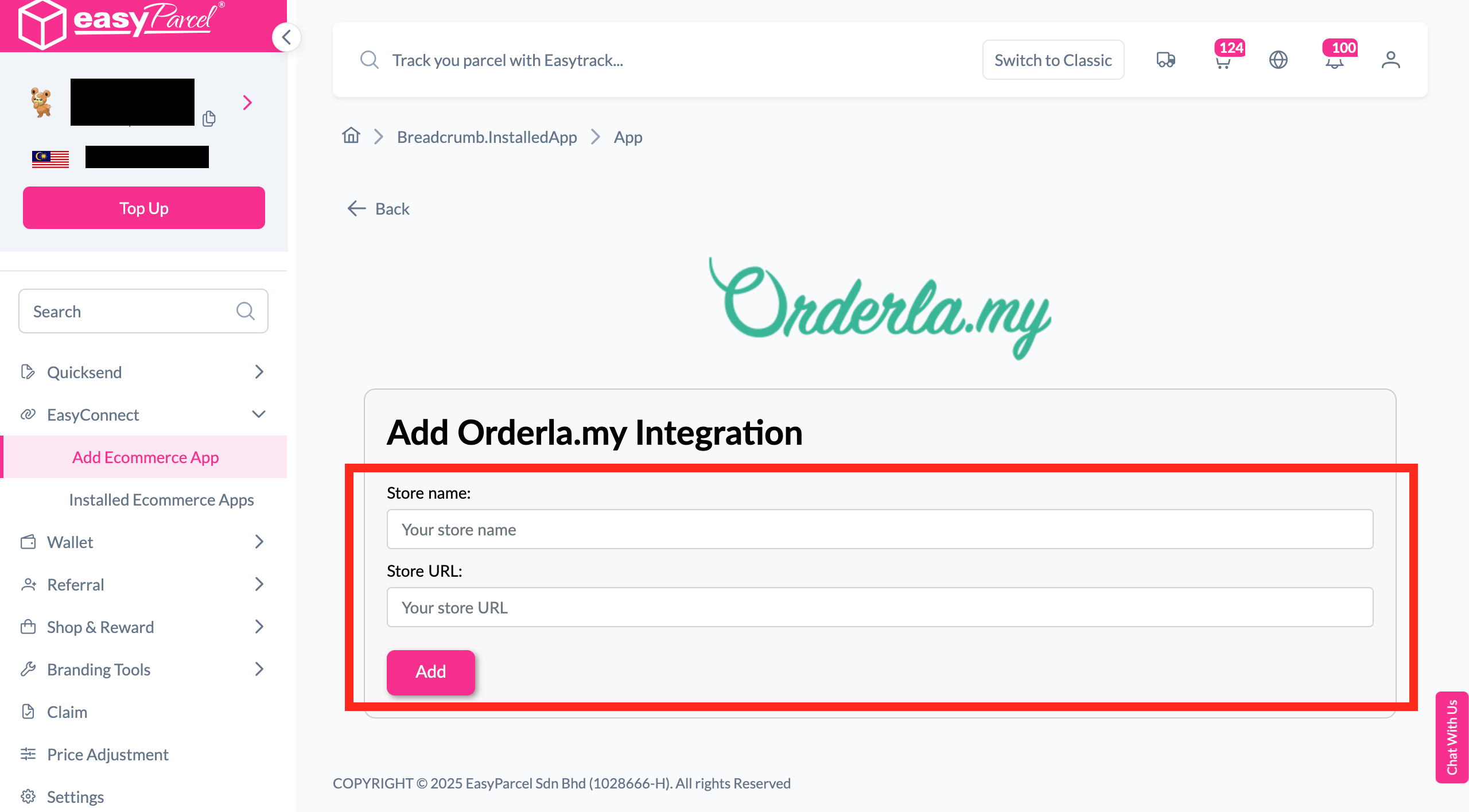
Fill in the Store name and Store URL, then click "Add".
-
Copy Your API Key
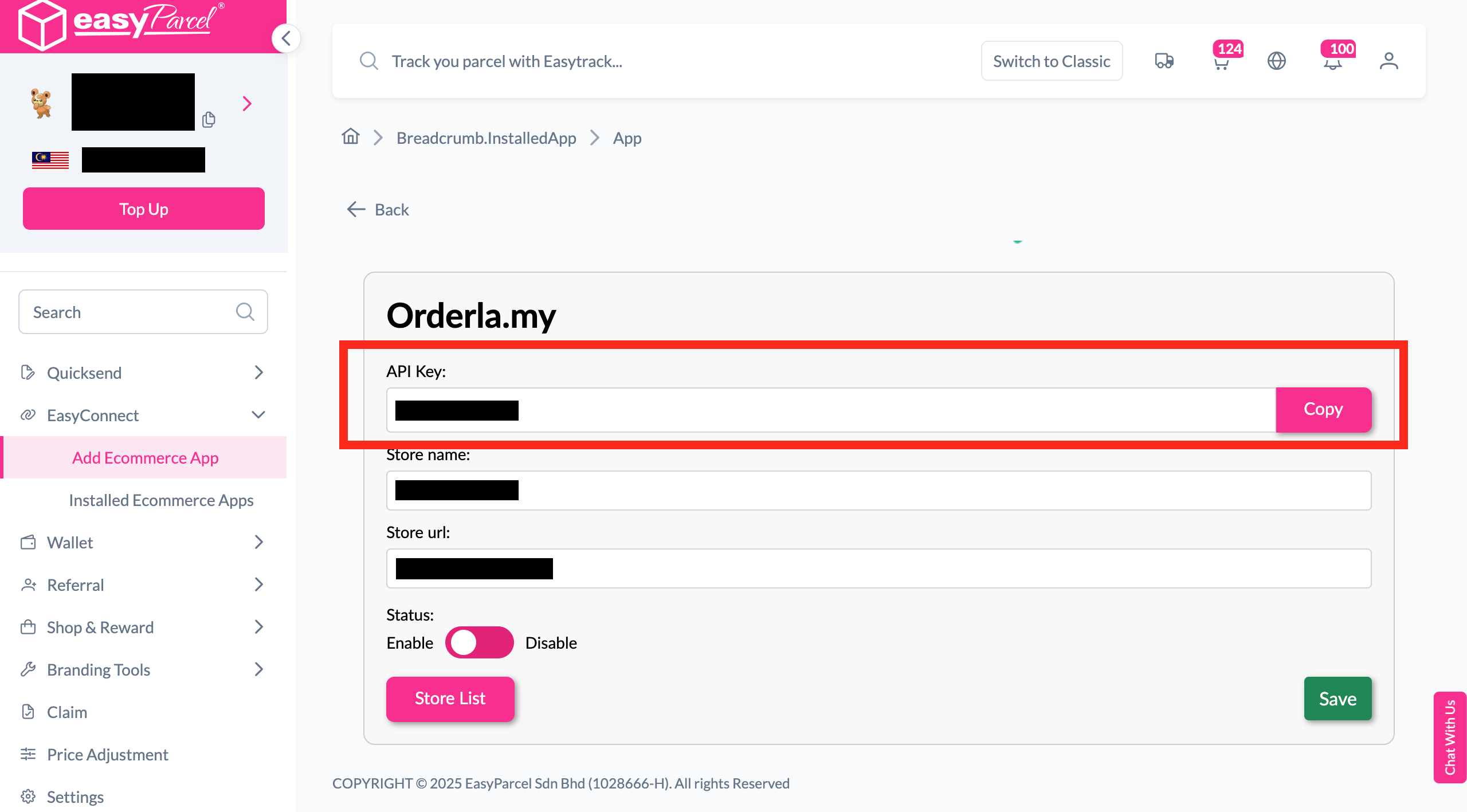
Your store API key / Integration ID will be generated. Copy it.
-
Paste API Key in Orderla
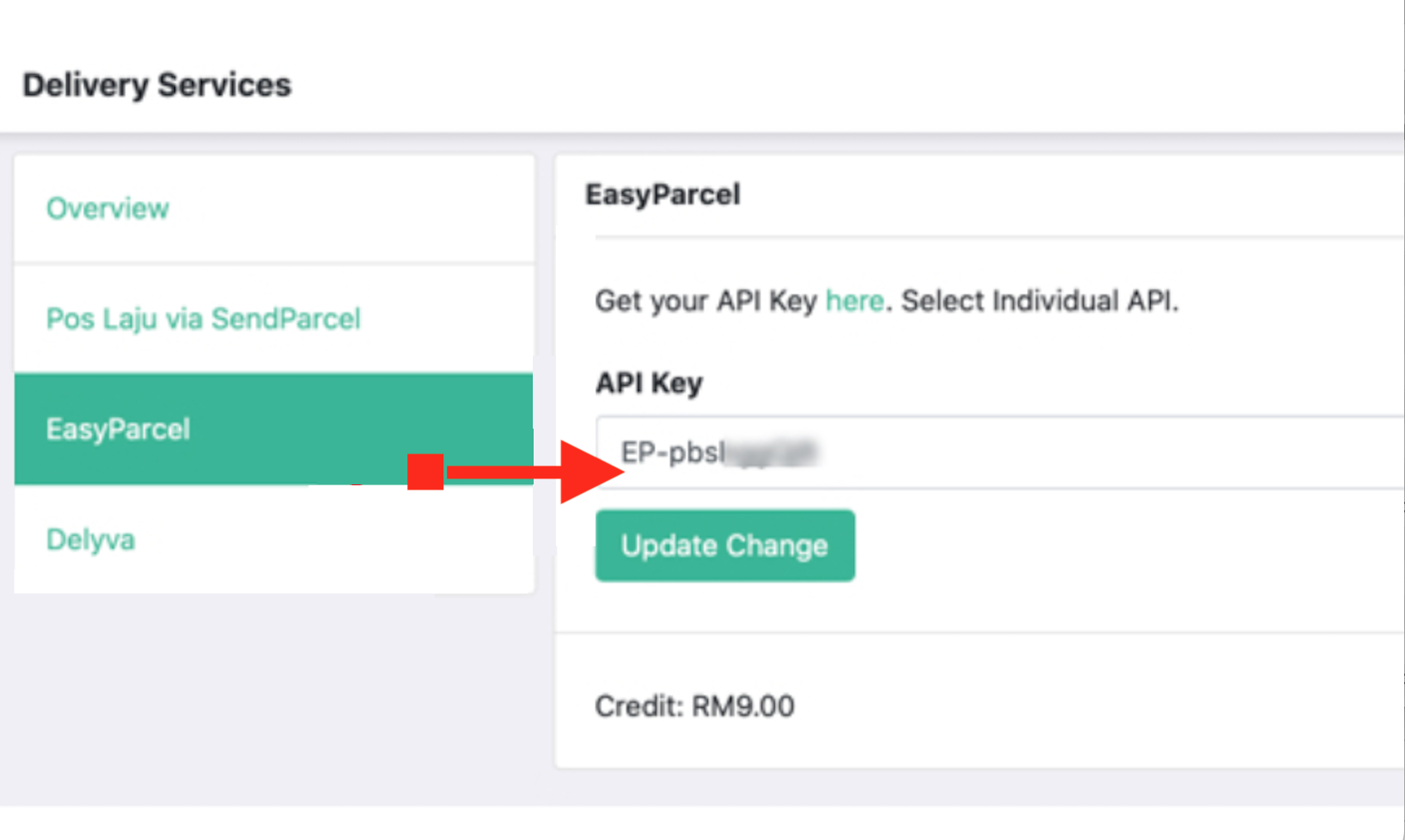
Go to Orderla's EasyParcel settings, paste your API key and click "Update Change".
-
Prerequisites & Notes
Make sure all products have weight and customer address detail is turned on.
-
Enable EasyParcel Delivery
In Form Edit > Delivery, turn on the EasyParcel Delivery Option switch.
-
Set Up Delivery Option
Configure the EasyParcel Delivery Option settings for your store.
-
Customer Order Form
Customers will see a "Delivery via EasyParcel" option on your order form.
-
Customer Selects Delivery
At Order Summary, delivery options load and customer clicks "Select Delivery".
-
Manage EasyParcel Shipment
On the order detail page, click "Manage EasyParcel Shipment".
-
Purchase Parcel
Verify sender and receiver details, then click "Purchase Parcel".
-
View AWB & Tracking Link
After purchase, the order page shows the AWB and parcel tracking link.
-
Customer Tracking Update
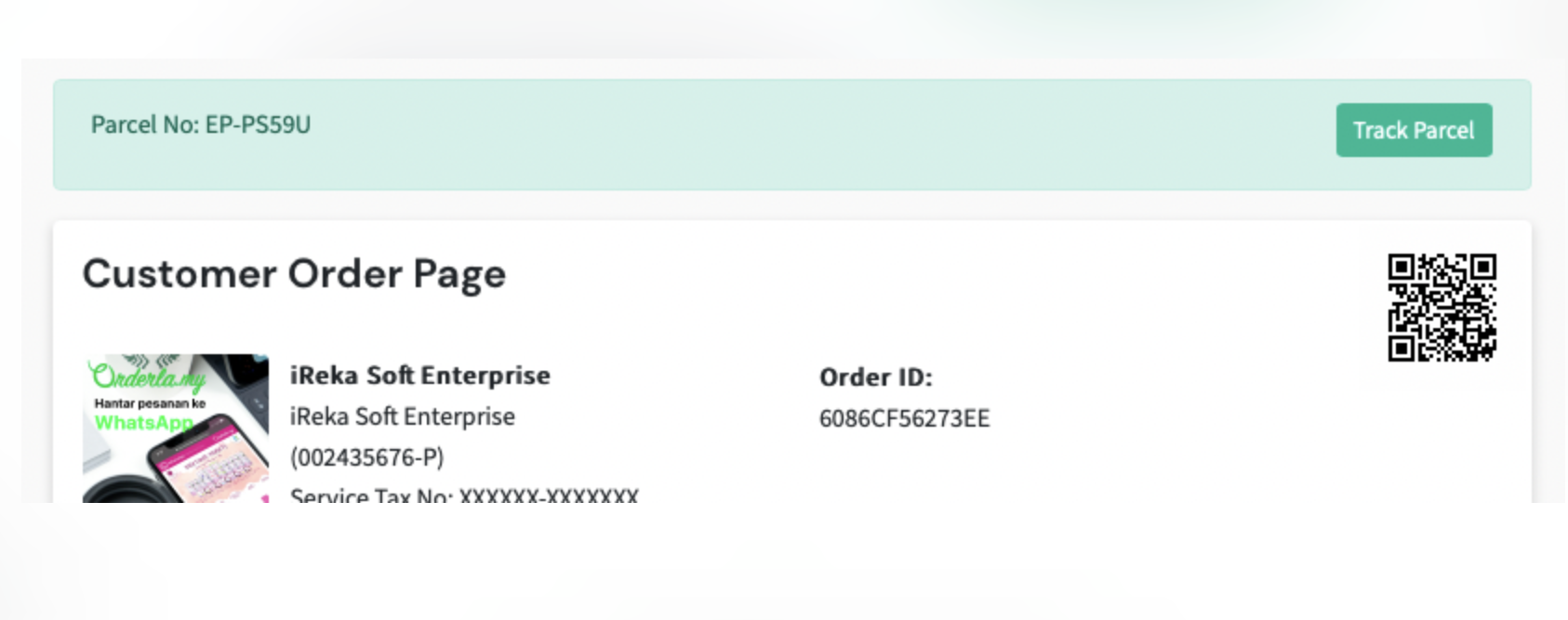
Your customer's order page is updated automatically with a tracking link.
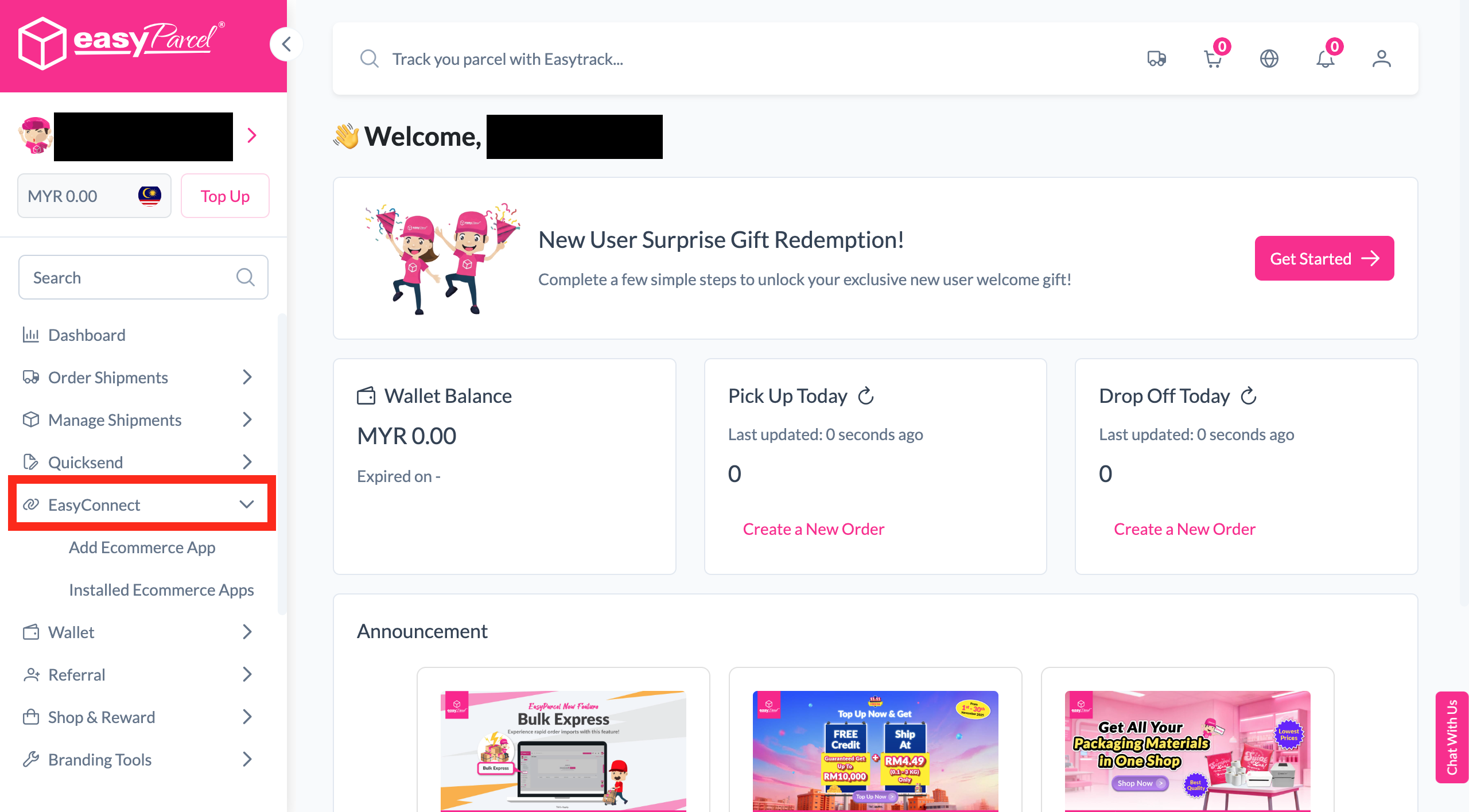
Install Orderla.my App
Log in to your EasyParcel account, navigate to EasyConnect, then click 'Add Ecommerce App'. Find 'Orderla.my' and click 'Install App' to get started.
Fill In Store Details
Fill in your Store name and Store URL, then click 'Add' to proceed.
Copy Your API Key
Your store API key / Integration ID will be generated. Copy it and keep it ready to use in Orderla.my.
Paste API Key in Orderla
Login to your Orderla.my account, go to the EasyParcel settings at orderla.my/admin/delivery-services/easyparcel, paste your API key, and click 'Update Change'.
Prerequisites & Notes
You can now use EasyParcel to purchase shipments directly from the Orderla system and pass parcel information seamlessly between platforms.
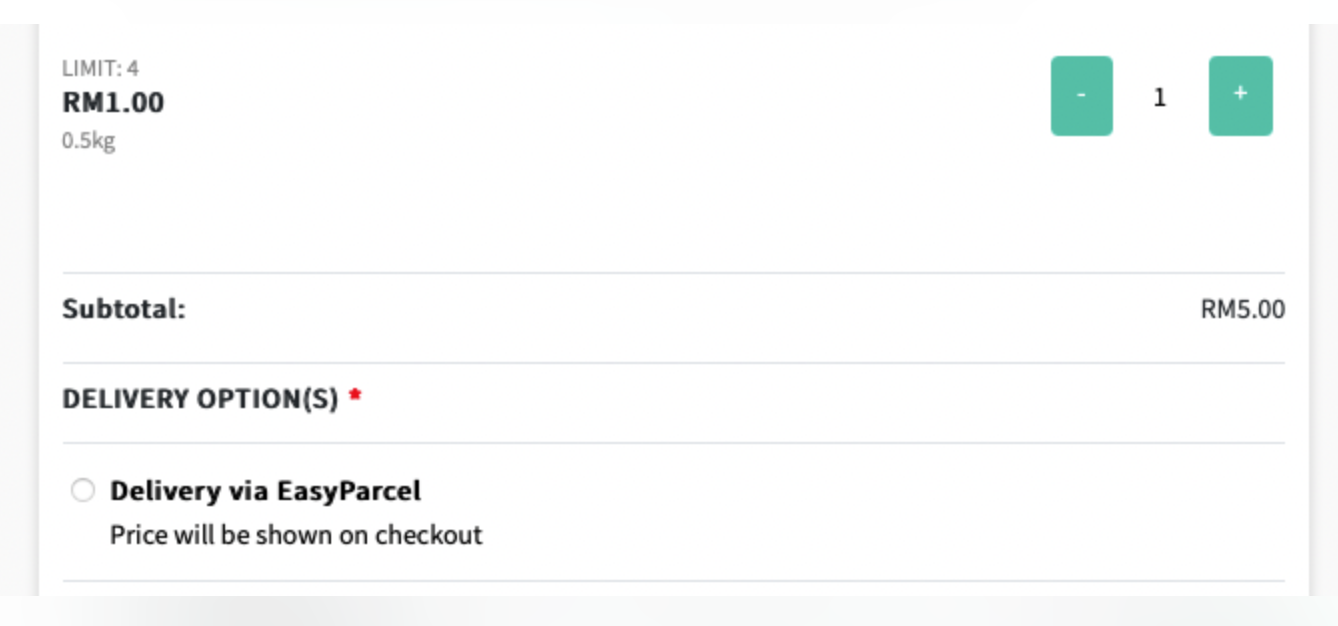
Enable EasyParcel Delivery
Go to Form Edit > Delivery, then turn on the EasyParcel Delivery Option switch to activate it for your order form.
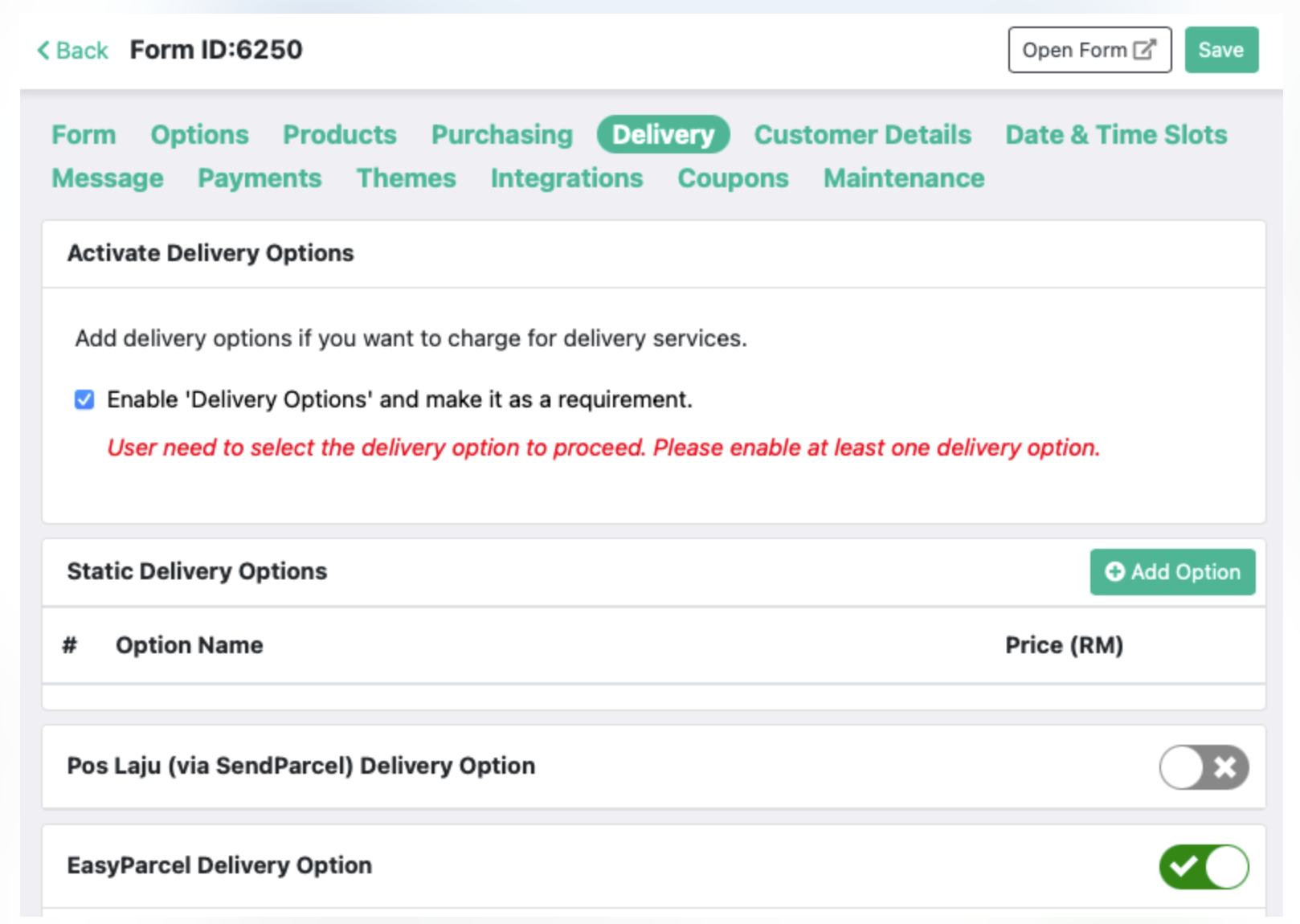
Set Up Delivery Option
Configure the EasyParcel Delivery Option settings to match your shipping preferences and requirements.
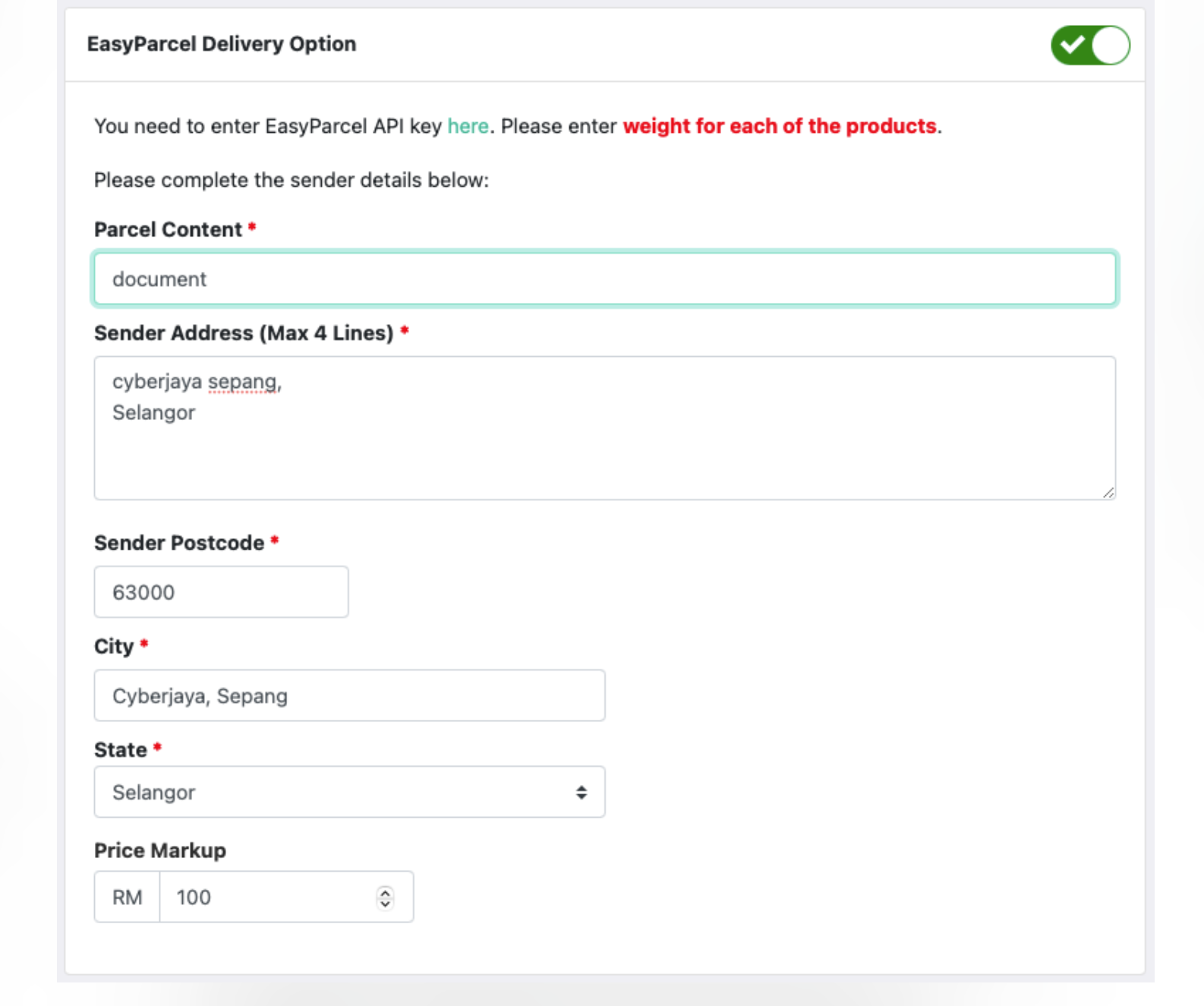
Customer Order Form
On your order form, customers will now see a 'Delivery via EasyParcel' option to choose during checkout.
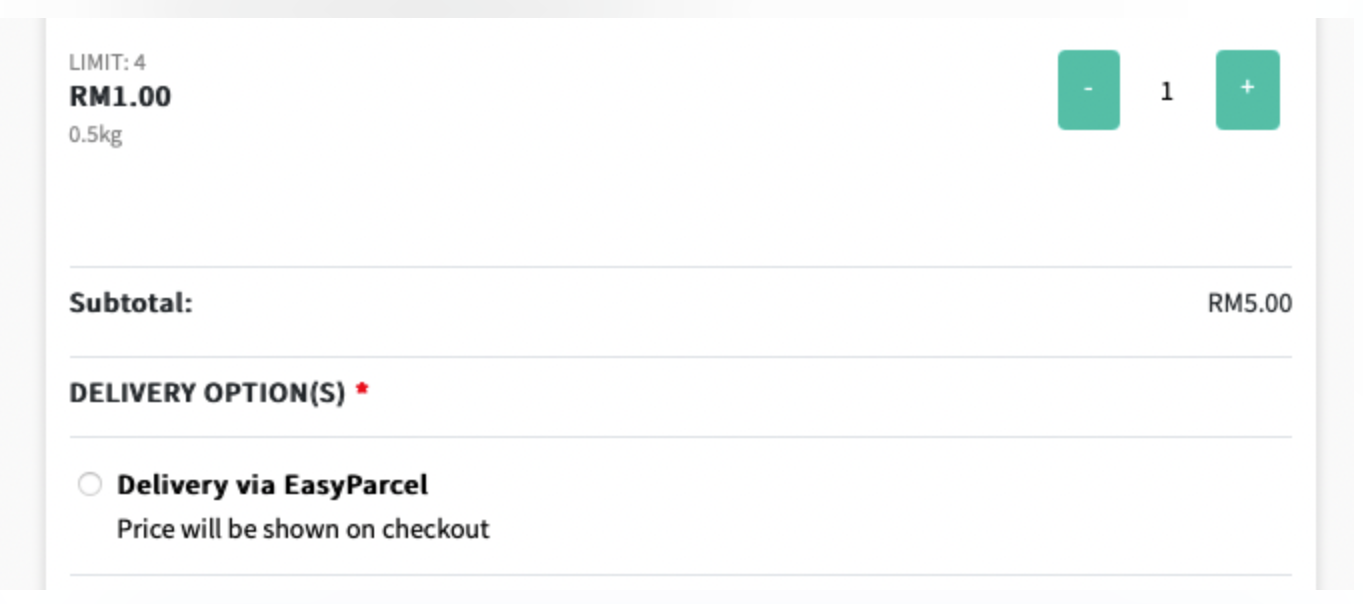
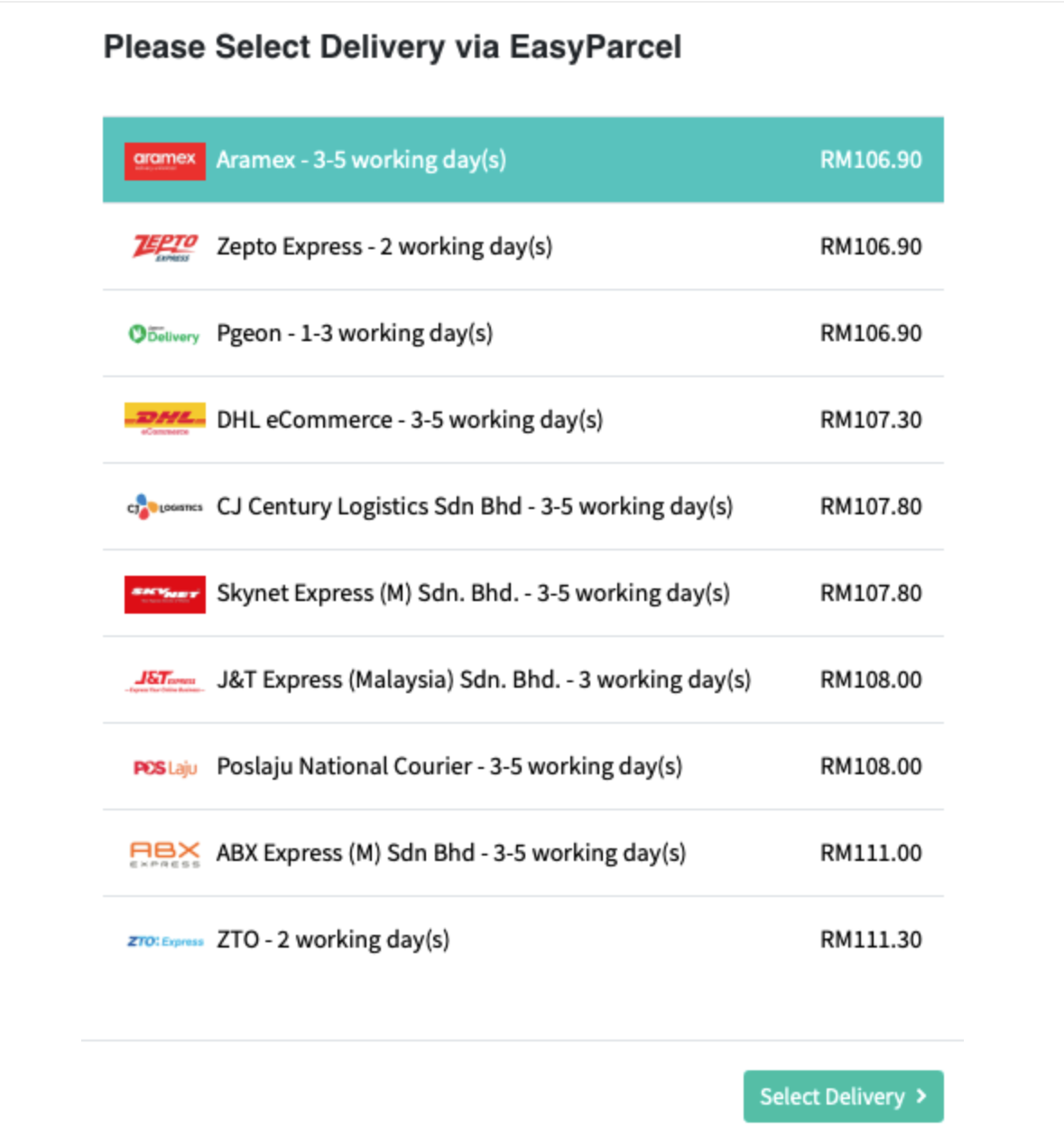
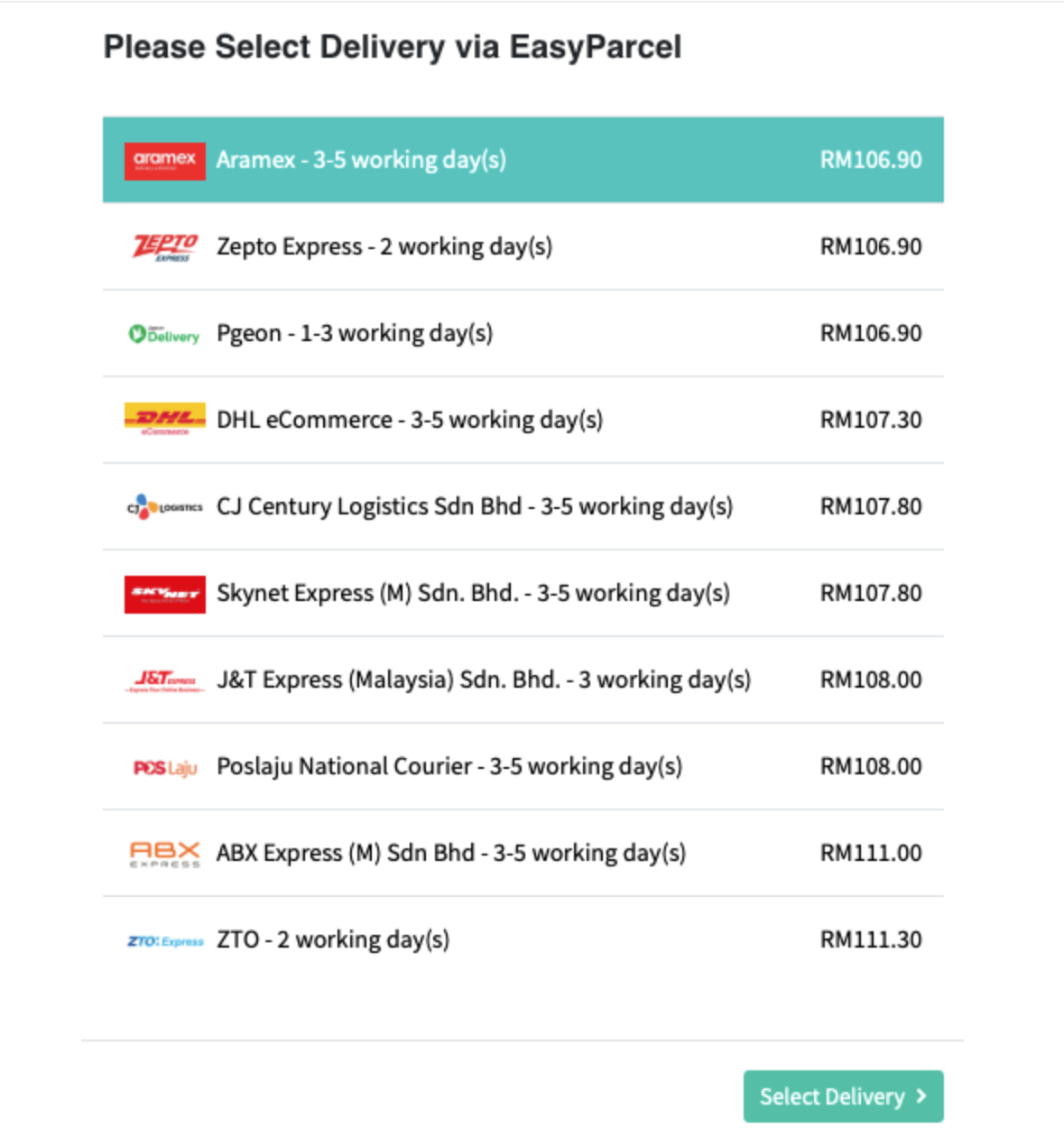
Customer Selects Delivery
After proceeding to Order Summary, available EasyParcel delivery options will load for the customer to review. They then click 'Select Delivery' to confirm their choice.
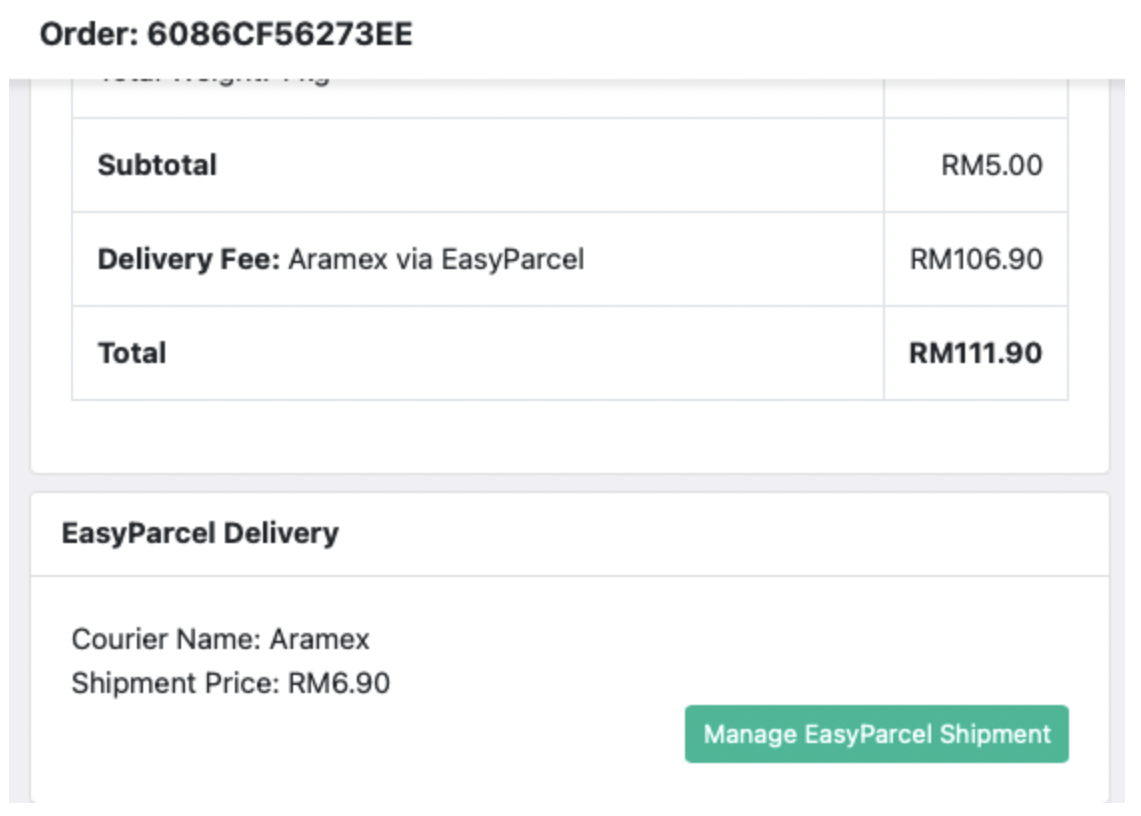
Manage EasyParcel Shipment
On the order detail page, you'll see an EasyParcel Delivery card with a 'Manage EasyParcel Shipment' button to action the delivery.
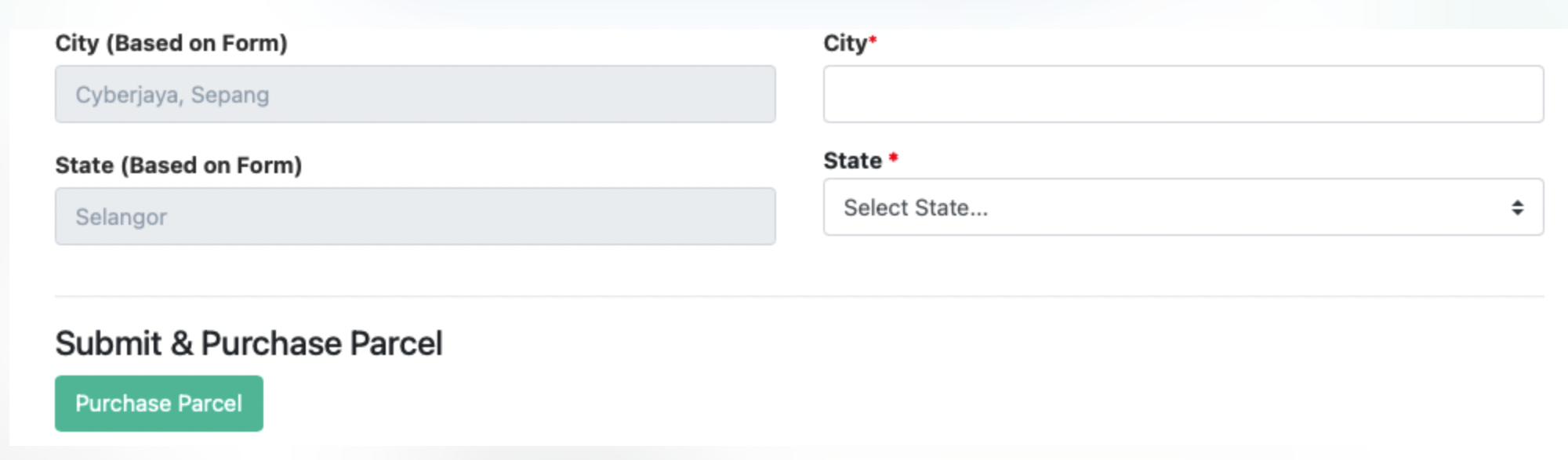
Purchase Parcel
Verify that all sender and receiver details are correct, add the receiver's postcode and select their state properly, then scroll down and click 'Purchase Parcel'.
View AWB & Tracking Link
Once your purchase is successful, the order detail page will display the AWB link and a link to track the parcel.
Customer Tracking Update
Your customer's order page will automatically be updated with a parcel tracking link — keeping them informed every step of the way!
EasyConnect
Integrate Orderla.my with EasyParcel in 13 steps.
Log in to EasyParcel, go to EasyConnect, click 'Add Ecommerce App', find 'Orderla.my' and click 'Install App'.
Fill in your Store name and Store URL, then click 'Add'.
Your API key / Integration ID will be generated. Copy it for use in Orderla.my.
Go to orderla.my/admin/delivery-services/easyparcel, paste your API key, and click 'Update Change'.
You can now purchase shipments directly from Orderla and pass parcel info to EasyParcel seamlessly.
Go to Form Edit > Delivery, then turn on the EasyParcel Delivery Option switch.
Configure the EasyParcel Delivery Option settings to match your requirements.
Customers will see a 'Delivery via EasyParcel' option on your order form during checkout.
At Order Summary, delivery options load for the customer. They click 'Select Delivery' to confirm their choice.
On the order detail page, click 'Manage EasyParcel Shipment' to action the delivery.
Verify sender & receiver details, add postcode and state, then scroll down and click 'Purchase Parcel'.
After a successful purchase, the order detail page displays the AWB link and a parcel tracking link.
Your customer's order page is automatically updated with a parcel tracking link.