Malaysia
 Thailand
 Indonesia


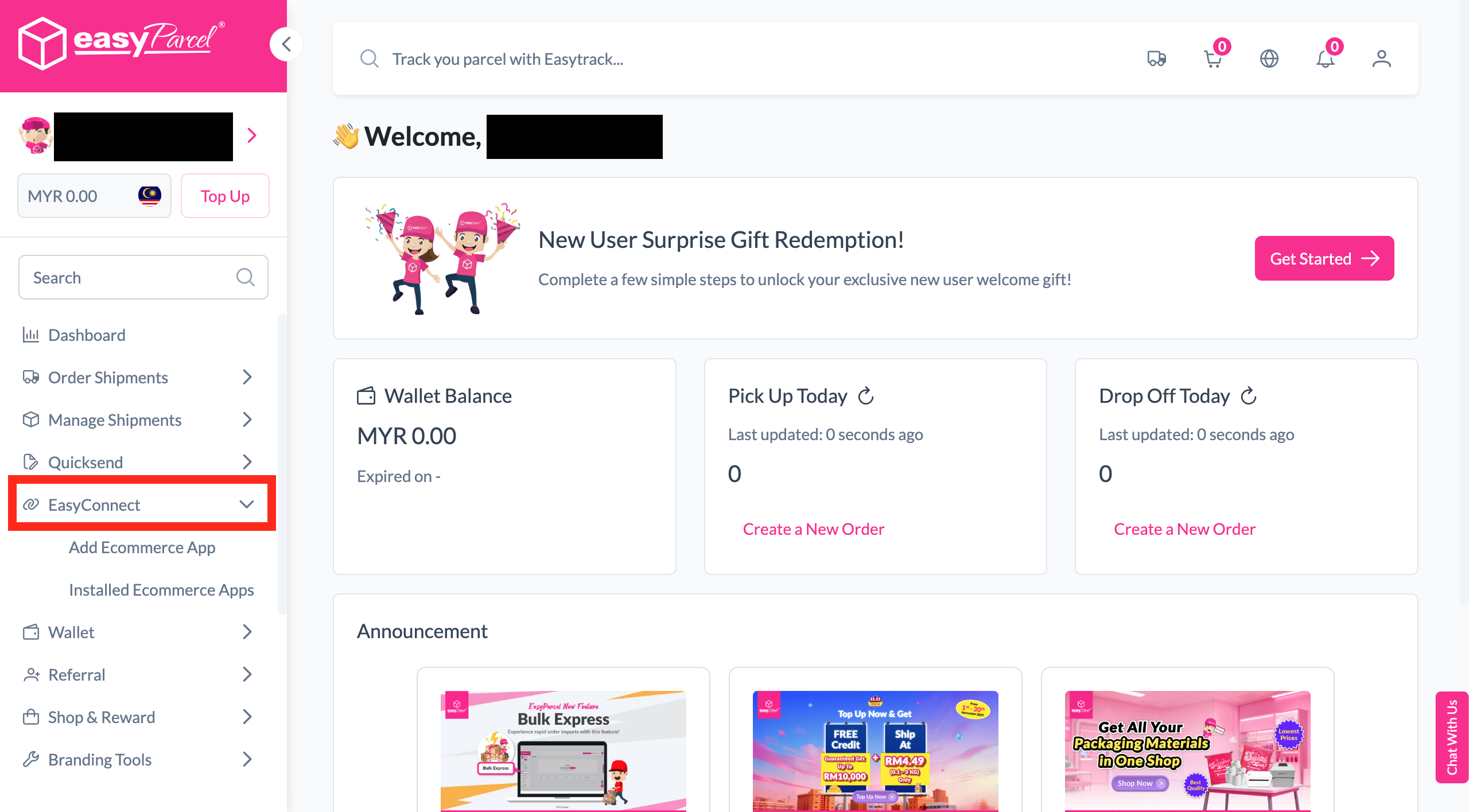
EasyConnect
Integrate EzBoxup with EasyParcel in 8 steps.
-
Install EzBoxup App
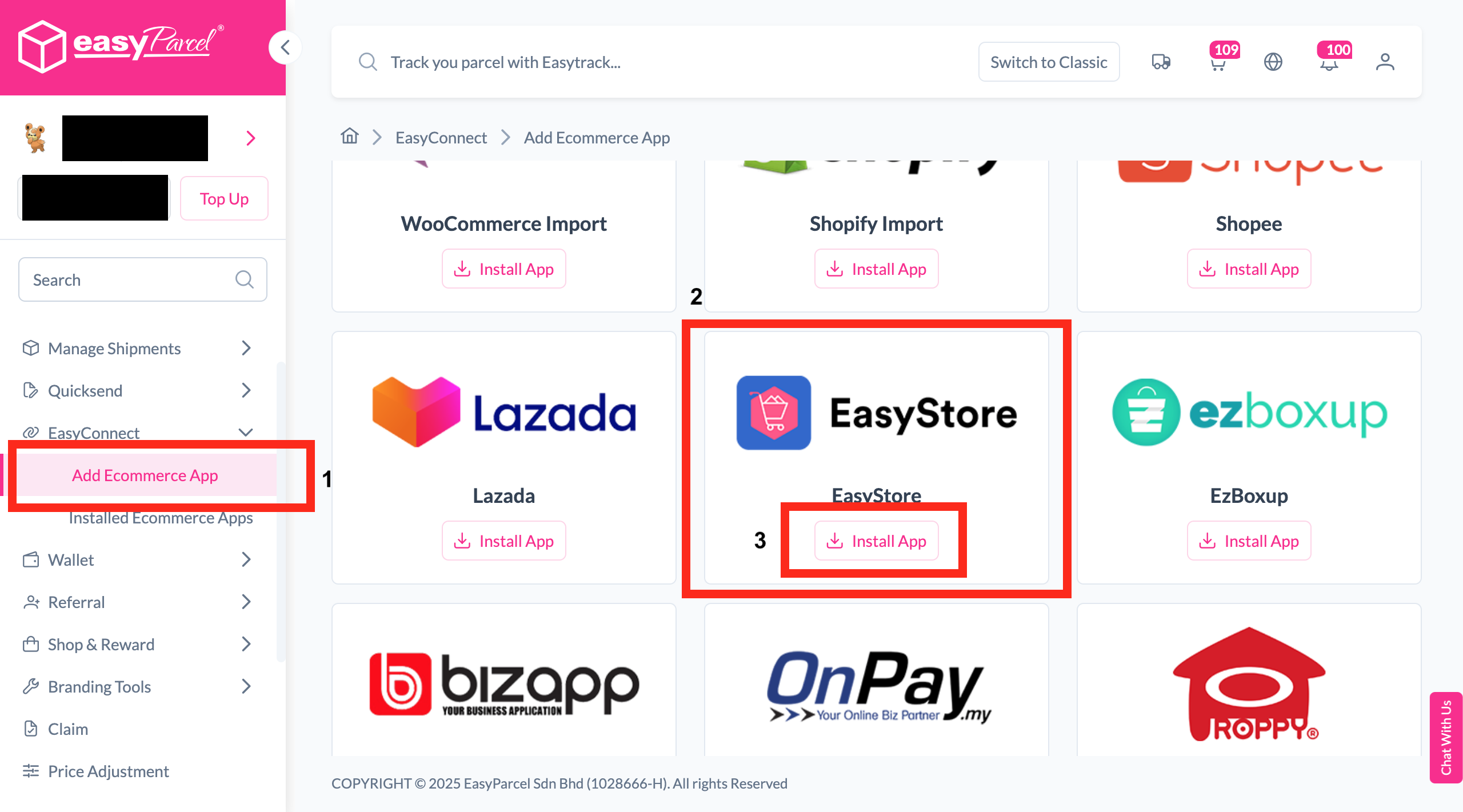
Under "Integration", click "Add Ecommerce App", find "EzBoxup" and click "Install App".
-
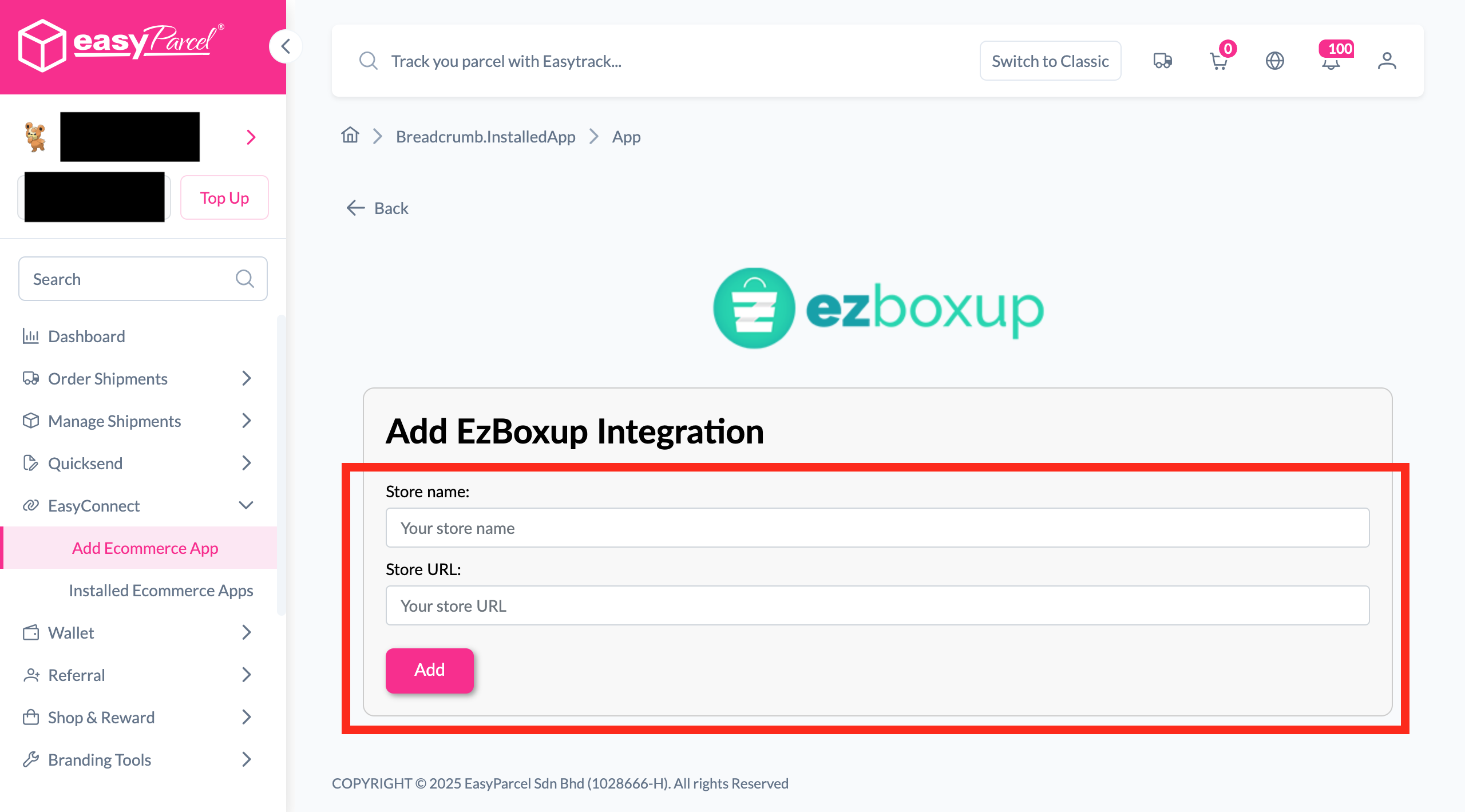
Fill In Store Details
Fill in the Store name and Store URL, then click "Add".
-
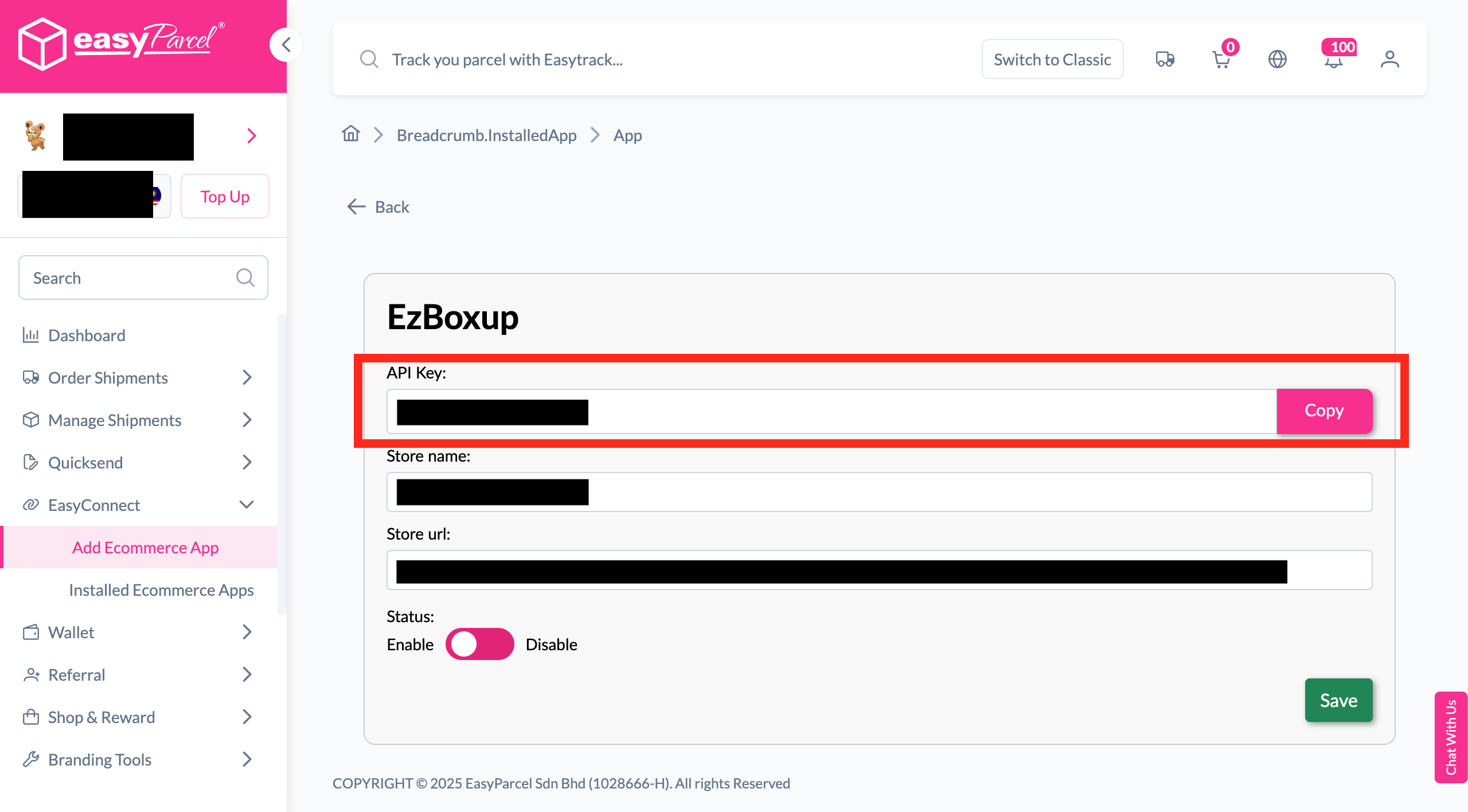
Copy Your API Key
Your store API key / Integration ID will be generated. Copy it to integrate with your store.
-
Go to Delivery Option
In EzBoxup, go to Delivery Option > Easy Parcel.
-
Enable EasyParcel & Save
Enable EasyParcel, fill in Integration ID, choose courier and click "Save Setting".
-
Go to Order Shipping
To ship your order, go to Order Status > Shipping.
-
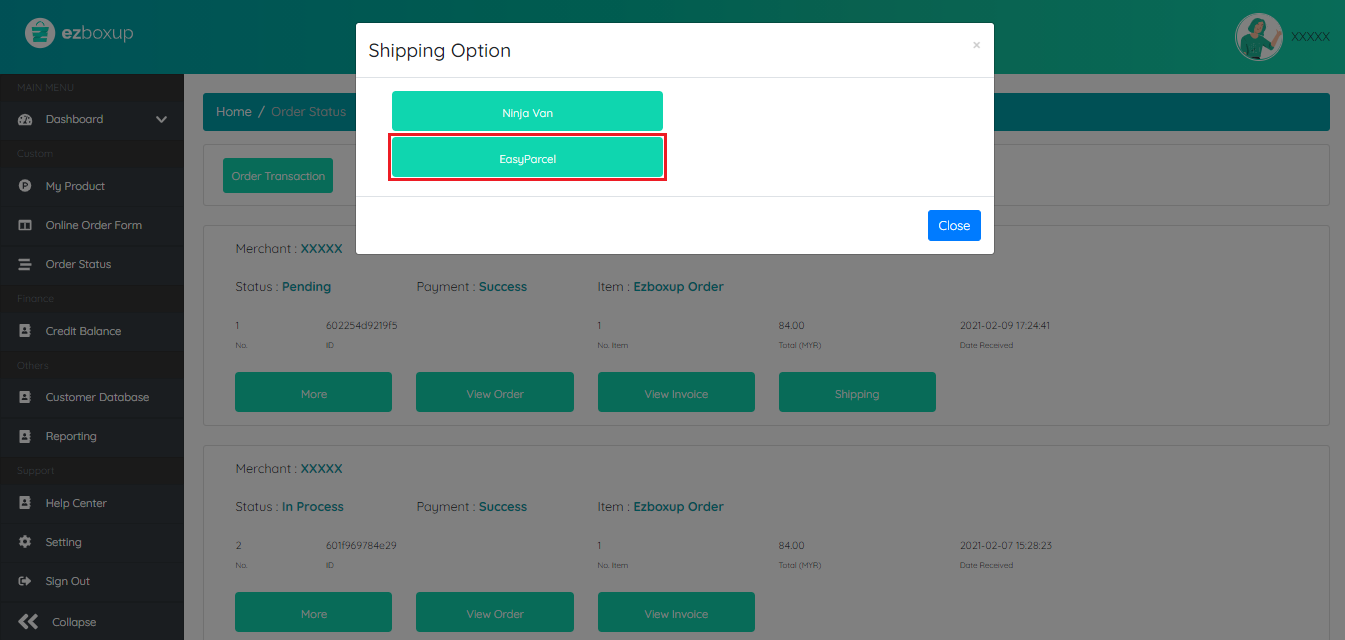
Click EasyParcel
Click "EasyParcel" to proceed with your shipment.
-
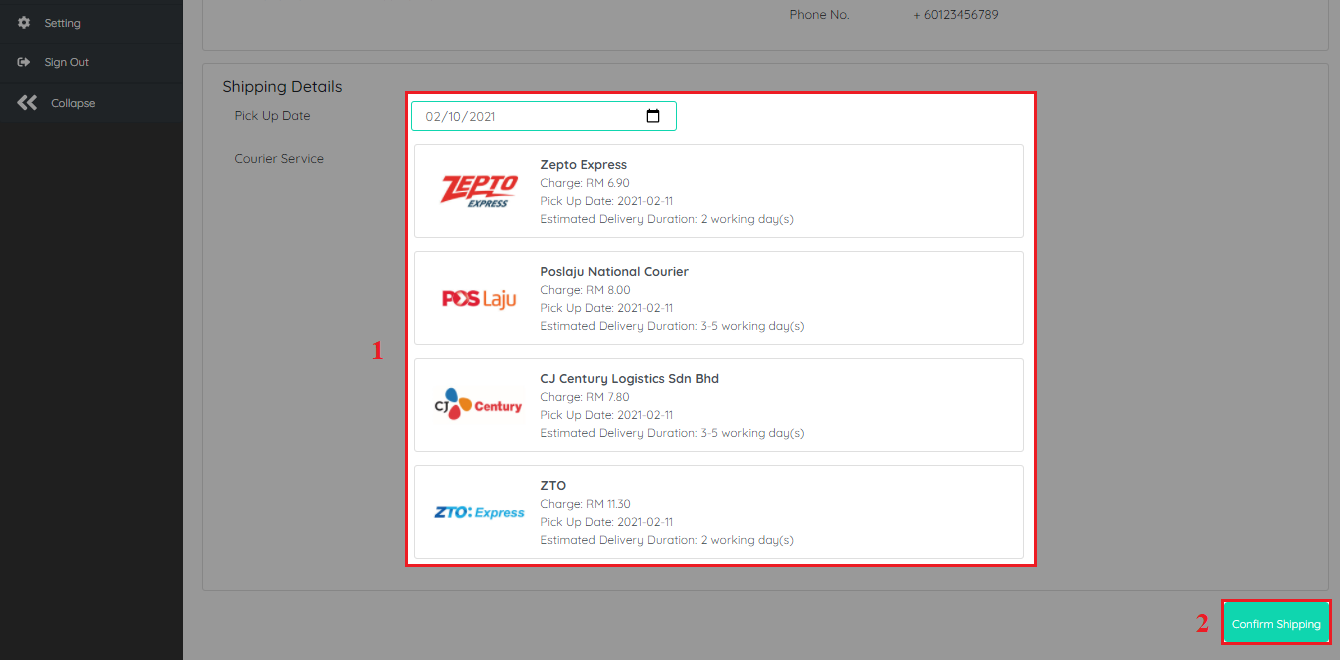
Confirm Shipping
Fill in all shipping details and click "Confirm Shipping" to submit.
Install EzBoxup App
Log in to your EasyParcel account, navigate to EasyConnect, then click 'Add Ecommerce App'. Find 'EzBoxup' and click 'Install App' to get started.
Fill In Store Details
Fill in your Store name and Store URL, then click 'Add' to proceed.
Copy Your API Key
Your store API key / Integration ID will be generated. Copy it and use it to integrate with your EzBoxup store.
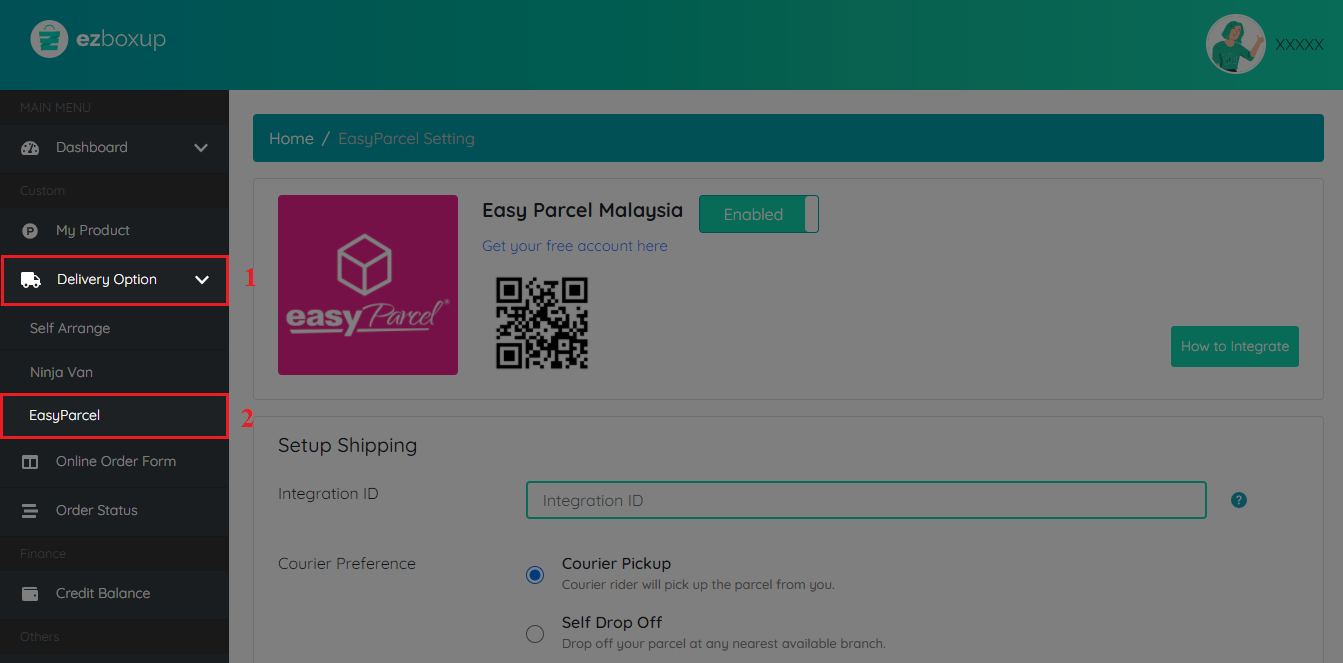
Go to Delivery Option
In EzBoxup, go to Delivery Option > Easy Parcel.
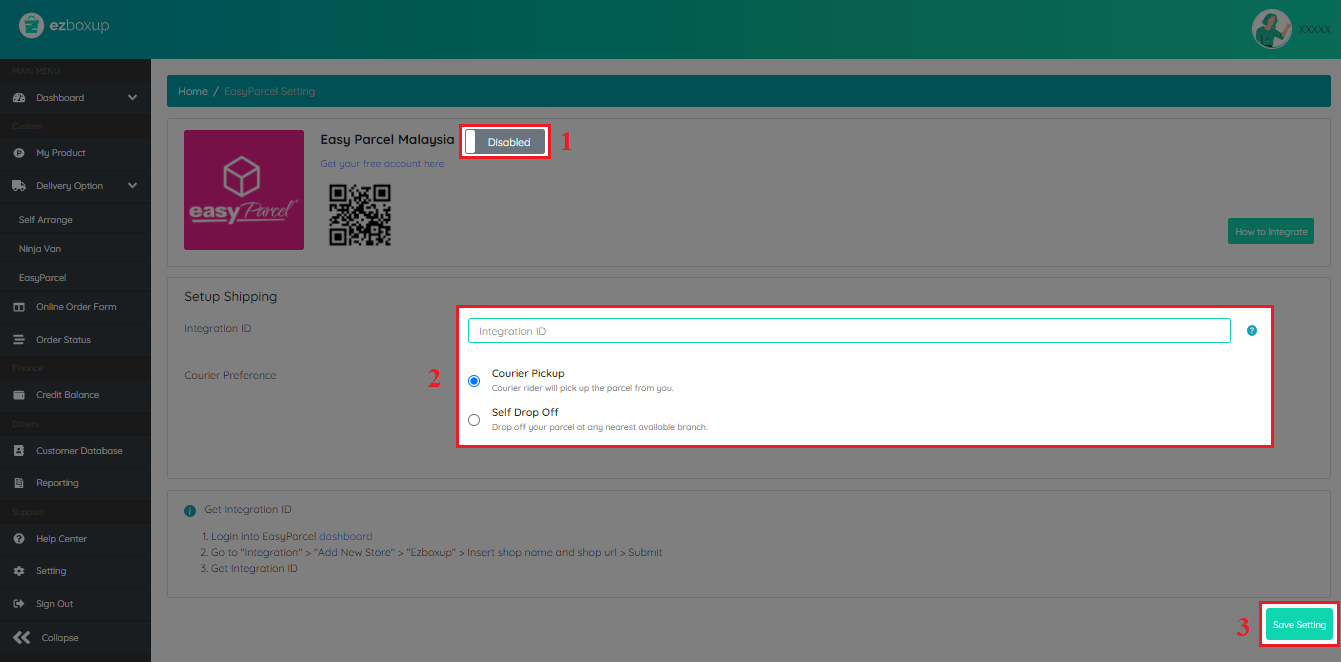
Enable EasyParcel & Save
Click to enable EasyParcel, fill in your Integration ID, choose your courier preference, then click 'Save Setting'.
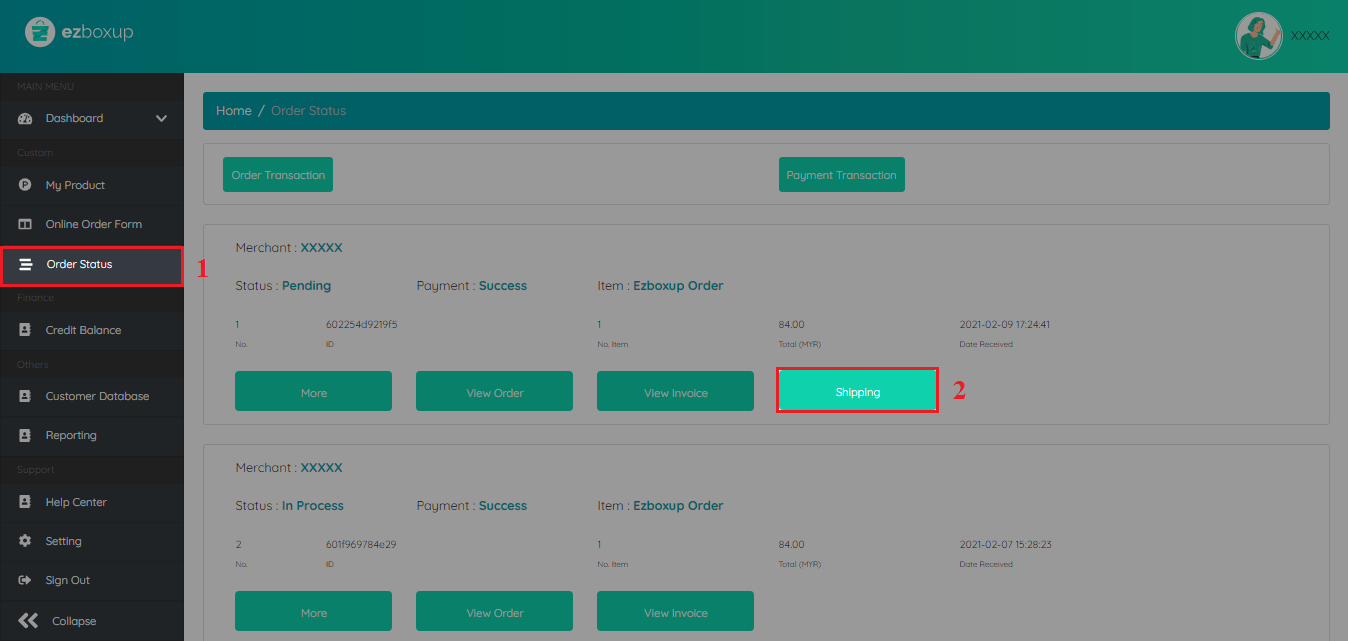
Go to Order Shipping
To ship your order, go to Order Status > Shipping.
Click EasyParcel
Click 'EasyParcel' to proceed with your shipment.
Confirm Shipping
Fill in all the shipping details and submit by clicking 'Confirm Shipping' — your shipment is on its way!
EasyConnect
Integrate EzBoxup with EasyParcel in 8 steps.
Log in to your EasyParcel account, navigate to EasyConnect, then click 'Add Ecommerce App'. Find 'EzBoxup' and click 'Install App' to get started.
Fill in your Store name and Store URL, then click 'Add' to proceed.
Your store API key / Integration ID will be generated. Copy it and use it to integrate with your EzBoxup store.
In EzBoxup, go to Delivery Option > Easy Parcel.
Click to enable EasyParcel, fill in your Integration ID, choose your courier preference, then click 'Save Setting'.
To ship your order, go to Order Status > Shipping.
Click 'EasyParcel' to proceed with your shipment.
Fill in all the shipping details and submit by clicking 'Confirm Shipping' — your shipment is on its way!