Malaysia
 Thailand
 Indonesia


1. Link
Sync your store with EasyParcel with few clicks only

2. Receive
Have your orders pushed to EasyParcel automatically

3. Book
Compare and book your prefered courier

4. Track
Track your parcels anytime at your convenience


EasyConnect
Integrate Shopee with EasyParcel in 7 steps.
-
Install Shopee App
Under EasyConnect, click 'Add Ecommerce App', find 'Shopee' and install it.
-
Allow Access
Click the 'Allow Access' button to grant EasyParcel permission.
-
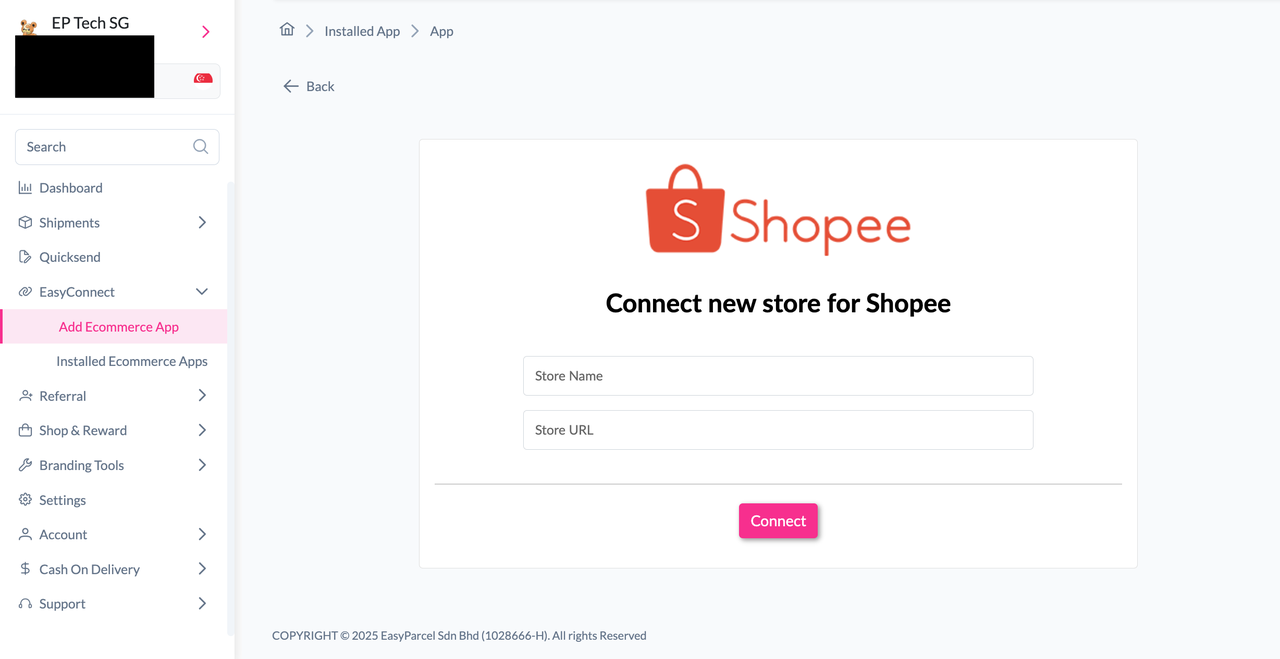
Enter Store Details
Key in your Store Name and Store URL, then click 'Connect'.
-
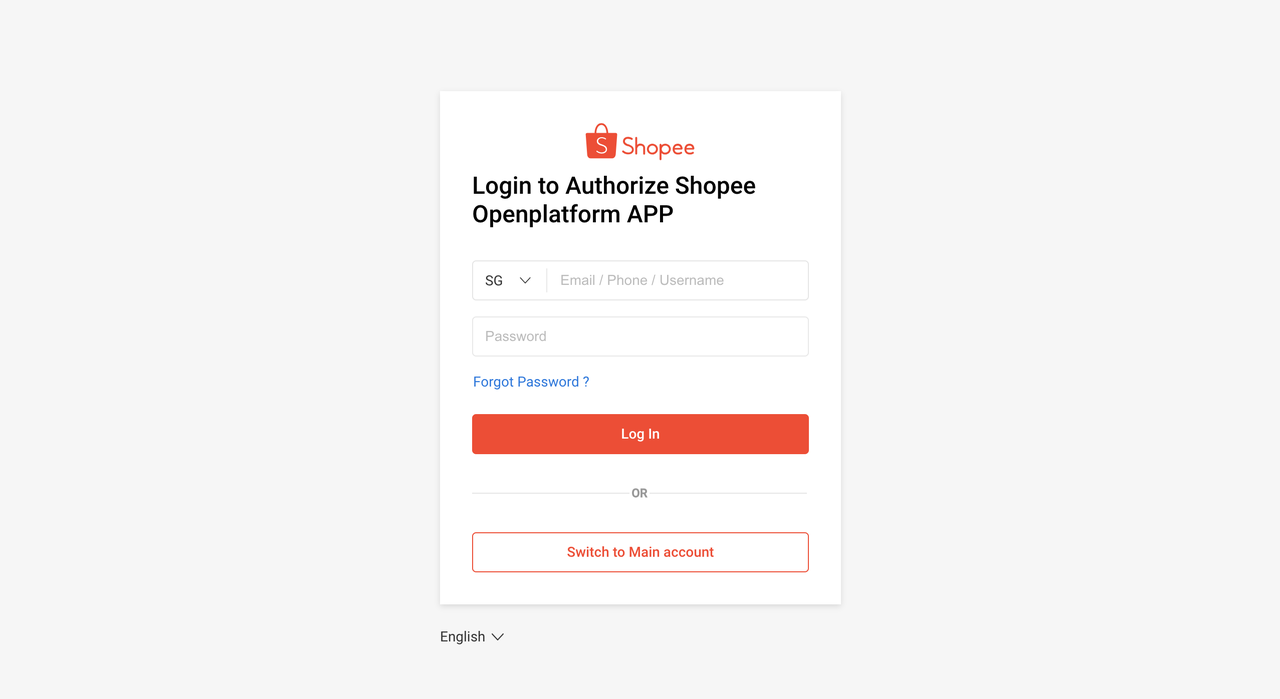
Log In to Shopee
Log in to your Shopee account when redirected.
-
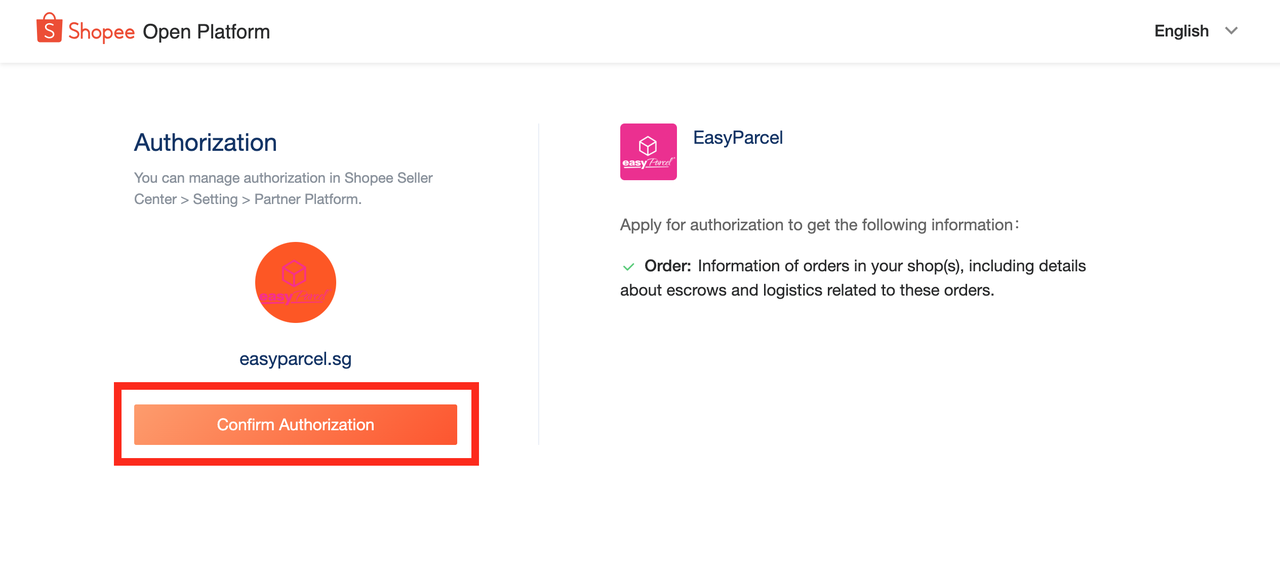
Confirm Authorization
Click the 'Confirm Authorization' button to complete the connection.
-
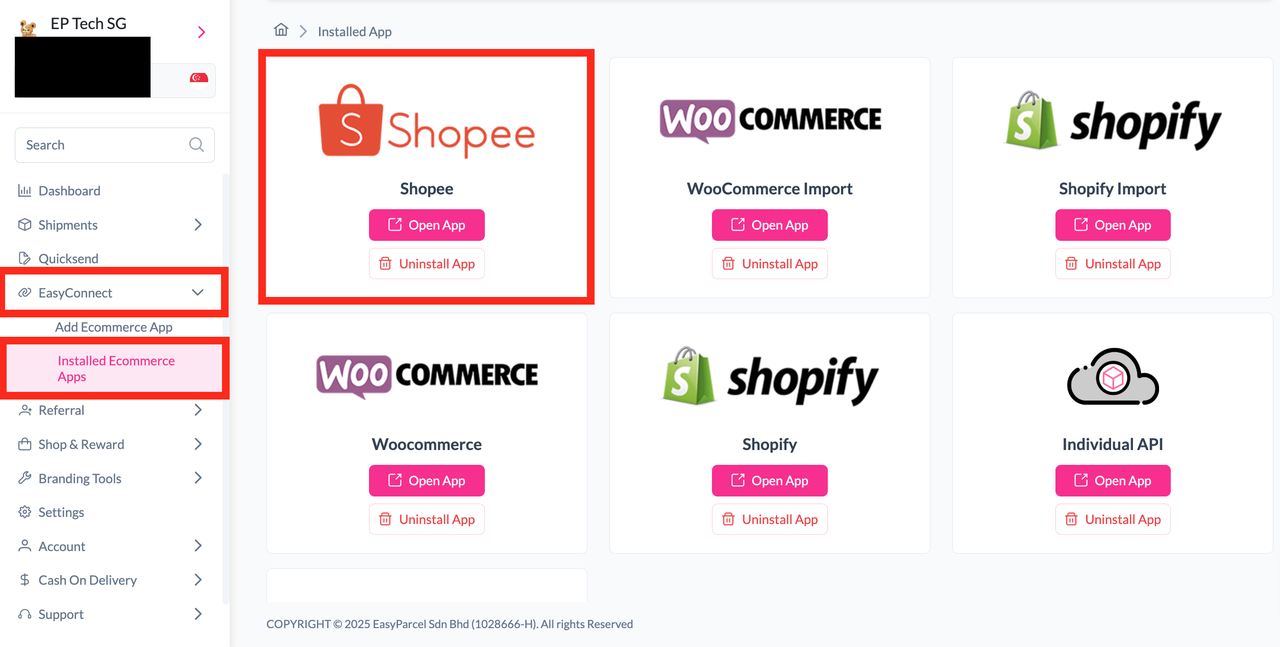
Open the Shopee App
Under 'Installed Ecommerce Apps', find Shopee and click 'Open App'.
-
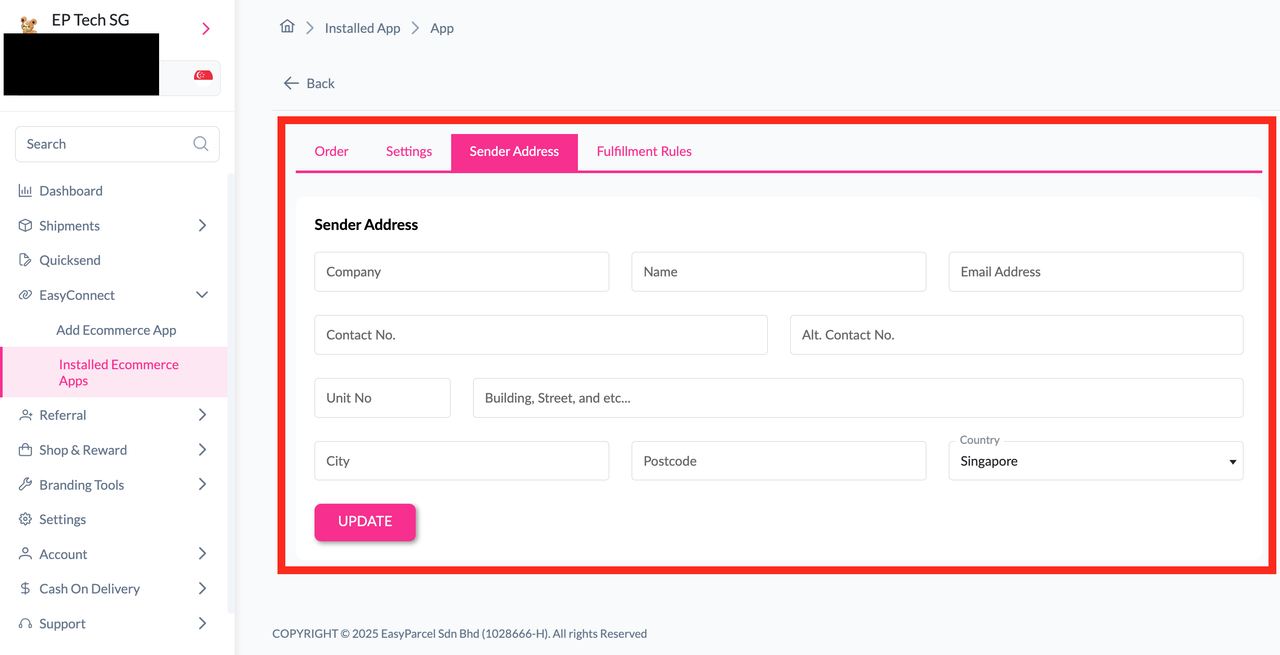
Set Sender Details & Fulfill Orders
Update sender address, import orders, and click 'Fulfill' on the orders you want to ship.
Install Shopee App
Log in to your EasyParcel account and navigate to EasyConnect. Click 'Add Ecommerce App', find 'Shopee', and click 'Install App' to get started.
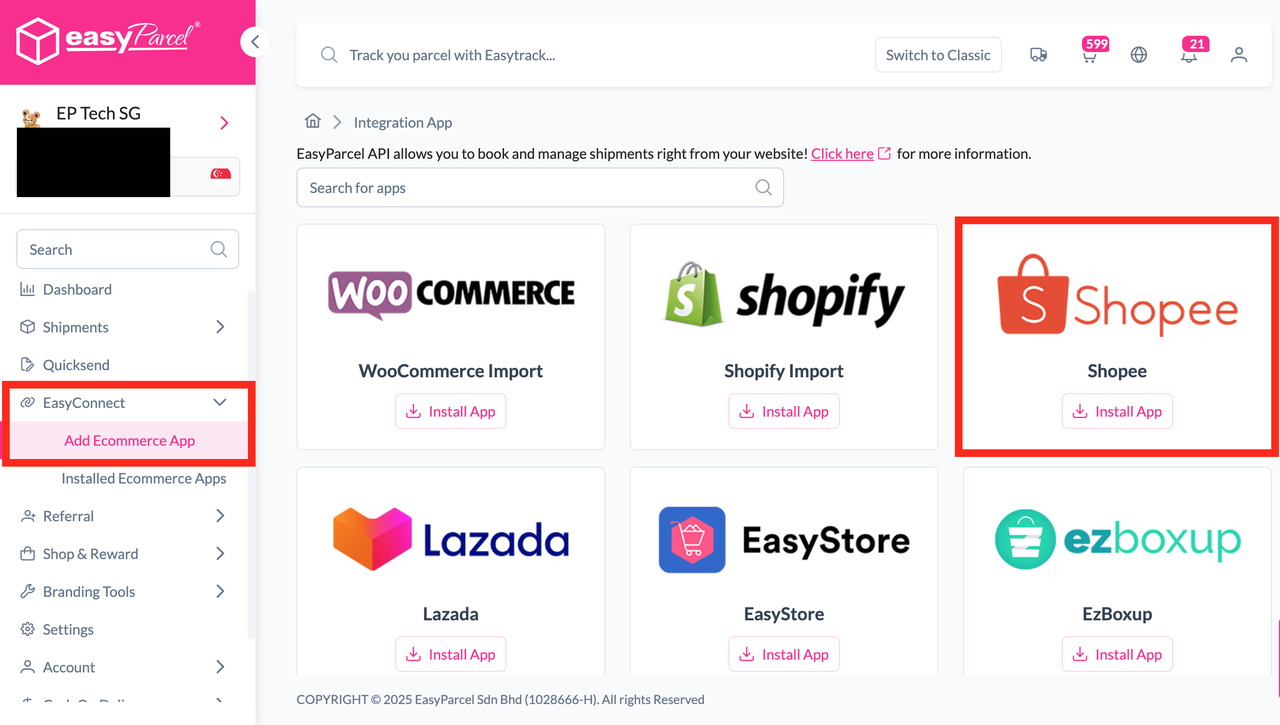
Allow Access
Click the 'Allow Access' button to grant EasyParcel the necessary permissions to connect with your Shopee store.
Enter Store Details
Key in your Store Name and Store URL, then click the 'Connect' button to proceed.
Log In to Shopee
You will be redirected to the Shopee login page. Log in to your Shopee account to continue the authorization process.
Confirm Authorization
Once logged in, click the 'Confirm Authorization' button to complete the connection between your Shopee store and EasyParcel.
Open the Shopee App
Go back to EasyConnect and click on 'Installed Ecommerce Apps'. Find Shopee in the list and click the 'Open App' button.
Set Sender Details & Fulfill Orders
In the store, click 'Sender Address' and key in your sender details, then click 'Update'. Click on 'Order', select the order date and order status, then click 'Search'. The orders will be imported and shown in the list below. Click the 'Fulfill' button on the order you want to fulfill.
EasyConnect
Integrate Shopee with EasyParcel in 7 steps.
Log in to your EasyParcel account and navigate to EasyConnect. Click 'Add Ecommerce App', find 'Shopee', and click 'Install App' to get started.
Click the 'Allow Access' button to grant EasyParcel the necessary permissions to connect with your Shopee store.
Key in your Store Name and Store URL, then click the 'Connect' button to proceed.
You will be redirected to the Shopee login page. Log in to your Shopee account to continue the authorization process.
Once logged in, click the 'Confirm Authorization' button to complete the connection between your Shopee store and EasyParcel.
Go back to EasyConnect and click on 'Installed Ecommerce Apps'. Find Shopee in the list and click the 'Open App' button.
In the store, click 'Sender Address' and key in your sender details, then click 'Update'. Click on 'Order', select the order date and order status, then click 'Search'. The orders will be imported and shown in the list. Click the 'Fulfill' button on the order you want to fulfill.