Malaysia
 Thailand
 Indonesia


EasyConnect
Integrate Grabs with EasyParcel in 6 steps.
-
Login & Install Grabs App
Log in to EasyParcel, go to EasyConnect, and install the Grabs app.
-
Enter Store Details
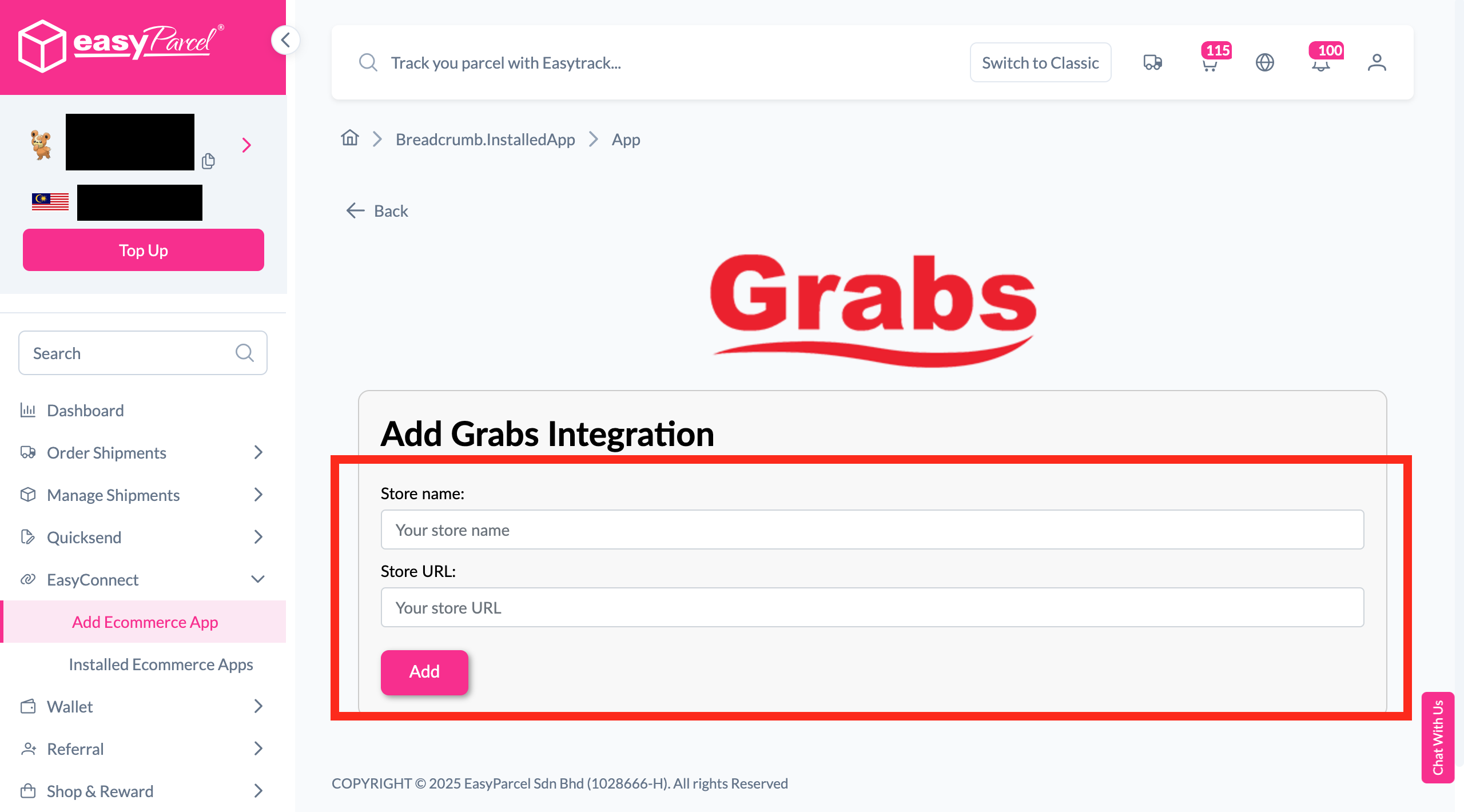
Fill in your store name and store URL, then click 'Add'.
-
Copy Integration ID
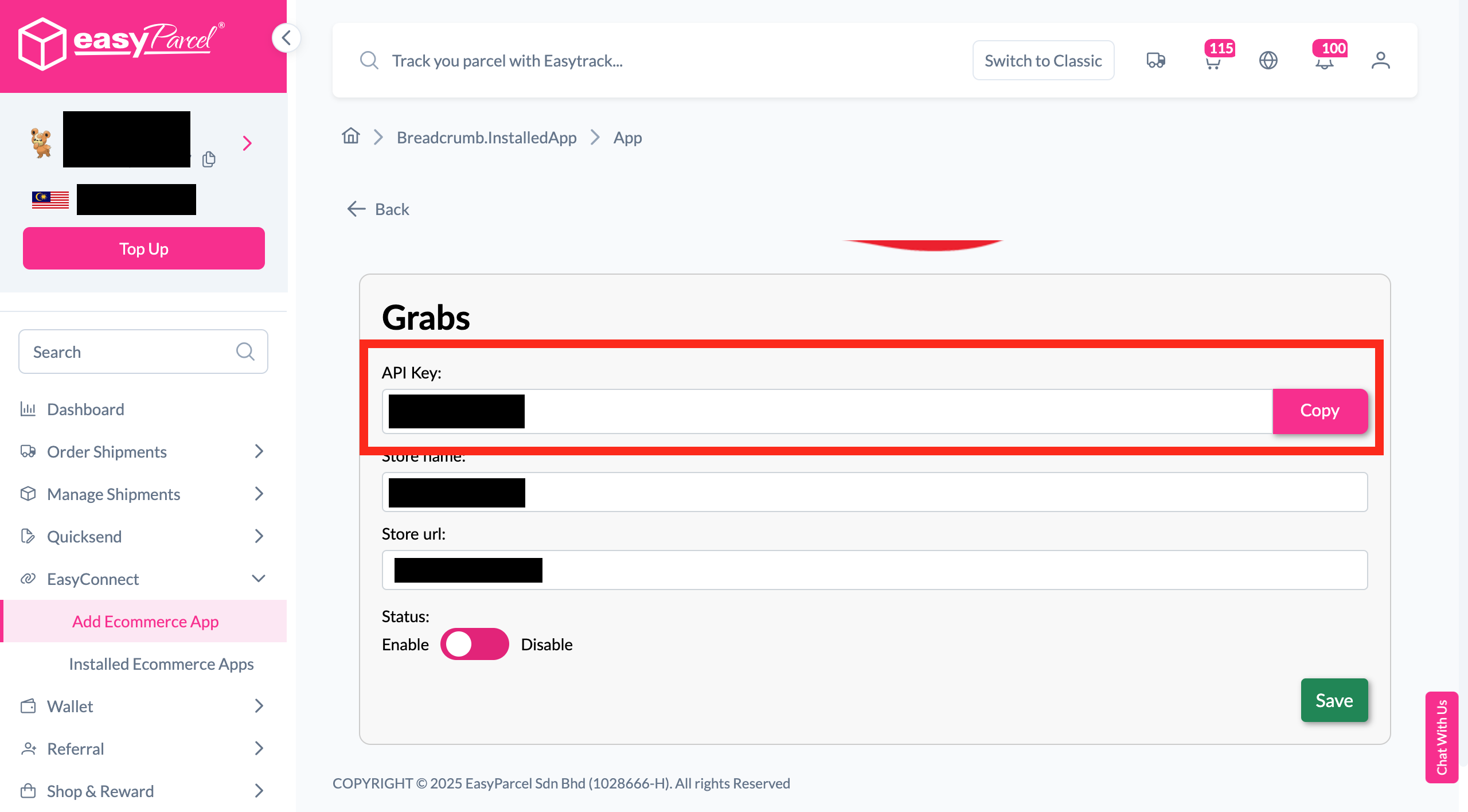
Your store API key / Integration ID will be generated. Copy it.
-
Go to My Account
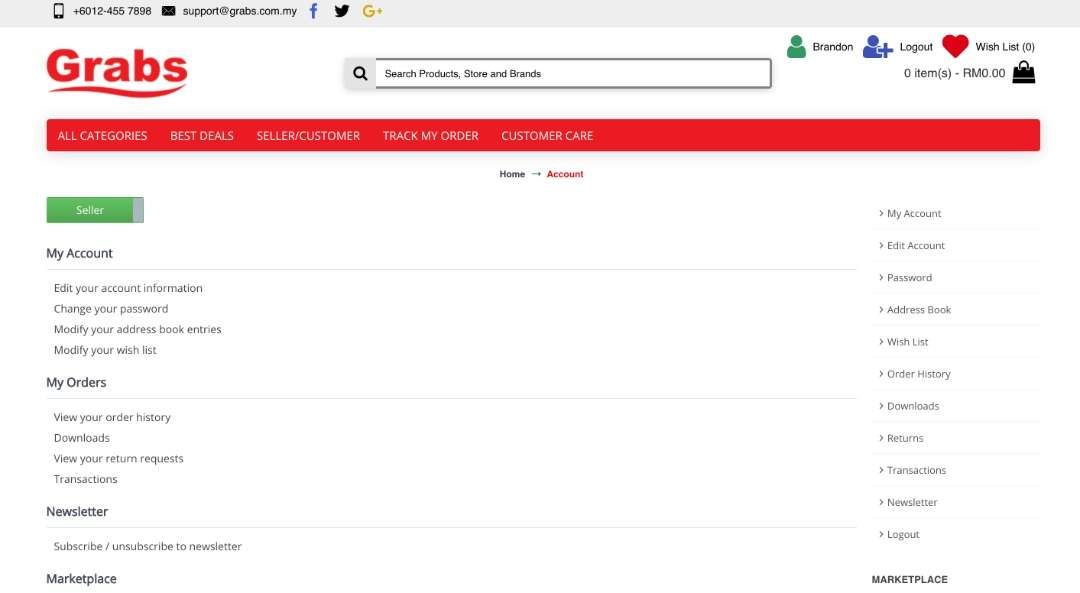
Log in to your Grabs account and navigate to 'My Account'.
-
Find EasyParcel in Marketplace
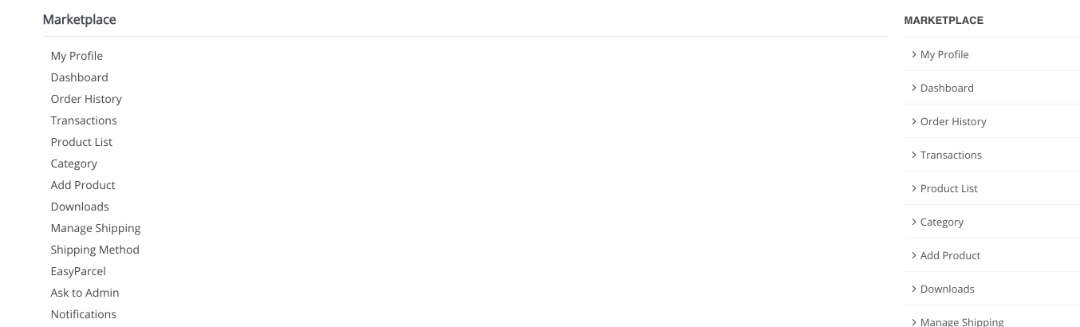
Scroll down to the Marketplace section and click 'EasyParcel'.
-
Fill Up Details
Fill in the required details to complete the integration.
Login & Install Grabs App
Log in to your EasyParcel account, navigate to EasyConnect, then click 'Add Ecommerce App'. Search for 'Grabs' and click 'Install App' to get started.
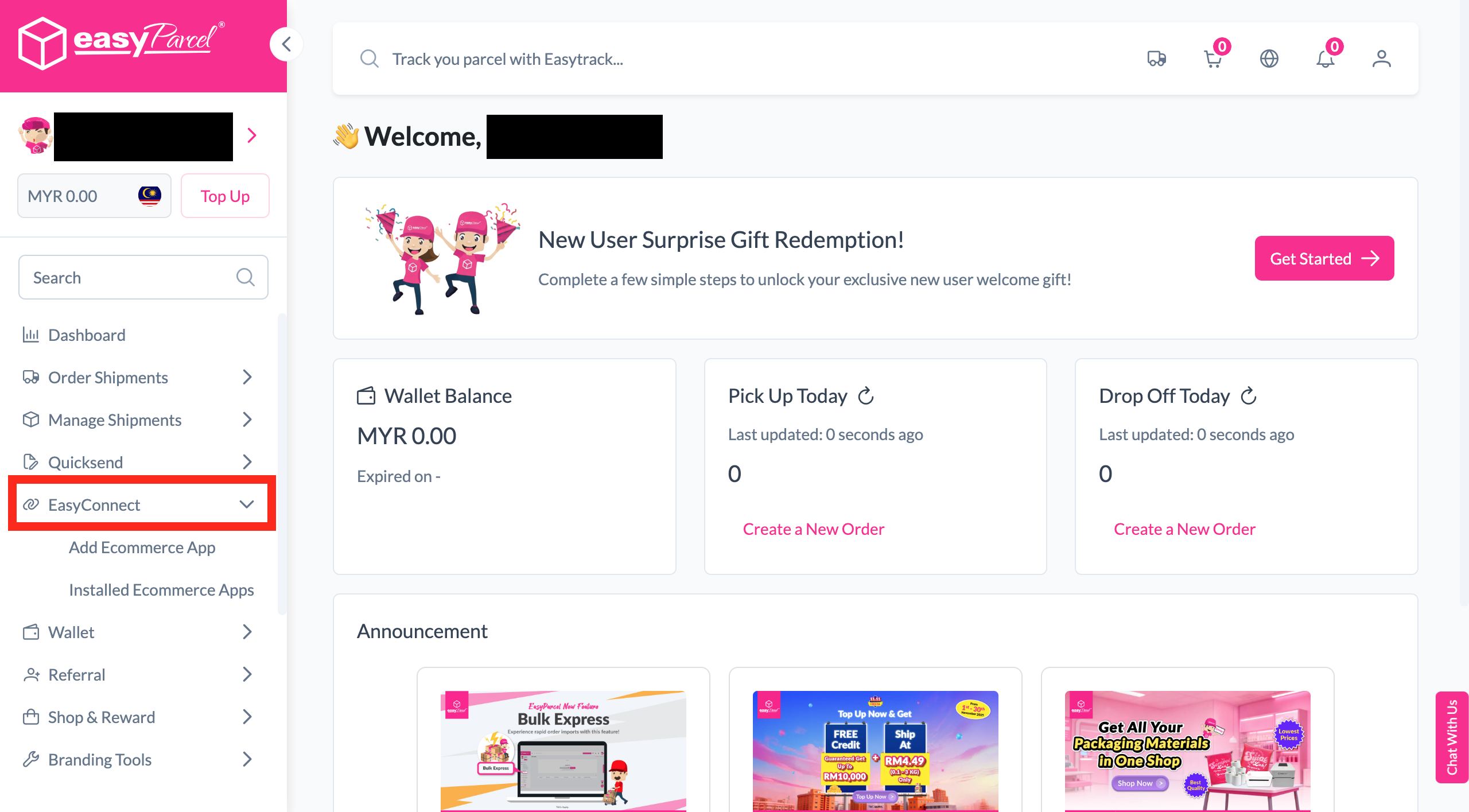
Enter Store Details
Fill in your store name and store URL, then click 'Add' to proceed.
Copy Integration ID
Your store API key / Integration ID will be generated. Copy it — you'll need it to integrate with your store.
Go to My Account
Log in to your Grabs account and navigate to 'My Account'.
Find EasyParcel in Marketplace
Scroll down to the Marketplace section and click 'EasyParcel'.
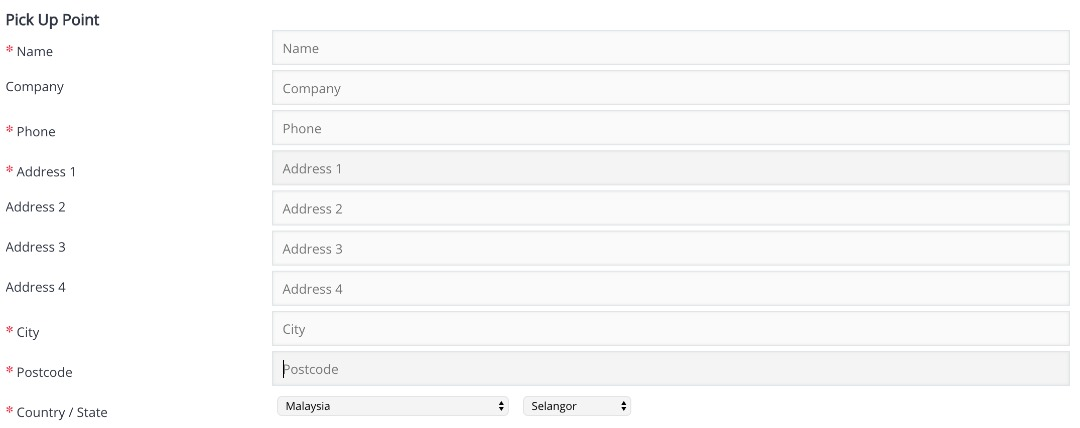
Fill Up Details
Fill in the required details to complete the integration with EasyParcel.
EasyConnect
Integrate Grabs with EasyParcel in 6 steps.
Log in to your EasyParcel account, navigate to EasyConnect, then click 'Add Ecommerce App'. Search for 'Grabs' and click 'Install App'.
Fill in your store name and store URL, then click 'Add'.
Your store API key / Integration ID will be generated. Copy it to integrate with your store.
Log in to your Grabs account and navigate to 'My Account'.
Scroll down to the Marketplace section and click 'EasyParcel'.
Fill in the required details to complete the integration with EasyParcel.