Malaysia
 Thailand
 Indonesia


EasyConnect
Integrate OnPay with EasyParcel in 8 steps.
-
Login & Install OnPay App
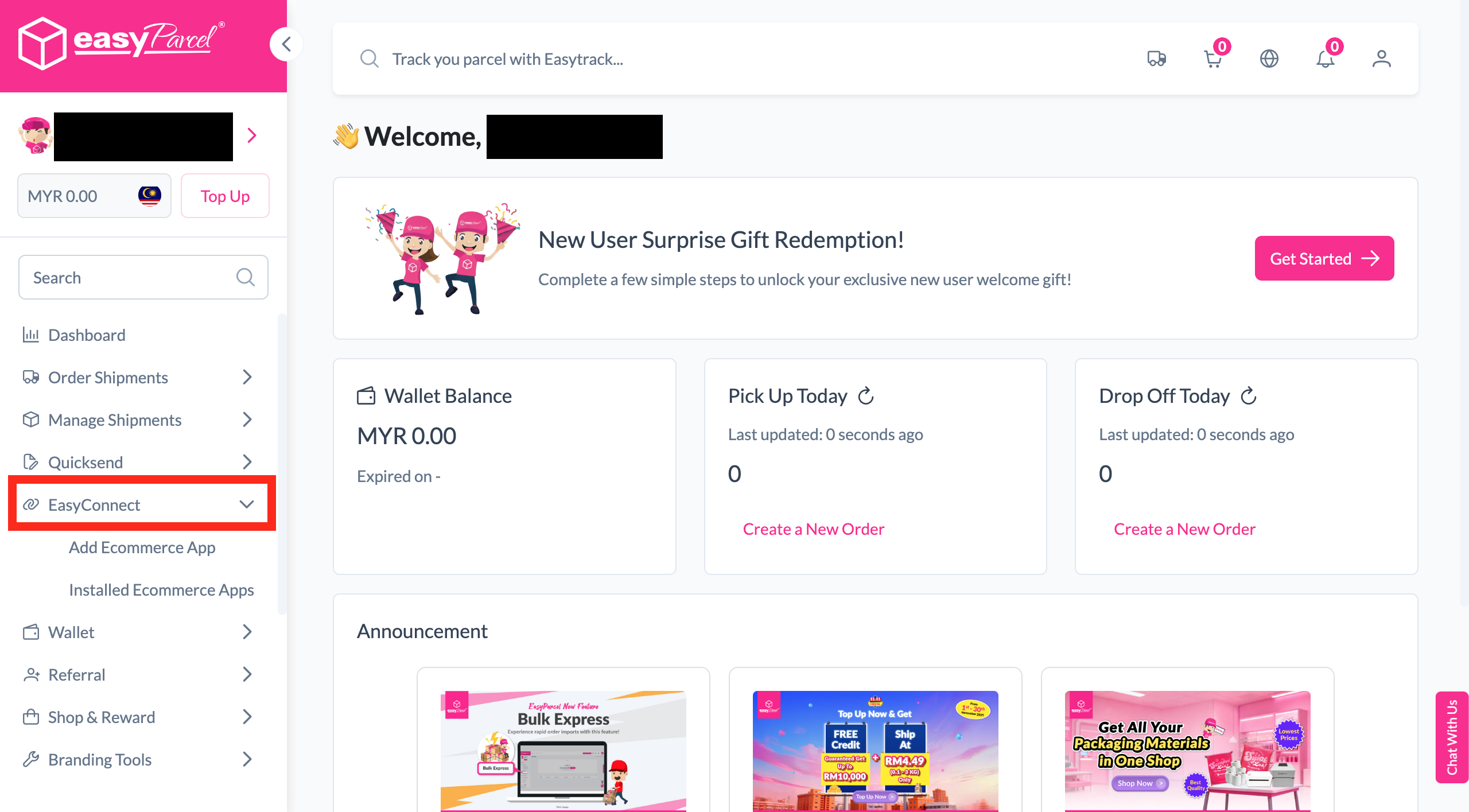
Log in to EasyParcel, go to EasyConnect, search for OnPay, and click Install App.
-
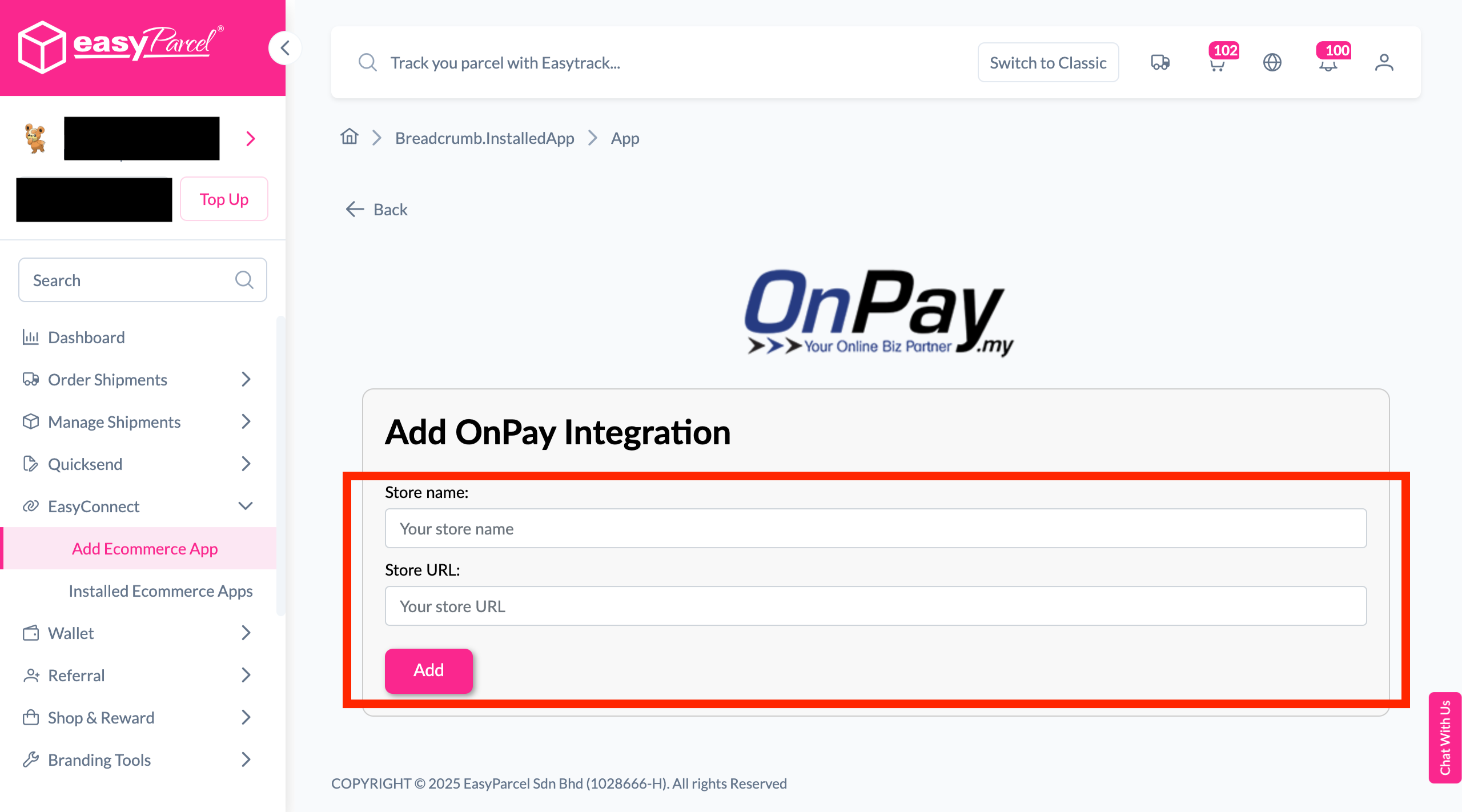
Enter Store Details
Fill in your store name and store URL, then click 'Add'.
-
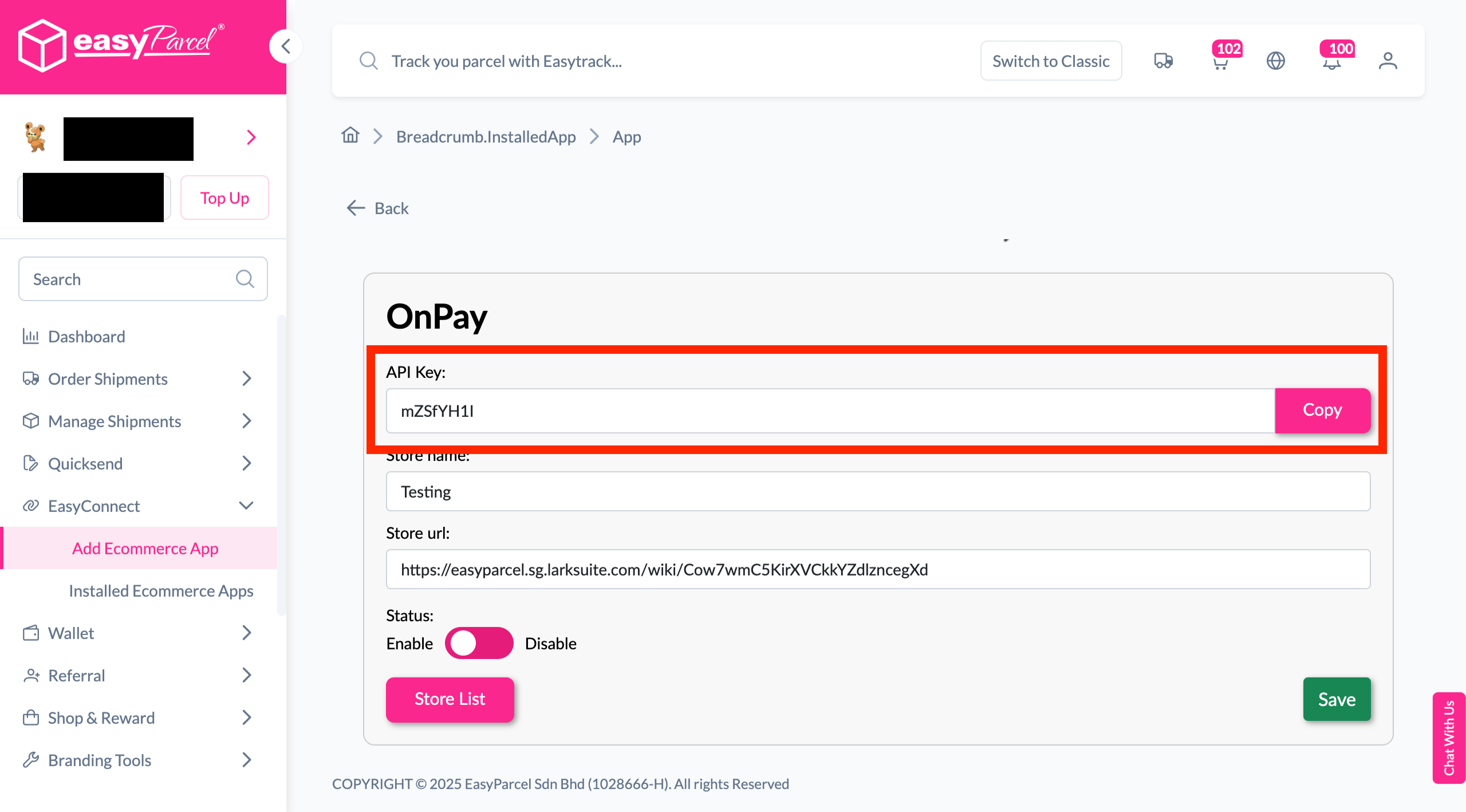
Copy Integration ID
Your store API key / Integration ID will be generated. Copy it for use in OnPay.
-
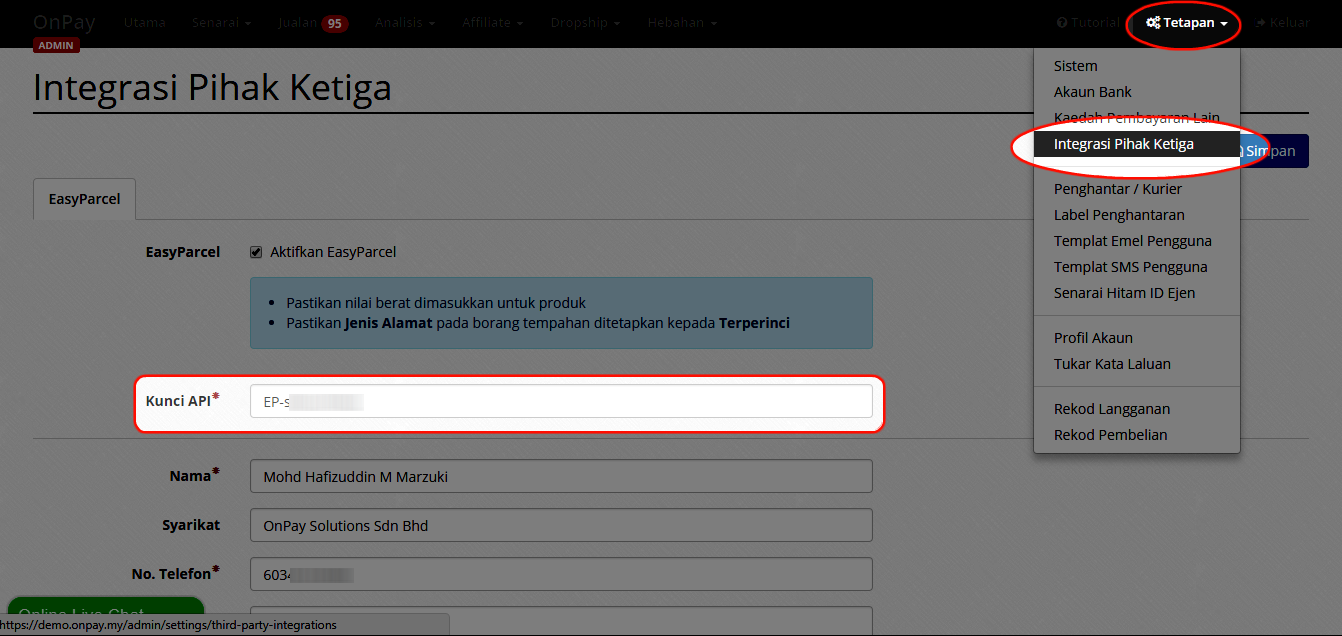
Paste API Key in OnPay
In OnPay, go to Tetapan → Integrasi Pihak Ketiga and enter your API Key.
-
Fill in Sender Details
Fill in your name, contact number, address, and other required fields.
-
EasyParcel Button Activated
Once activated, an EasyParcel button will appear on each order.
-
Select Courier & Book
Click the EasyParcel button, choose your preferred courier, and click Tempah.
-
Download Air Waybill
Once the order is placed, click 'Muat Turun Air Waybill' to download the AWB.
Login & Install OnPay App
Log in to your EasyParcel account, click EasyConnect, then click 'Add Ecommerce App'. Search for OnPay and click 'Install App'.
Enter Store Details
Fill in your store name and store URL, then click 'Add' to proceed.
Copy Your Integration ID
Your store API key / Integration ID will be generated. Copy it — you'll need it to complete the integration in OnPay.
Paste API Key in OnPay
Log in to your OnPay account, go to Tetapan → Integrasi Pihak Ketiga, and enter your API Key / Integration ID from the previous step.
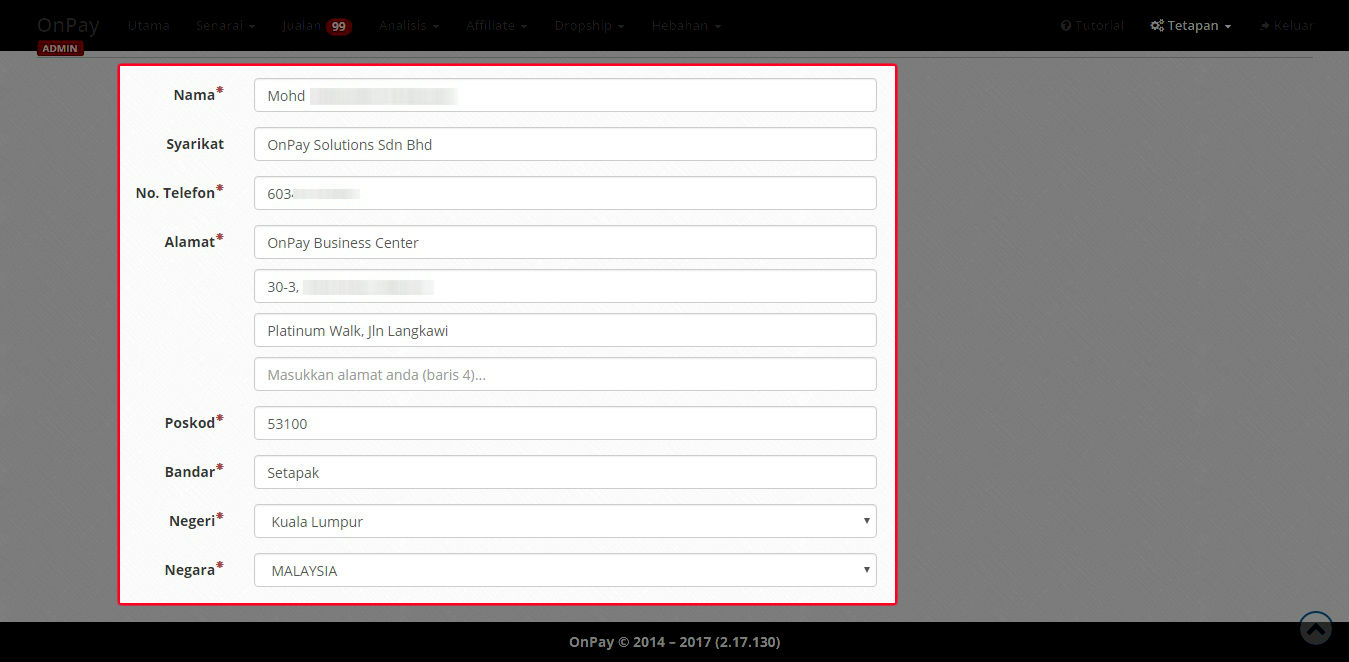
Fill in Sender Details
Fill in the necessary details such as your name, contact number, address, and any other required fields.
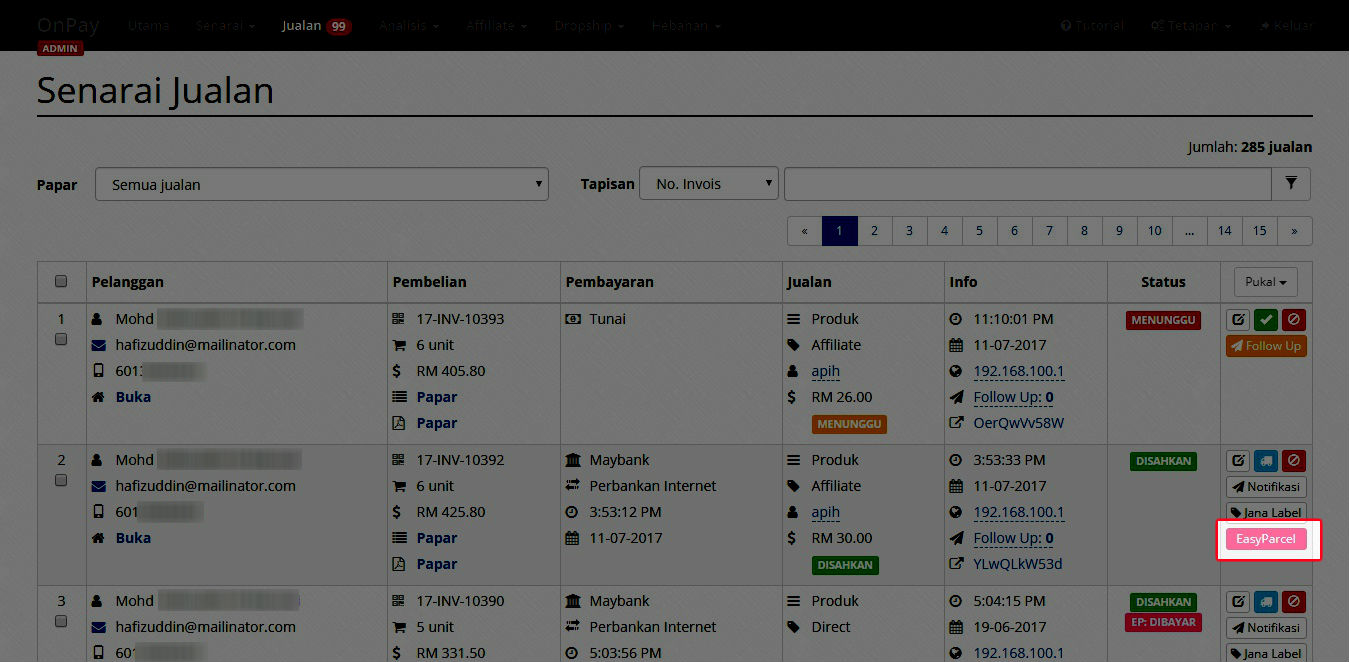
EasyParcel Button Activated
Once activated, you will see an EasyParcel pink button on each order.
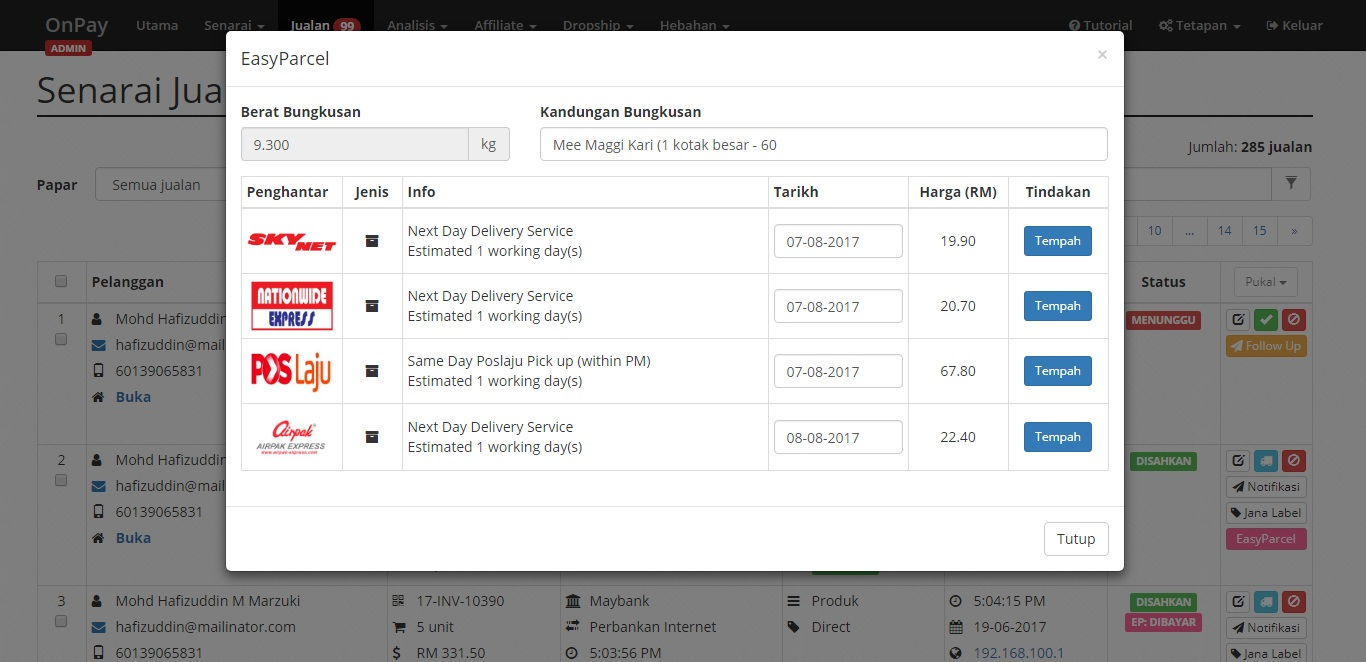
Select Courier & Book
Click the EasyParcel button. You will see a list of courier options. Select your preferred courier and click Tempah.
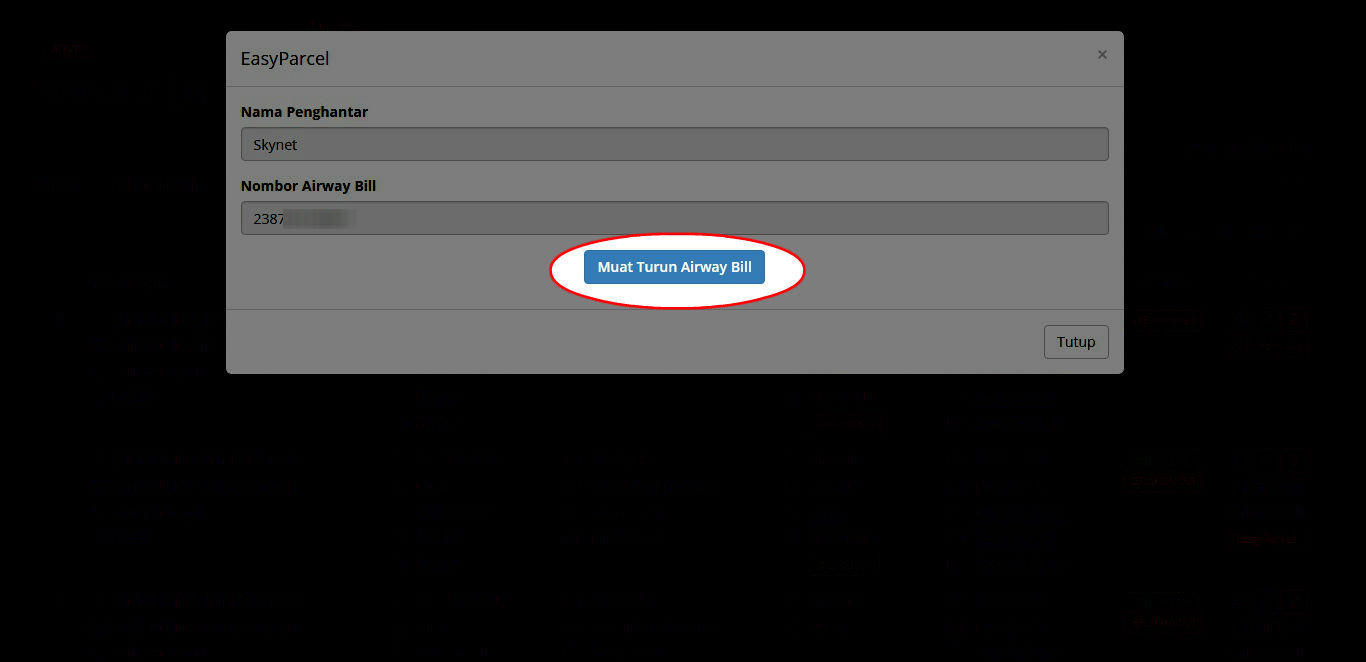
Download Air Waybill
Once the order is successfully placed, click 'Muat Turun Air Waybill' to download the AWB.
EasyConnect
Integrate OnPay with EasyParcel in 8 steps.
Log in to your EasyParcel account, click EasyConnect, then click 'Add Ecommerce App'. Search for OnPay and click 'Install App'.
Fill in your store name and store URL, then click 'Add' to proceed.
Your store API key / Integration ID will be generated. Copy it — you'll need it to complete the integration in OnPay.
Log in to your OnPay account, go to Tetapan → Integrasi Pihak Ketiga, and enter your API Key / Integration ID.
Fill in the necessary details such as your name, contact number, address, and any other required fields.
Once activated, you will see an EasyParcel pink button on each order.
Click the EasyParcel button. You will see a list of courier options. Select your preferred courier and click Tempah.
Once the order is successfully placed, click 'Muat Turun Air Waybill' to download the AWB.