Malaysia
 Thailand
 Indonesia


EasyConnect
Integrate NetShop with EasyParcel in 9 steps.
-
Login & Install NetShop App
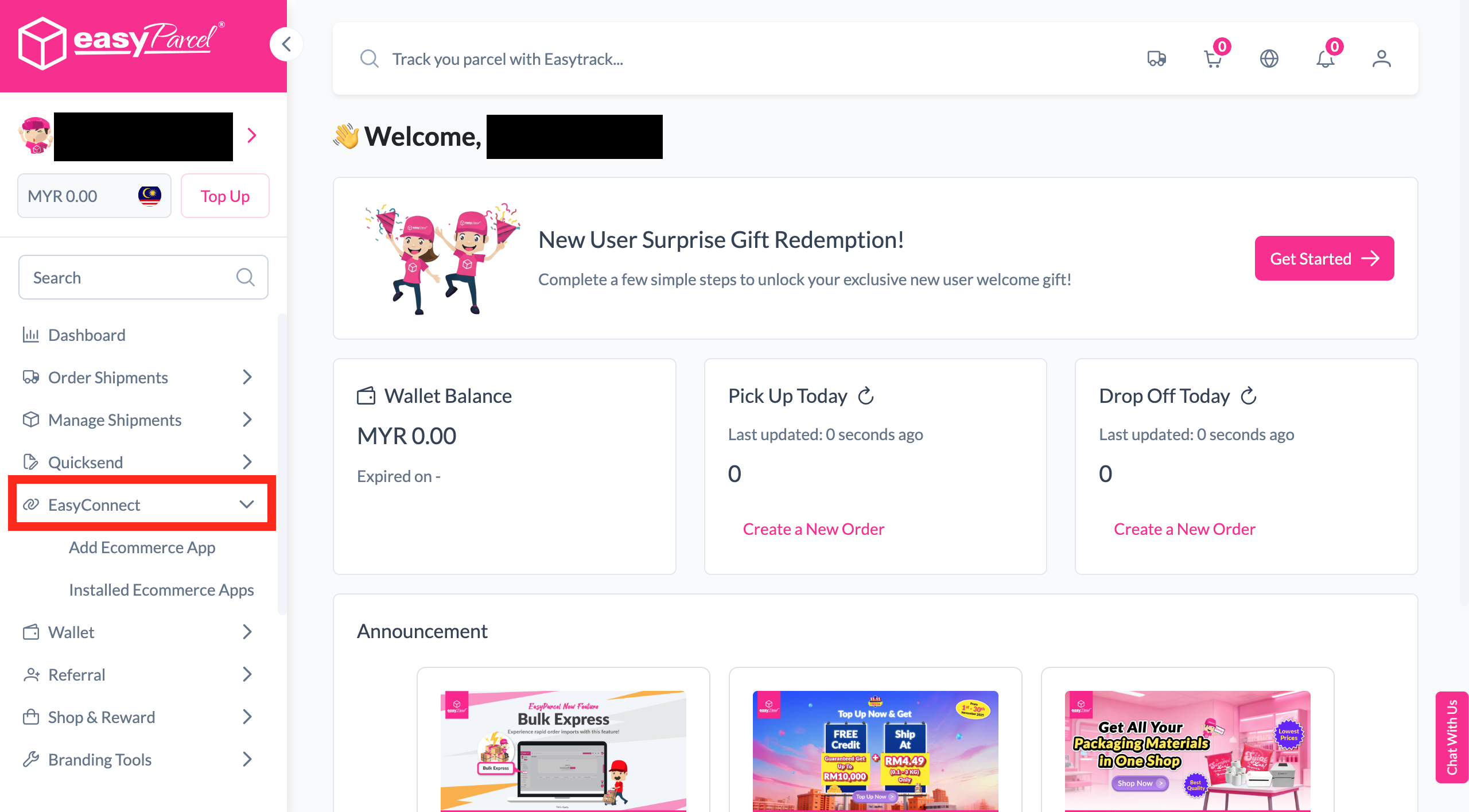
Log in to EasyParcel, go to EasyConnect, and install the NetShop app.
-
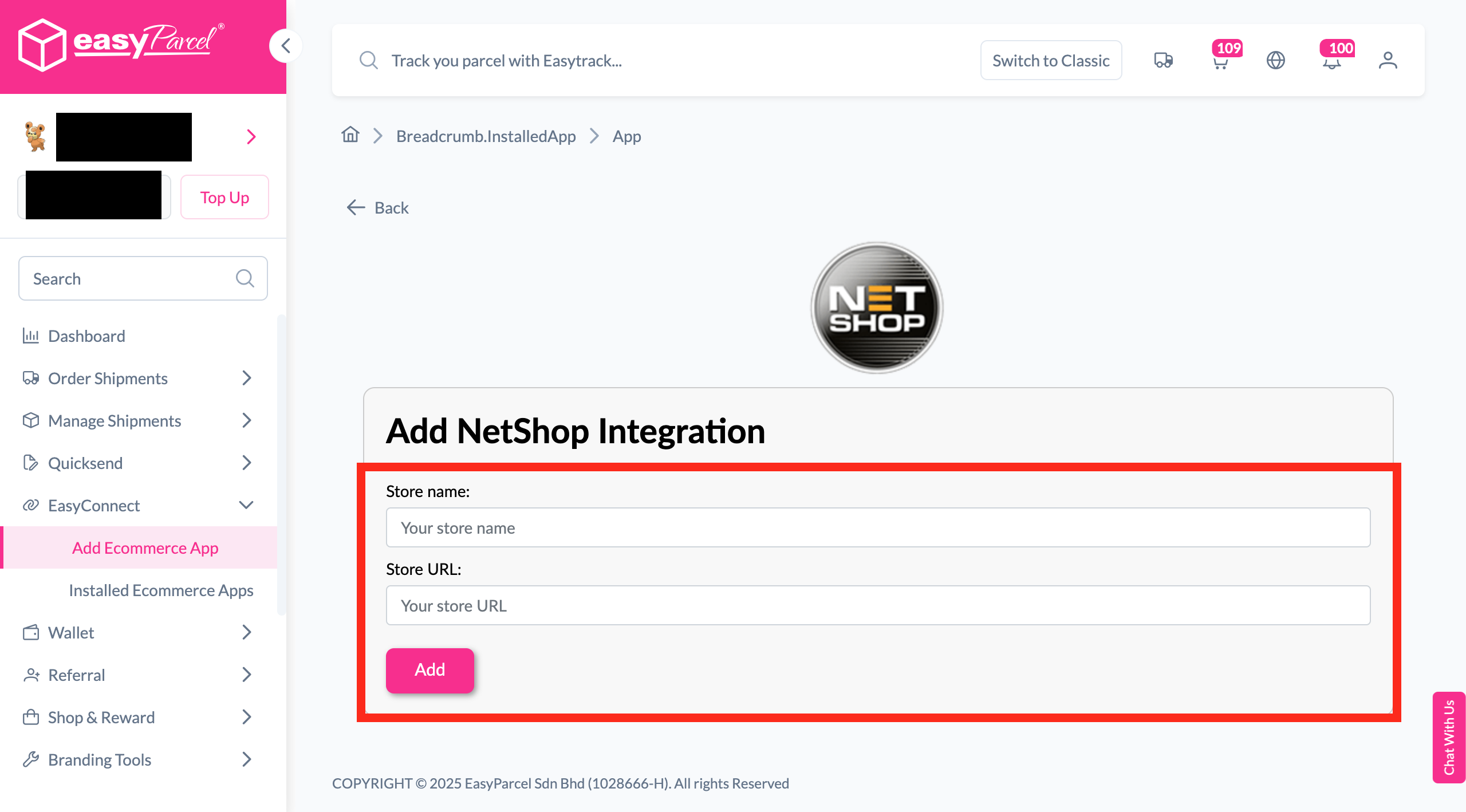
Enter Store Details
Fill in your store name and store URL, then click 'Add'.
-
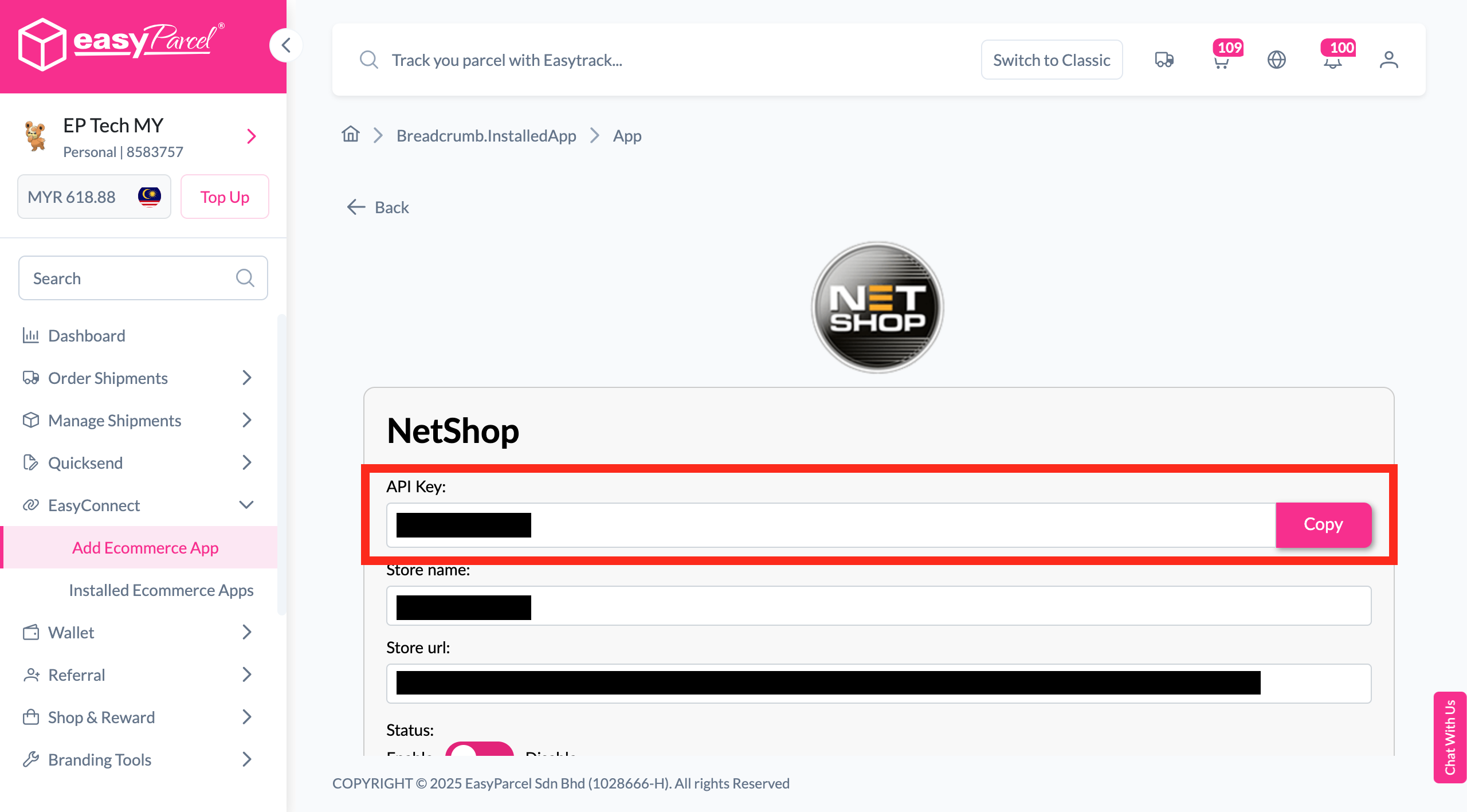
Copy Integration ID
Your store API key / Integration ID will be generated. Copy it.
-
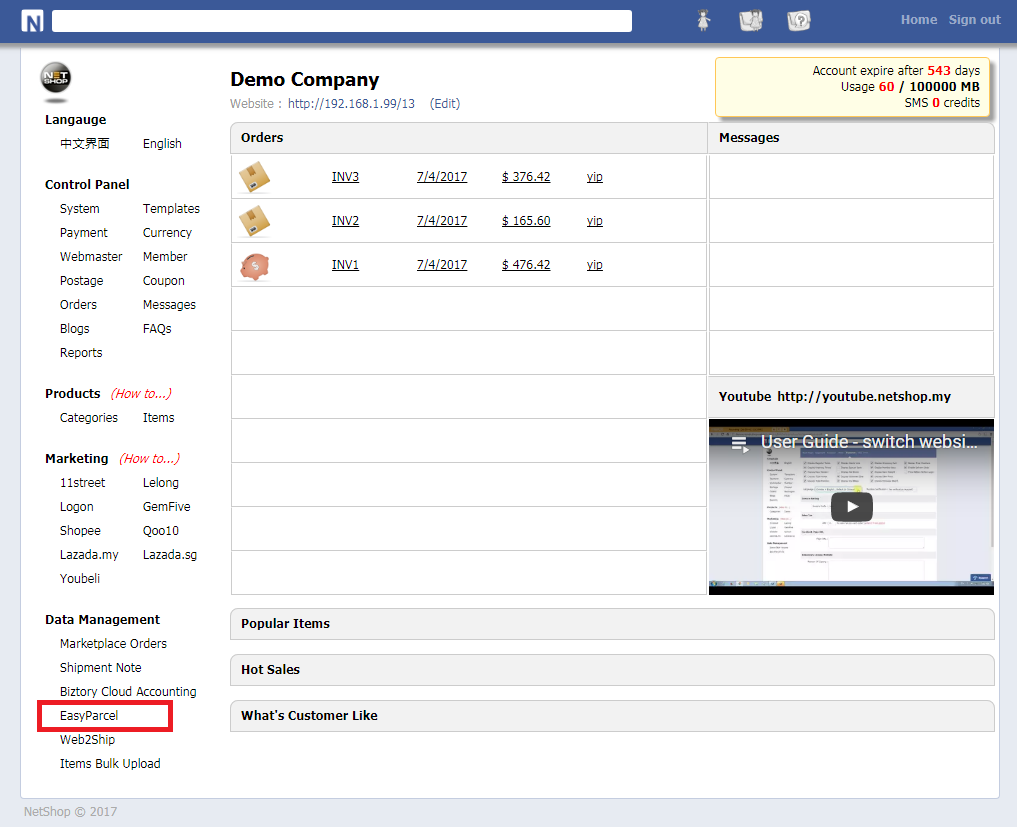
Go to Data Management > EasyParcel
Log in to NetShop admin and navigate to Data Management > EasyParcel.
-
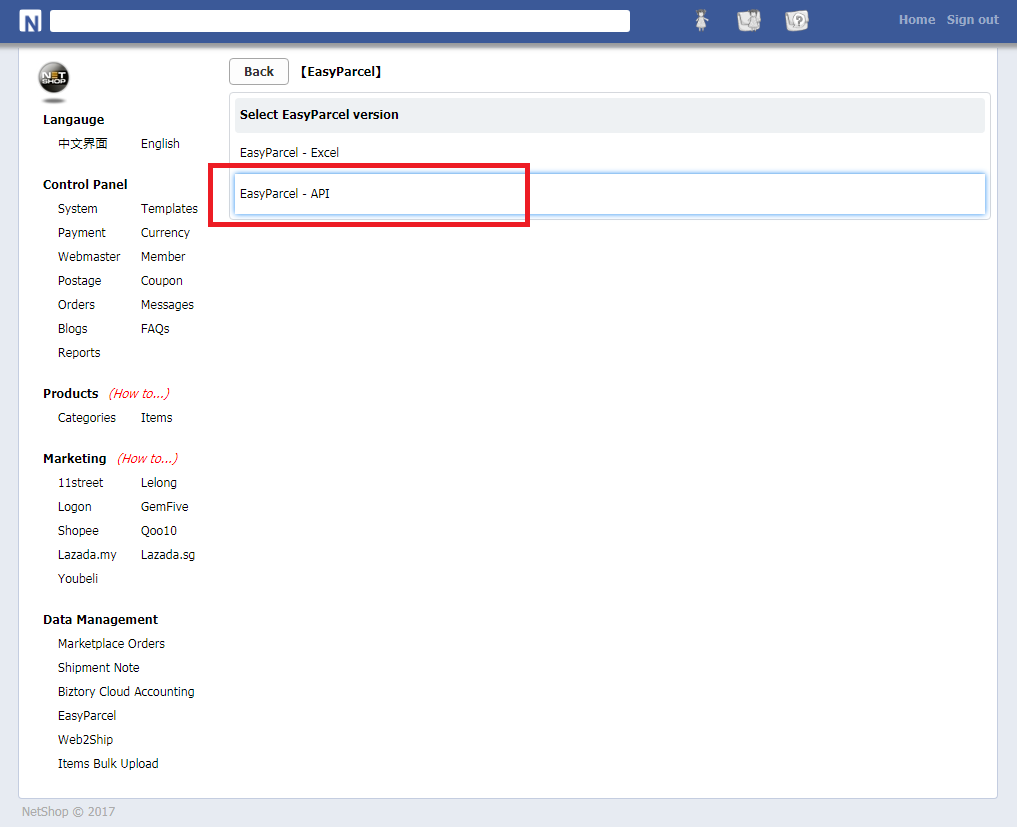
Click 'EasyParcel API'
Click on 'EasyParcel API' to access the API configuration.
-
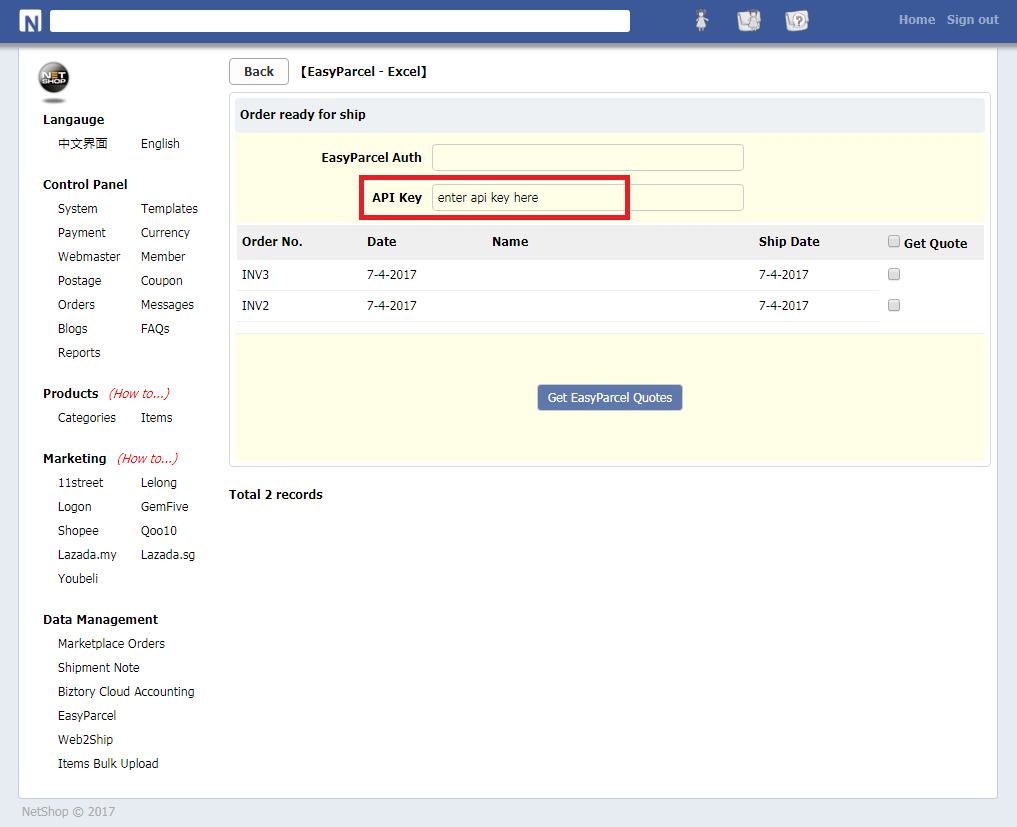
Fill In the API Key
Paste your Integration ID into the designated API key field.
-
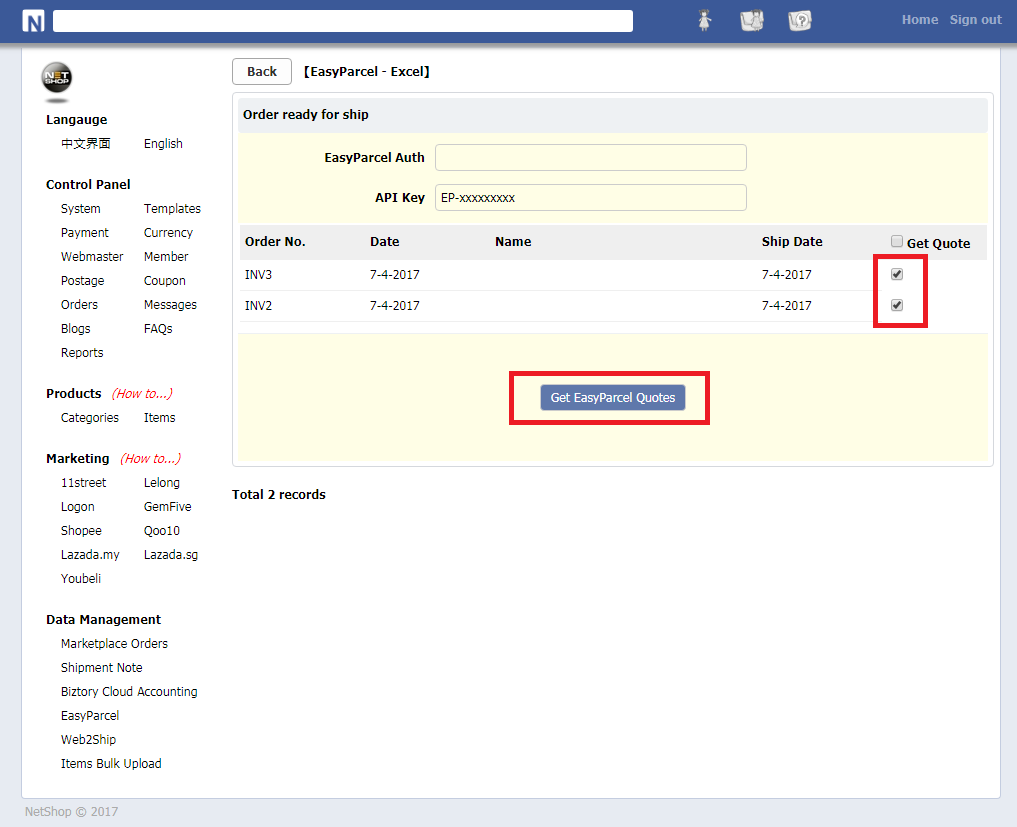
Select Orders & Get Quotes
Tick the orders you want to ship and click 'Get EasyParcel Quotes'.
-
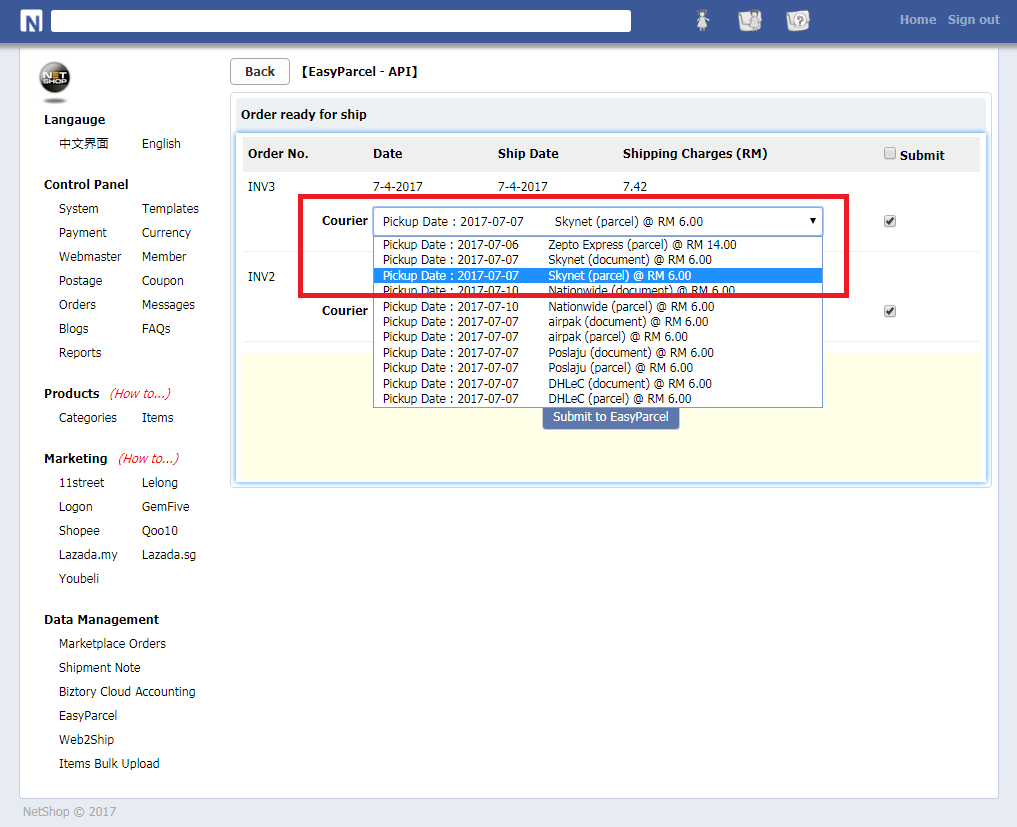
Select Preferred Courier
Choose your preferred courier from the available options.
-
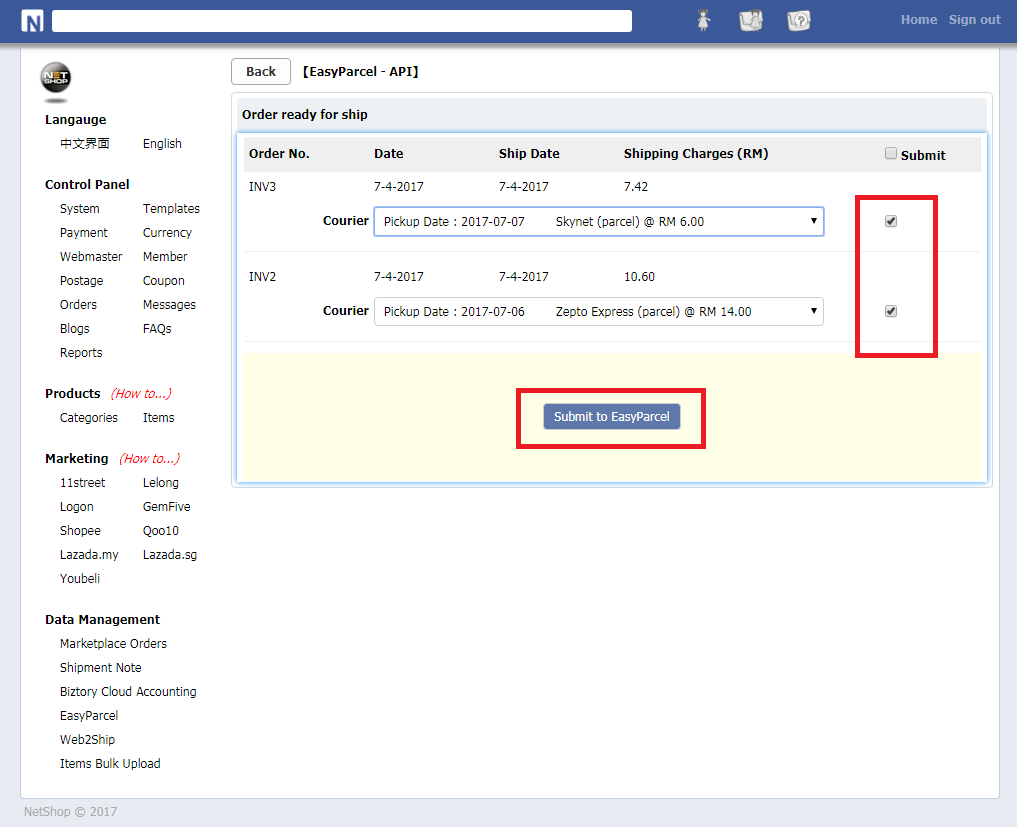
Submit to EasyParcel
Tick the checkbox and click 'Submit To EasyParcel' to complete the booking.
Login & Install NetShop App
Log in to your EasyParcel account, navigate to EasyConnect, then click 'Add Ecommerce App'. Search for 'NetShop' and click 'Install App' to get started.
Enter Store Details
Fill in your store name and store URL, then click 'Add' to proceed.
Copy Your Integration ID
Your store API key / Integration ID will be generated. Copy it — you'll need it in Step 6.
Go to Data Management > EasyParcel
Log in to your NetShop admin panel, click on 'Data Management', then select 'EasyParcel'.
Click 'EasyParcel API'
Click on 'EasyParcel API' to open the API key configuration settings.
Fill In the API Key
Paste the API Key / Integration ID you copied in Step 3 into the designated field to connect NetShop with EasyParcel.
Select Orders & Get Quotes
Tick the orders you would like to get delivery quotes for, then click 'Get EasyParcel Quotes'.
Select Preferred Courier
Review the courier options returned and select your preferred courier for the shipment.
Submit to EasyParcel
Once you're done, tick the checkbox to confirm your selection and click 'Submit To EasyParcel' to complete the booking.
EasyConnect
Integrate NetShop with EasyParcel in 9 steps.
Log in to your EasyParcel account, navigate to EasyConnect, search for 'NetShop' and click 'Install App'.
Fill in your store name and store URL, then click 'Add'.
Your API key / Integration ID will be generated. Copy it — you'll need it in Step 6.
Log in to your NetShop admin panel, click 'Data Management', then select 'EasyParcel'.
Click on 'EasyParcel API' to open the API key configuration settings.
Paste the API Key from Step 3 into the designated field.
Tick the orders you want to ship and click 'Get EasyParcel Quotes'.
Review the courier options and select your preferred courier for the shipment.
Tick the checkbox to confirm, then click 'Submit To EasyParcel' to complete the booking.