Malaysia
 Thailand
 Indonesia


EasyConnect
Integrate Wasep.me with EasyParcel in 11 steps.
-
Install Wasep.me App
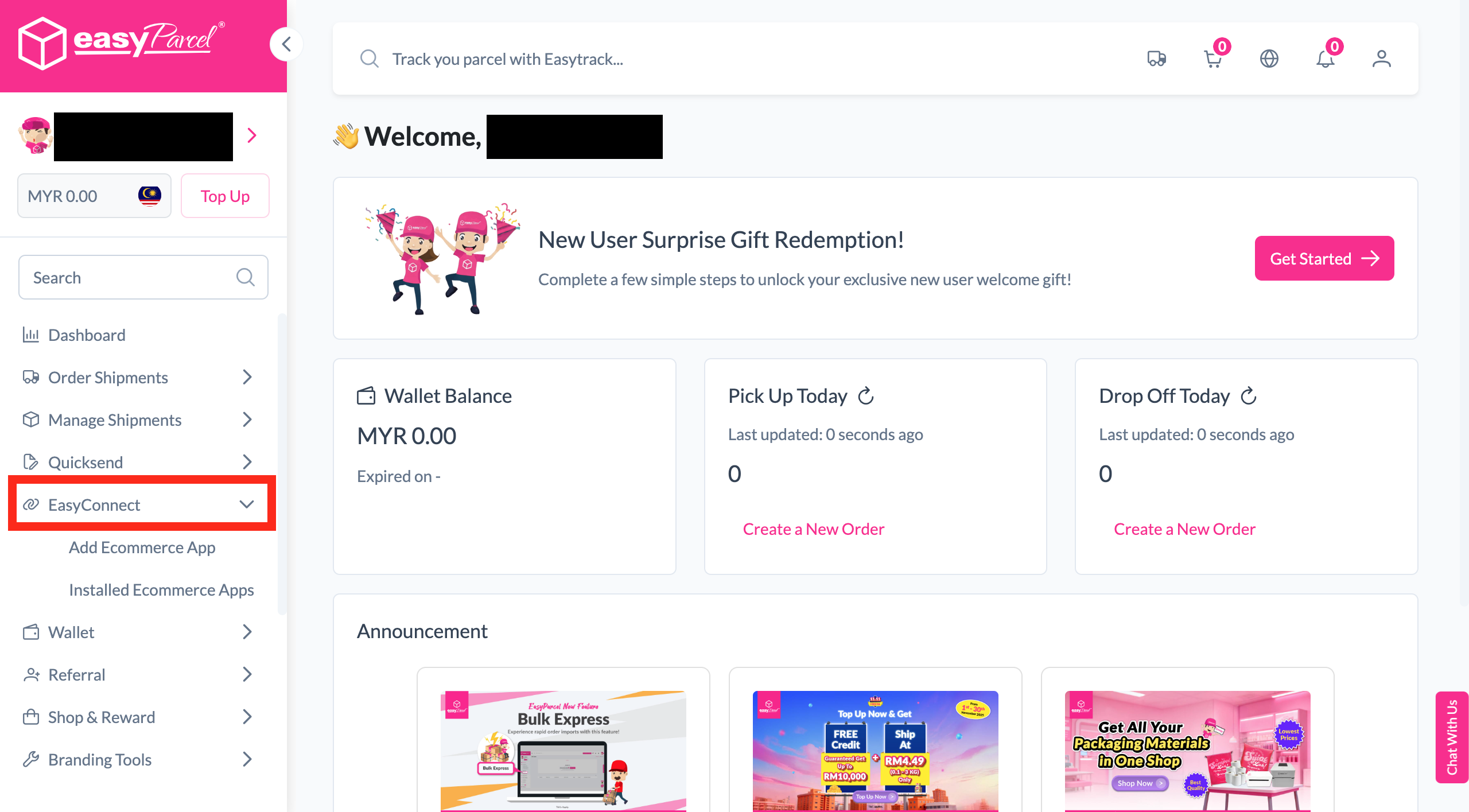
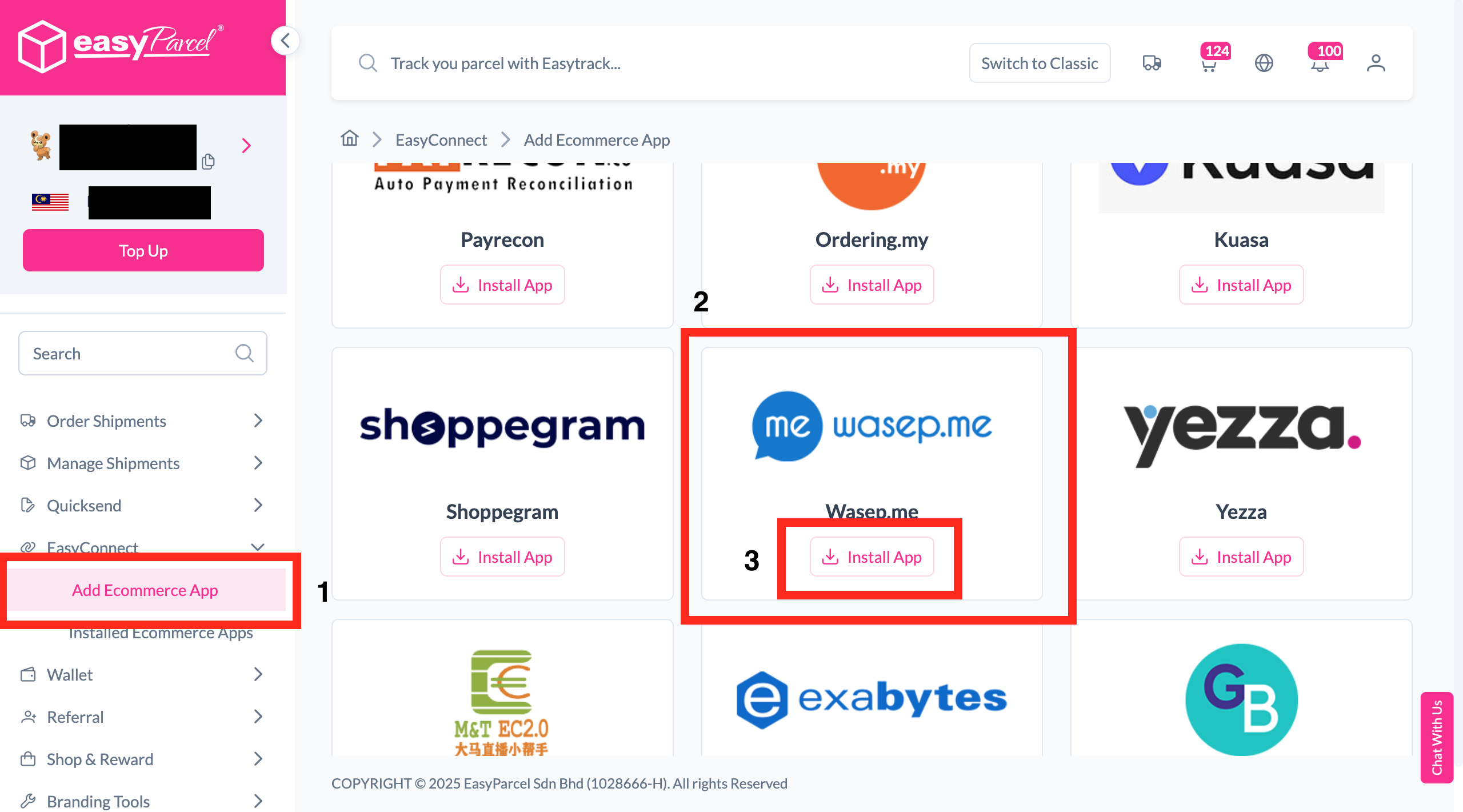
Find "Wasep.me" in EasyConnect and click "Install App".
-
Fill In Store Details
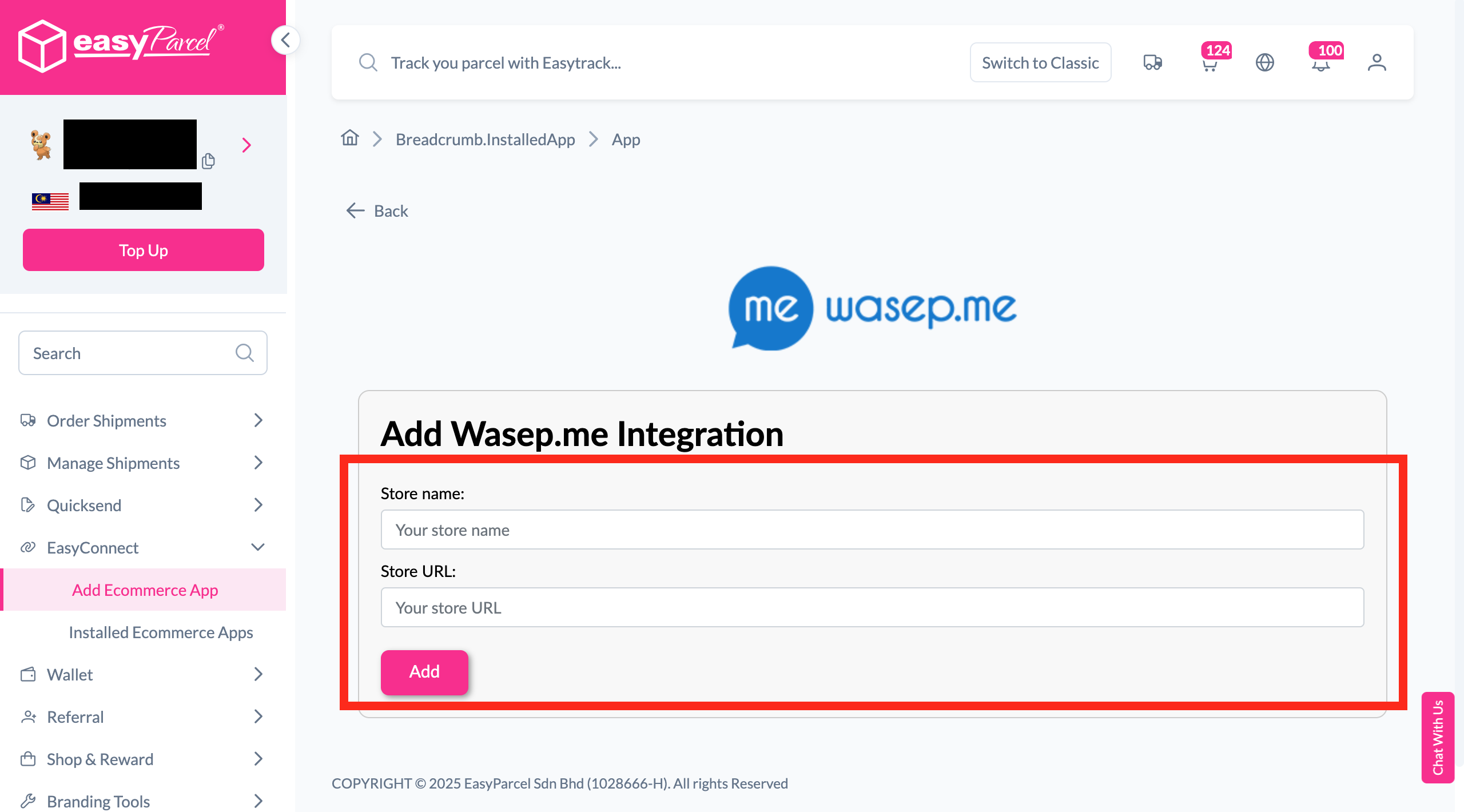
Fill in the Store name and Store URL, then click "Add".
-
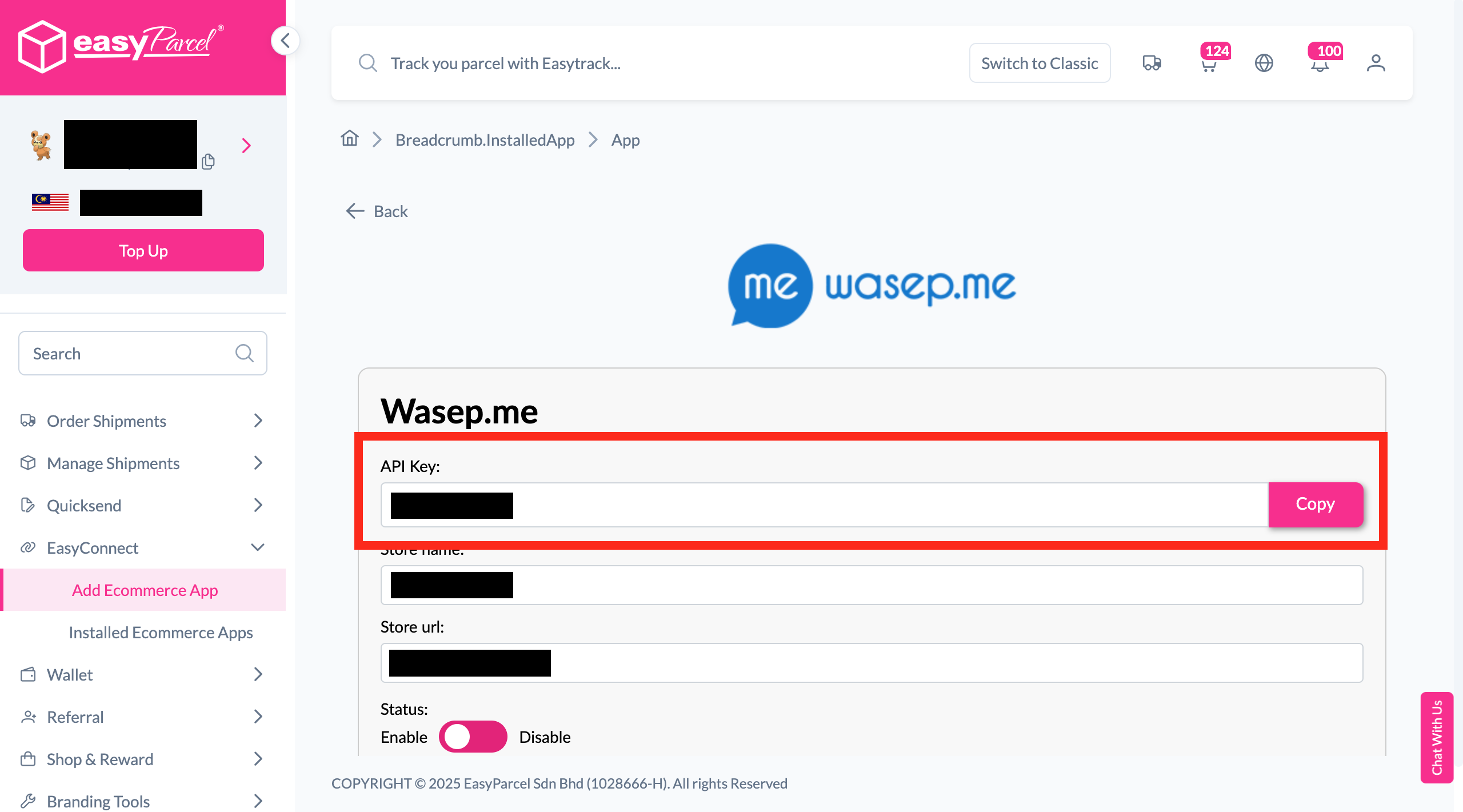
Copy Your API Key
Your API key / Integration ID will be generated. Copy it.
-
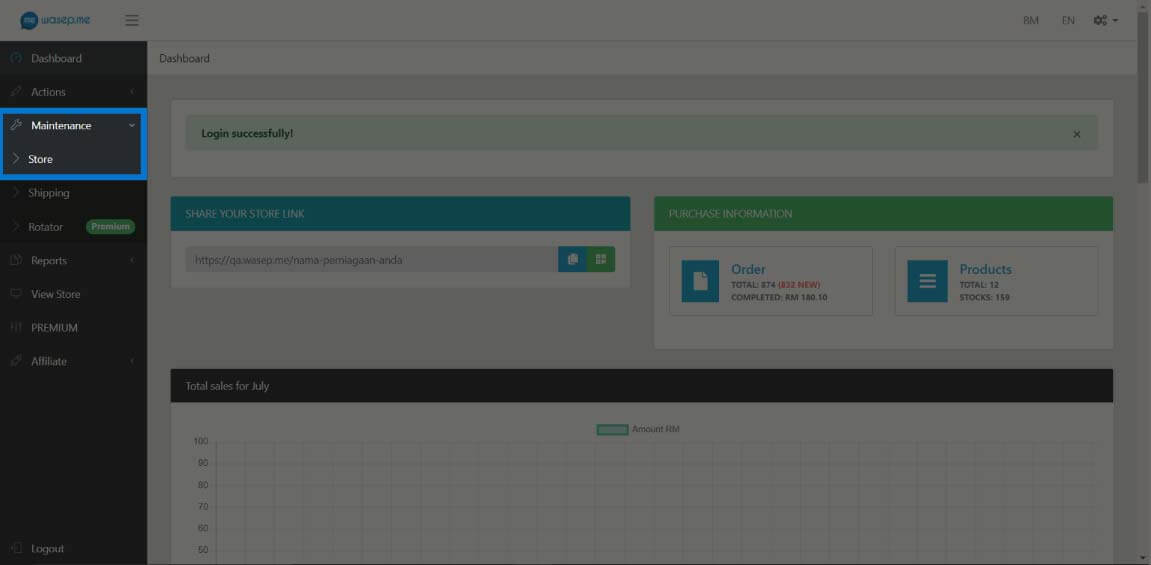
Open Store Settings
Log in to Wasep.me, click the "Store" tab under "Maintenance".
-
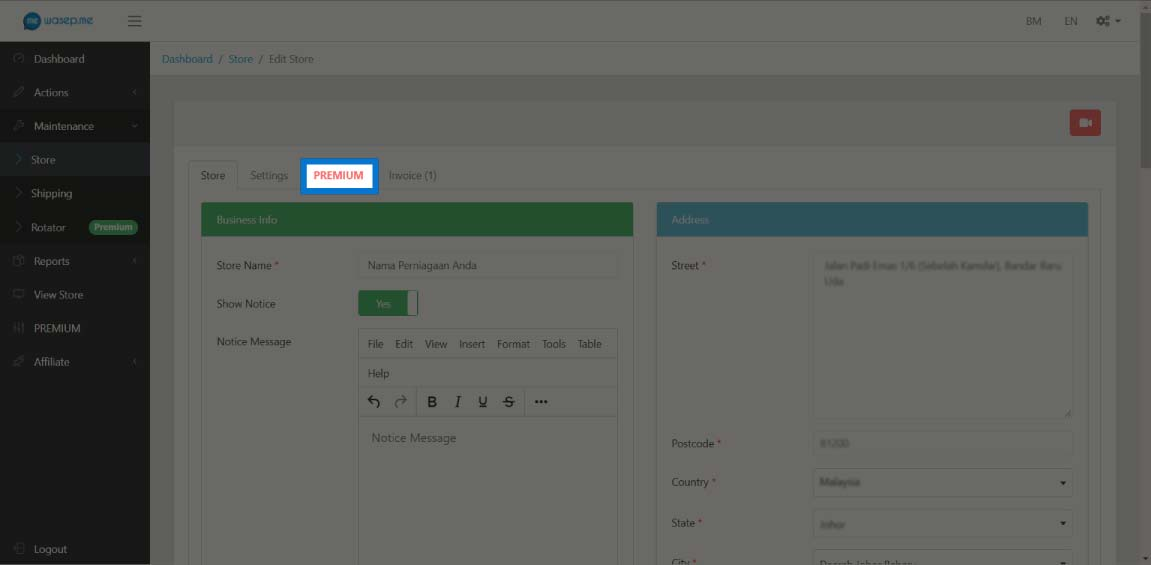
Click Premium
Navigate to the Premium section in your Wasep.me store settings.
-
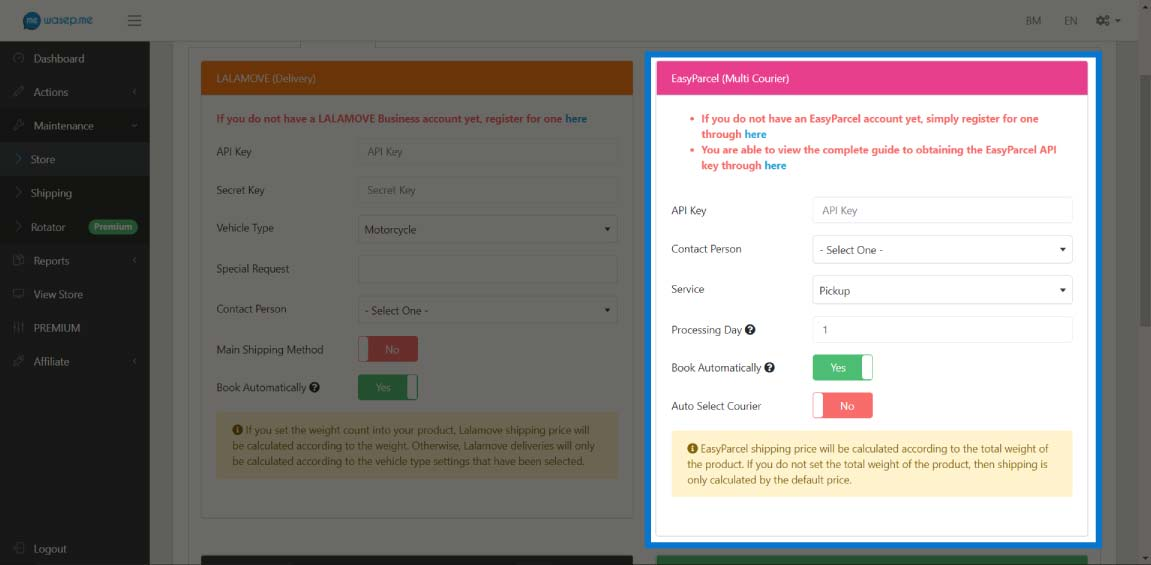
Enter API Key & Save
Enter your EasyParcel API key, select your settings, and click "Save".
-
Activate EasyParcel
After saving, the "Activate EasyParcel" tab will appear.
-
Open Orders
Click the "Orders" tab under "Actions" to manage your orders.
-
Select Orders
Select the orders you want to process for delivery.
-
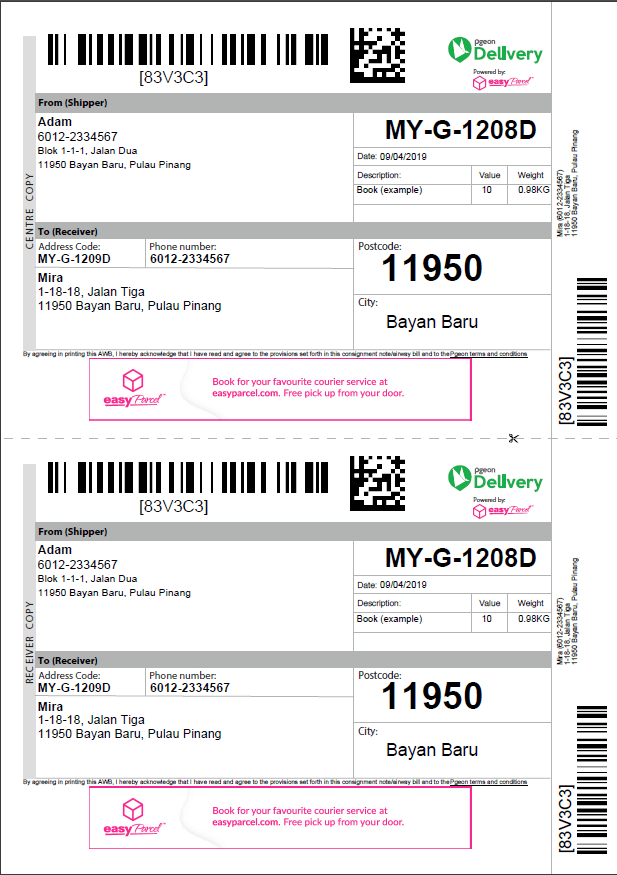
View Air Waybill
Click "View Air Waybill" to preview the AWB for your shipment.
-
Download & Print AWB
Download and print your Air Waybill to complete the process.
Install Wasep.me App
Log in to your EasyParcel account, navigate to EasyConnect, then click 'Add Ecommerce App'. Find 'Wasep.me' and click 'Install App' to get started.
Fill In Store Details
Fill in your Store name and Store URL, then click 'Add' to proceed.
Copy Your API Key
Your store API key / Integration ID will be generated. Copy it and keep it ready to integrate with your Wasep.me store.
Open Store Settings
Log in to Wasep.me, then click the 'Store' tab found under the Maintenance section in your dashboard.
Click Premium
Navigate to and click the 'Premium' option within your Wasep.me store settings.
Enter API Key & Save
Enter your EasyParcel API key, select your preferred settings, then click the 'Save' button to apply the configuration.
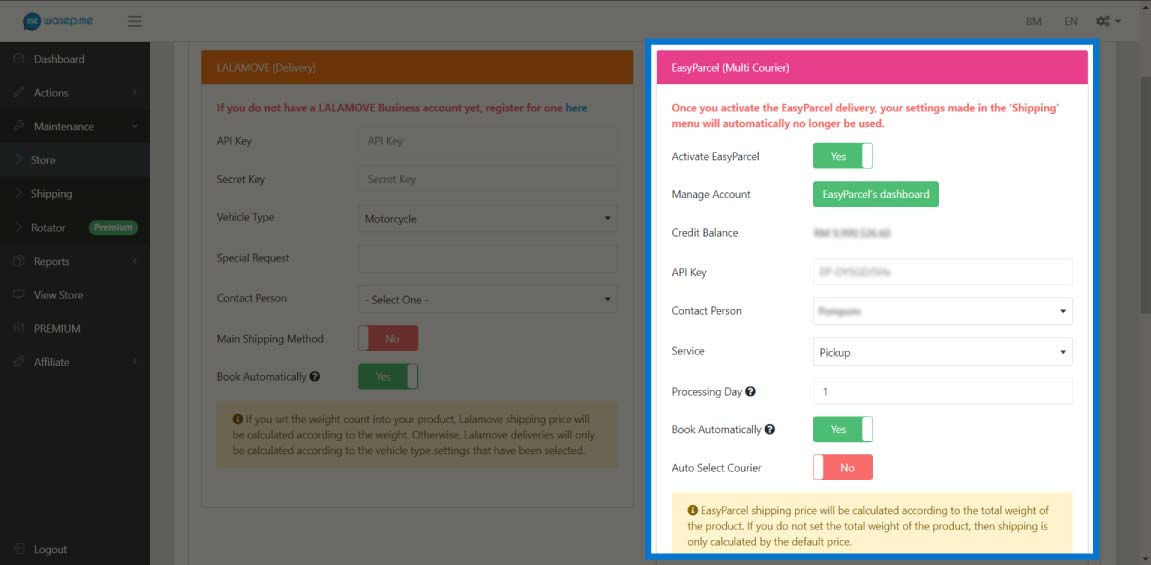
Activate EasyParcel
After successfully saving your details, the 'Activate EasyParcel' tab will appear — confirming your integration is set up.
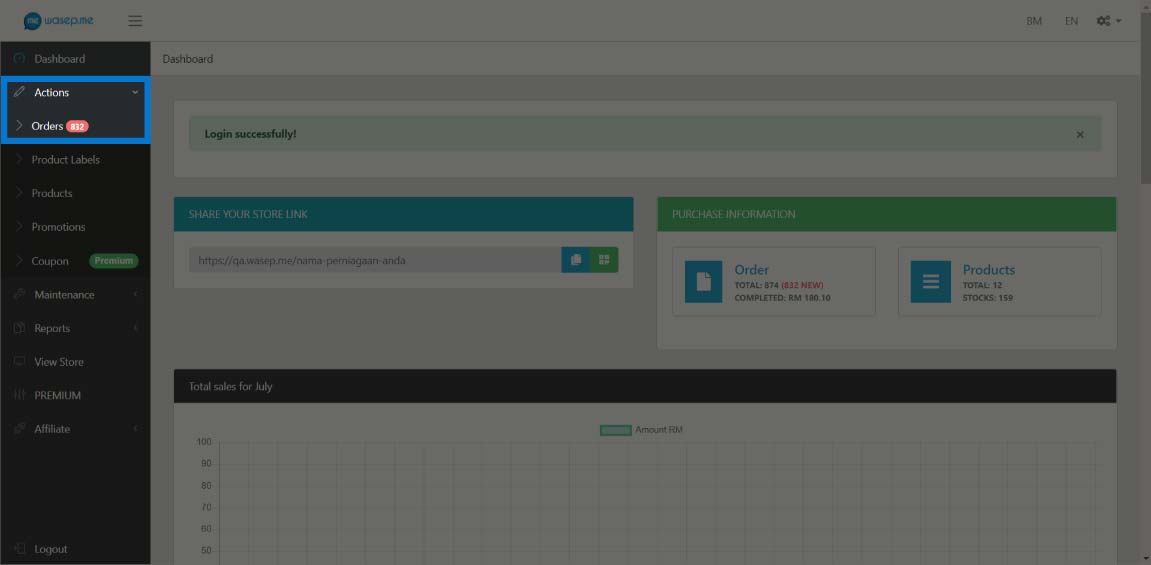
Open Orders
To get an Air Waybill for delivery, click the 'Orders' tab found under the Actions section.
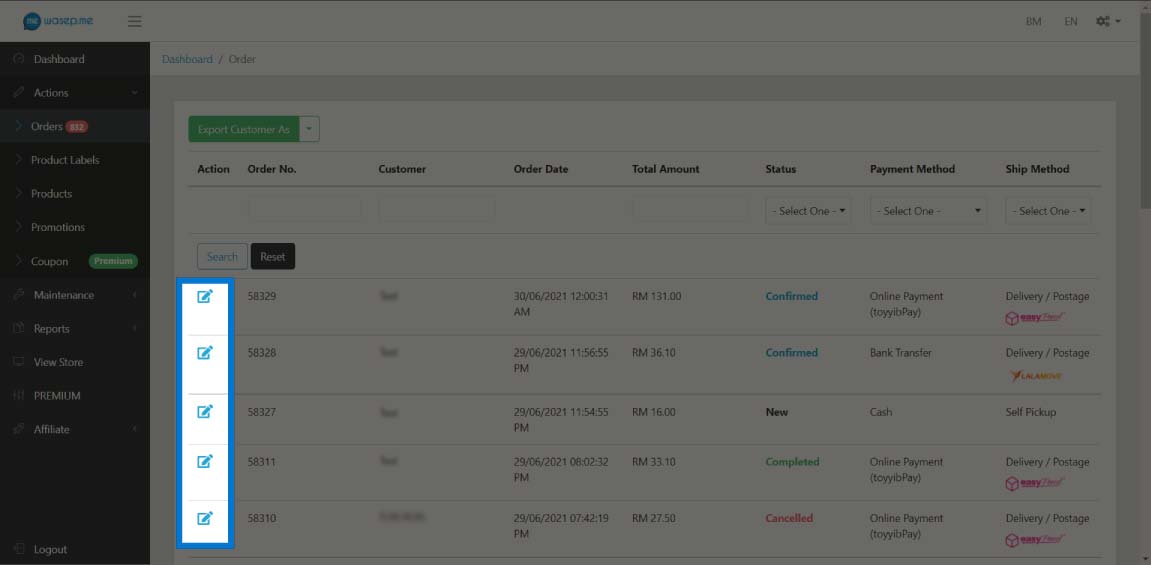
Select Orders
Select the orders you want to process and ship out.
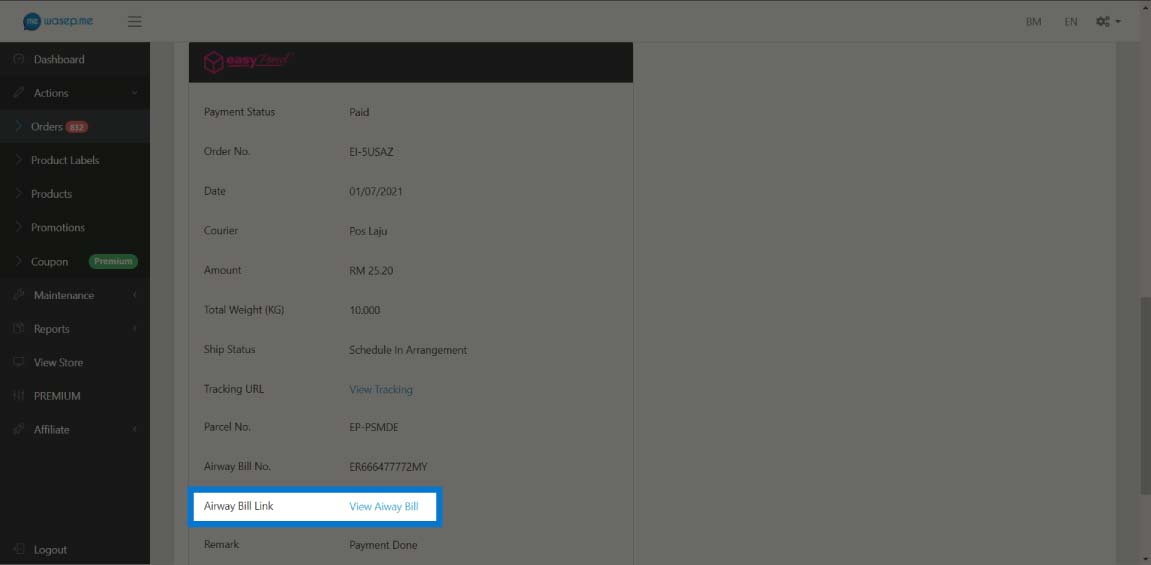
View Air Waybill
Click 'View Air Waybill' to preview the AWB for your selected shipment.
Download & Print AWB
Download and print your Air Waybill (AWB) — your shipment is fully booked and ready to go!
EasyConnect
Integrate Wasep.me with EasyParcel in 11 steps.
Log in to your EasyParcel account, navigate to EasyConnect, then click 'Add Ecommerce App'. Find 'Wasep.me' and click 'Install App'.
Fill in your Store name and Store URL, then click 'Add'.
Your store API key / Integration ID will be generated. Copy it to integrate with Wasep.me.
Log in to Wasep.me, then click the 'Store' tab under the Maintenance section.
Navigate to and click the 'Premium' option within your Wasep.me store settings.
Enter your EasyParcel API key, select your preferred settings, then click 'Save'.
After saving, the 'Activate EasyParcel' tab will appear confirming your integration is ready.
Click the 'Orders' tab under the Actions section to manage your orders.
Select the orders you want to process and ship out.
Click 'View Air Waybill' to preview the AWB for your selected shipment.
Download and print your Air Waybill (AWB) — your shipment is fully booked!