Singapore
 Thailand
 Indonesia

Auto Order Fulfillment
Orders auto-sync to EasyParcel right after purchase, no clicks needed. Save time, reduce manual work, and focus more on growing your business.
One-Click Order Fulfillment
Speed up your workflow by fulfilling and booking shipments instantly with just one click—no manual entry needed.
Live Shipping Rates at Checkout
Show live shipping rates on your Shopify checkout page for a transparent and seamless customer experience.
Pre-Order and Back-Order Fulfillment
Easily fulfill orders with available stock while managing pre-order or back-order items. Ship in-stock products first to keep customers satisfied and streamline your workflow. Integrate now.
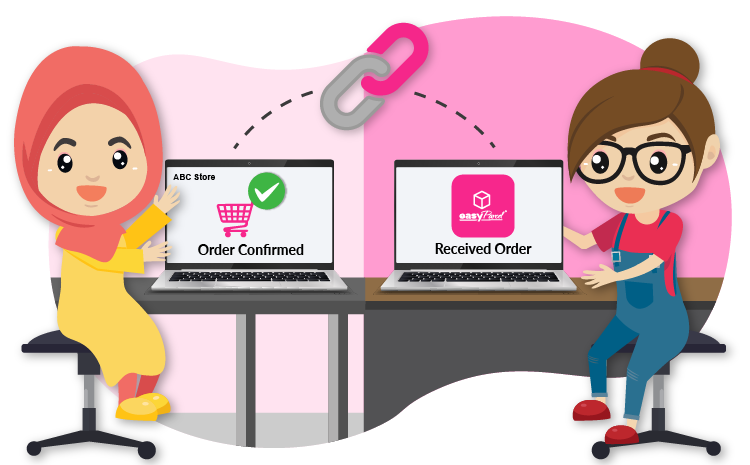
Auto Order Fulfillment
Orders auto-sync to EasyParcel right after purchase, no clicks needed. Save time, reduce manual work, and focus more on growing your business.
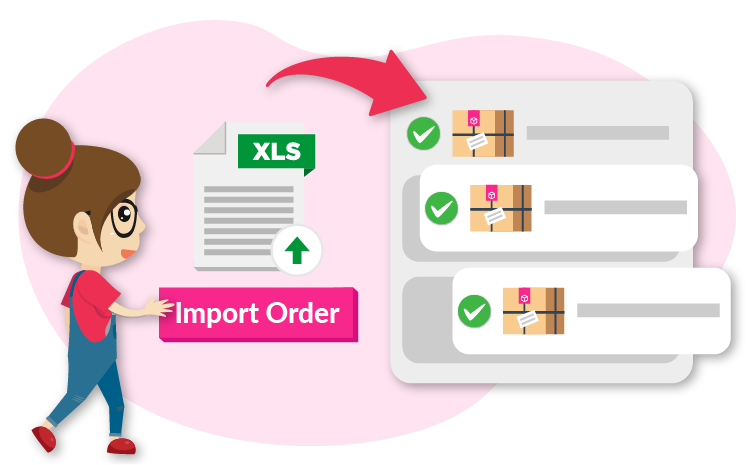
One-Click Order Fulfillment
Speed up your workflow by fulfilling and booking shipments instantly with just one click—no manual entry needed.
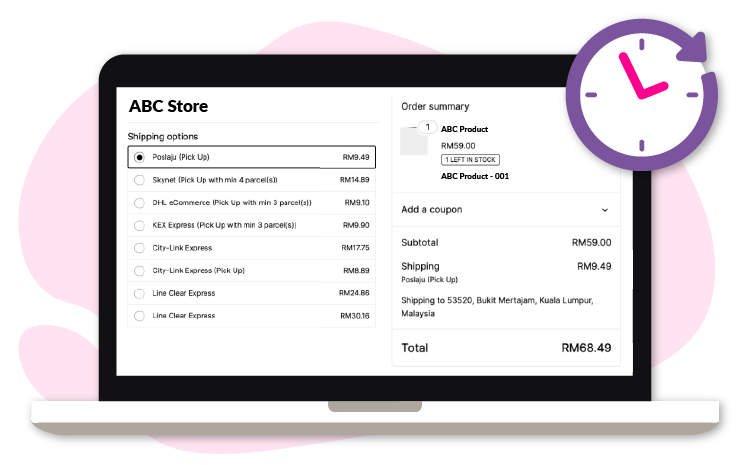
Live Shipping Rates at Checkout
Show live shipping rates on your Shopify checkout page for a transparent and seamless customer experience.
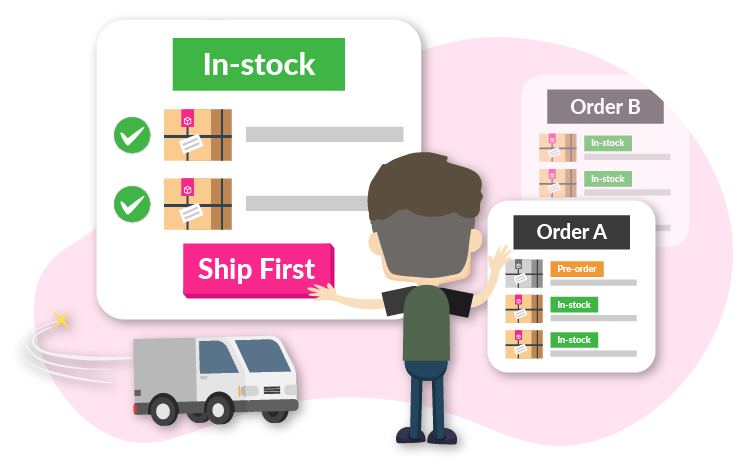
Pre-Order and Back-Order Fulfillment
Easily fulfill orders with available stock while managing pre-order or back-order items. Ship in-stock products first to keep customers satisfied and streamline your workflow. Integrate now.
Auto Order Fulfillment
Orders auto-sync to EasyParcel right after purchase, no clicks needed. Save time, reduce manual work, and focus more on growing your business.
One-Click Order Fulfillment
Speed up your workflow by fulfilling and booking shipments instantly with just one click—no manual entry needed.
Live Shipping Rates at Checkout
Show live shipping rates on your Shopify checkout page for a transparent and seamless customer experience.
Pre-Order and Back-Order Fulfillment
Easily fulfill orders with available stock while managing pre-order or back-order items. Ship in-stock products first to keep customers satisfied and streamline your workflow. Integrate now.
EasyConnect
Integrate WooCommerce with EasyParcel in 7 steps.
-
Login & Install WooCommerce App
Log in to EasyParcel, go to EasyConnect, and install the WooCommerce app.
-
Select 'Seamless Version'
Choose 'Seamless Version' when prompted to pick the integration type.
-
Enter Store Details
Fill in your store name and store URL, then click 'Add'.
-
Copy Integration ID
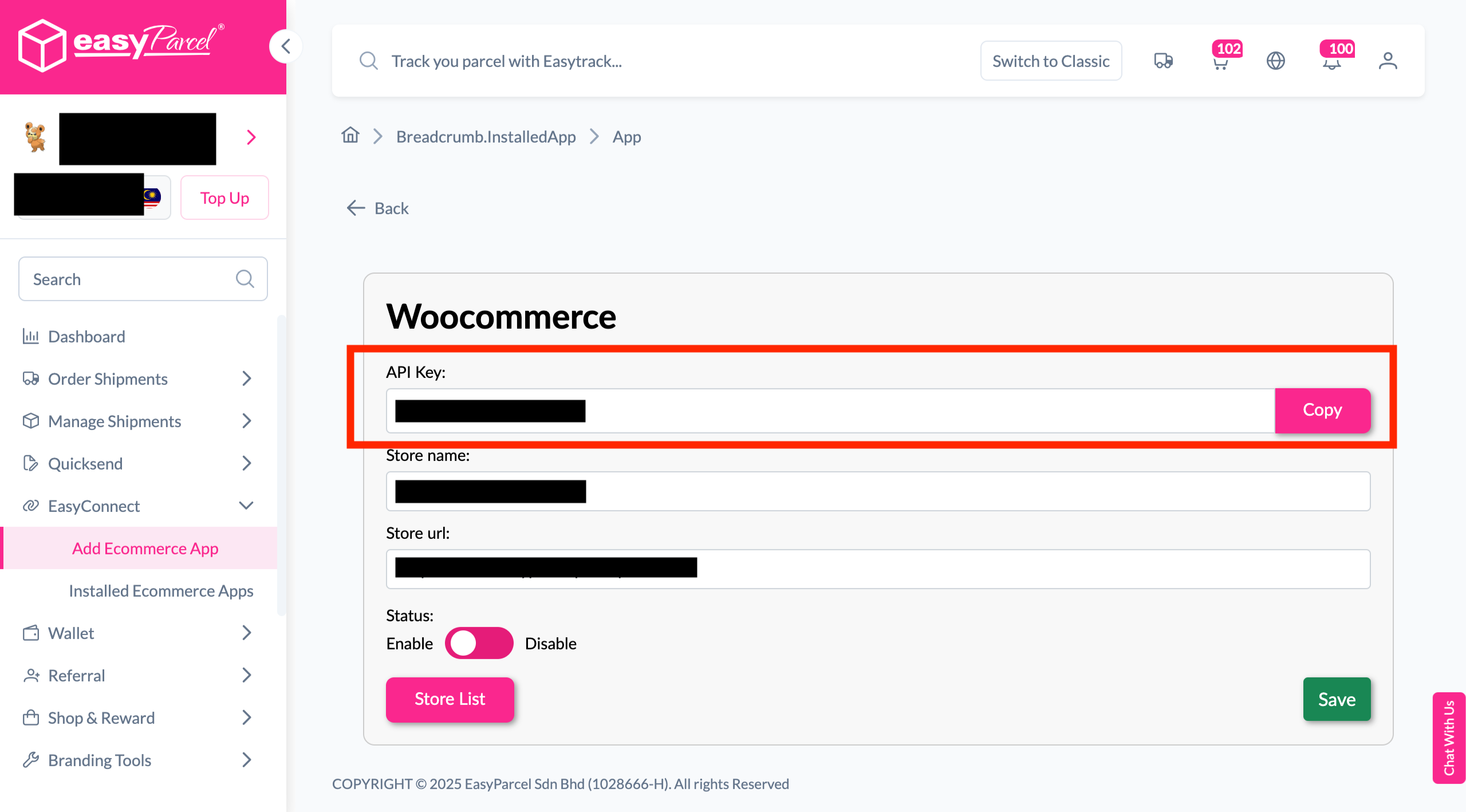
Your store API key / Integration ID will be generated. Copy it.
-
Install EasyParcel Plugin
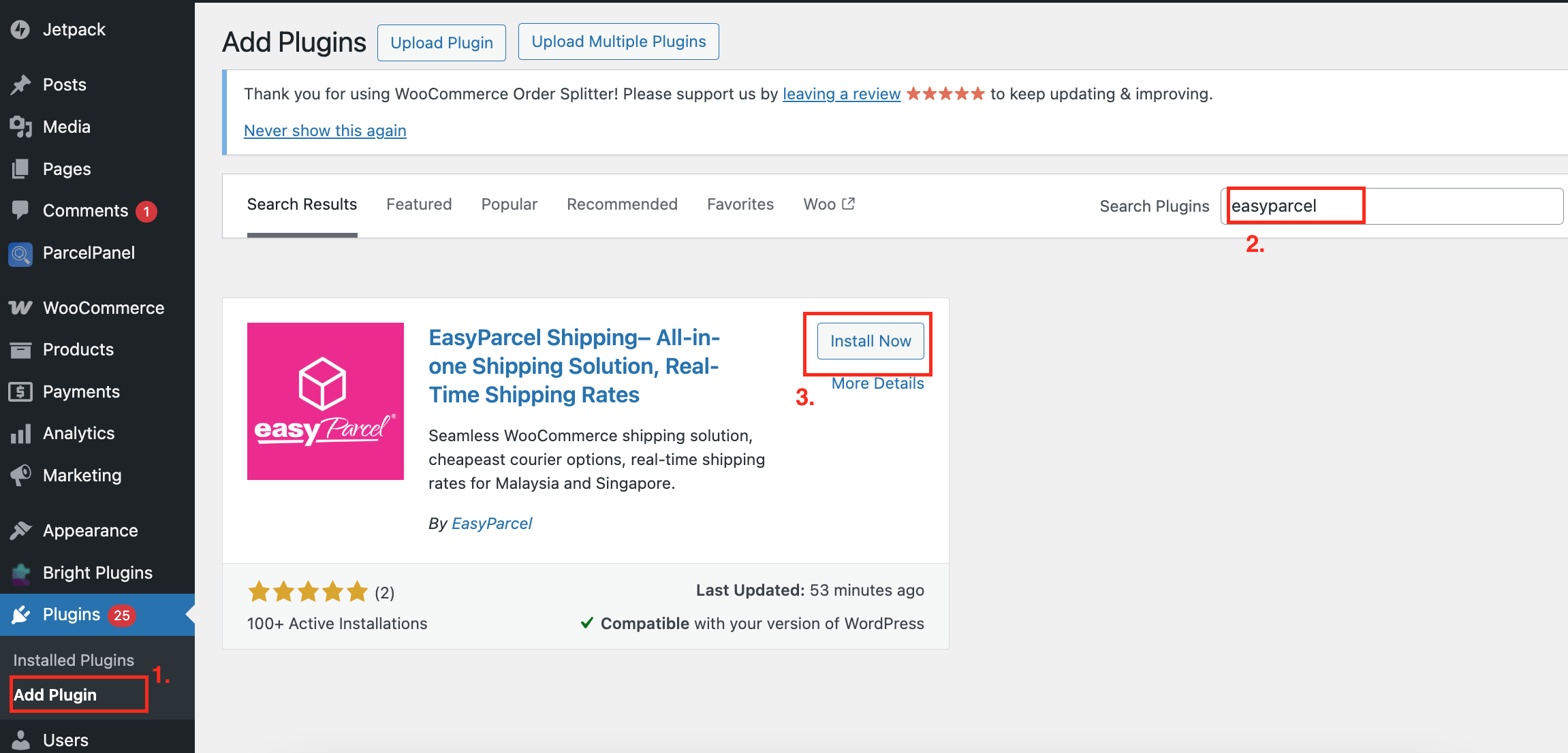
In WooCommerce admin, search for EasyParcel in Plugins and click 'Install Now'.
-
Activate Plugin
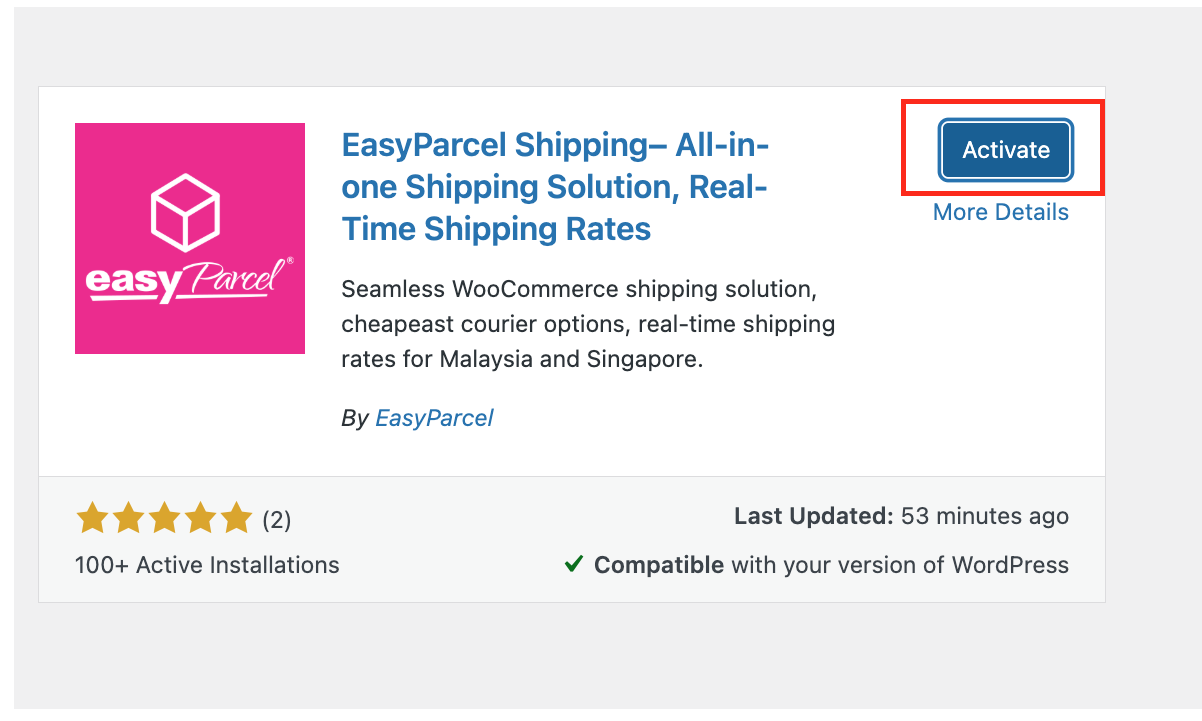
Click 'Activate Plugin' to enable EasyParcel in your WooCommerce store.
-
Configure Shipping Settings
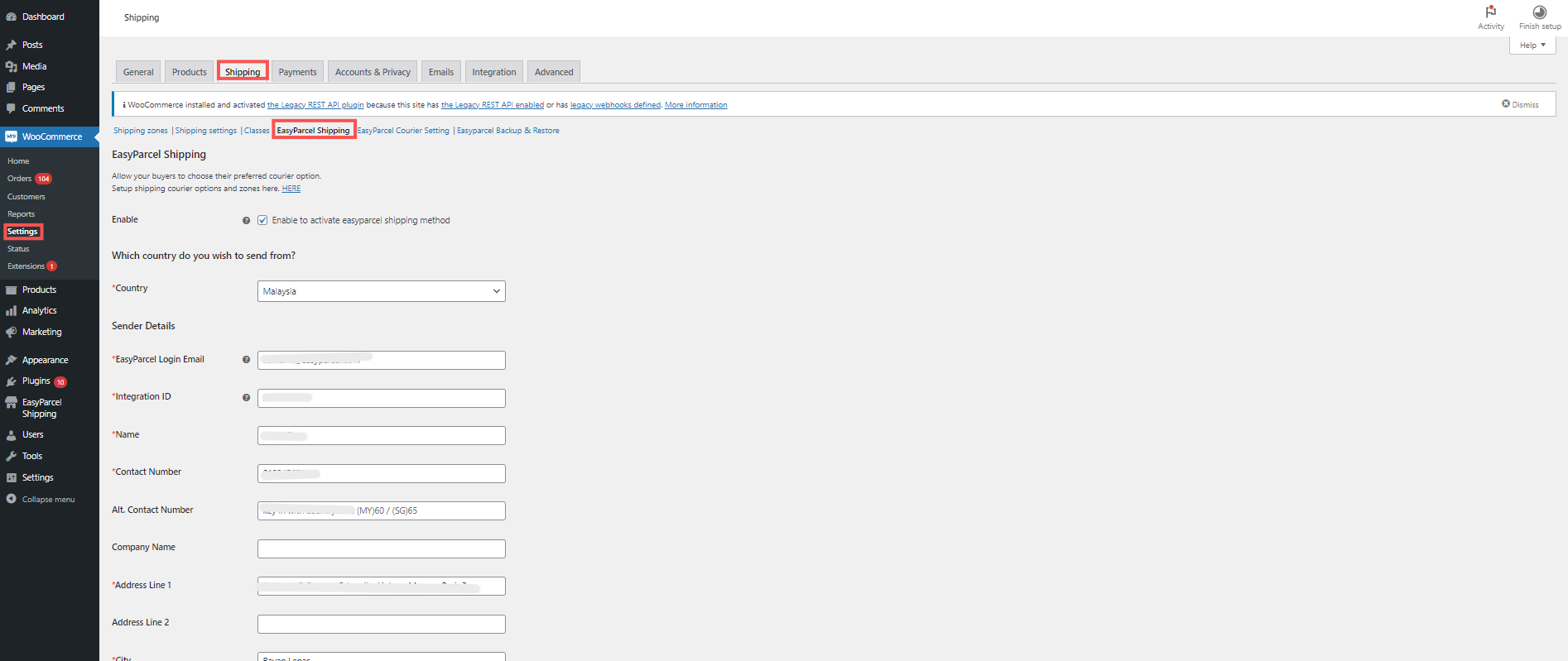
Go to WooCommerce Settings → Shipping → EasyParcel Shipping, fill in details and save.
Login & Install WooCommerce App
Log in to your EasyParcel account, navigate to EasyConnect, then click 'Add Ecommerce App'. Find 'WooCommerce' and click 'Install App' to get started.
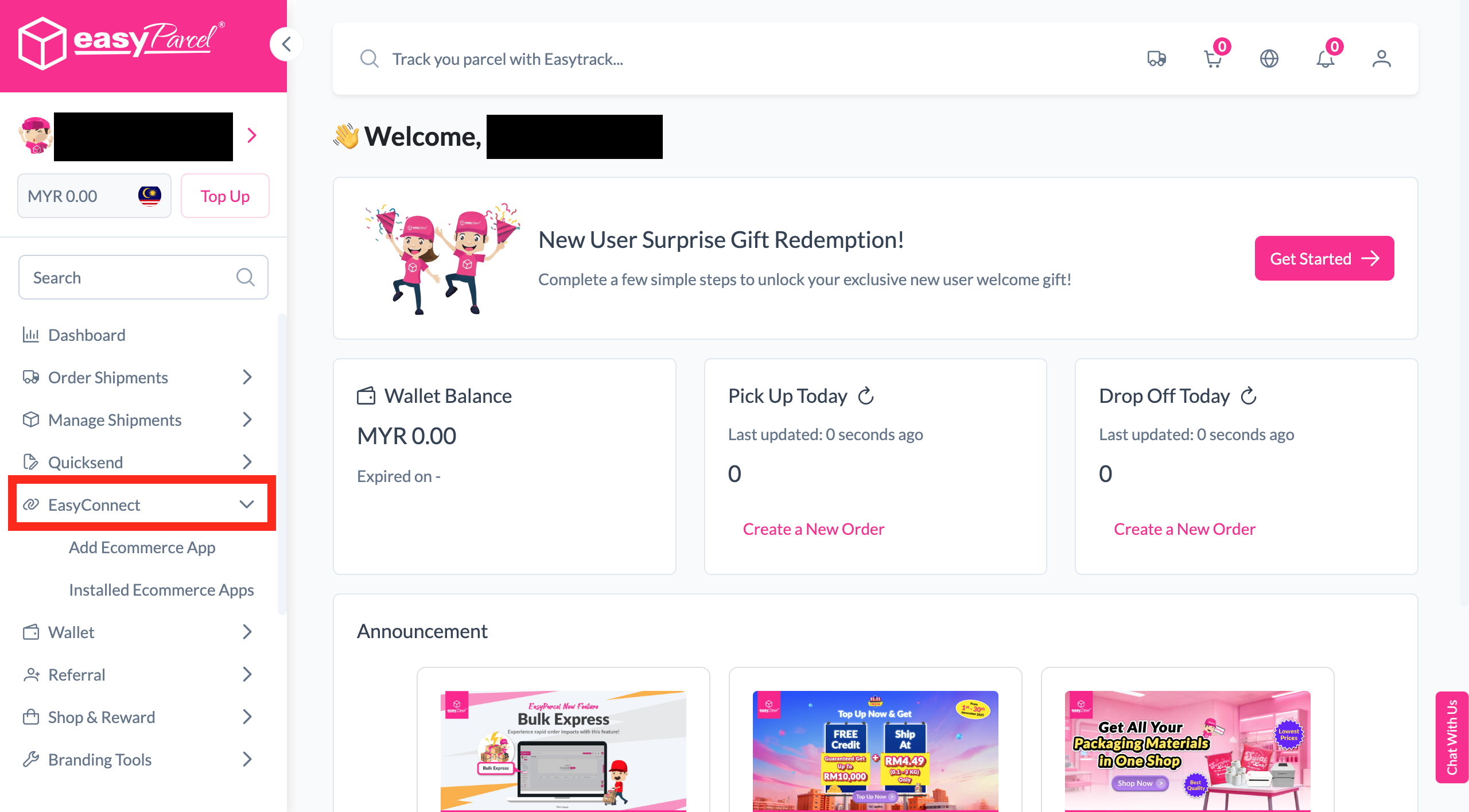
Select 'Seamless Version'
When prompted to choose an integration type, select 'Seamless Version' to continue.
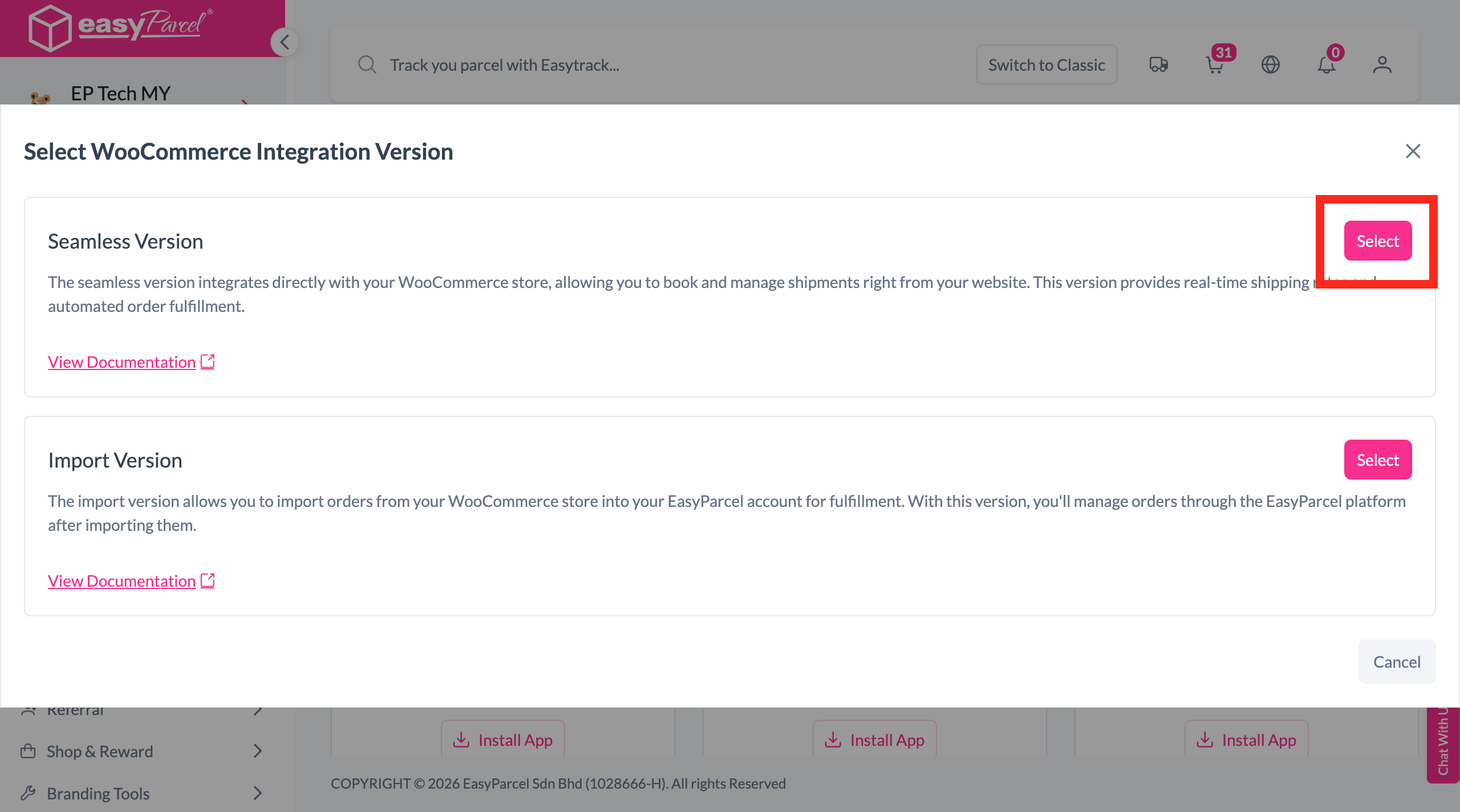
Enter Store Details
Fill in your store name and store URL, then click 'Add' to proceed.
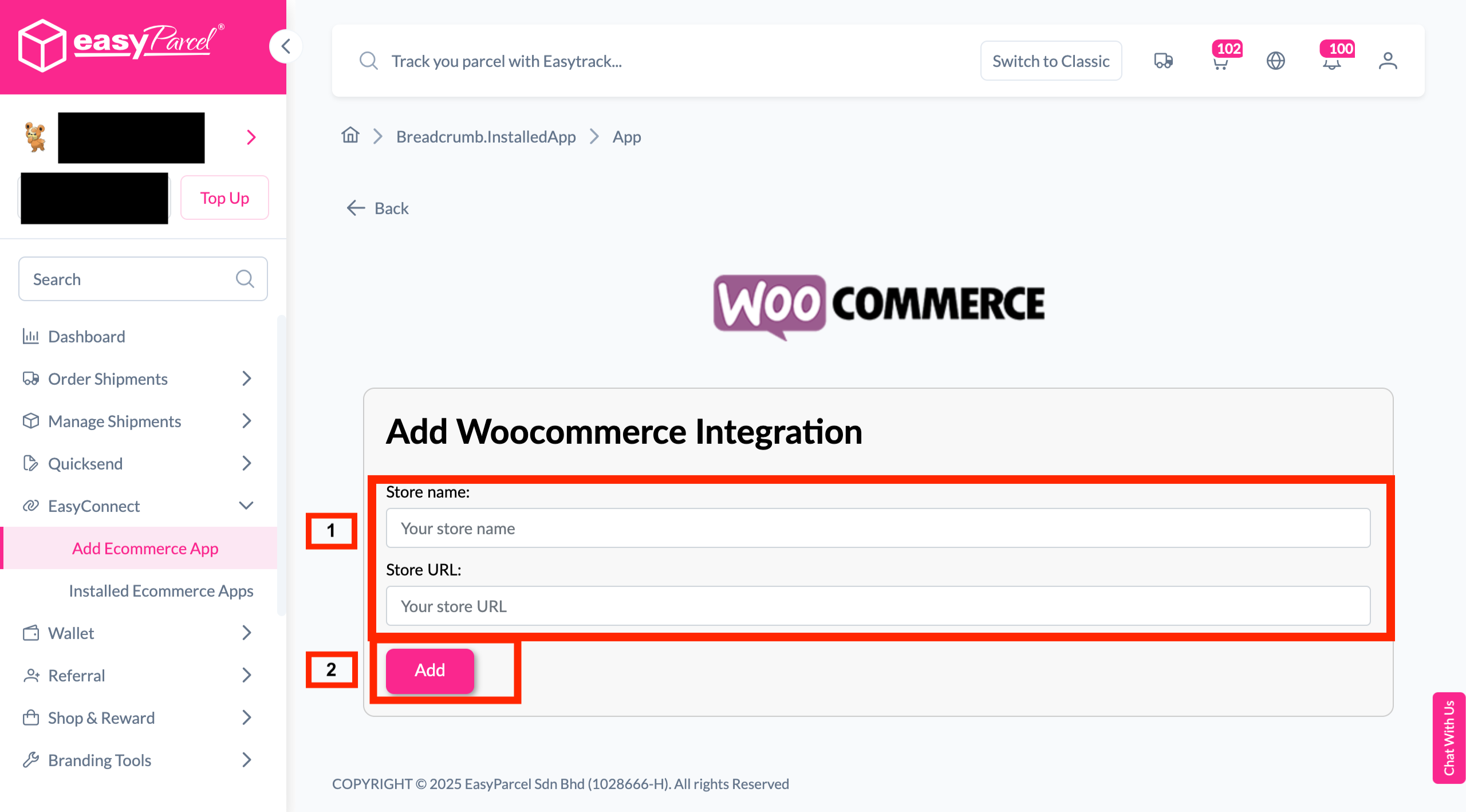
Copy Your Integration ID
Your store API key / Integration ID will be generated. Copy it — you'll need it later in Step 7.
Install EasyParcel Plugin
Go to your WooCommerce admin panel, click 'Plugin'. Search for EasyParcel in the "Search Plugins" field, then click 'Install Now'.
Activate Plugin
Once the plugin is installed, click 'Activate Plugin' to enable EasyParcel in your WooCommerce store.
Configure Shipping Settings
Go to your WooCommerce Settings, click the 'Shipping' tab, then click 'EasyParcel Shipping'. Fill in your details and click 'Save changes'.
Integration ID here.
EasyConnect
Integrate WooCommerce with EasyParcel in 7 steps.
Log in to your EasyParcel account, navigate to EasyConnect, then click 'Add Ecommerce App'. Find 'WooCommerce' and click 'Install App' to get started.
When prompted to choose an integration type, select 'Seamless Version' to continue.
Fill in your store name and store URL, then click 'Add' to proceed.
Your store API key / Integration ID will be generated. Copy it — you'll need it in Step 7.
Go to your WooCommerce admin panel, click 'Plugin'. Search for EasyParcel in the "Search Plugins" field, then click 'Install Now'.
Once the plugin is installed, click 'Activate Plugin' to enable EasyParcel in your WooCommerce store.
Go to your WooCommerce Settings, click the 'Shipping' tab, then click 'EasyParcel Shipping'. Fill in your details and click 'Save changes'.
Integration ID here.