Singapore
 Thailand
 Indonesia


1. Link
Sync your store with EasyParcel with few clicks only

2. Book
Compare and book your prefered courier

3. Download
Download air waybill on your platform

4. Track
Track your parcels anytime at your convenience

EasyConnect
Integrate OrderSini with EasyParcel in 7 steps.
-
Install OrderSini App
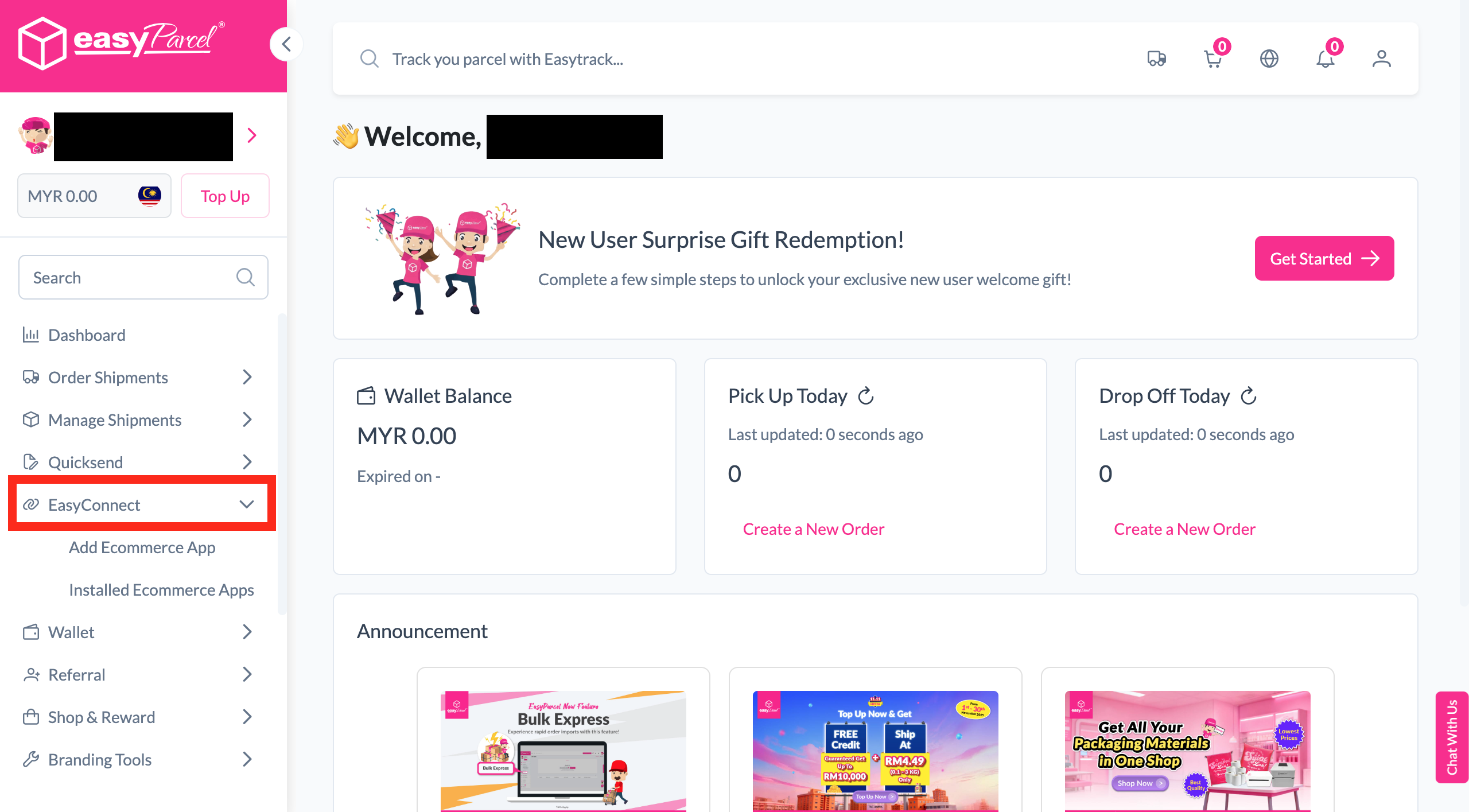
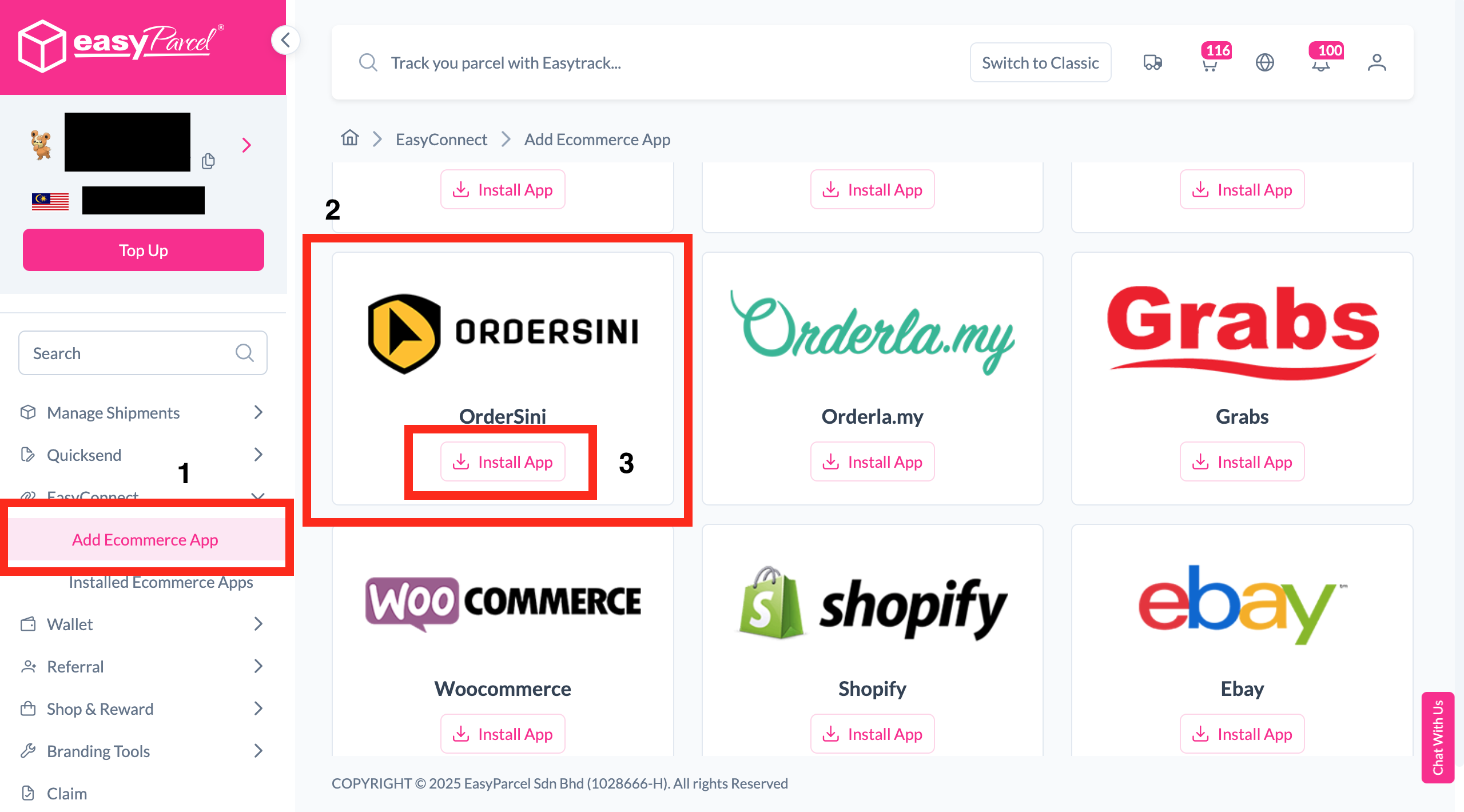
Under "Integration", click "Add Ecommerce App", find "OrderSini" and click "Install App".
-
Fill In Store Details
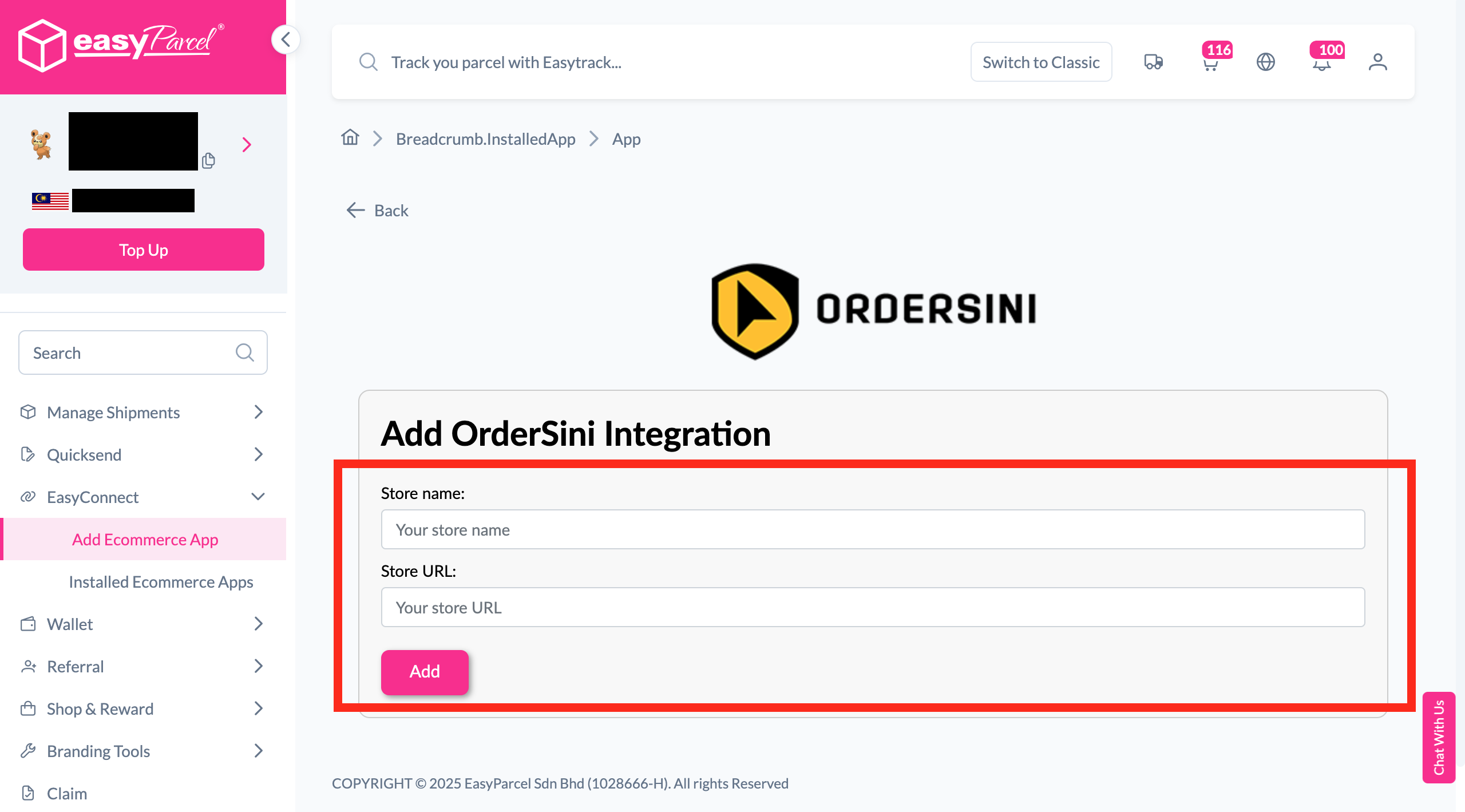
Fill in the Store name and Store URL, then click "Add".
-
Copy Your API Key
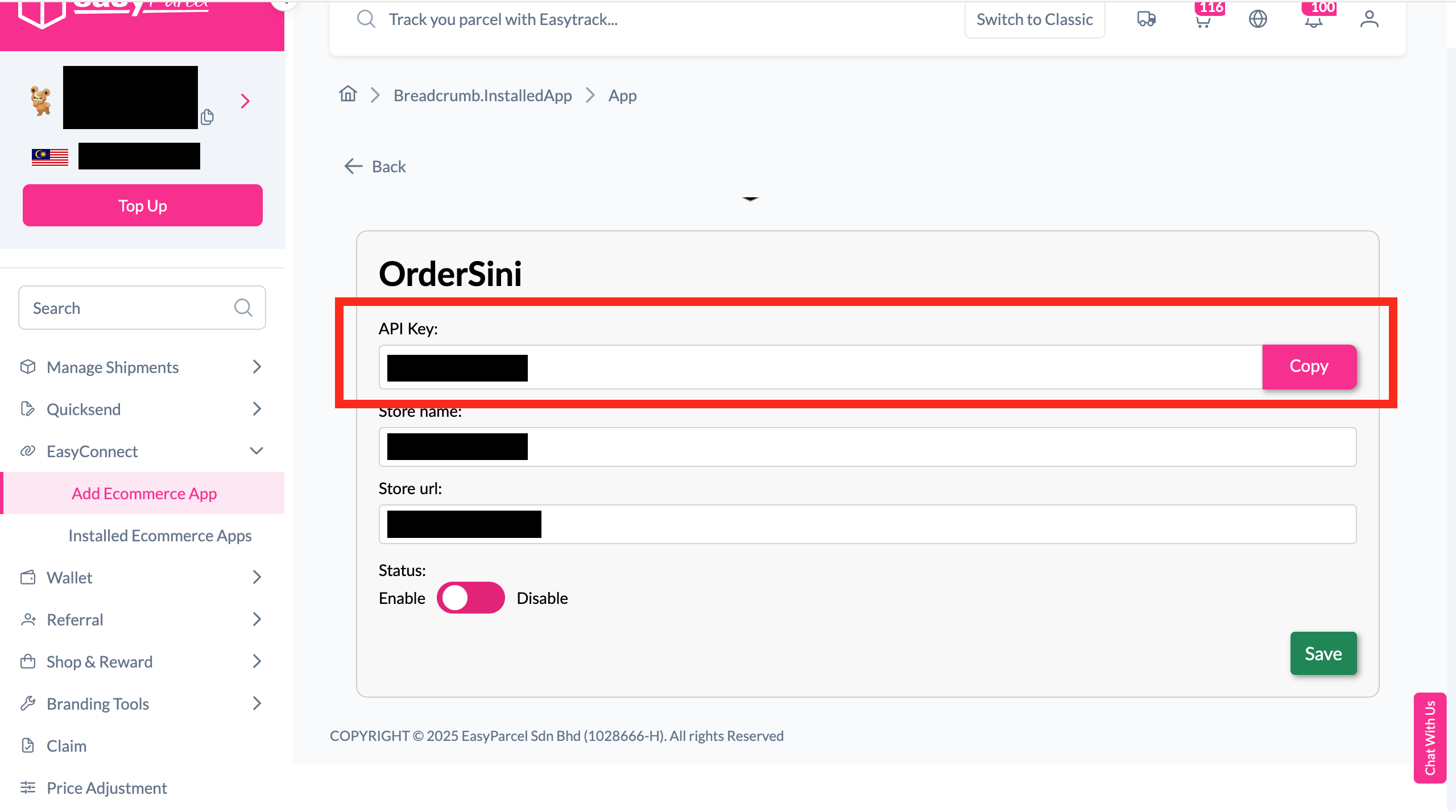
Your store API key / Integration ID will be generated. Copy it to integrate with your store.
-
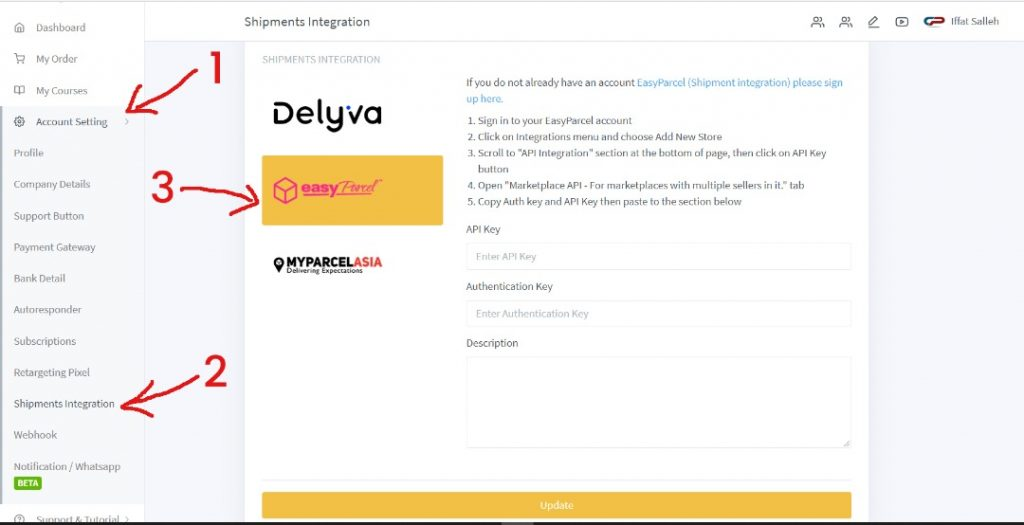
Open Shipment Integration
In OrderSini, go to Account Setting – Shipment Integration and click on the EasyParcel logo.
-
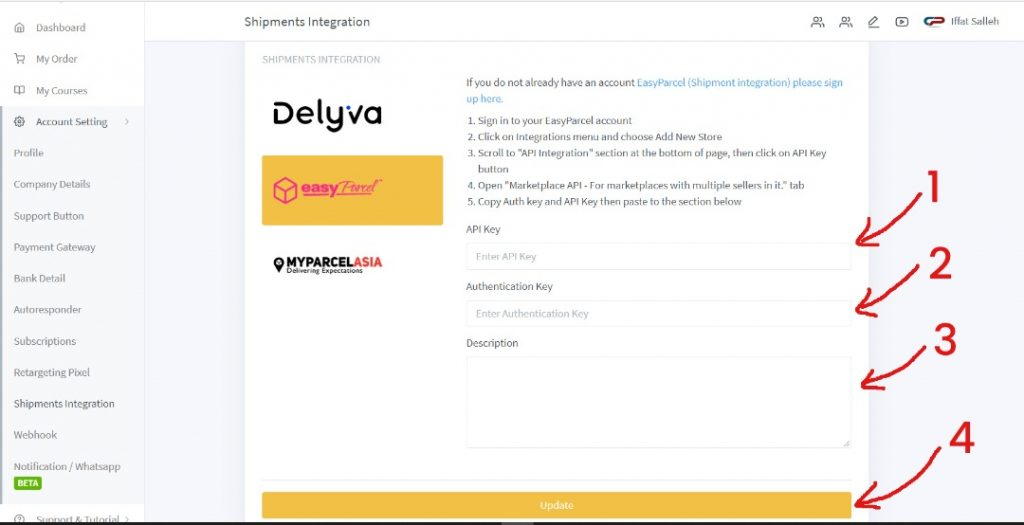
Enter Your API Key
Fill in your API key / Integration ID obtained from Step 3.
-
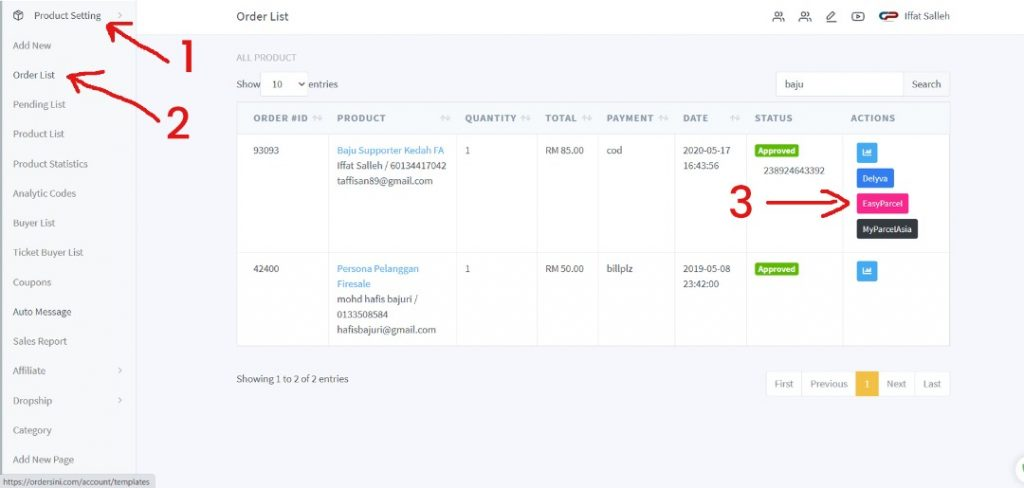
Fulfill Orders
Go to Product Setting – Order List and click the EasyParcel button to fulfill orders.
-
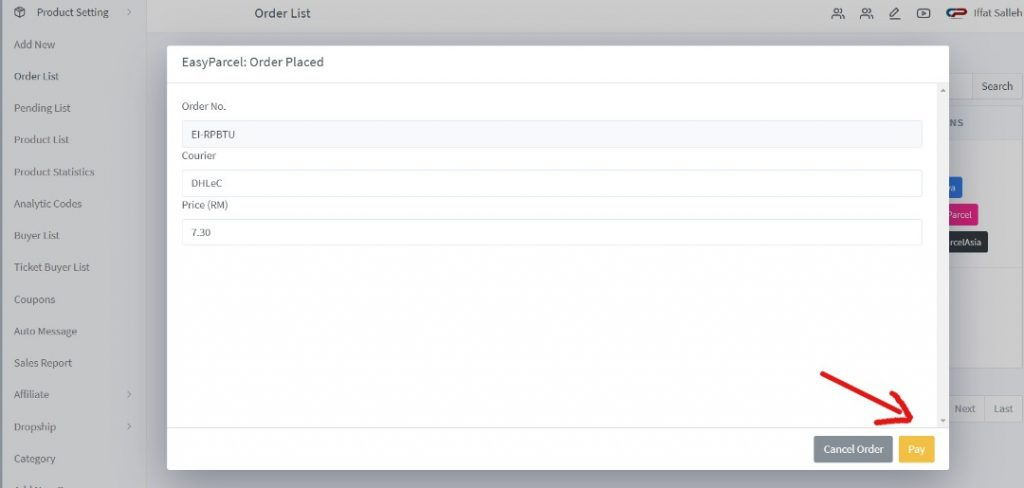
Pay & Print AWB
Click "Pay" to get the AWB directly from the OrderSini platform.
Install OrderSini App
Log in to your EasyParcel account, navigate to EasyConnect, then click 'Add Ecommerce App'. Find 'OrderSini' and click 'Install App' to get started.
Fill In Store Details
Fill in your Store name and Store URL, then click 'Add' to proceed.
Copy Your API Key
Your store API key / Integration ID will be generated. Copy it and keep it ready to integrate with your OrderSini store.
Open Shipment Integration
Login to your OrderSini account, go to Account Setting > Shipment Integration, then click on the EasyParcel logo.
Enter Your API Key
Fill in your API key / Integration ID obtained from Step 3. Note that every EasyParcel account has its own unique API key / Integration ID.
Fulfill Orders
Go to Product Setting > Order List and click the EasyParcel button to begin fulfilling your orders.
Pay & Print AWB
Click 'Pay' to get your Air Waybill (AWB) directly from the OrderSini platform — your shipment is booked!
EasyConnect
Integrate OrderSini with EasyParcel in 7 steps.
Log in to your EasyParcel account, navigate to EasyConnect, then click 'Add Ecommerce App'. Find 'OrderSini' and click 'Install App' to get started.
Fill in your Store name and Store URL, then click 'Add' to proceed.
Your store API key / Integration ID will be generated. Copy it and keep it ready to integrate with your OrderSini store.
Login to your OrderSini account, go to Account Setting > Shipment Integration, then click on the EasyParcel logo.
Fill in your API key / Integration ID obtained from Step 3. Note that every EasyParcel account has its own unique API key / Integration ID.
Go to Product Setting > Order List and click the EasyParcel button to begin fulfilling your orders.
Click 'Pay' to get your Air Waybill (AWB) directly from the OrderSini platform — your shipment is booked!