Singapore
 Thailand
 Indonesia


1. Link
Sync your store with EasyParcel with few clicks only

2. Book
Compare and book your prefered courier

3. Download
Download air waybill on your platform

4. Track
Track your parcels anytime at your convenience


EasyConnect
Integrate BizApp with EasyParcel in 11 steps.
-
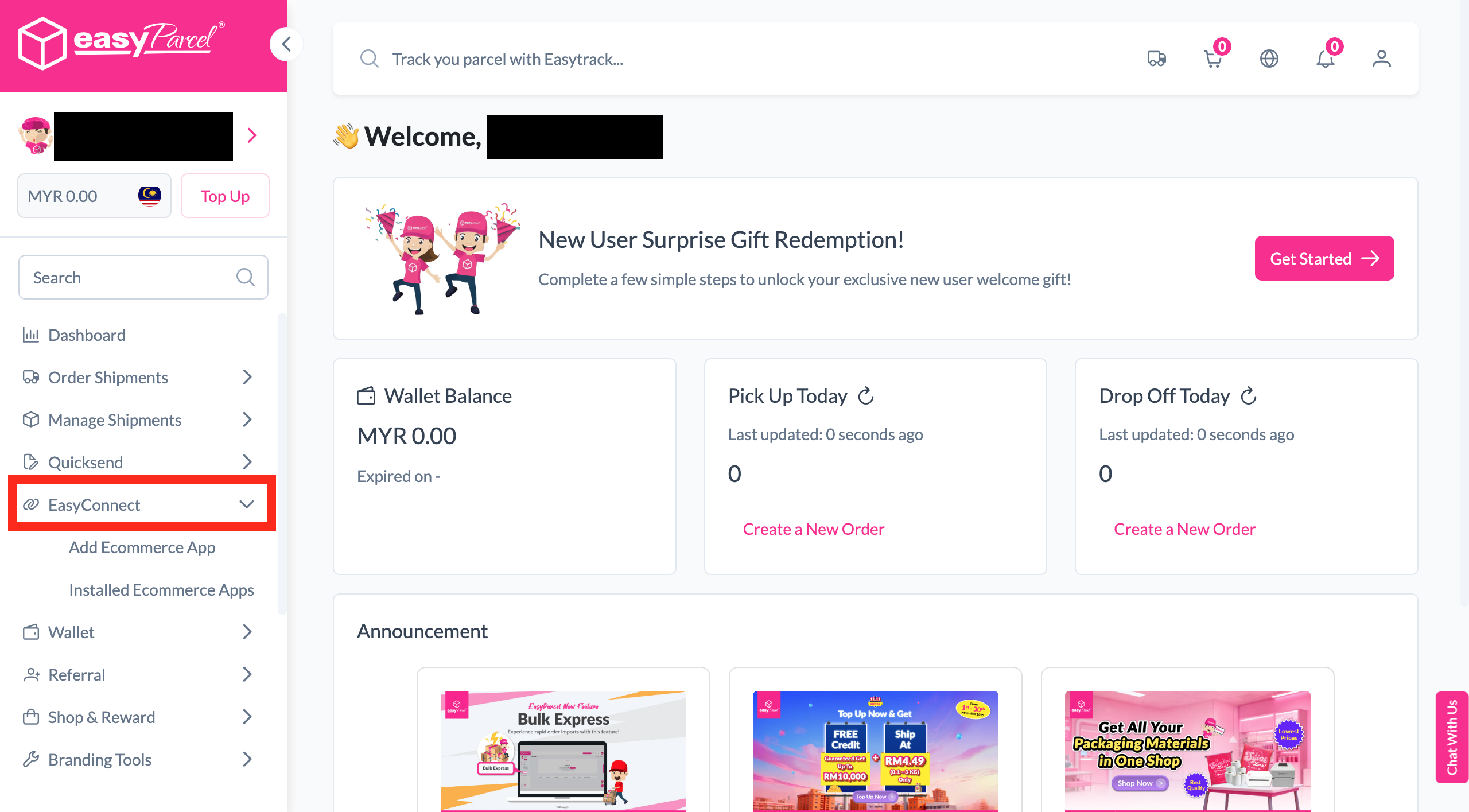
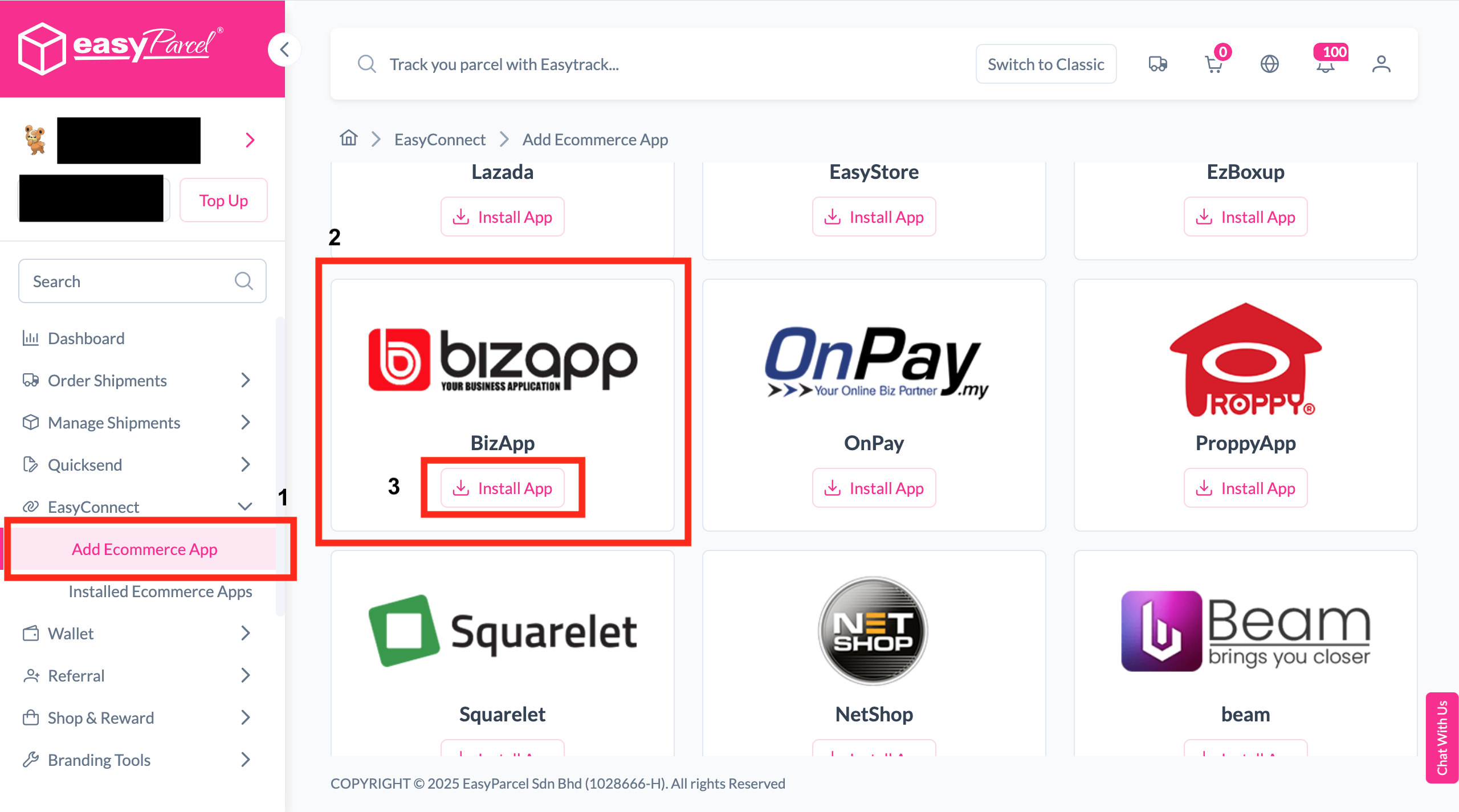
Install BizApp
Log in, go to EasyConnect, click Add Ecommerce App, search for BizApp and click Install App.
-
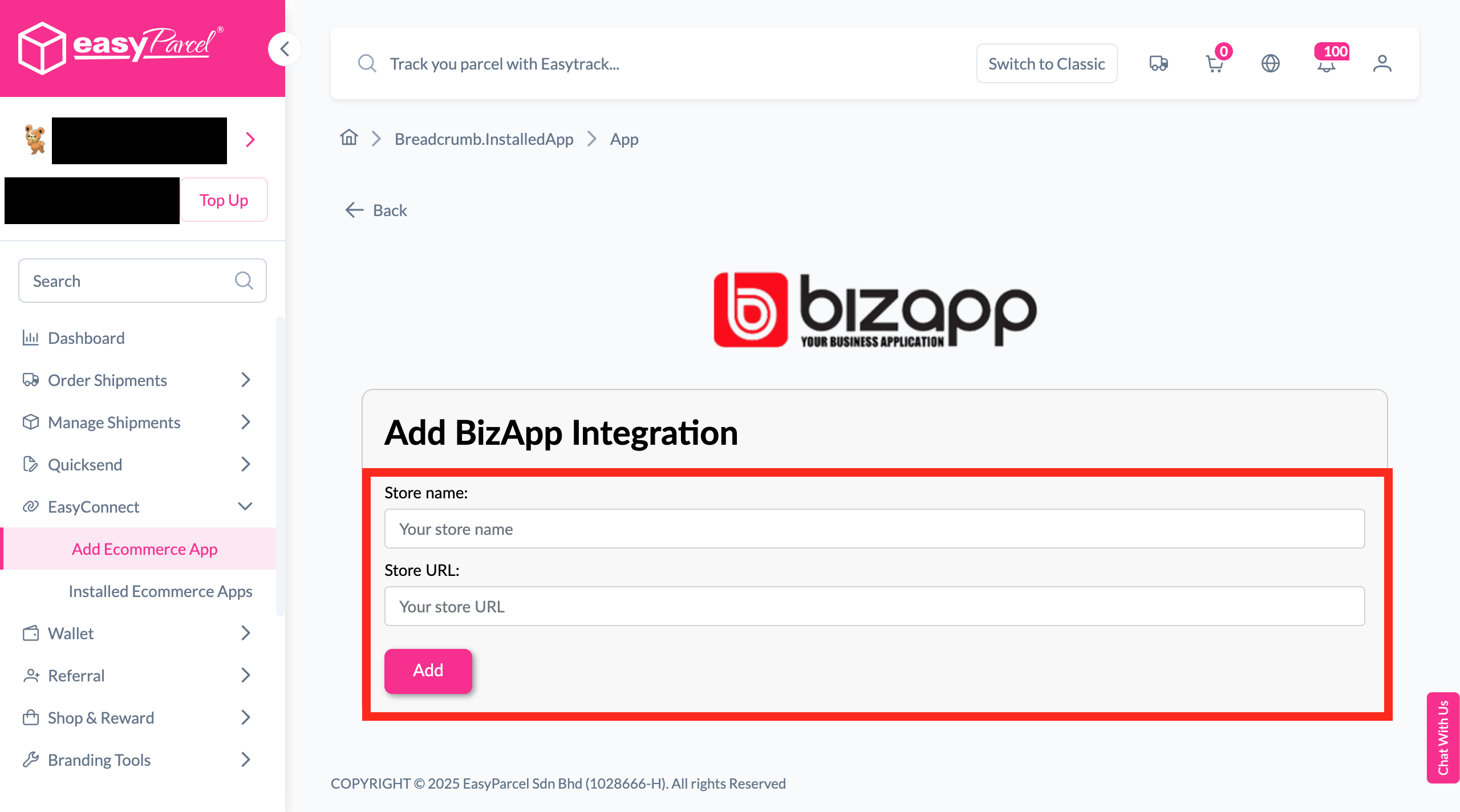
Fill In Store Details
Fill in the Store name and Store URL, then click Add.
-
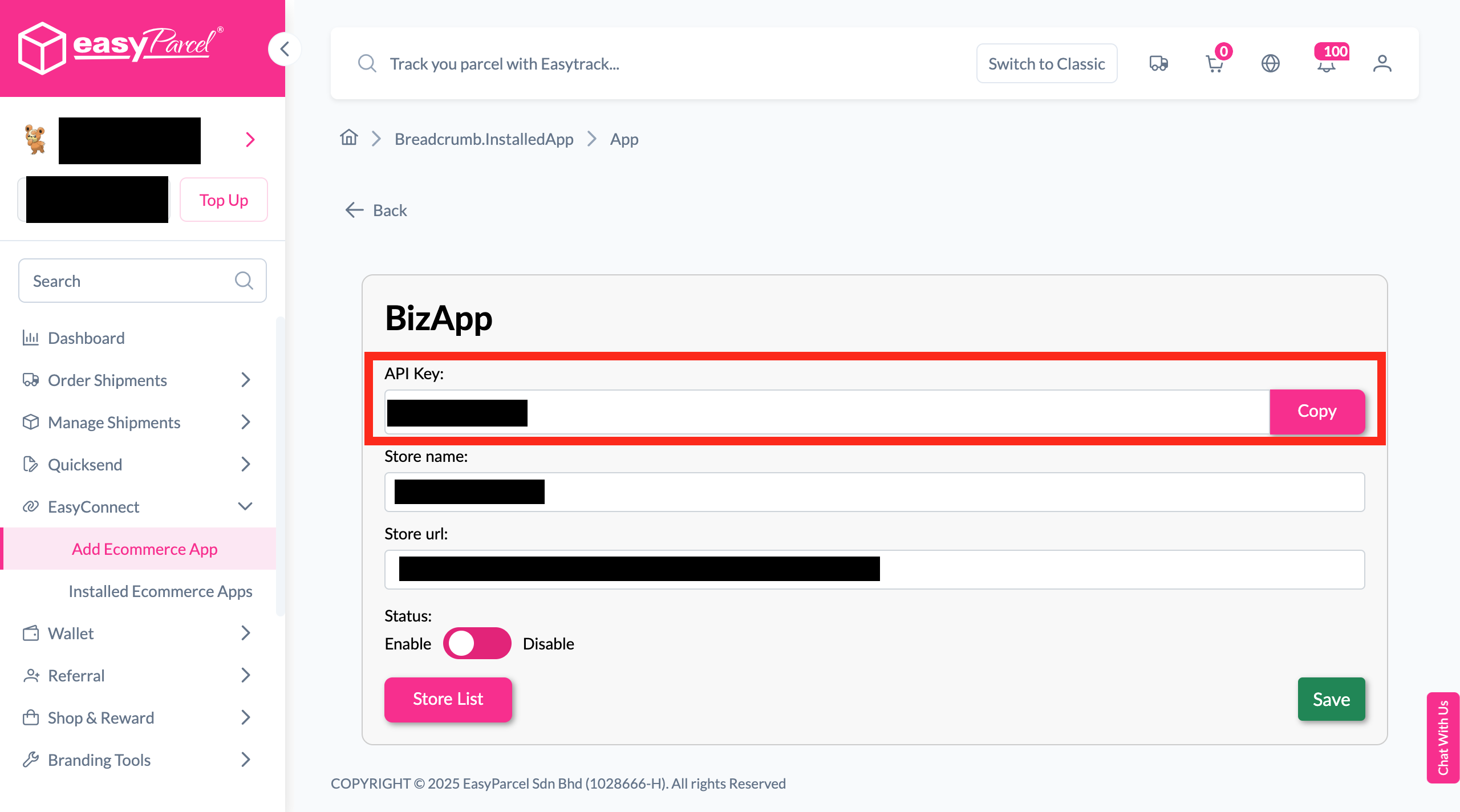
Copy Your API Key
Your store API key / Integration ID will be generated. Copy it to integrate with your store.
-
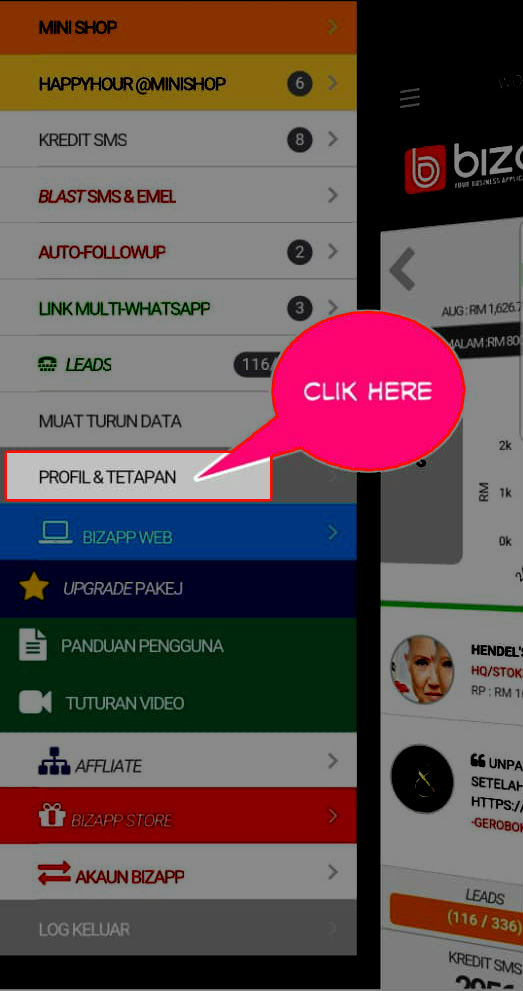
Profile & Tetapan
Click "Profile & Tetapan" in BizApp to access your store settings.
-
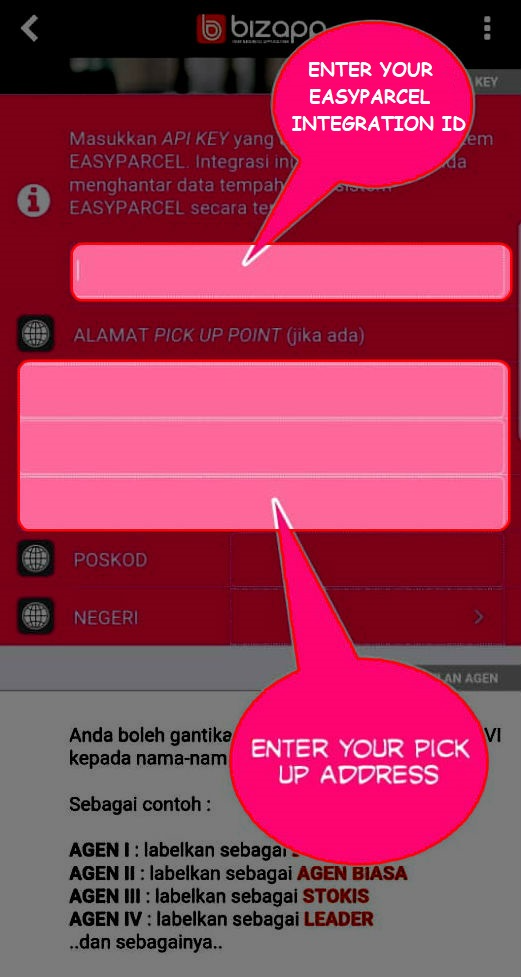
Fill In Necessary Details
Enter your API key and pick up address details.
-
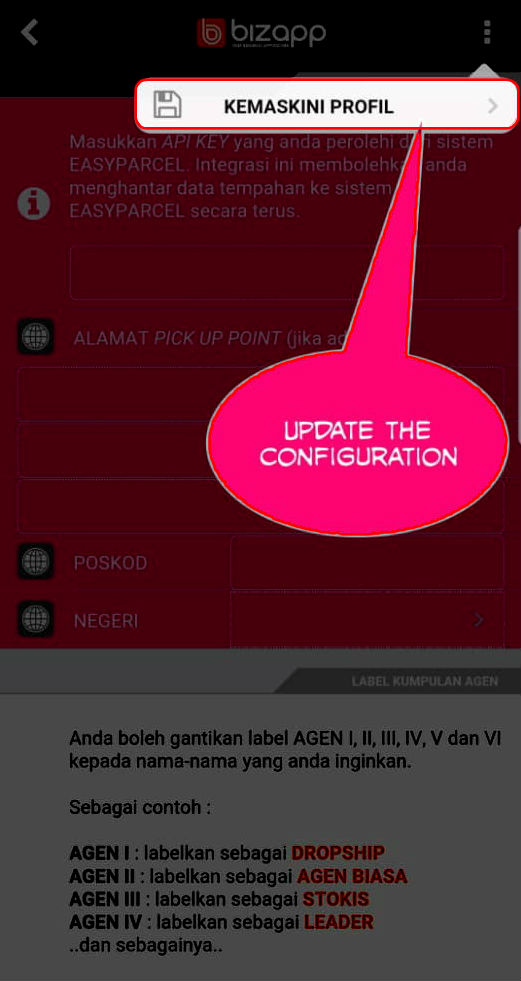
Kemaskini Profil
Click "Kemaskini Profil" to save your profile updates.
-
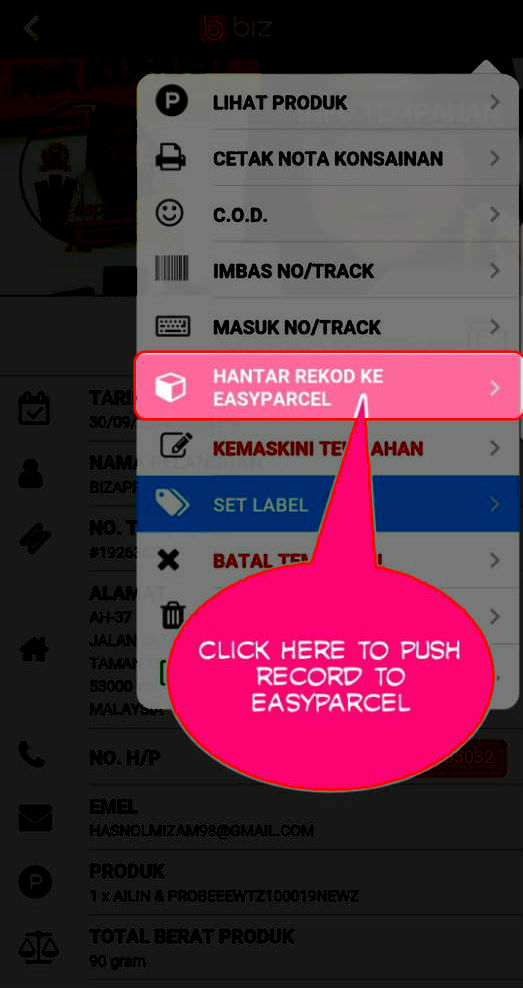
Hantar Record Ke EasyParcel
Click "Hantar Record Ke EasyParcel" to push your order records.
-
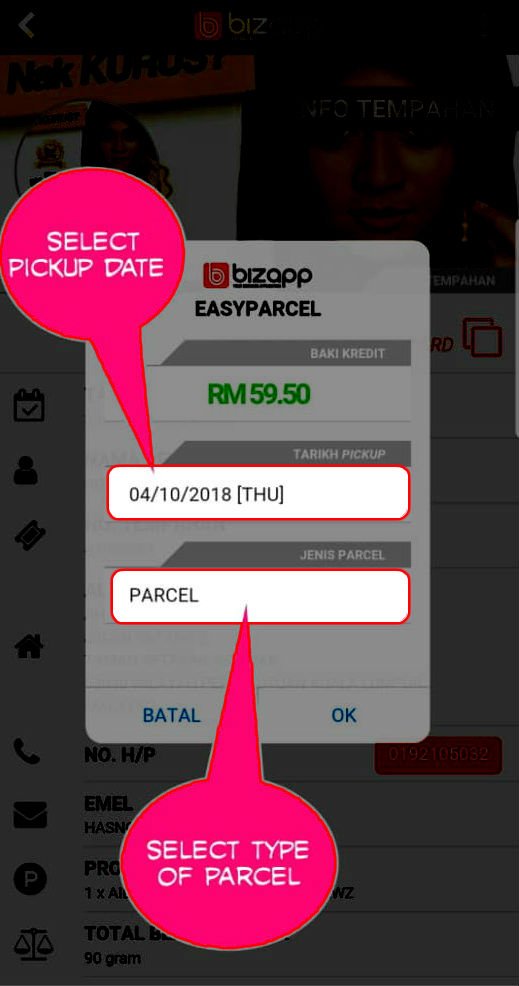
Select Pickup Date & Parcel Type
Select the pickup date and type of parcel before checkout.
-
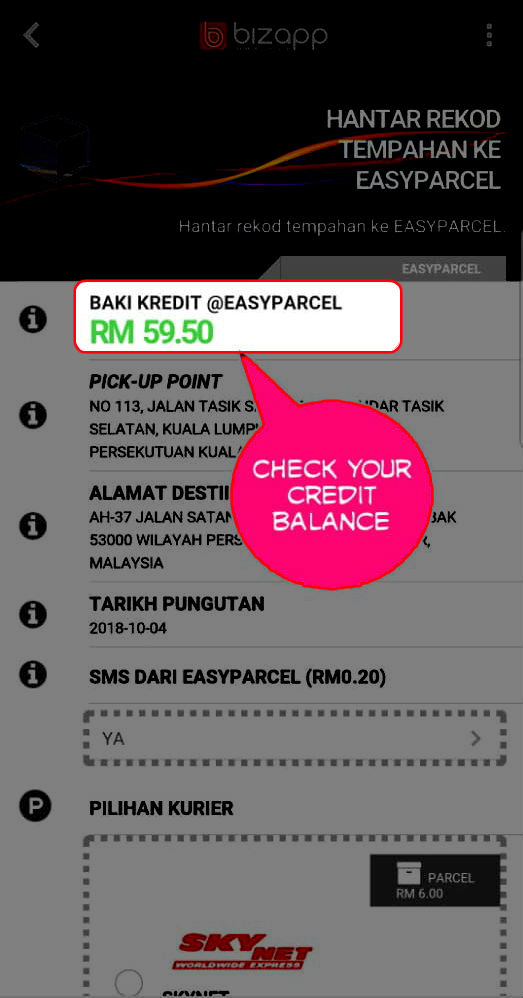
Check Credit Balance
Check your EasyParcel credit balance.
-
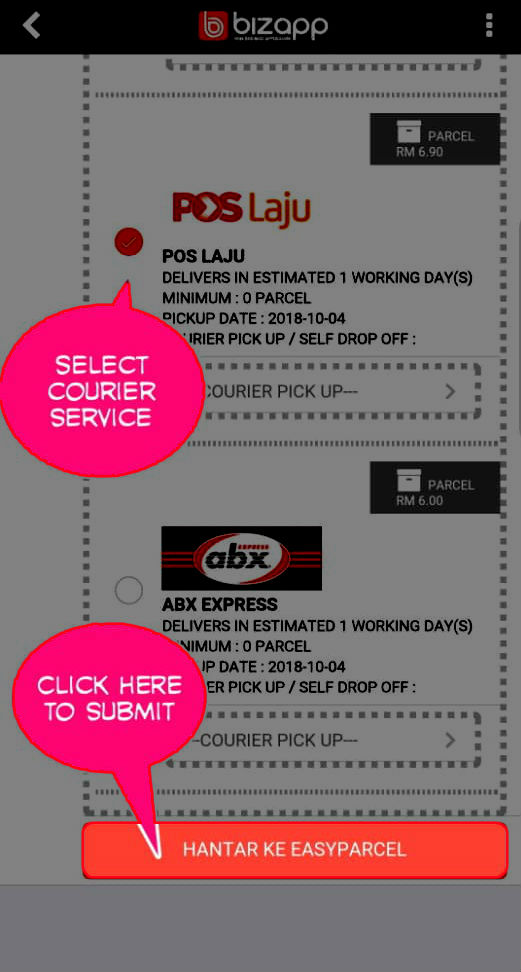
Select Courier
Select your preferred courier and click "Hantar Ke EasyParcel".
-
Confirm Order
Click "Ya" to confirm your order.
Install BizApp
Log in to your EasyParcel account, navigate to EasyConnect, then click 'Add Ecommerce App'. Search for 'BizApp' and click 'Install App' to get started.
Fill In Store Details
Fill in your Store name and Store URL, then click 'Add' to proceed.
Copy Your API Key
Your store API key / Integration ID will be generated. Copy it and use it to integrate with your BizApp store.
Click "Profile & Tetapan"
In your BizApp store, click "Profile & Tetapan" to access the settings page where you can enter your EasyParcel integration details.
Fill In Necessary Details
Fill in the necessary details including your API key and pick up address to complete the integration setup.
Click "Kemaskini Profil"
Once all details are filled in, click "Kemaskini Profil" to save and update your profile settings.
Click "Hantar Record Ke EasyParcel"
Click "Hantar Record Ke EasyParcel" to send your order records to EasyParcel for shipping processing.
Select Pickup Date & Parcel Type
Select the pickup date and type of parcel before proceeding to checkout.
Check Your EasyParcel Credit Balance
Before confirming your shipment, check your EasyParcel credit balance to ensure you have sufficient credits.
Select Your Preferred Courier
Select your preferred courier from the available options and click "Hantar Ke EasyParcel" to proceed.
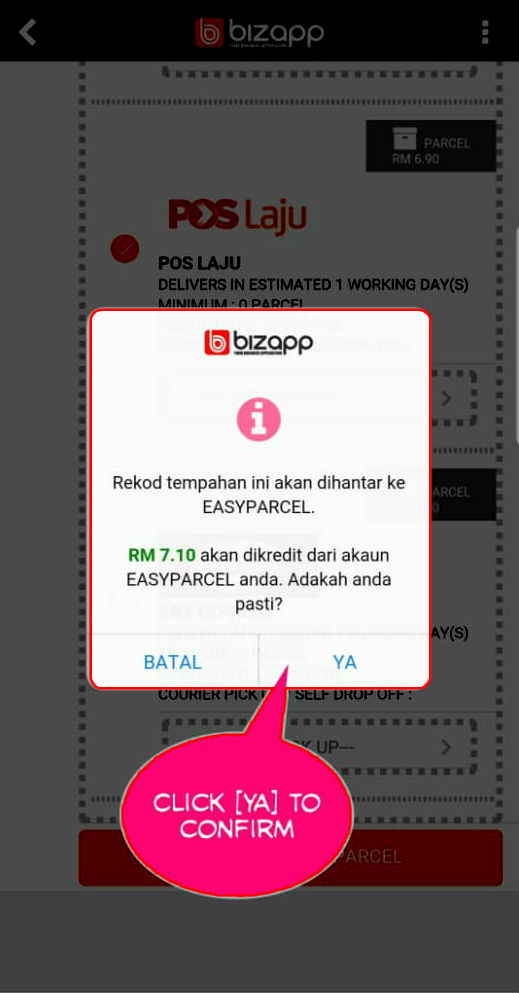
Confirm Your Order
Click "Ya" to confirm your order and complete the shipment booking with EasyParcel.
EasyConnect
Integrate BizApp with EasyParcel in 11 steps.
Log in to your EasyParcel account, navigate to EasyConnect, then click 'Add Ecommerce App'. Search for 'BizApp' and click 'Install App' to get started.
Fill in your Store name and Store URL, then click 'Add' to proceed.
Your store API key / Integration ID will be generated. Copy it and use it to integrate with your BizApp store.
In your BizApp store, click "Profile & Tetapan" to access the settings page.
Fill in the necessary details including your API key and pick up address.
Click "Kemaskini Profil" to save and update your profile settings.
Click "Hantar Record Ke EasyParcel" to send your order records to EasyParcel.
Select the pickup date and type of parcel before proceeding to checkout.
Check your EasyParcel credit balance to ensure you have sufficient credits.
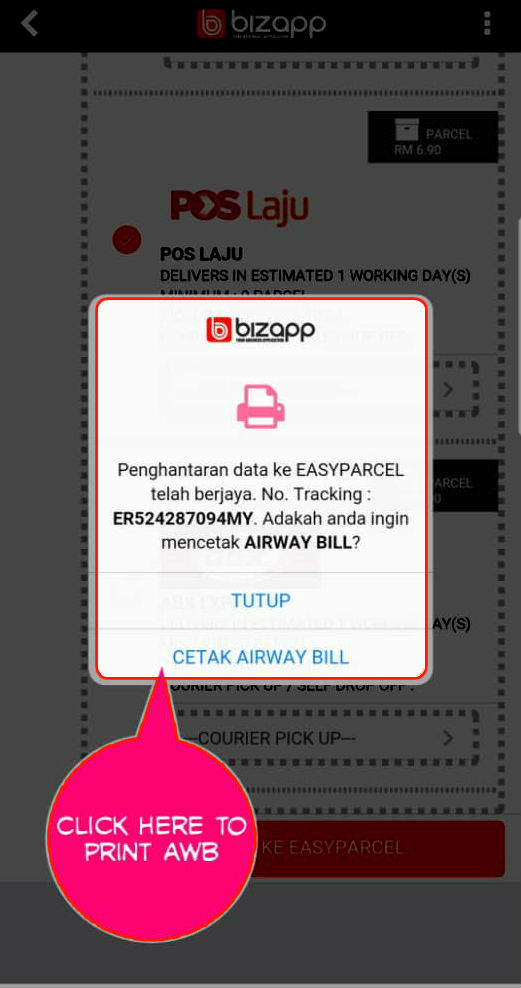
Select your preferred courier and click "Hantar Ke EasyParcel".
Click "Ya" to confirm your order and complete the shipment booking.