Singapore
 Thailand
 Indonesia


1. Link
Sync your store with EasyParcel with few clicks only

2. Book
Compare and book your prefered courier

3. Download
Download air waybill on your platform

4. Track
Track your parcels anytime at your convenience

EasyConnect
Integrate SQL with EasyParcel in 14 steps.
-
Install SQL App
Find "SQL" in EasyConnect and click "Install App".
-
Fill In Store Details
Fill in the Store name and Store URL, then click "Add".
-
Copy Your API Key
Your API key / Integration ID will be generated. Copy it.
-
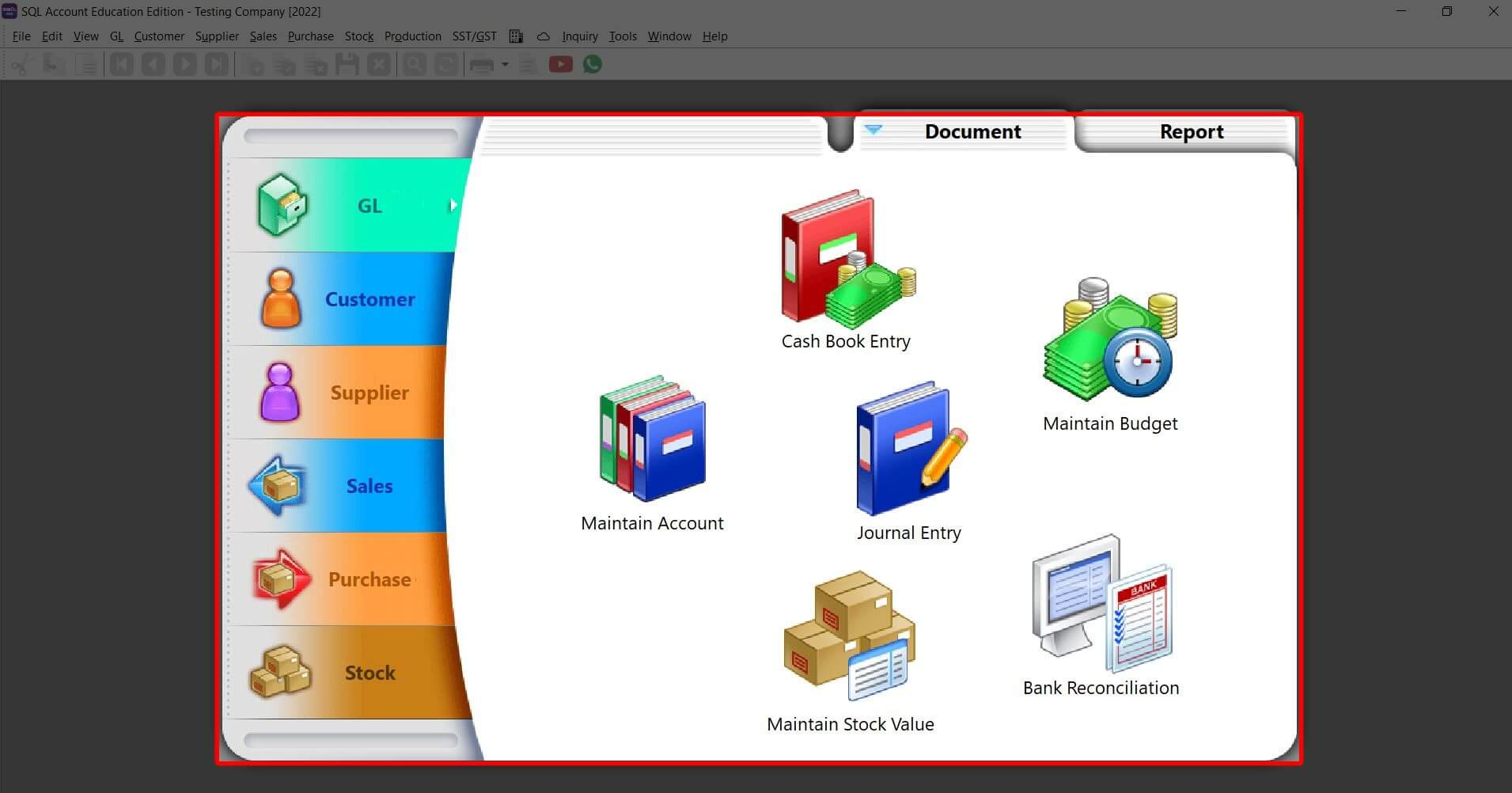
Login to SQL Account
Log in to your SQL account to begin the configuration.
-
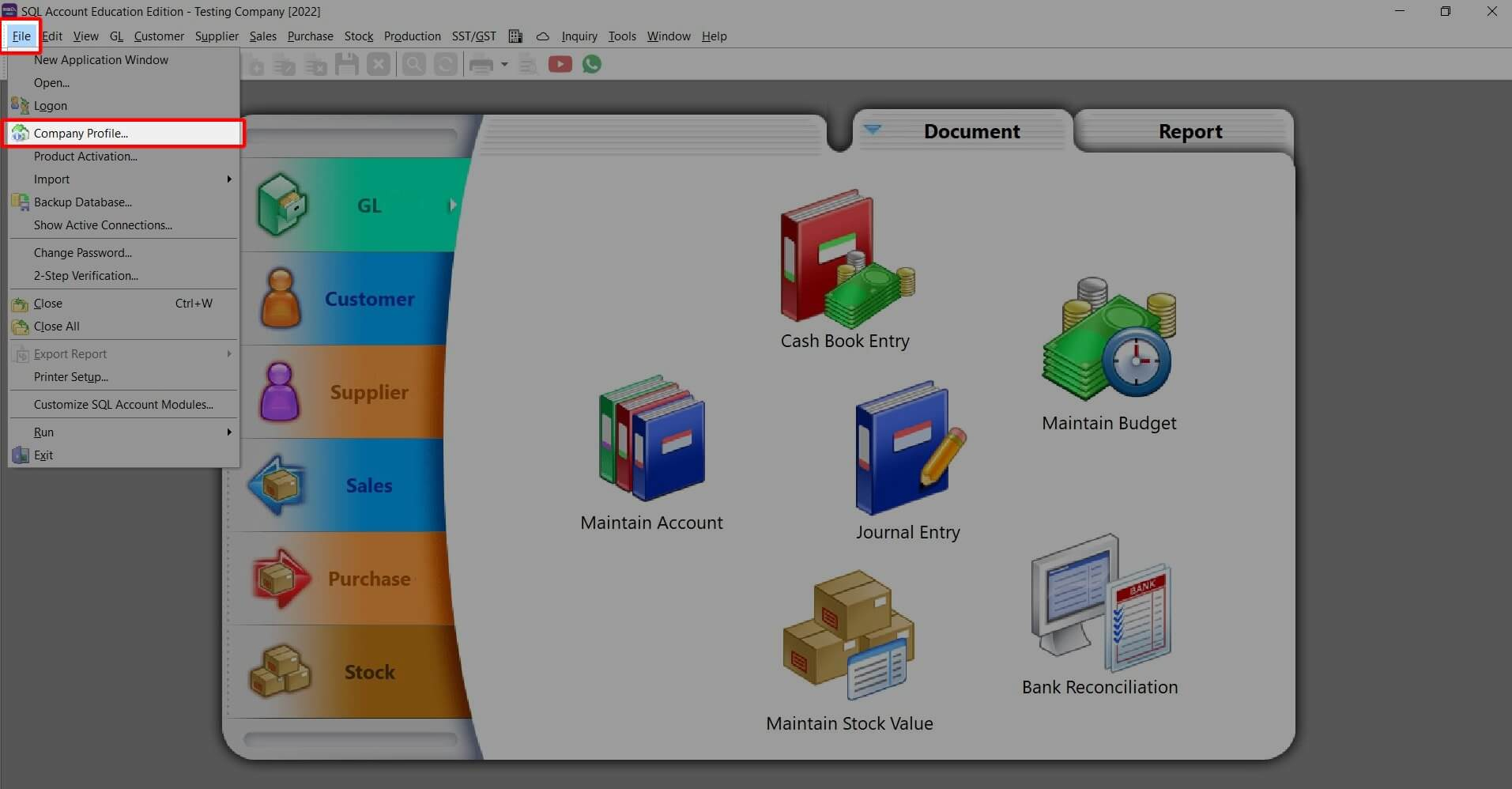
Open Company Profile
Click "File" > "Company Profile".
-
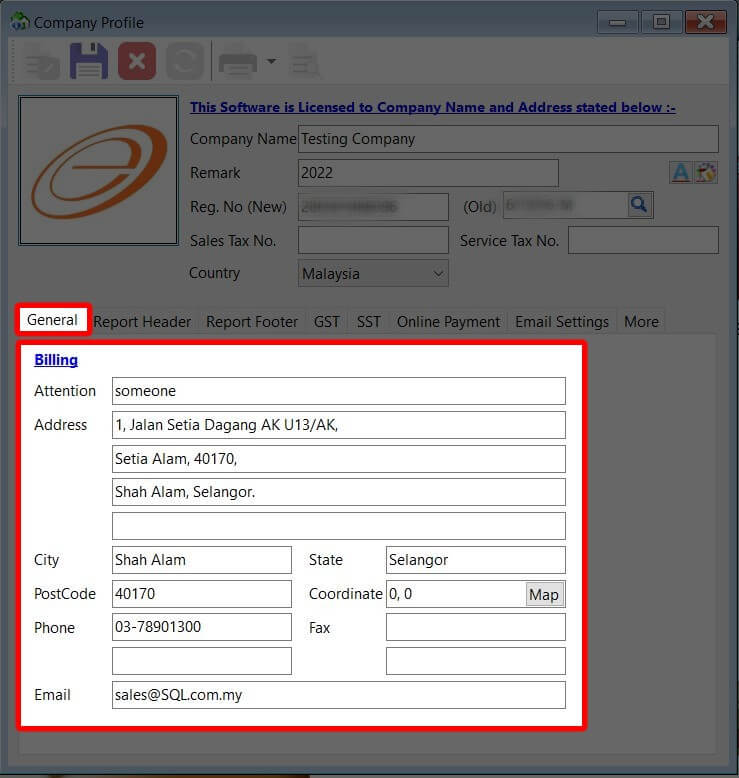
Fill Billing Address
Click "General" then fill in your billing address.
-
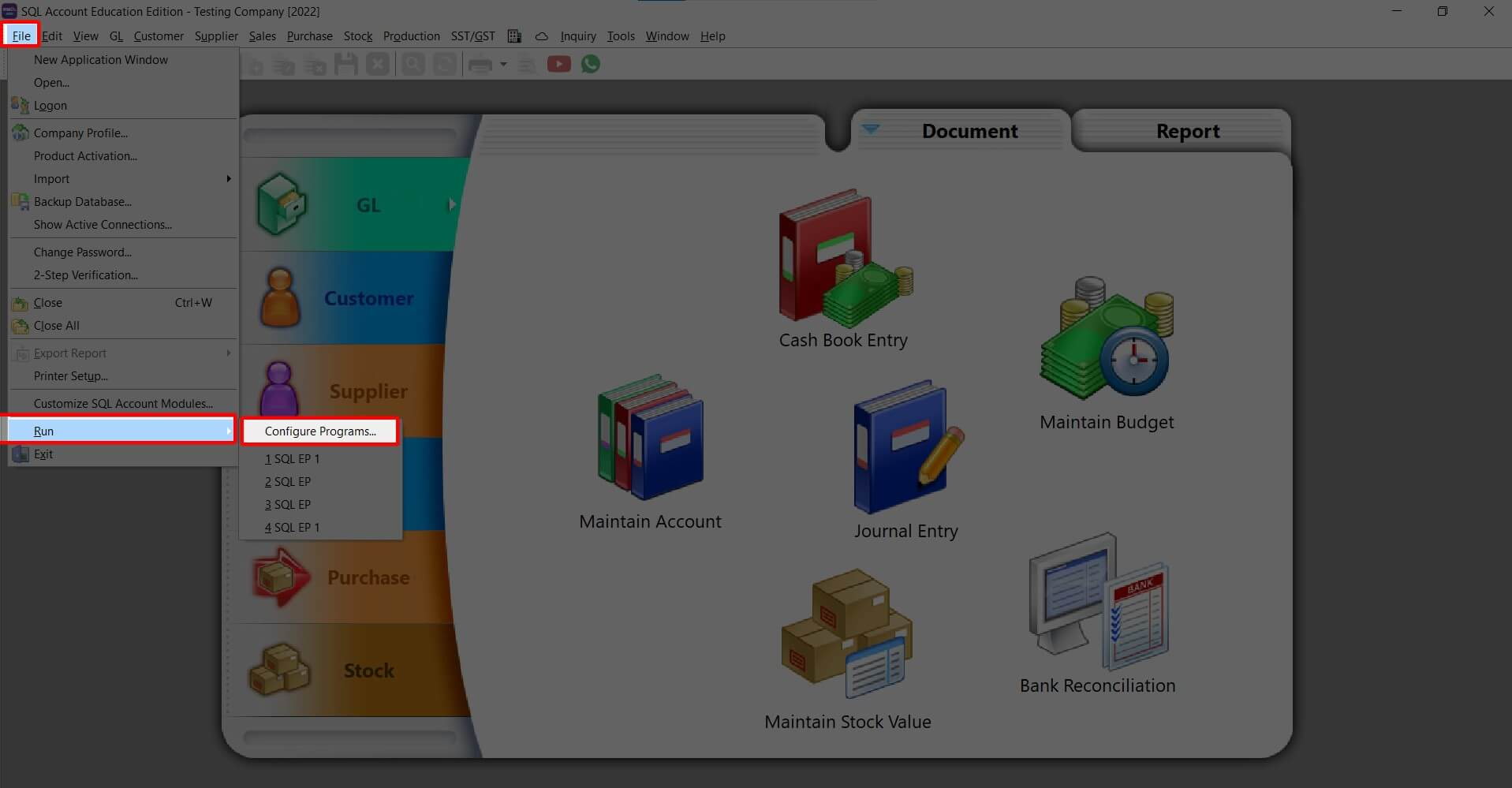
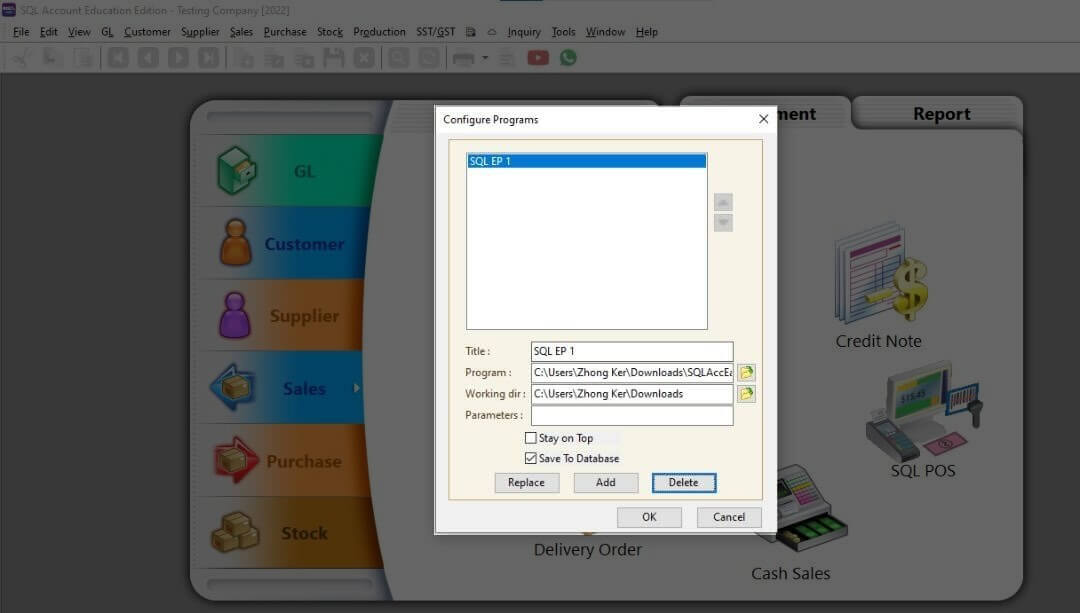
Configure Programs
Click "Run" > "Configure Programs".
-
Insert Details & Add
Insert the required details and click "Add".
-
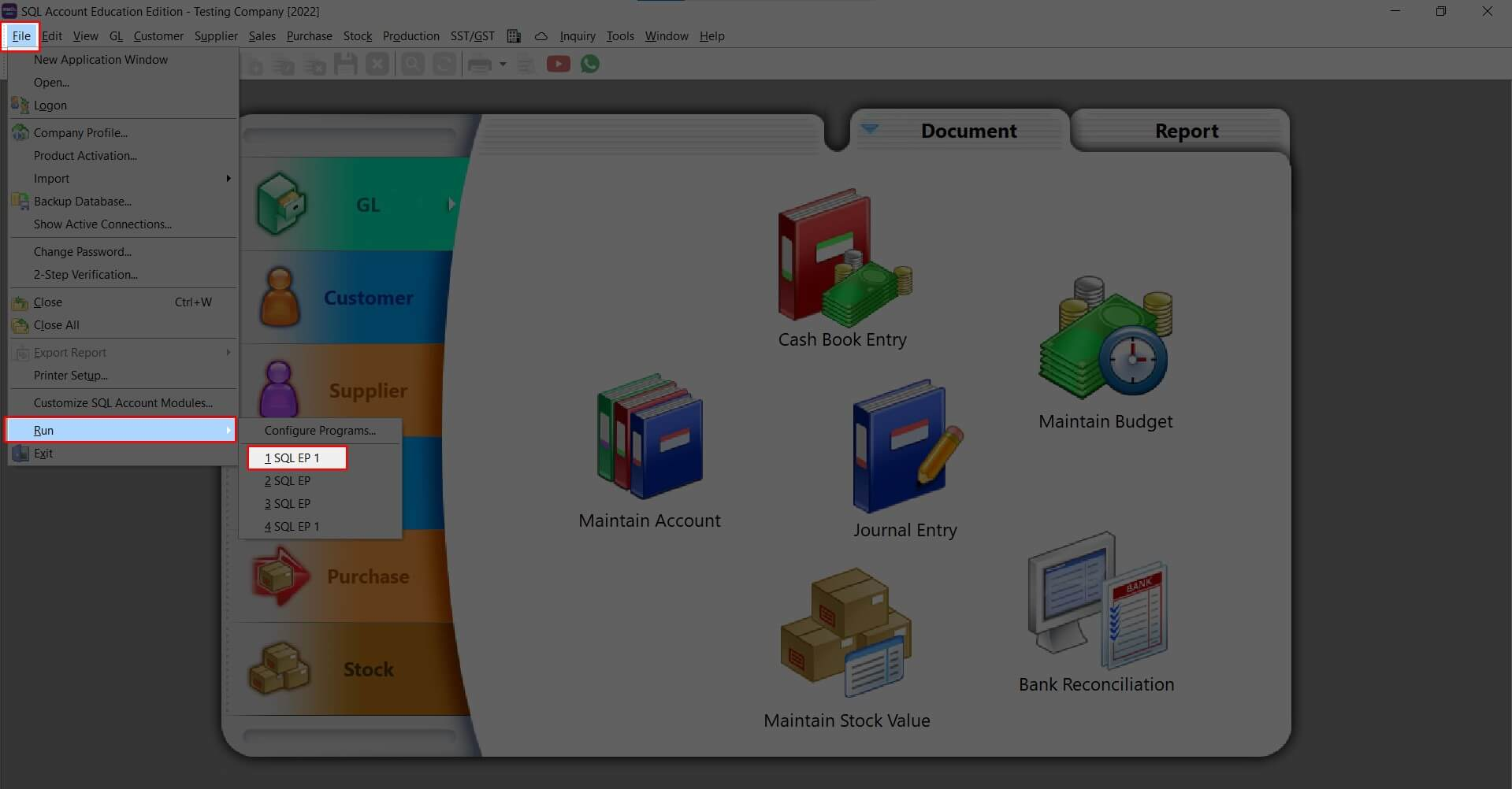
Run the Software
Click "File" > "Run" > select the software title you filled in.
-
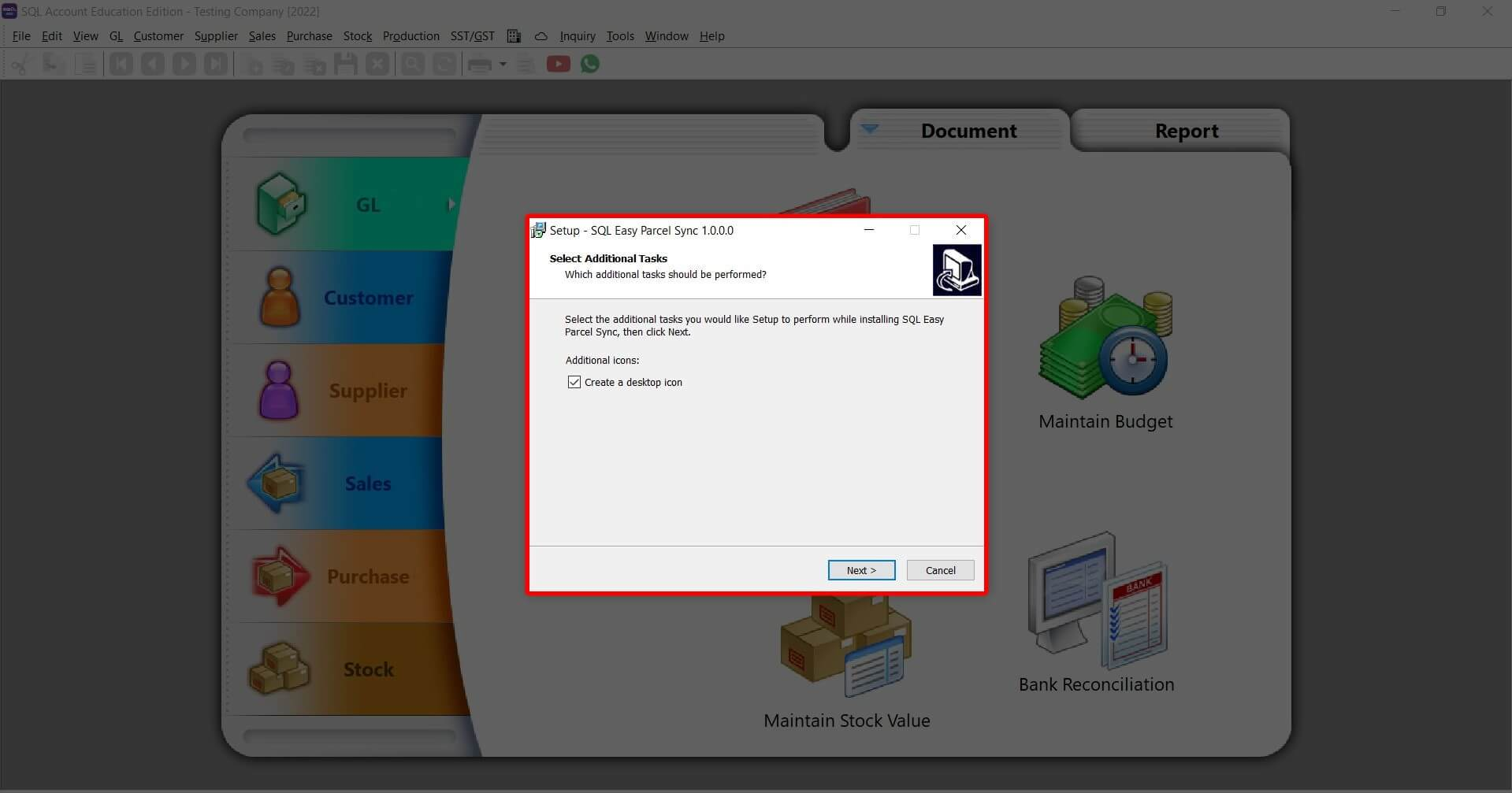
Download & Finish
Click "Next", download the SQL EasyParcel Sync software, then click "Finish".
-
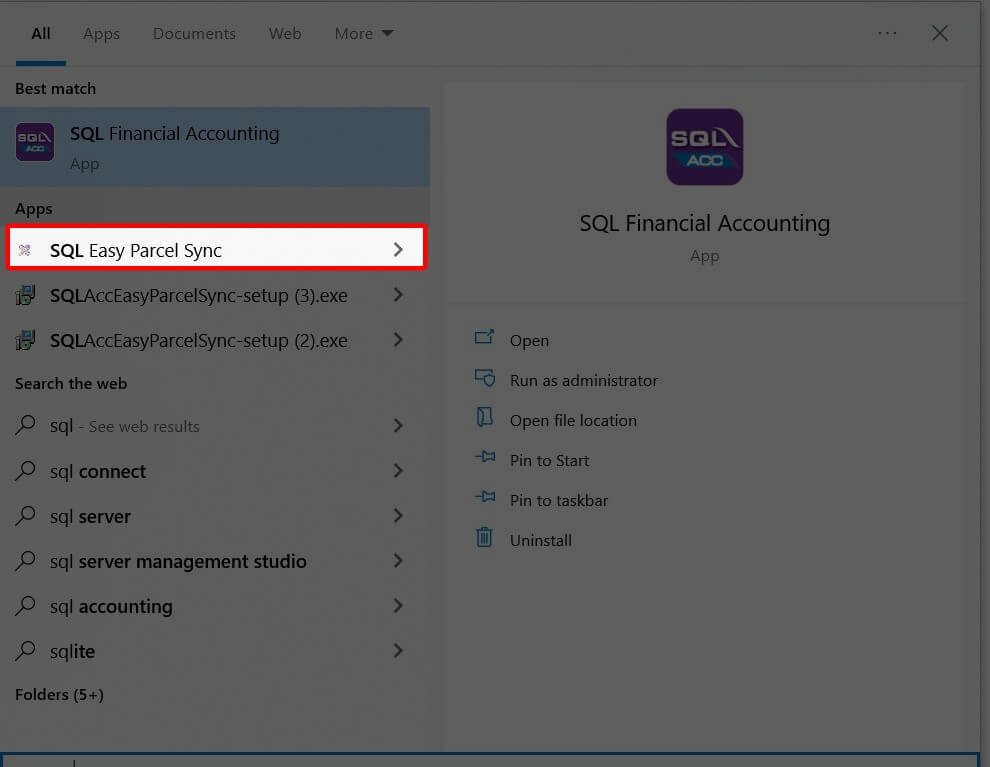
Open SQL EasyParcel Sync
Launch the SQL EasyParcel Sync application.
-
Configure Sync Settings
Enter API key, sender details, get courier list and set up sync program.
-
Select & Place Orders
Select document type, get list, enter weight, get rate and place orders.
-
Get Tracking & AWB Link
Go to Dashboard > Sales > Delivery Order to find tracking and AWB links.
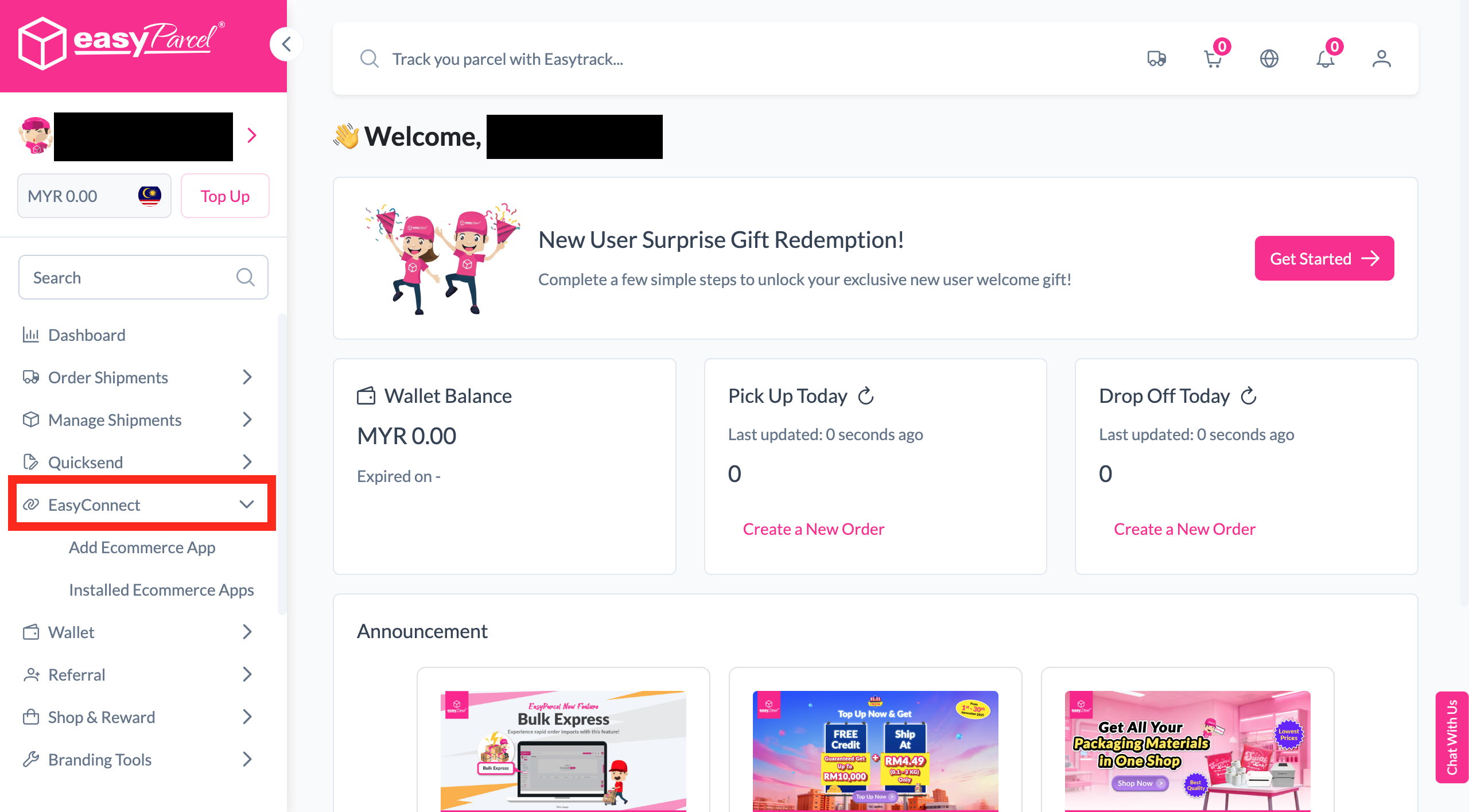
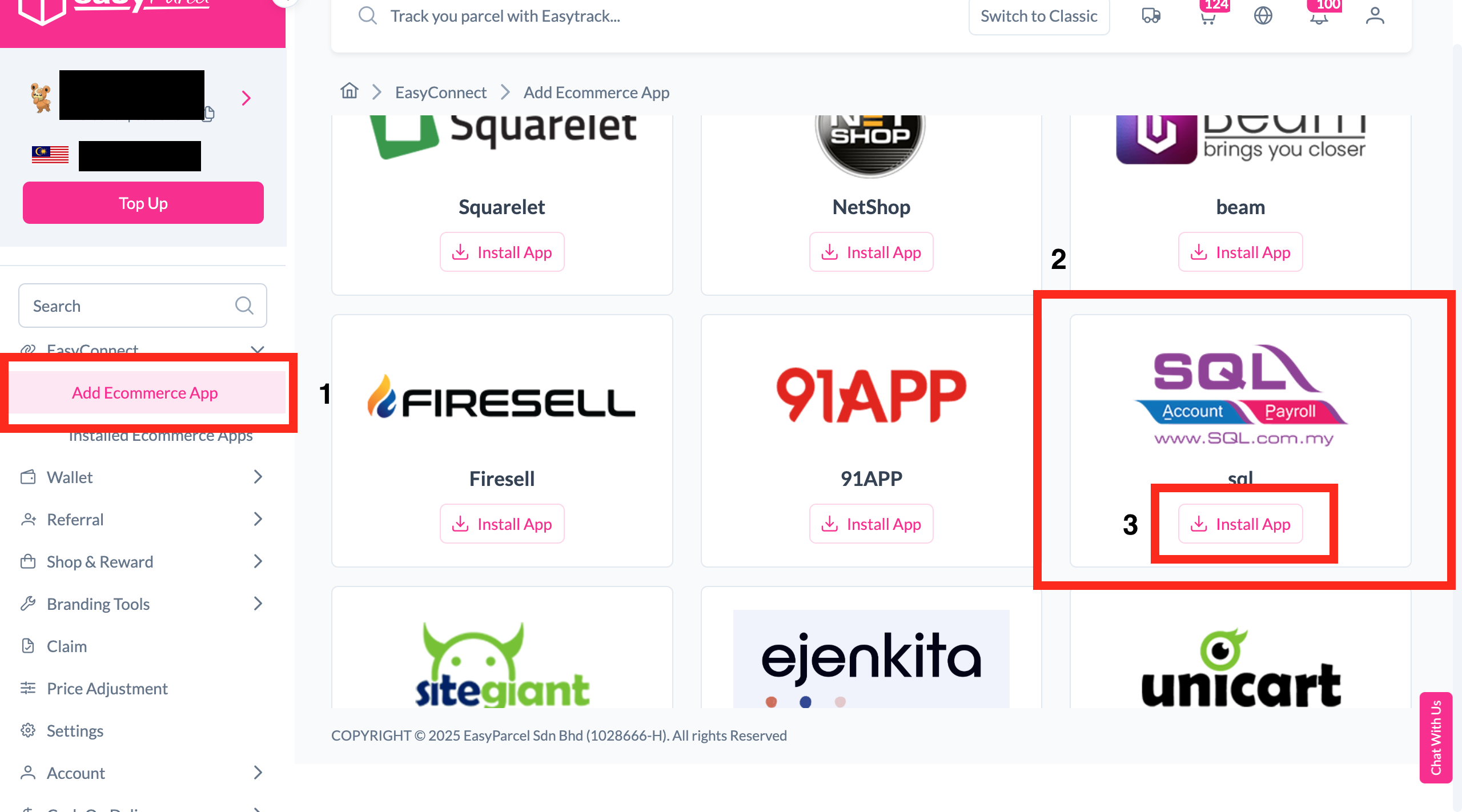
Install SQL App
Log in to your EasyParcel account, navigate to EasyConnect, then click 'Add Ecommerce App'. Find 'SQL' and click 'Install App' to get started.
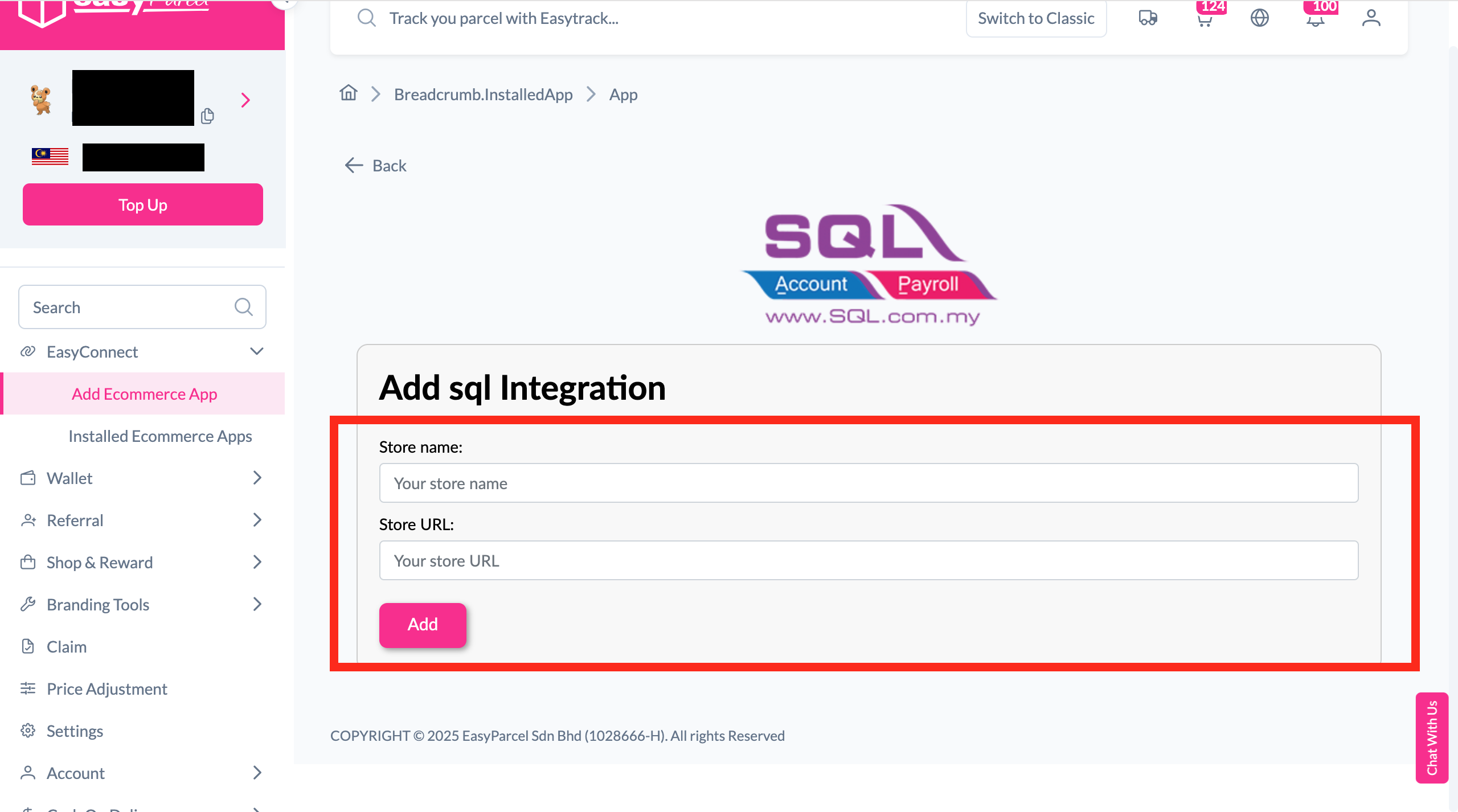
Fill In Store Details
Fill in your Store name and Store URL, then click 'Add' to proceed.
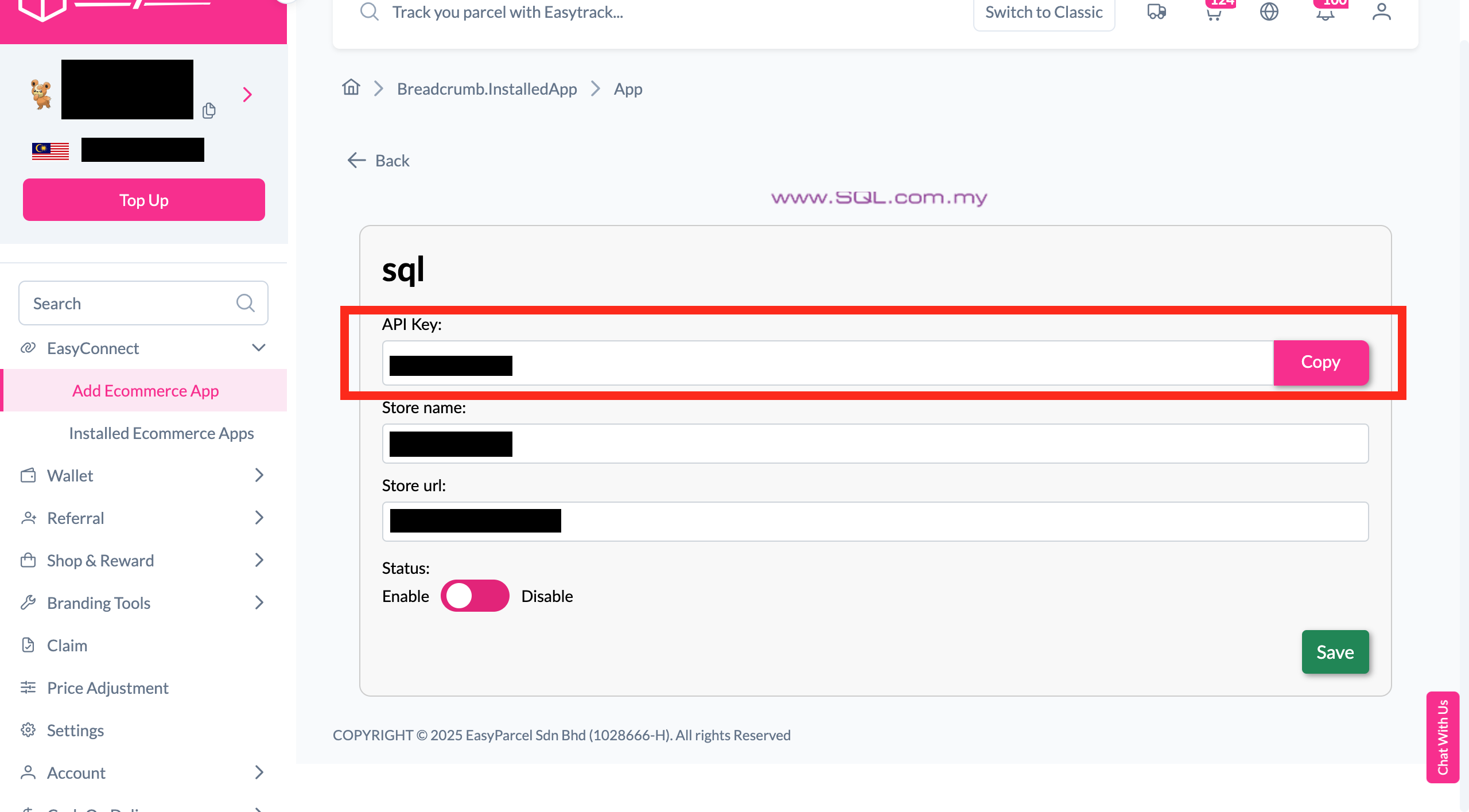
Copy Your API Key
Your store API key / Integration ID will be generated. Copy it and keep it ready for the SQL configuration steps ahead.
Login to SQL Account
Log in to your SQL account to begin the in-system configuration.
Open Company Profile
Click 'File' then select 'Company Profile' from the menu.
Fill Billing Address
Click the 'General' tab, then fill in your billing address details.
Configure Programs
Click 'Run' then select 'Configure Programs' from the menu.
Insert Details & Add
Insert the required program details, then click 'Add' to save the configuration.
Run the Software
Click 'File' > 'Run' > then select the software title you filled in during the previous step.
Download & Finish
Click 'Next' and download the SQL EasyParcel Sync software, then click 'Finish' to complete the installation.
Open SQL EasyParcel Sync
Launch the SQL EasyParcel Sync application to proceed with the integration setup.
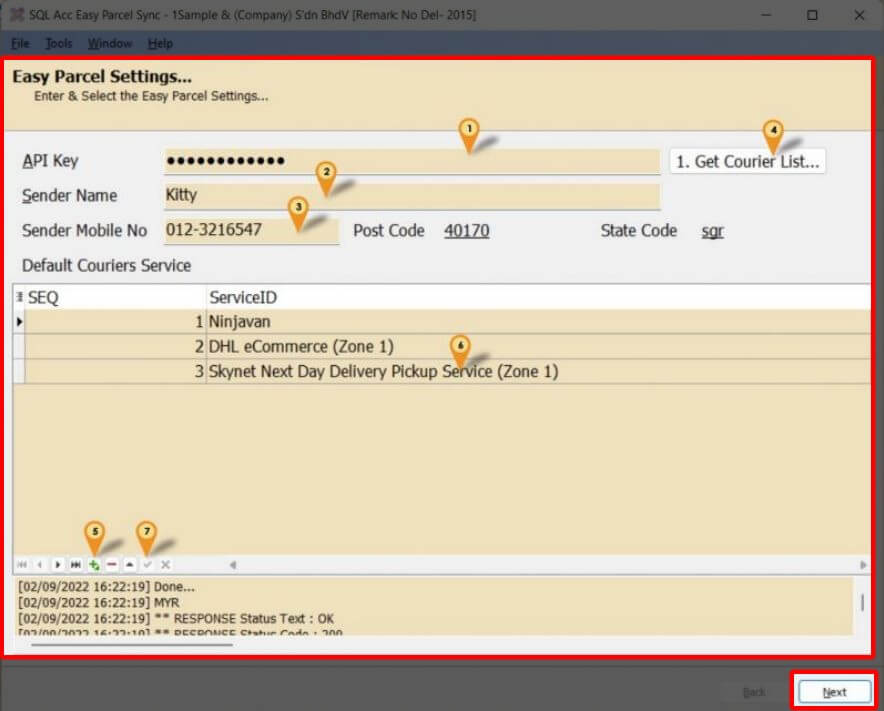
Configure Sync Settings
Complete the following configuration steps in the SQL EasyParcel Sync app:
- 1Enter your EasyParcel API key
- 2Enter the Sender Name (overrides Company Profile Attention if needed)
- 3Enter the Sender Mobile No (overrides Company Profile Phone2 if needed)
- 4Click '1. Get Courier List…'
- 5Click '+' to add a Sync Program
- 6Select the Courier to use
- 7Click Check to save
- 8Click 'Next'
Select & Place Orders
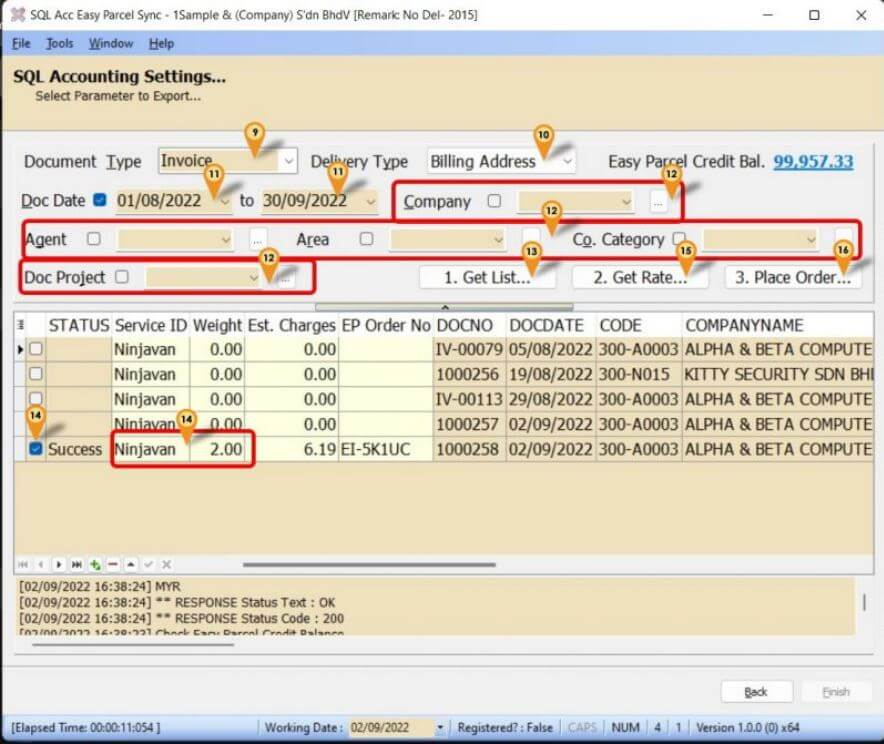
Complete these steps to select documents and place your shipment orders:
- 9Select Document Type
- 10Select Delivery Address Type
- 11Select Date Range
- 12Select any other filters if required
- 13Click '1. Get List…' to load the document list
- 14Tick items and enter the weight (courier can also be changed here)
- 15Click '2. Get Rate…' to see estimated charges
- 16Click '3. Place Order…' to confirm the booking
Get Tracking & AWB Link
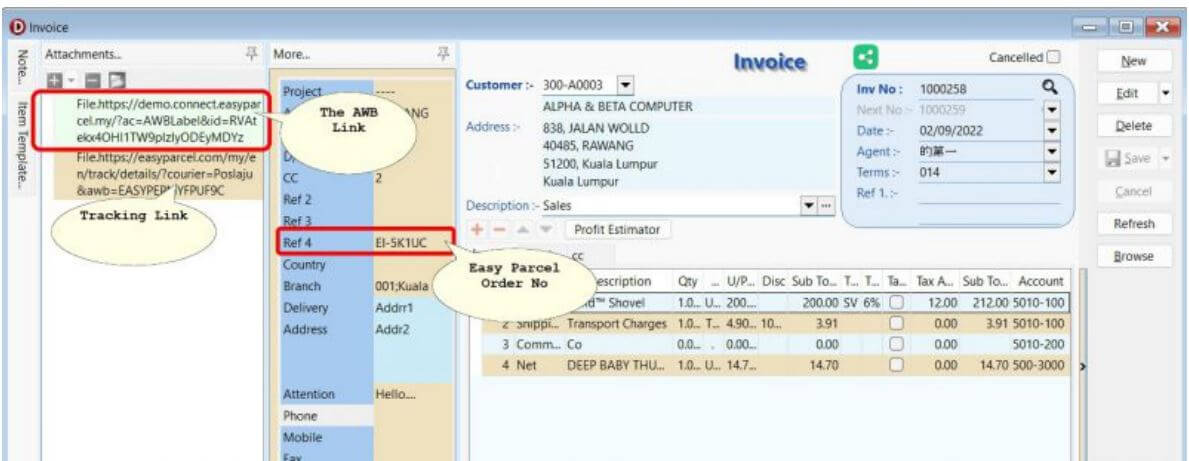
Go to Dashboard > Sales > Delivery Order, select any order, and find your Tracking Link and AWB link there — your integration is complete!
EasyConnect
Integrate SQL with EasyParcel in 14 steps.
Log in to EasyParcel, go to EasyConnect, click 'Add Ecommerce App', find 'EasyStore' and click 'Install App'.
Fill in your Store name and Store URL, then click 'Add'.
Your API key / Integration ID will be generated. Copy it for use in SQL.
Log in to your SQL account to begin the in-system configuration.
Click 'File' then select 'Company Profile'.
Click 'General' then fill in your billing address details.
Click 'Run' then select 'Configure Programs'.
Insert the required program details, then click 'Add' to save.
Click 'File' > 'Run' > select the software title you filled in.
Click 'Next', download SQL EasyParcel Sync, then click 'Finish'.
Launch the SQL EasyParcel Sync application to begin setup.
- 1Enter your EasyParcel API key
- 2Enter Sender Name (overrides Company Profile Attention)
- 3Enter Sender Mobile No (overrides Company Profile Phone2)
- 4Click '1. Get Courier List…'
- 5Click '+' to add a Sync Program
- 6Select the Courier to use
- 7Click Check to save
- 8Click 'Next'
- 9Select Document Type
- 10Select Delivery Address Type
- 11Select Date Range
- 12Select any other filters if required
- 13Click '1. Get List…' to load the document list
- 14Tick items and enter the weight (courier changeable here too)
- 15Click '2. Get Rate…' for estimated charges
- 16Click '3. Place Order…' to confirm
Go to Dashboard > Sales > Delivery Order, select any order to find your Tracking Link and AWB link.