Singapore
 Thailand
 Indonesia


1. Link
Sync your store with EasyParcel with few clicks only

2. Book
Compare and book your prefered courier

3. Download
Download air waybill on your platform

4. Track
Track your parcels anytime at your convenience

EasyConnect
Integrate Kuasa with EasyParcel in 7 steps.
-
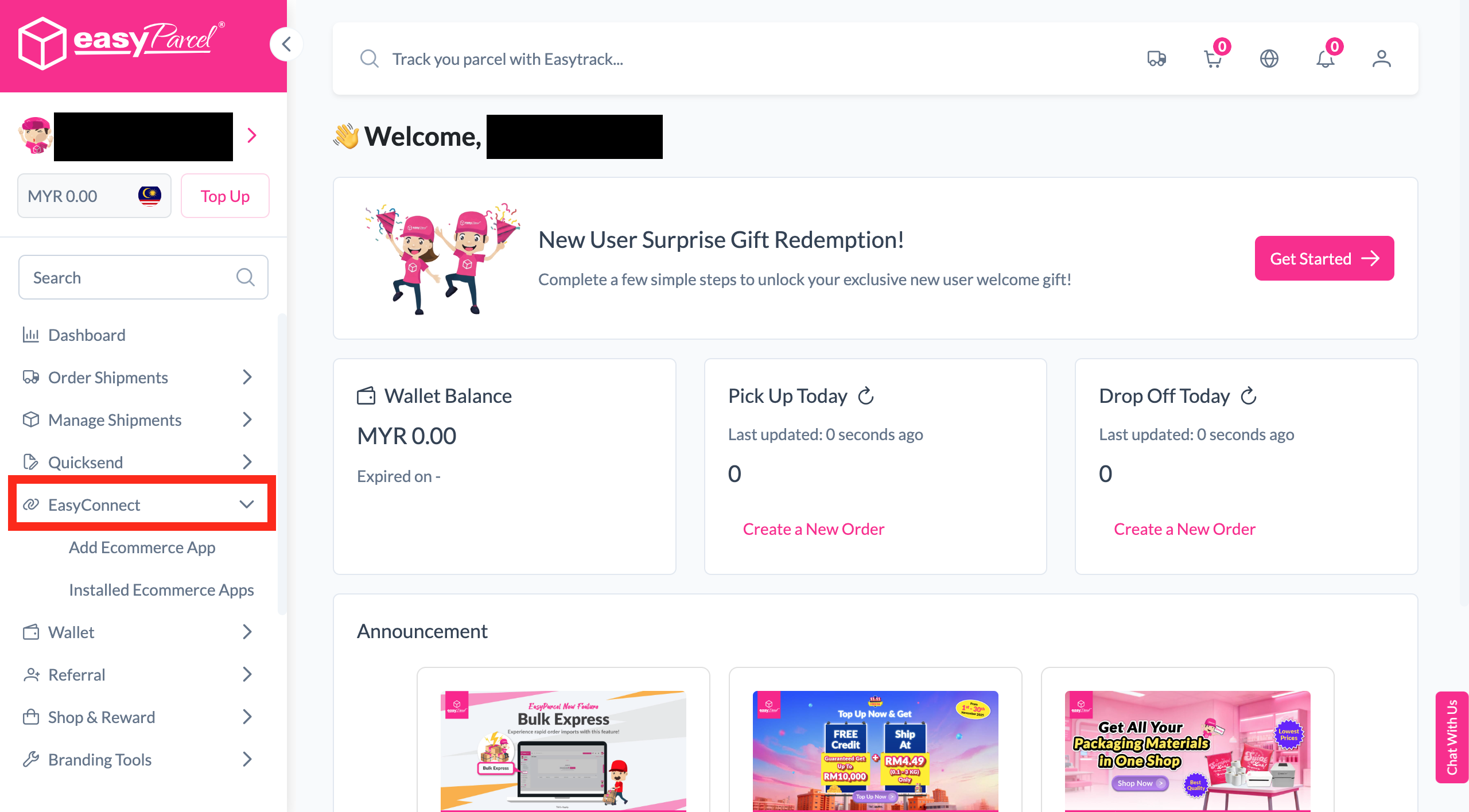
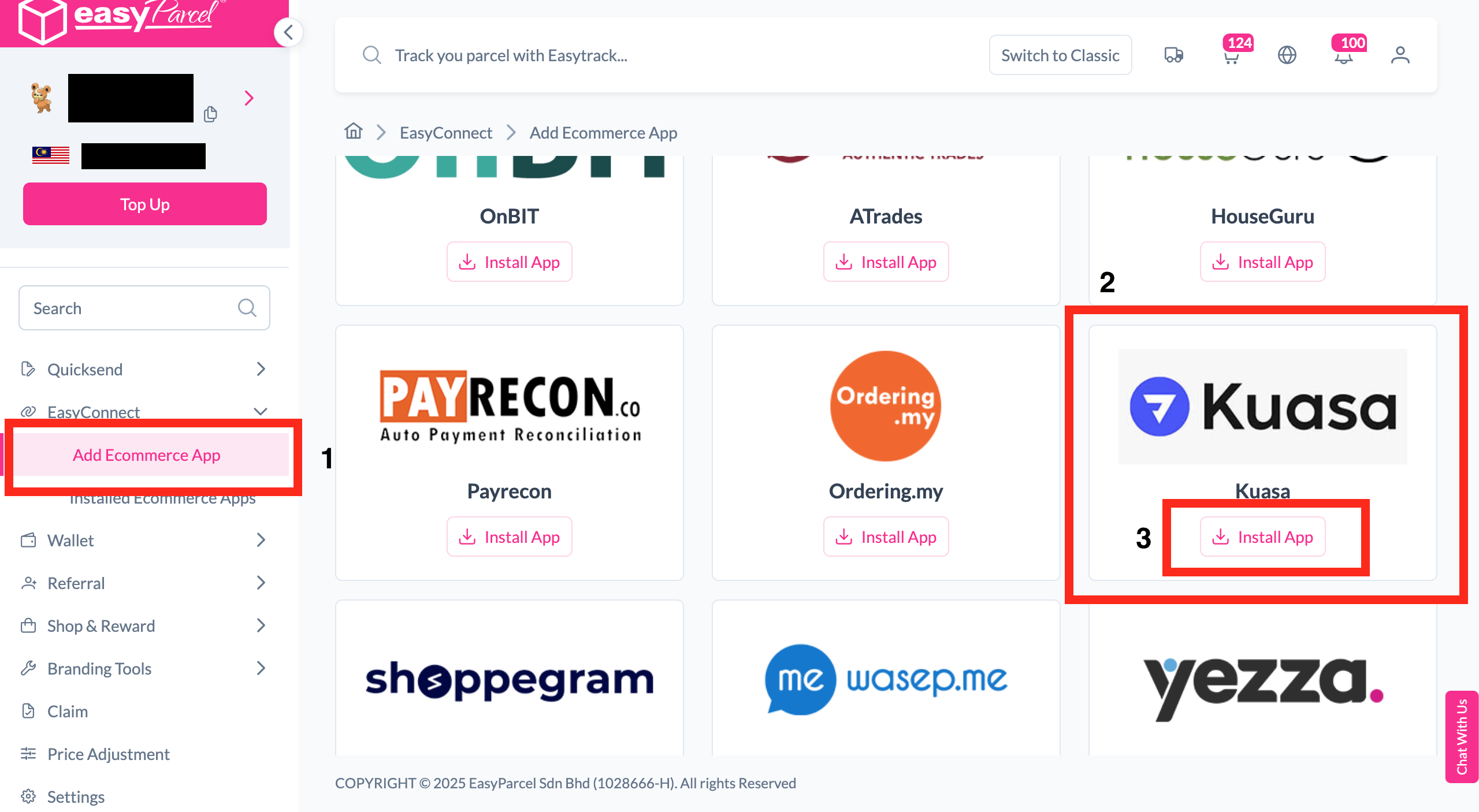
Install Kuasa App
Under "Integration", click "Add Ecommerce App", find "Kuasa" and click "Install App".
-
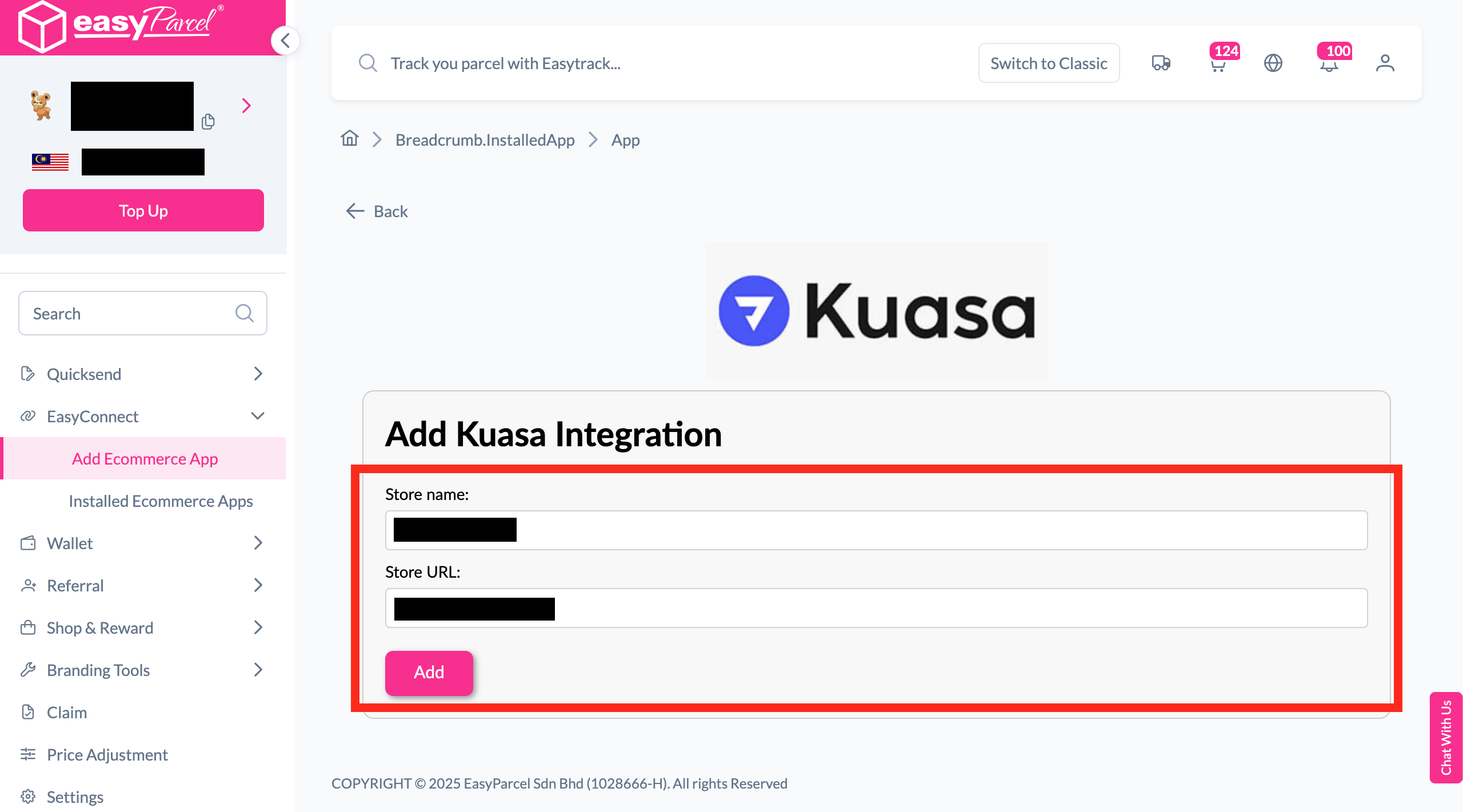
Fill In Store Details
Fill in the Store name and Store URL, then click "Add".
-
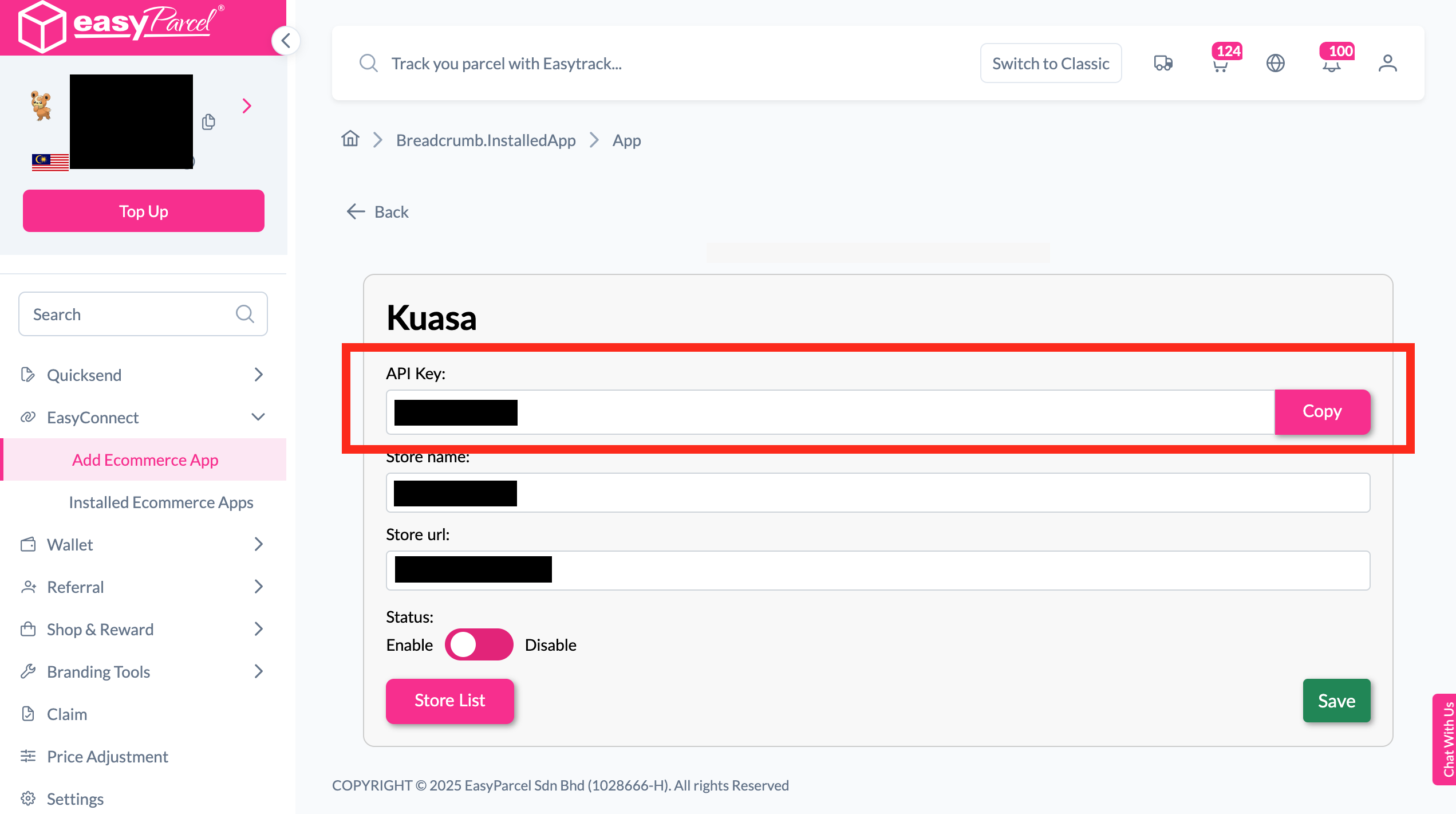
Copy Your API Key
Your store API key / Integration ID will be generated. Copy it to integrate with your store.
-
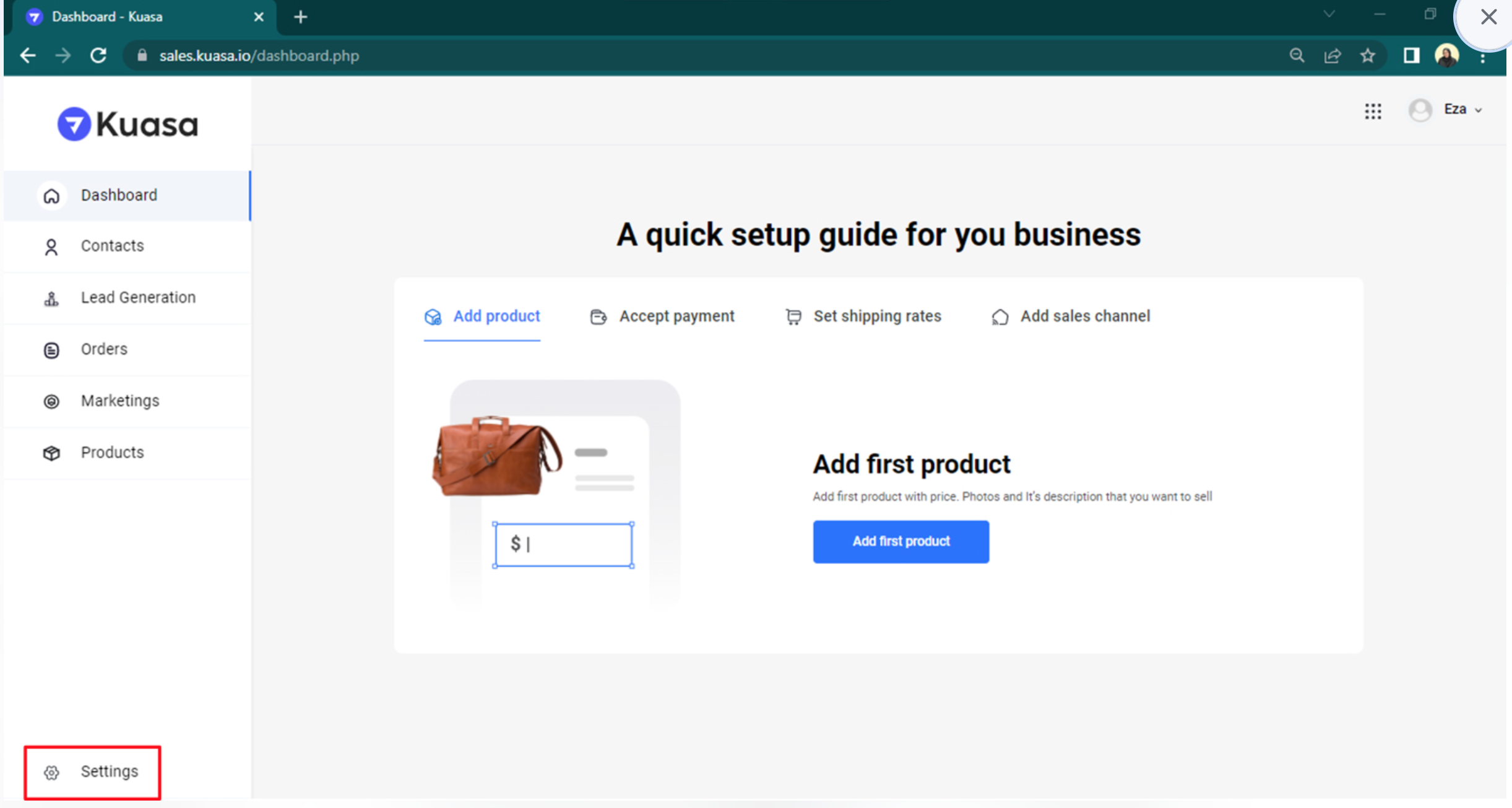
Login & Open Settings
Login to your Kuasa account at sales.kuasa.io, then click Settings.
-
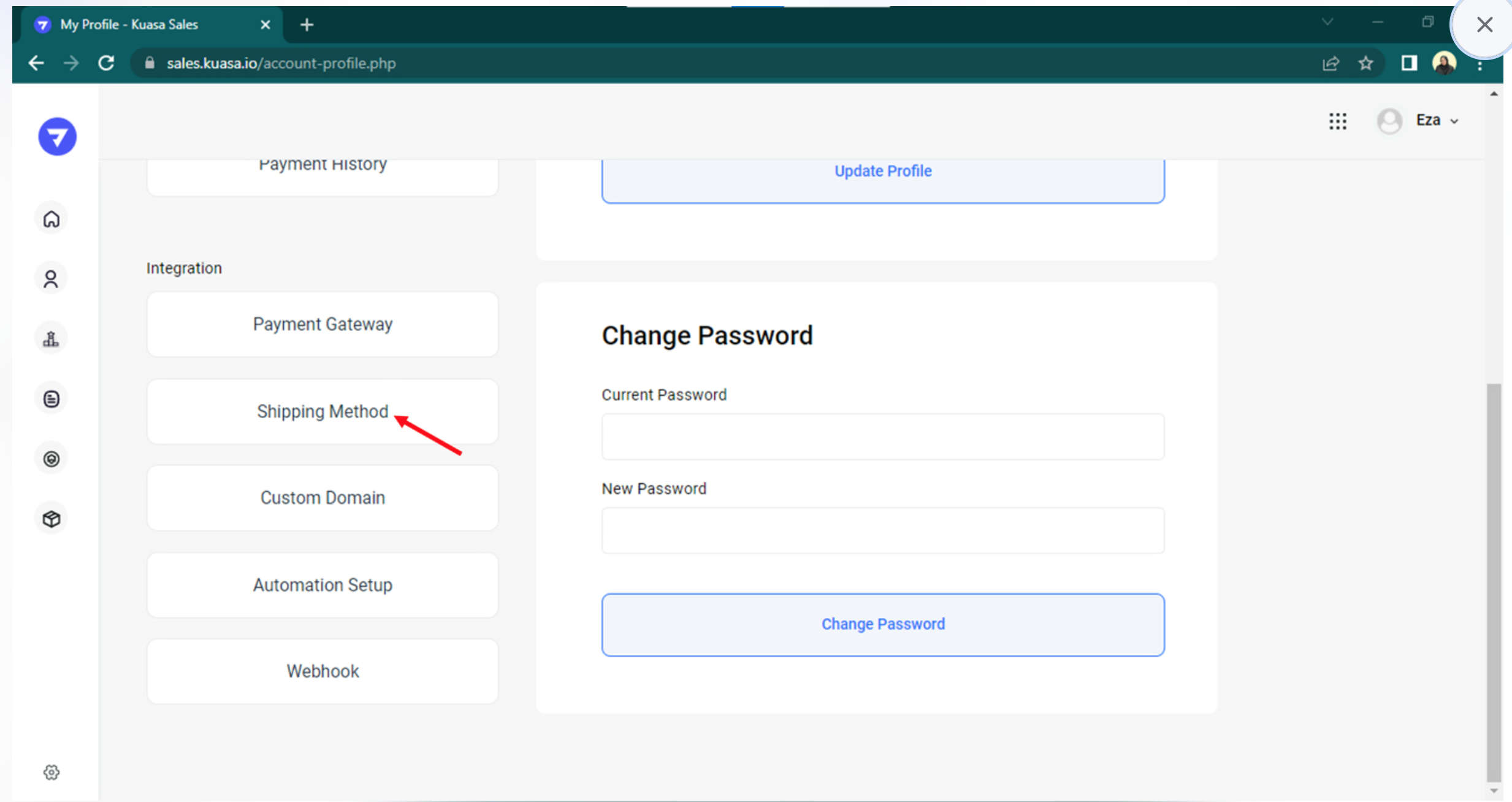
Click Shipping Method
Navigate to the Shipping Method section in your Kuasa settings.
-
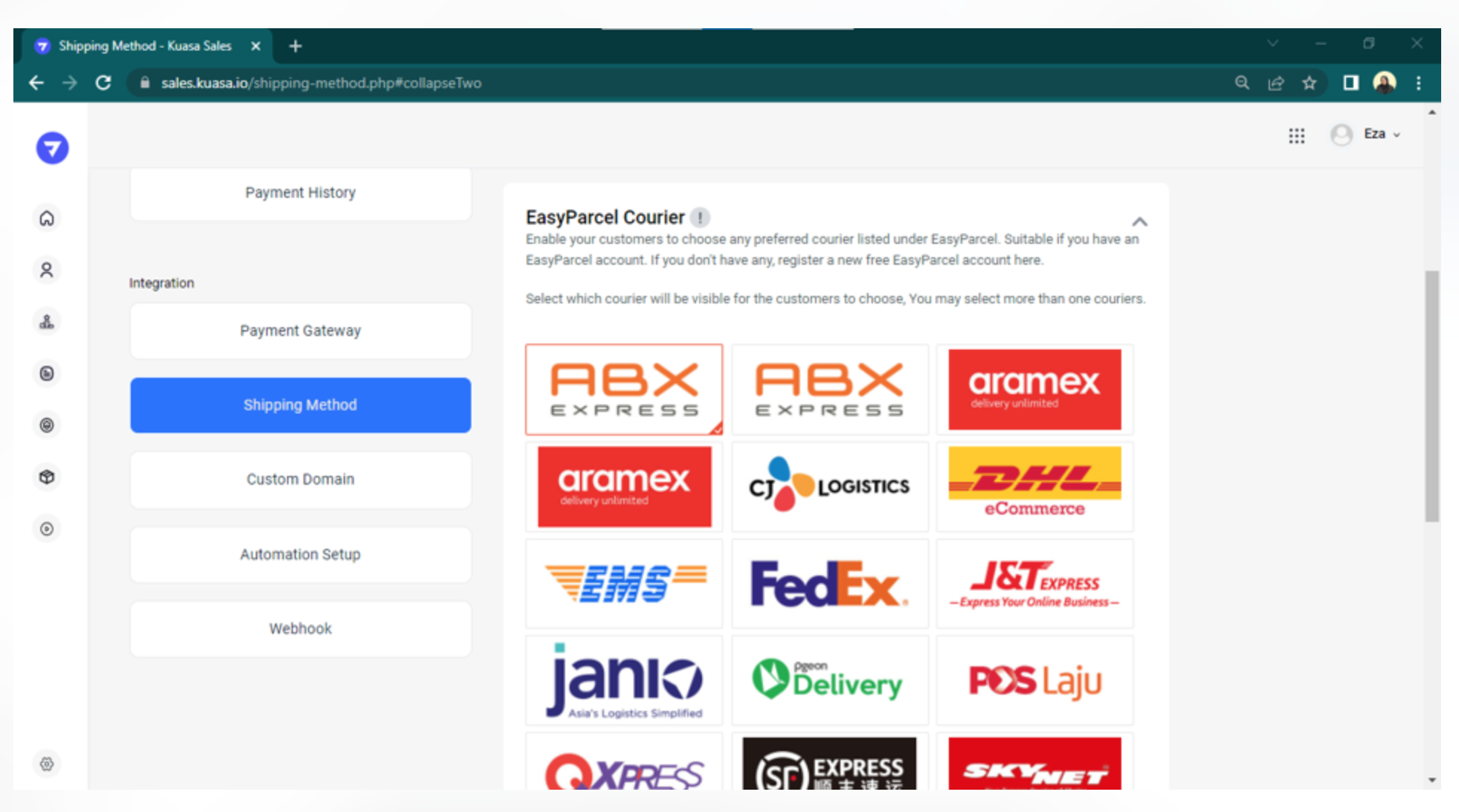
Select EasyParcel Courier
Go to the EasyParcel menu and click on the courier you are using.
-
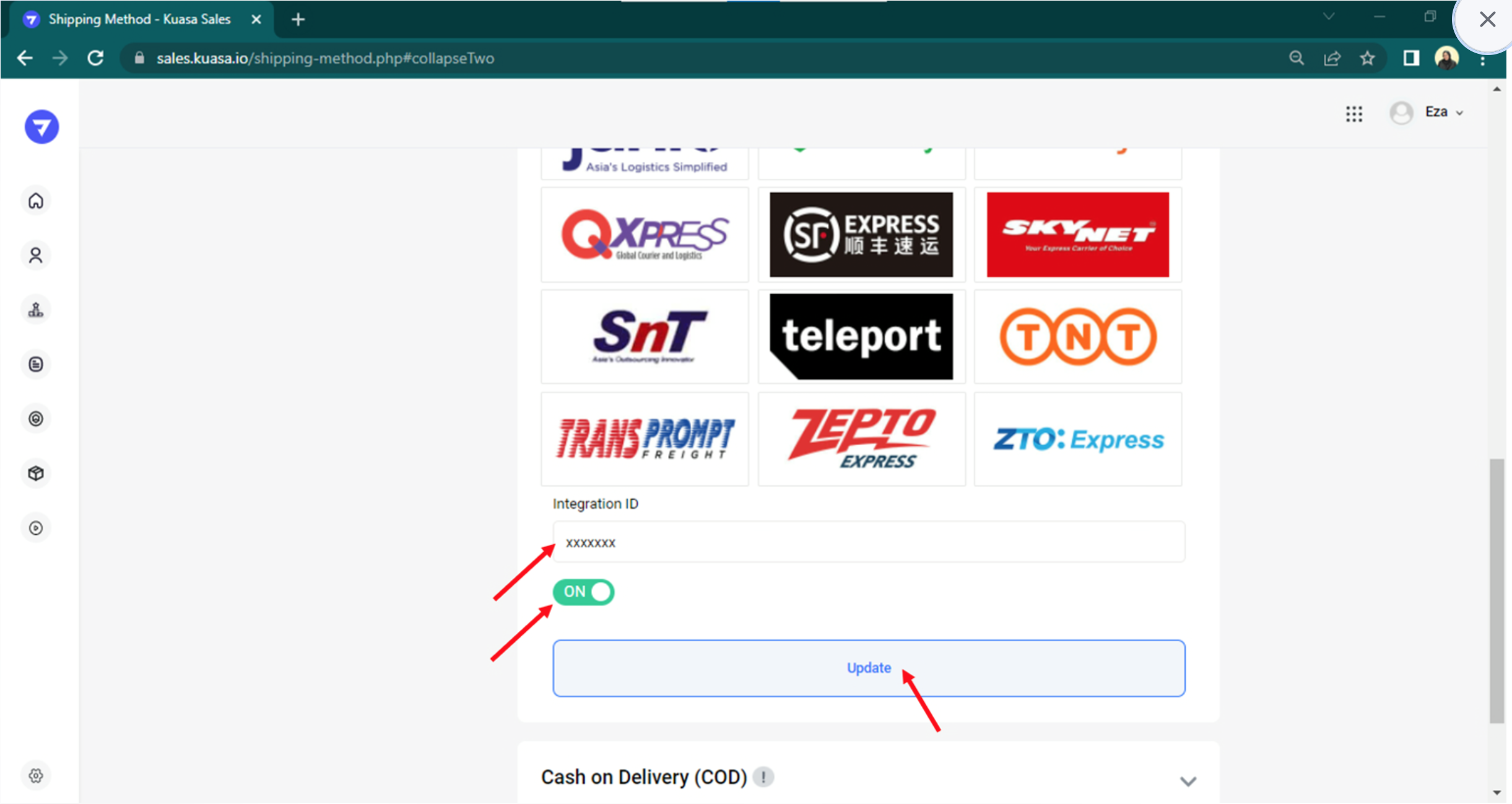
Enter Integration ID & Save
Fill in your EasyParcel Integration ID, toggle ON, and click Update.
Install Kuasa App
Log in to your EasyParcel account, navigate to EasyConnect, then click 'Add Ecommerce App'. Find 'Kuasa' and click 'Install App' to get started.
Fill In Store Details
Fill in your Store name and Store URL, then click 'Add' to proceed.
Copy Your API Key
Your store API key / Integration ID will be generated. Copy it and use it to integrate with your Kuasa store.
Login & Open Settings
Login to your Kuasa account at sales.kuasa.io, then click Settings in your dashboard.
Click Shipping Method
Navigate to Shipping Method within your Kuasa settings to configure your delivery options.
Select EasyParcel Courier
Make sure you are on the EasyParcel menu, then click on the courier you are using.
Enter Integration ID & Save
Fill in your EasyParcel Integration ID, ensure the toggle bar shows ON, then click 'Update' — your integration is complete!
EasyConnect
Integrate Kuasa with EasyParcel in 7 steps.
Log in to your EasyParcel account, navigate to EasyConnect, then click 'Add Ecommerce App'. Find 'Kuasa' and click 'Install App' to get started.
Fill in your Store name and Store URL, then click 'Add' to proceed.
Your store API key / Integration ID will be generated. Copy it and use it to integrate with your Kuasa store.
Login to your Kuasa account at sales.kuasa.io, then click Settings in your dashboard.
Navigate to Shipping Method within your Kuasa settings to configure your delivery options.
Make sure you are on the EasyParcel menu, then click on the courier you are using.
Fill in your EasyParcel Integration ID, ensure the toggle bar shows ON, then click 'Update' — your integration is complete!