Singapore
 Thailand
 Indonesia


1. Link
Sync your store with EasyParcel with few clicks only

2. Receive
Have your orders pushed to EasyParcel automatically

3. Book
Compare and book your prefered courier

4. Track
Track your parcels anytime at your convenience

EasyConnect
Integrate CubeCart with EasyParcel in 4 steps.
-
Install the App
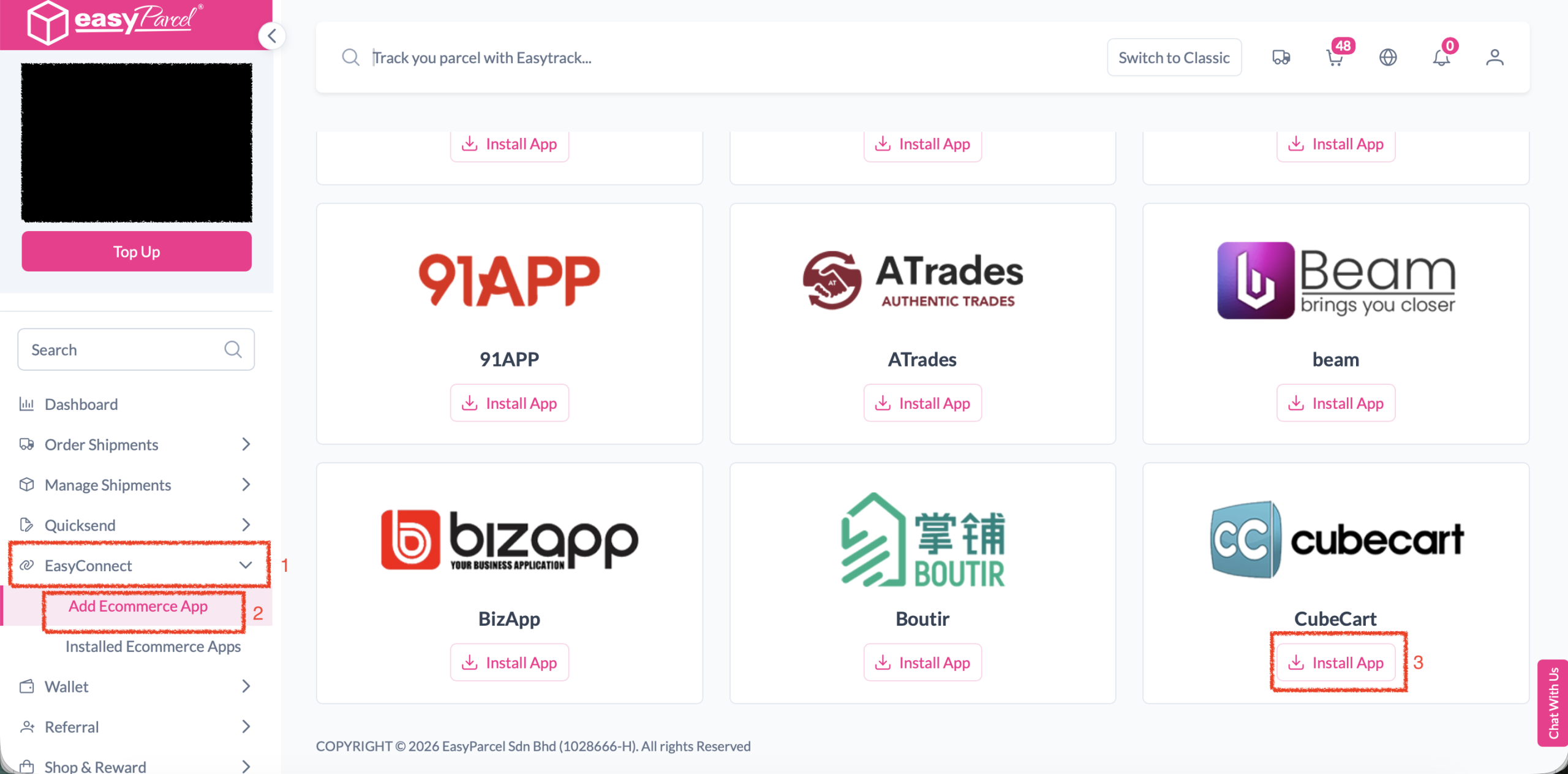
Find CubeCart in EasyConnect and click Install App.
-
Grant Access
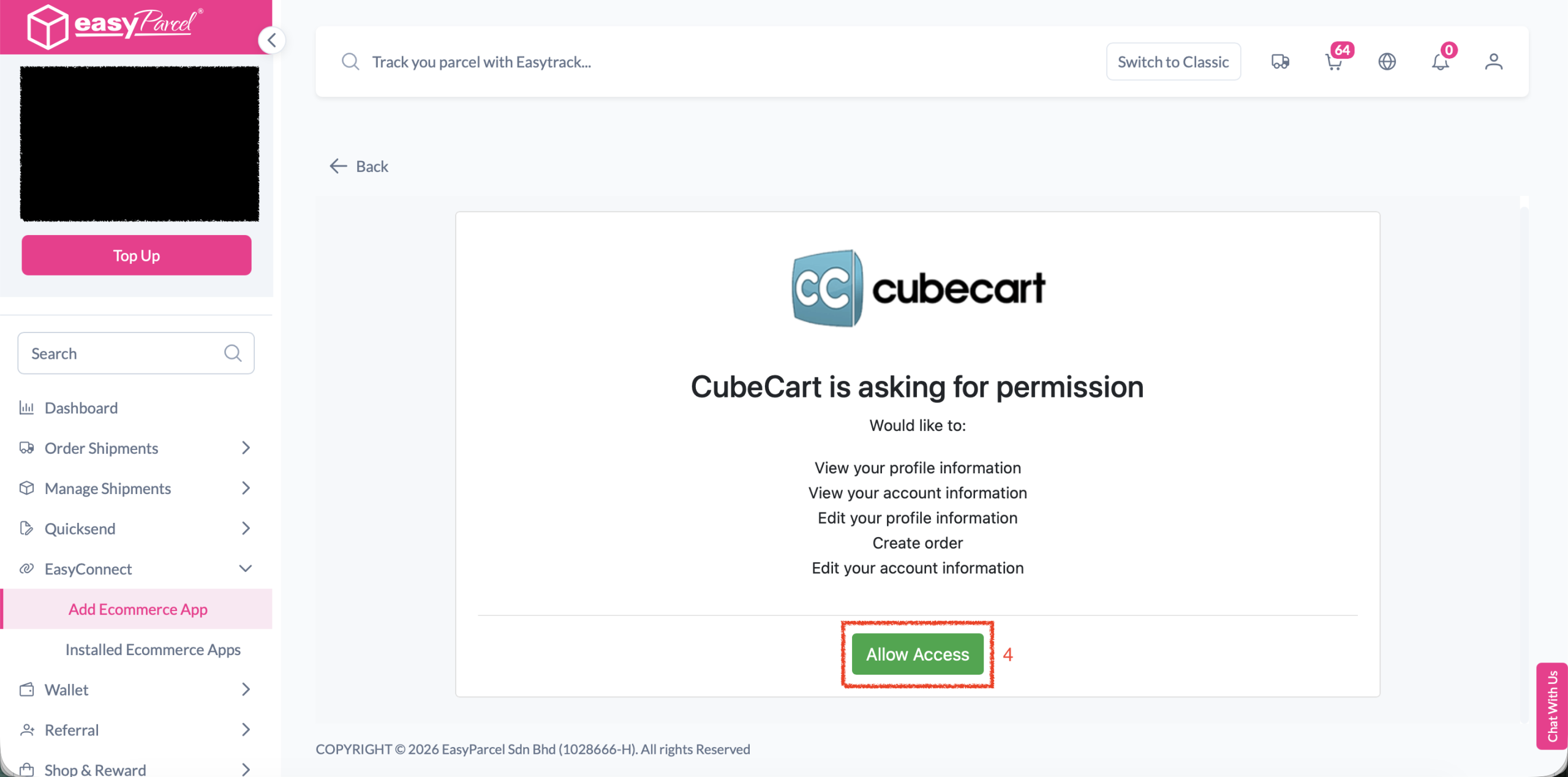
Authorize EasyParcel to access your store.
-
Connect Your Store
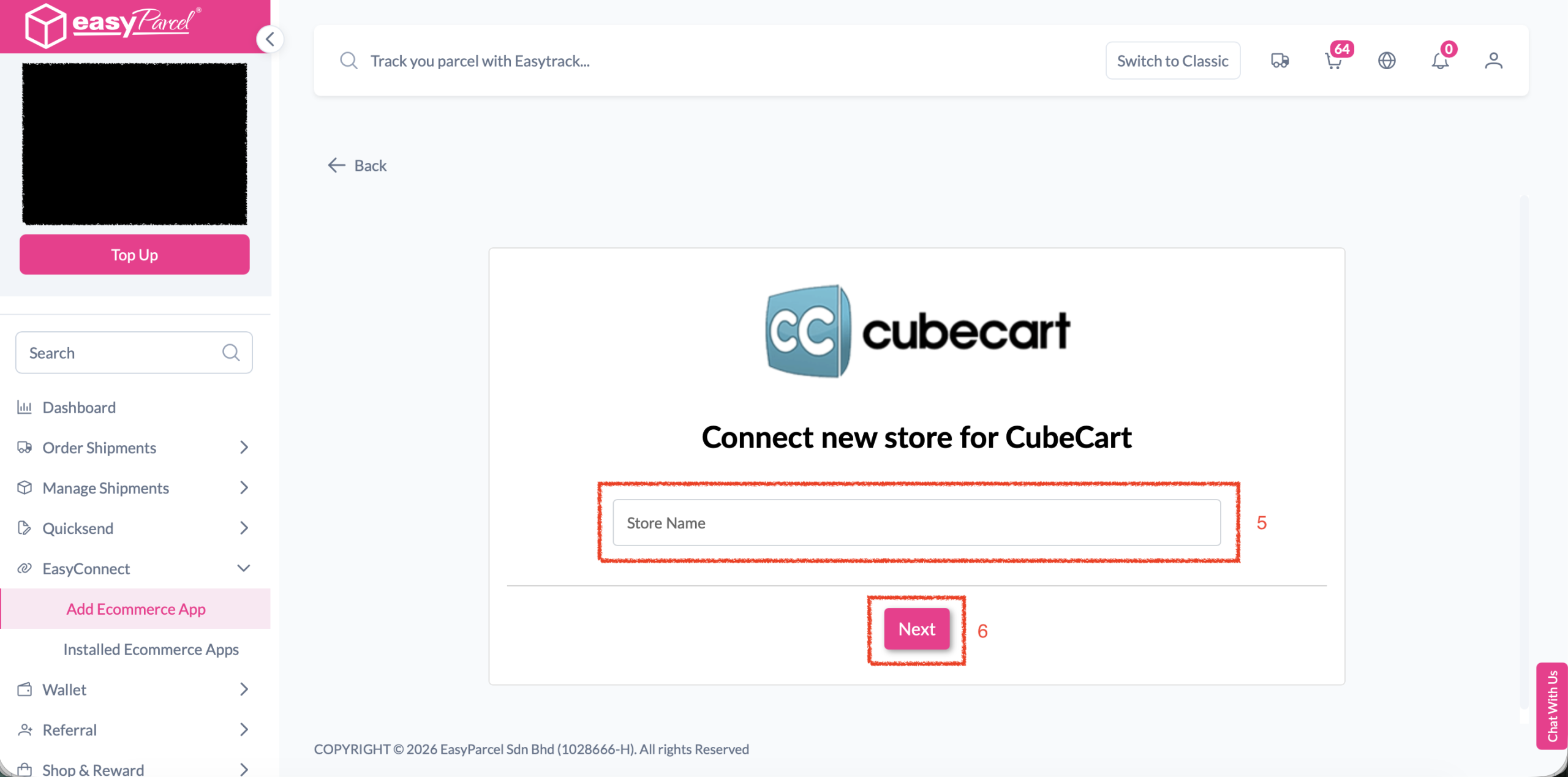
Enter your store name and click Next.
-
Upload Integration Kit
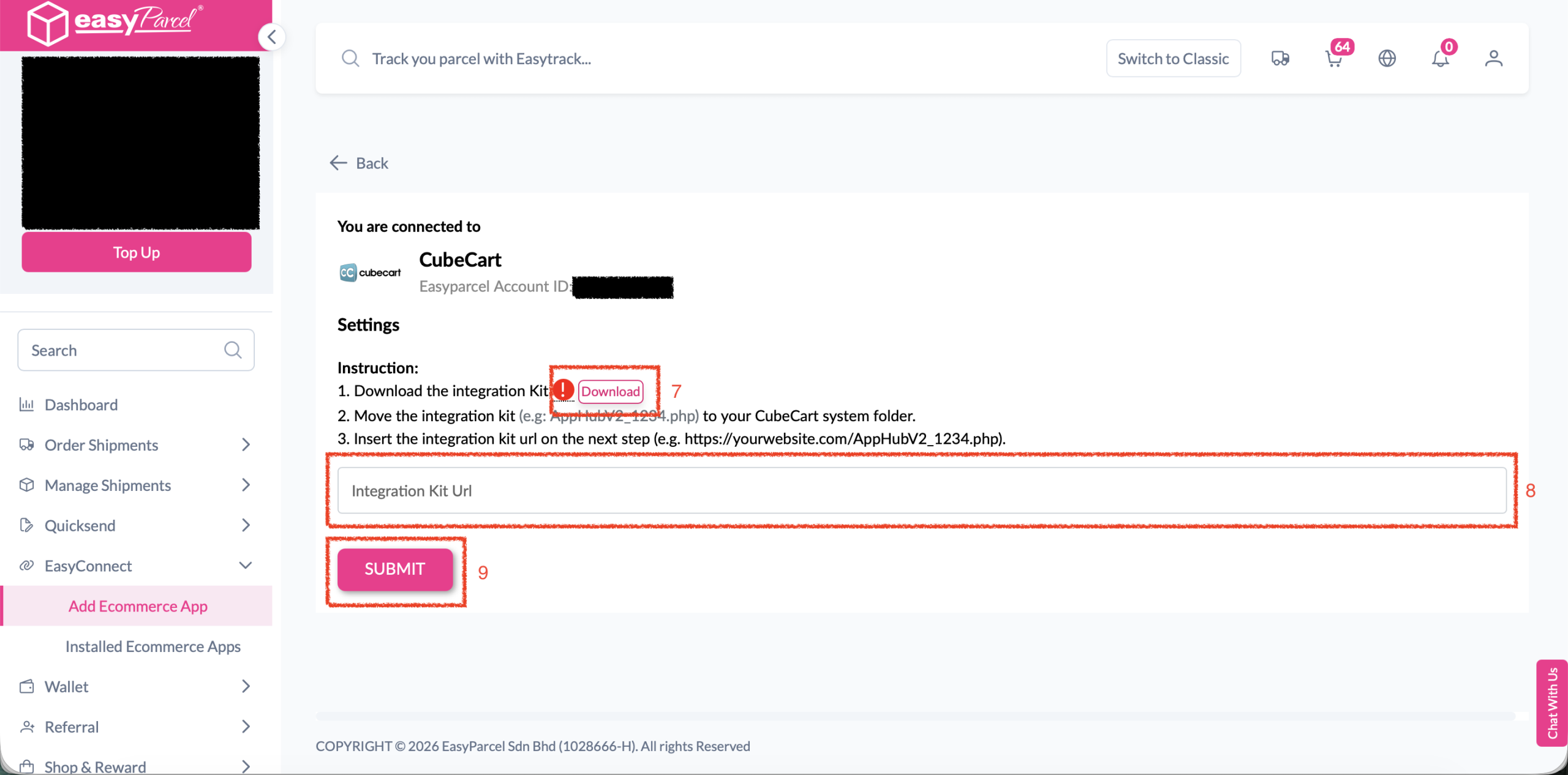
Download, upload, and submit the integration kit URL.
Install the App
In the Next Gen Portal, navigate to 'EasyConnect' → 'Add Ecommerce App'. Find the CubeCart app and click 'Install App'.
Grant Access
Click 'Allow Access' when prompted to authorize EasyParcel to connect with your CubeCart store.
Connect Your Store
Enter your store name in the field provided, then click 'Next' to proceed.
Upload Integration Kit
Download the integration kit provided. Upload the kit to your CubeCart system folder. Then enter the integration kit URL in the field and click 'SUBMIT' to complete your integration.
EasyConnect
Integrate CubeCart with EasyParcel in 4 steps.
In the Next Gen Portal, navigate to 'EasyConnect' → 'Add Ecommerce App'. Find the CubeCart app and click 'Install App'.
Click 'Allow Access' when prompted to authorize EasyParcel to connect with your CubeCart store.
Enter your store name in the field provided, then click 'Next' to proceed.
Download the integration kit provided. Upload it to your CubeCart system folder. Then enter the integration kit URL and click 'SUBMIT' to complete your integration.