Singapore
 Thailand
 Indonesia

EasyConnect
Integrate Amazon with EasyParcel in 7 steps.
-
Login & Install Amazon App
Log in to EasyParcel, go to EasyConnect, and install the Amazon app.
-
Authorize Access
Click 'Allow Access' to authorize EasyParcel to access your Amazon store data.
-
Enter Store Details
Enter your store name and store URL, then click 'Connect'.
-
Authorize on Amazon
You'll be redirected to Amazon's authorize app page. Click 'Continue'.
-
Redirected Back to EasyParcel
You will be redirected back to EasyParcel automatically.
-
Verify Installation
Under Integration, check Installed Ecommerce Apps to confirm Amazon is installed.
-
Set Sender Address
Click Sender Address, key in your sender details and click 'Update'.
Login & Install Amazon App
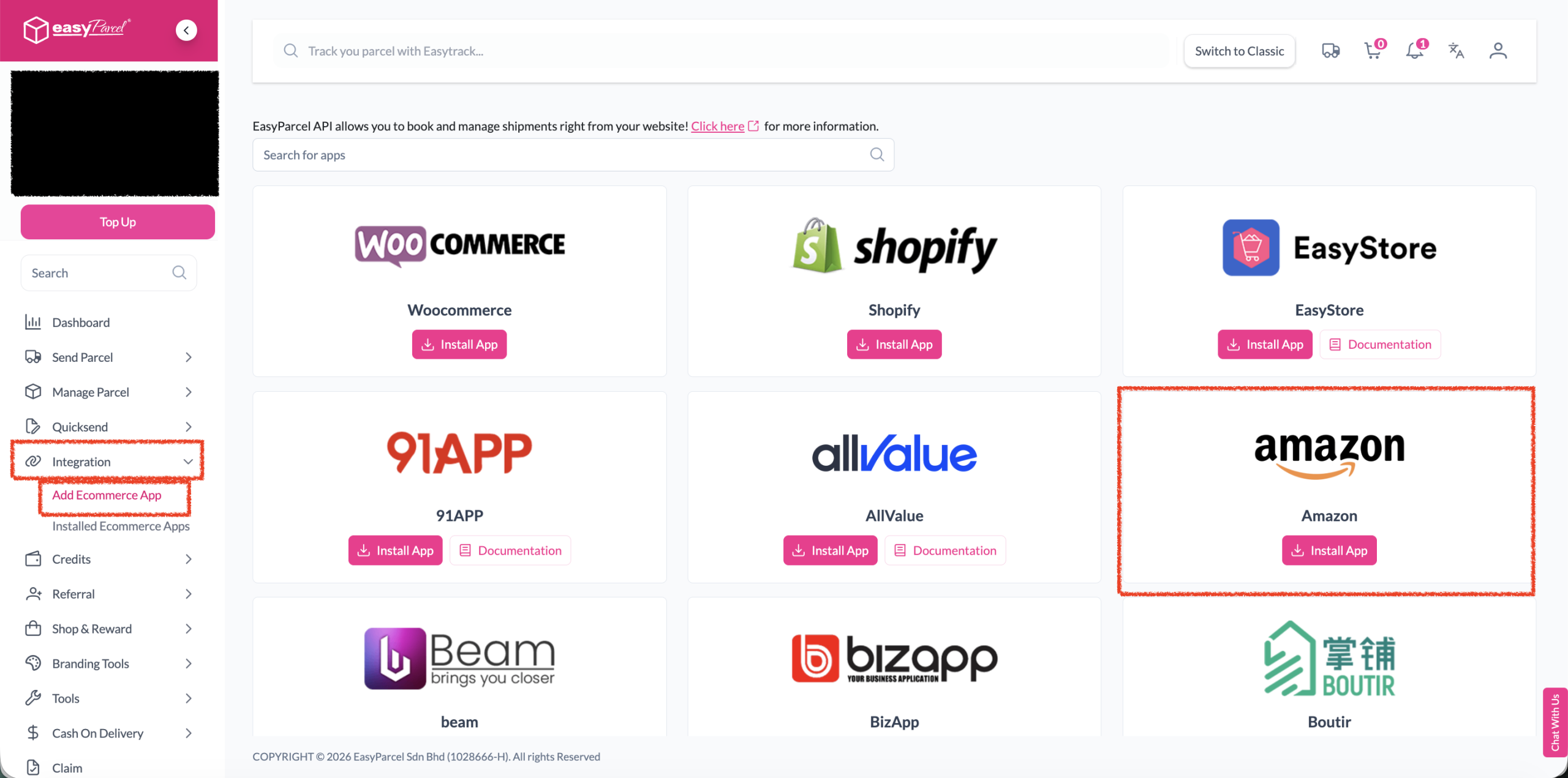
Log in to your EasyParcel account. Click on 'Add Ecommerce App' under the Integration section, find 'Amazon' and click 'Install App'.
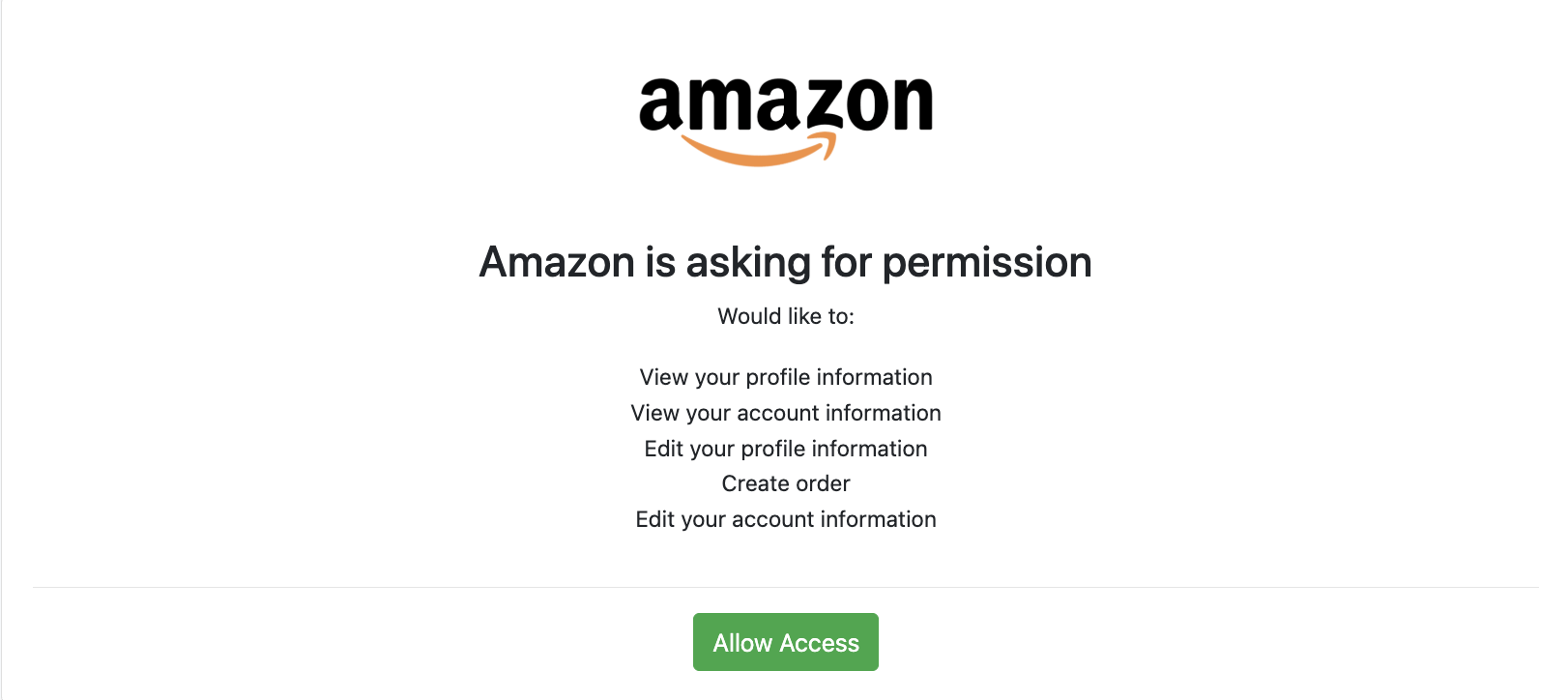
Authorize Access
Click 'Allow Access' to authorize EasyParcel to access your Amazon store data.
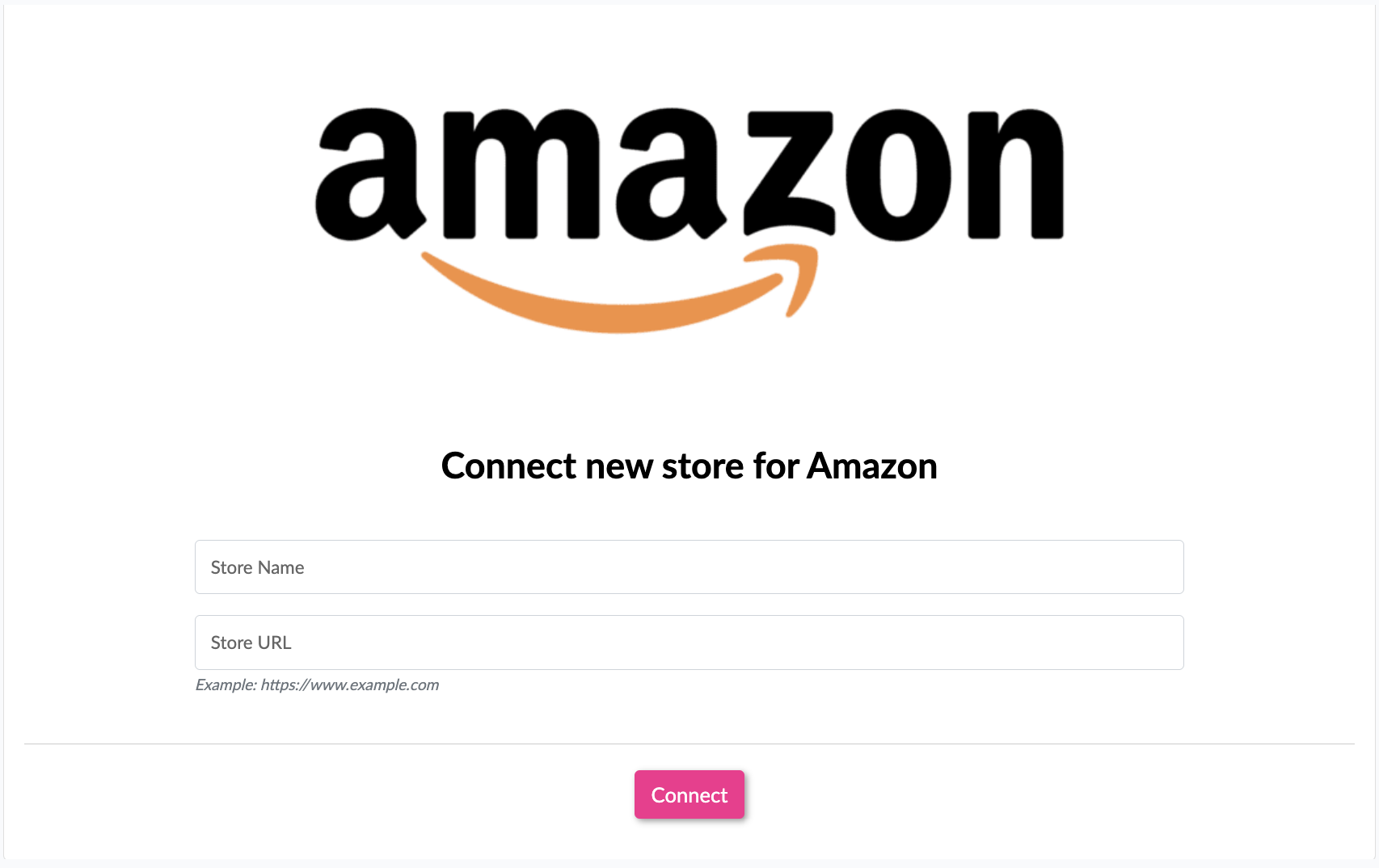
Enter Store Details
Enter your store name and store URL, then click 'Connect'.
Authorize on Amazon
You will be redirected to the Amazon authorize app page. Authorize the app by clicking 'Continue'.
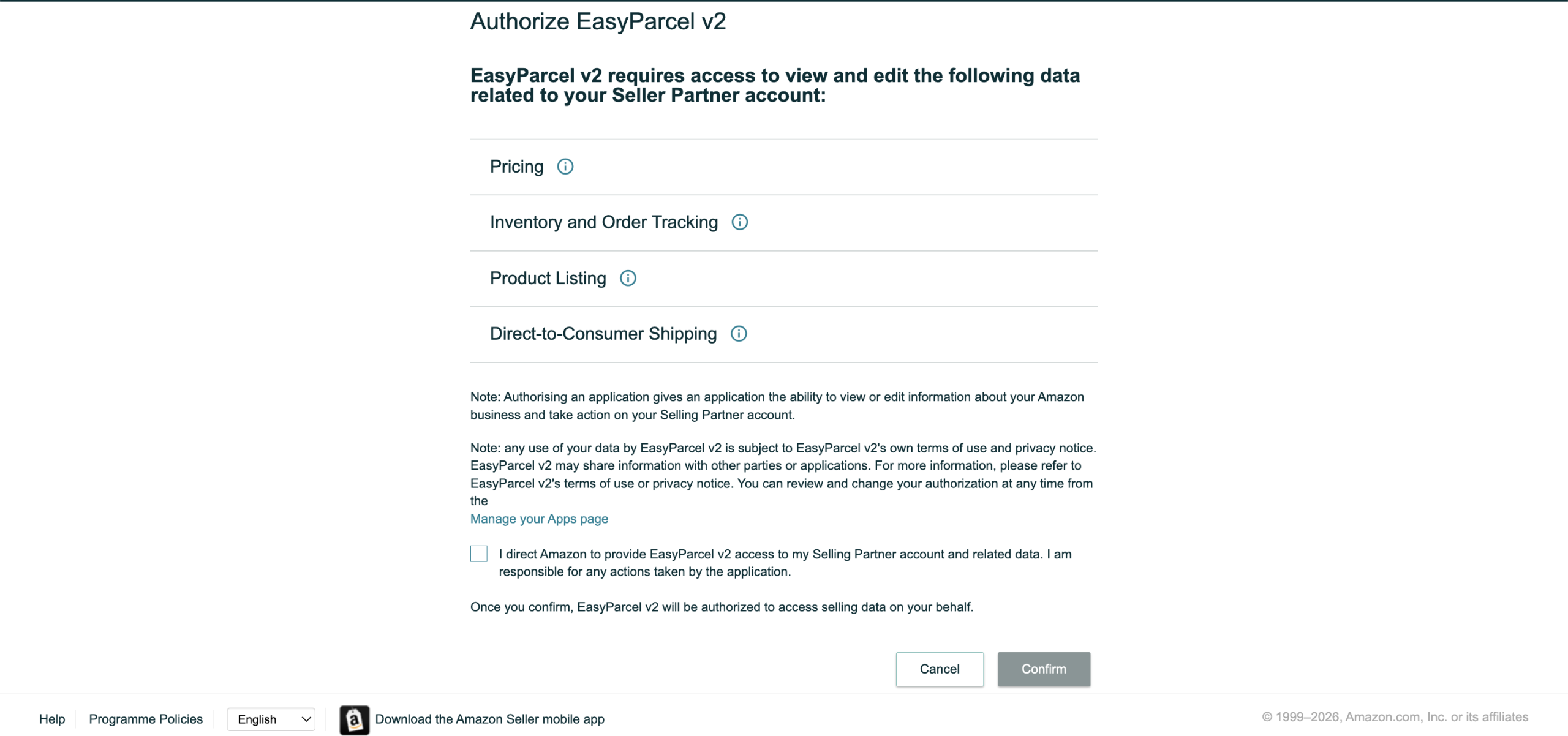
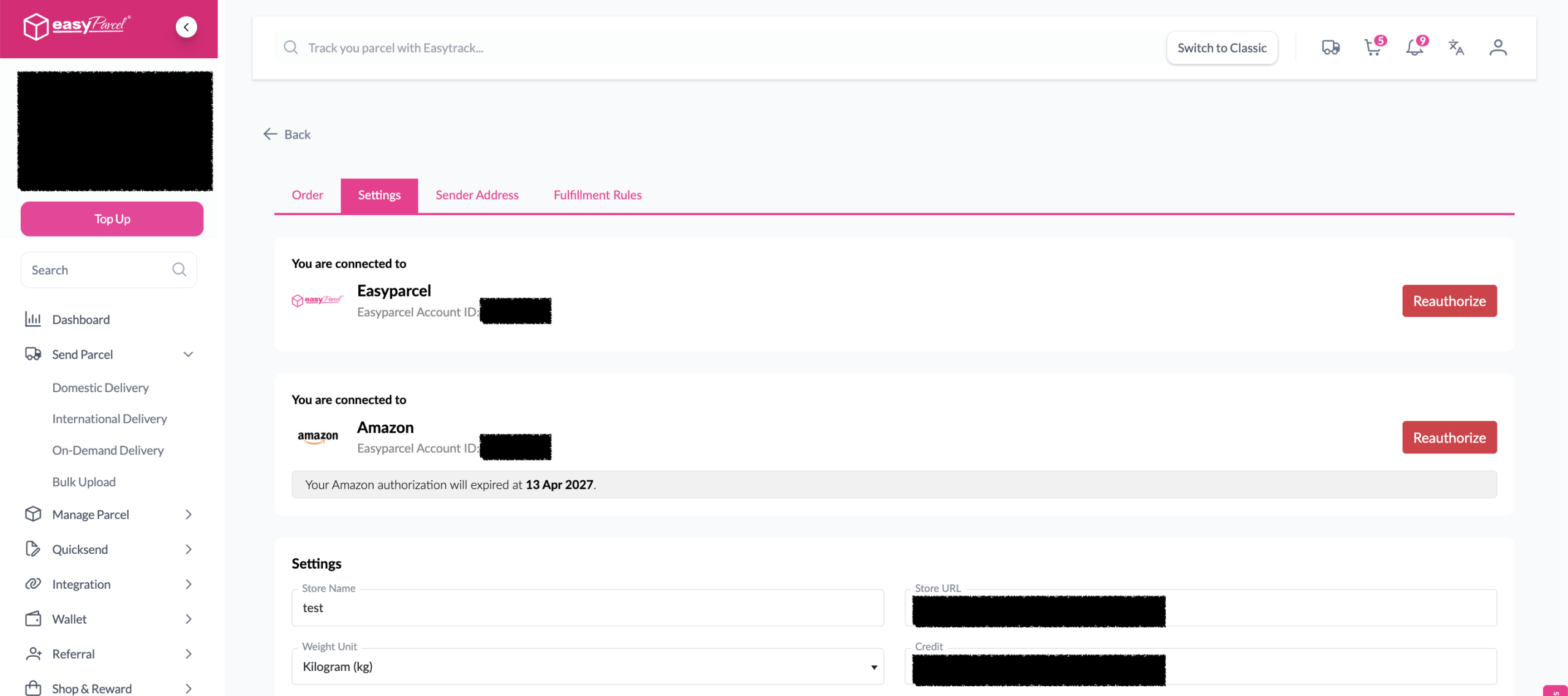
Redirected Back to EasyParcel
You will be redirected back to EasyParcel automatically after authorization is complete.
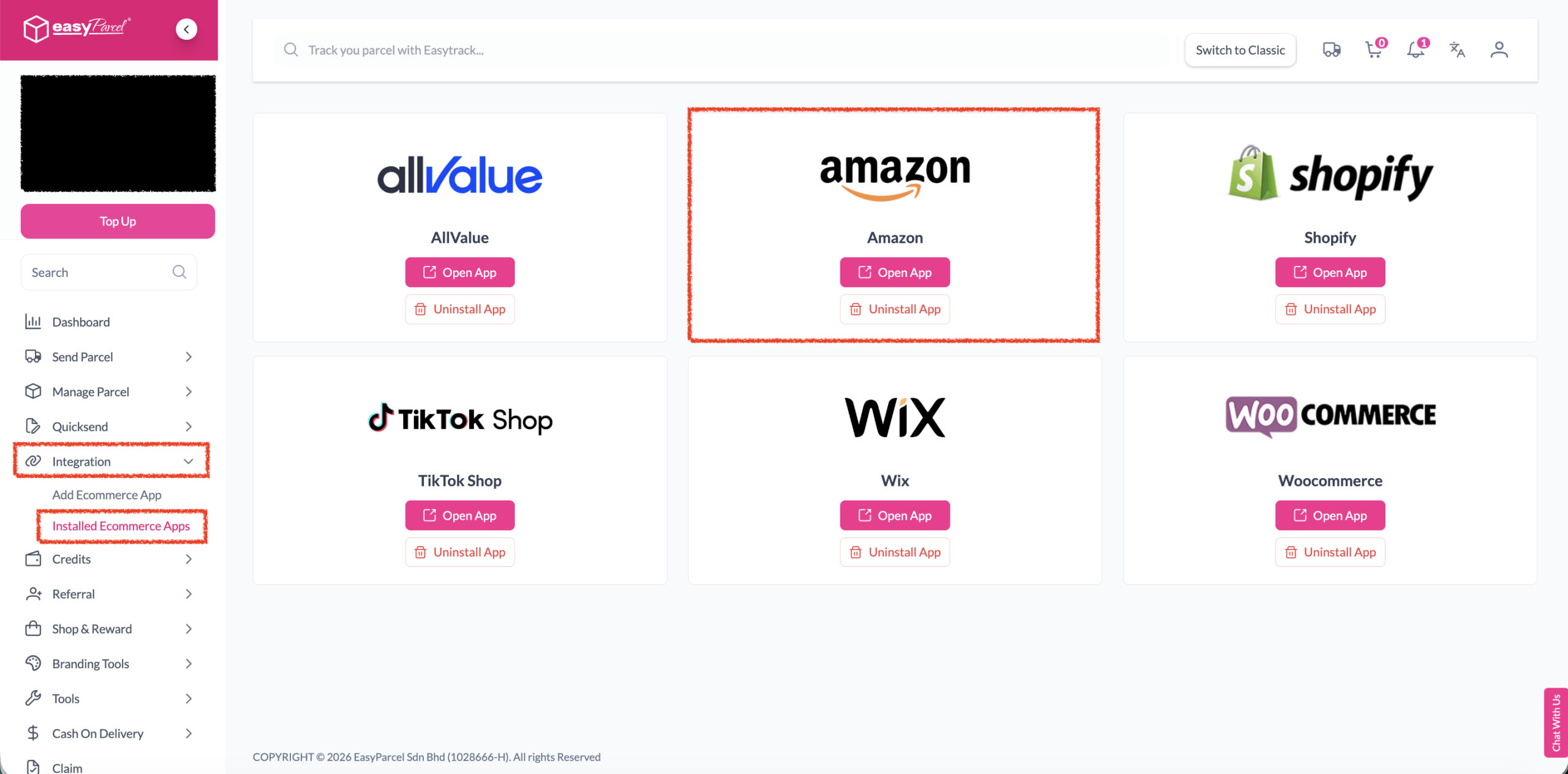
Verify Installation
Under Integration, click on 'Installed Ecommerce Apps'. Find Amazon to confirm your app has been successfully installed.
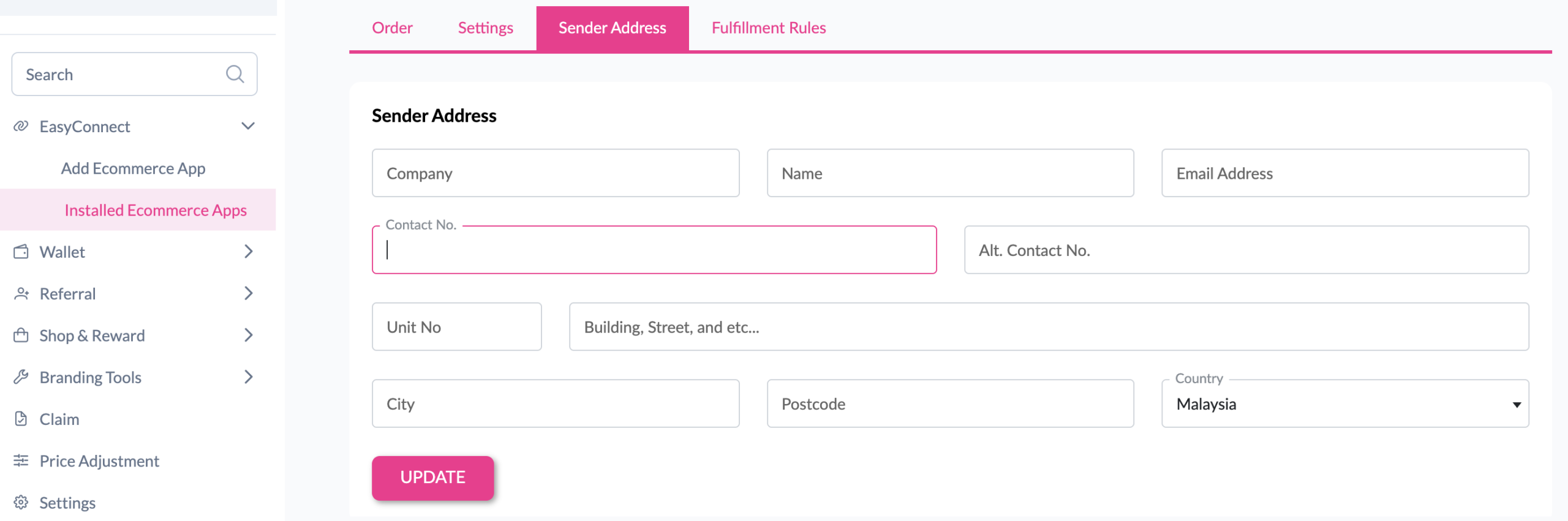
Set Sender Address
In the store, click 'Sender Address', key in your sender details and click the 'Update' button.
EasyConnect
Integrate Amazon with EasyParcel in 7 steps.
Log in to your EasyParcel account. Click 'Add Ecommerce App' under Integration, find 'Amazon' and click 'Install App'.
Click 'Allow Access' to authorize EasyParcel to access your Amazon store data.
Enter your store name and store URL, then click 'Connect'.
You will be redirected to Amazon's authorize app page. Authorize the app by clicking 'Continue'.
You will be redirected back to EasyParcel automatically after authorization is complete.
Under Integration, click 'Installed Ecommerce Apps' and find Amazon to confirm successful installation.
In the store, click 'Sender Address', key in your sender details and click 'Update'.