EasyParcel-logo-md
EasyParcel-logo-md

Ulive Seamless Integration

Streamline your ULive store with EasyParcel. Enjoy automated shipping, delivery updates, and improved customer satisfaction.
Connect now and elevate your eCommerce business.

How EasyParcel Helps You?

Cross-Border Fulfilment

Expand your business by fulfiling orders from Malaysia & Singapore with ease.

Backup Shipping Option

Maintain a seamless shipping experience by offering a flat rate.

All-in-One Integration Setup

Integrate EasyParcel with all your eCommerce platforms at once, no separate setups needed.

One-Stop Order Management

Streamline your operations by managing orders from all platforms within a single account.

5 Easy Setup Steps

Use EasyParcel’s one-click fulfilment to quickly ship multiple Ulive orders.

Zero Cost

Integrate without any setup fees, keeping your costs low and budget intact.

How To Integrate Ulive with EasyParcel?

Ulive x EasyParcel Integration
Enlarged screenshot
100%
dynamic_feed

EasyConnect

Integrate Ulive with EasyParcel in 5 steps.

  • login

    Login & Install Ulive App

    Log in to EasyParcel, go to EasyConnect, and install the Ulive app.

  • store

    Enter Store Details

    Fill in your store name and store URL, then click 'Add'.

  • key

    Copy Integration ID

    Your store API key / Integration ID will be generated. Copy it.

  • settings

    Enable EasyParcel in Ulive

    Go to Ulive Settings, find EasyParcel Integration, and turn it on.

  • check_circle

    Paste ID & Save

    Paste your Integration ID into Ulive and click 'Update EasyParcel Integration'.

Step 1 of 5

Login & Install Ulive App

Log in to your EasyParcel account, navigate to EasyConnect, then click 'Add Ecommerce App'. Find 'Ulive' and click 'Install App' to get started.
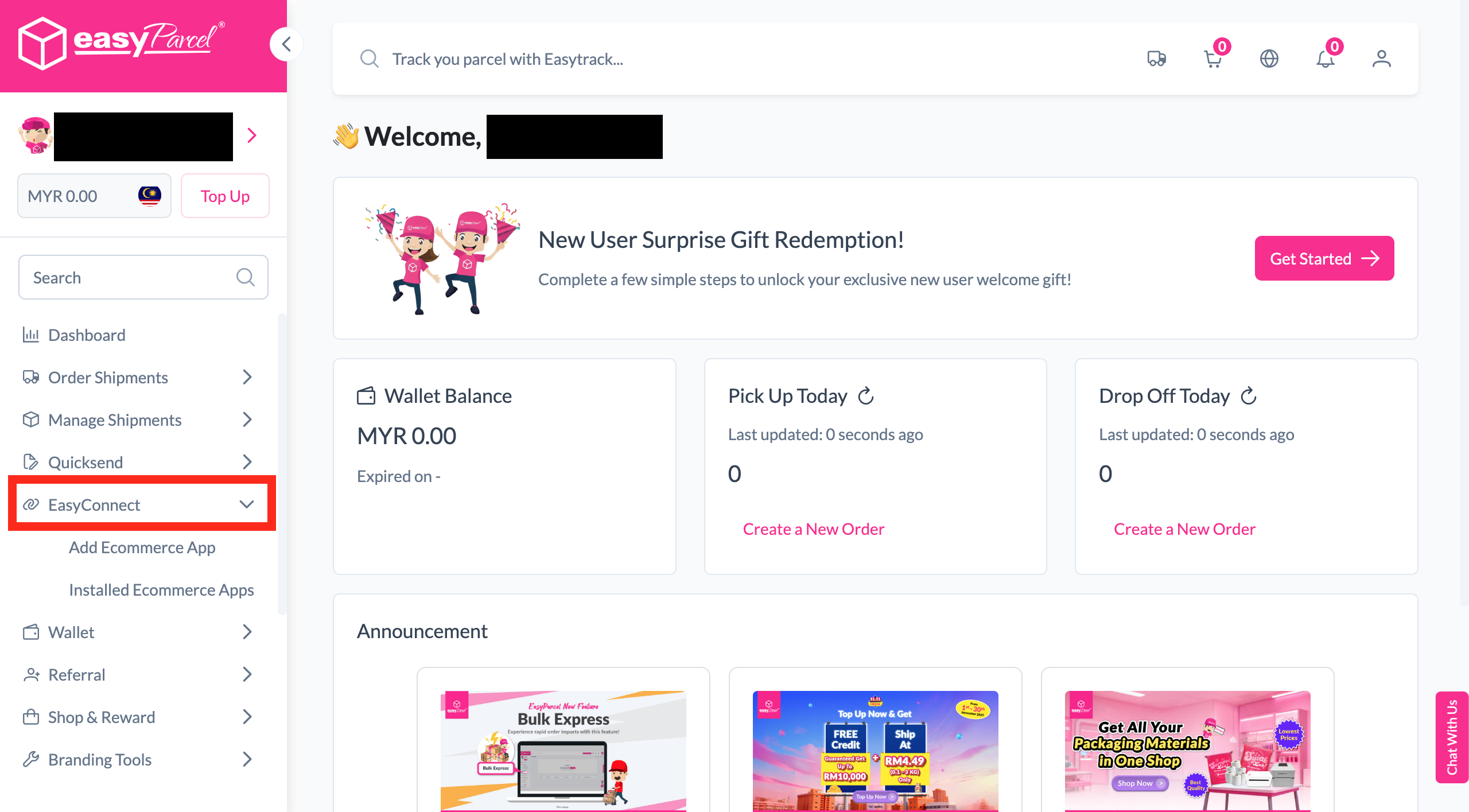
Step 1 screenshot
Step 2 of 5

Enter Store Details

Fill in your store name and store URL, then click 'Add' to proceed.
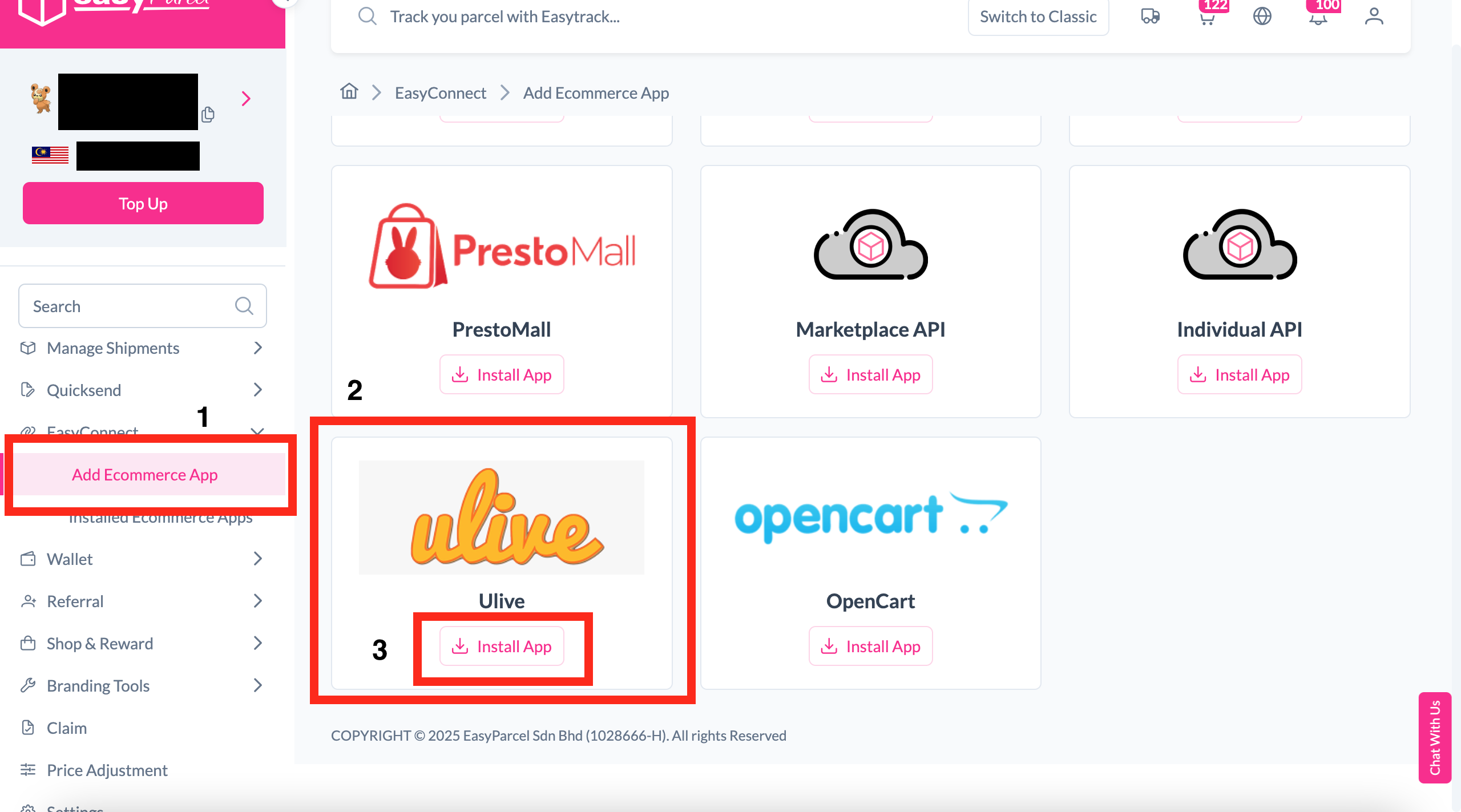
Step 2
Step 3 of 5

Copy Your Integration ID

Your store API key / Integration ID will be generated. Copy it — you'll need it in Step 5.
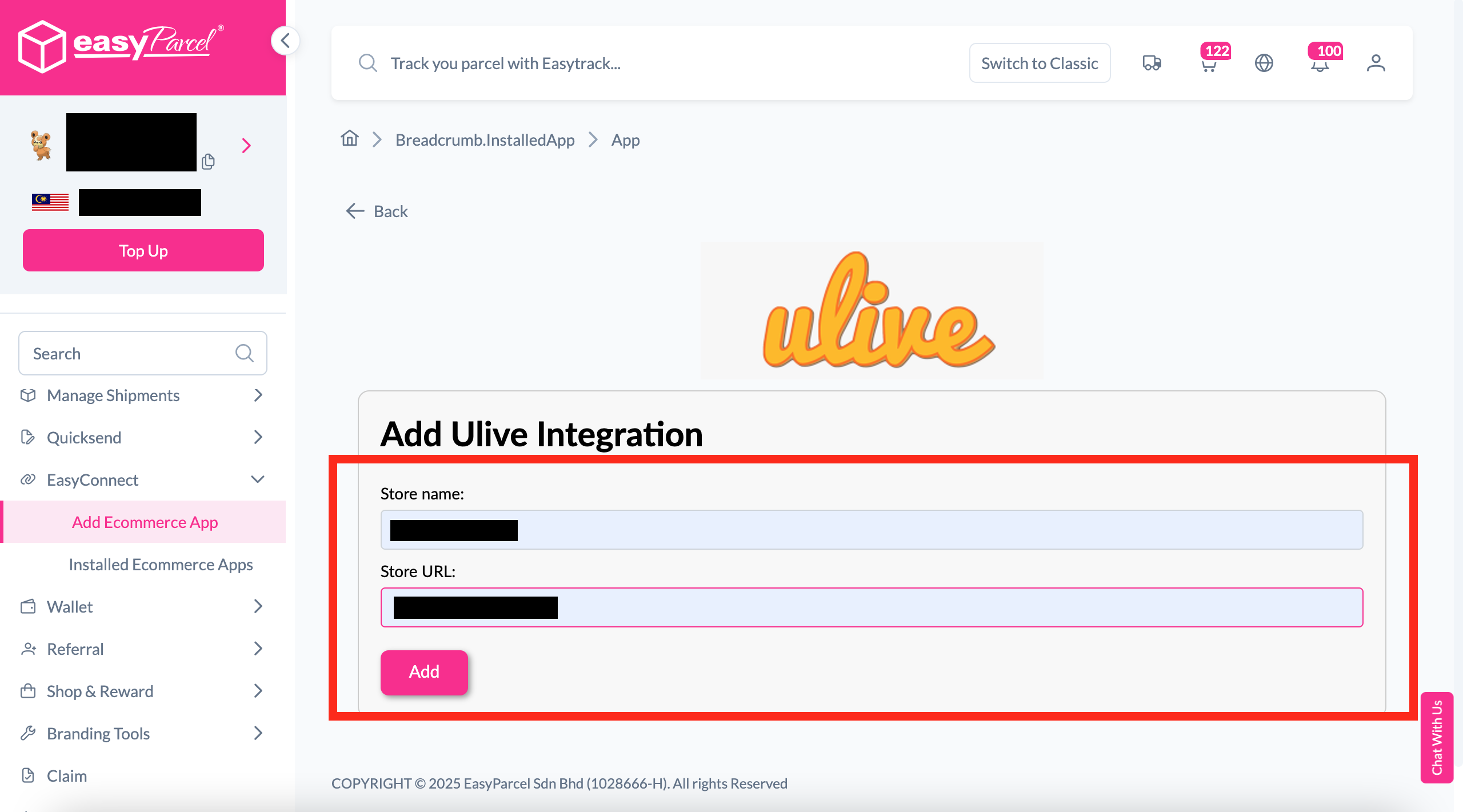
Step 3
Step 4 of 5

Enable EasyParcel in Ulive

Log in to your Ulive account. Go to Settings, and next to the Tags section, you'll see EasyParcel Integration. Toggle it on.
Step 4
Step 5 of 5

Paste ID & Save

Paste the Integration ID you copied in Step 3 into the EasyParcel Integration field in Ulive, then click 'Update EasyParcel Integration' to save.
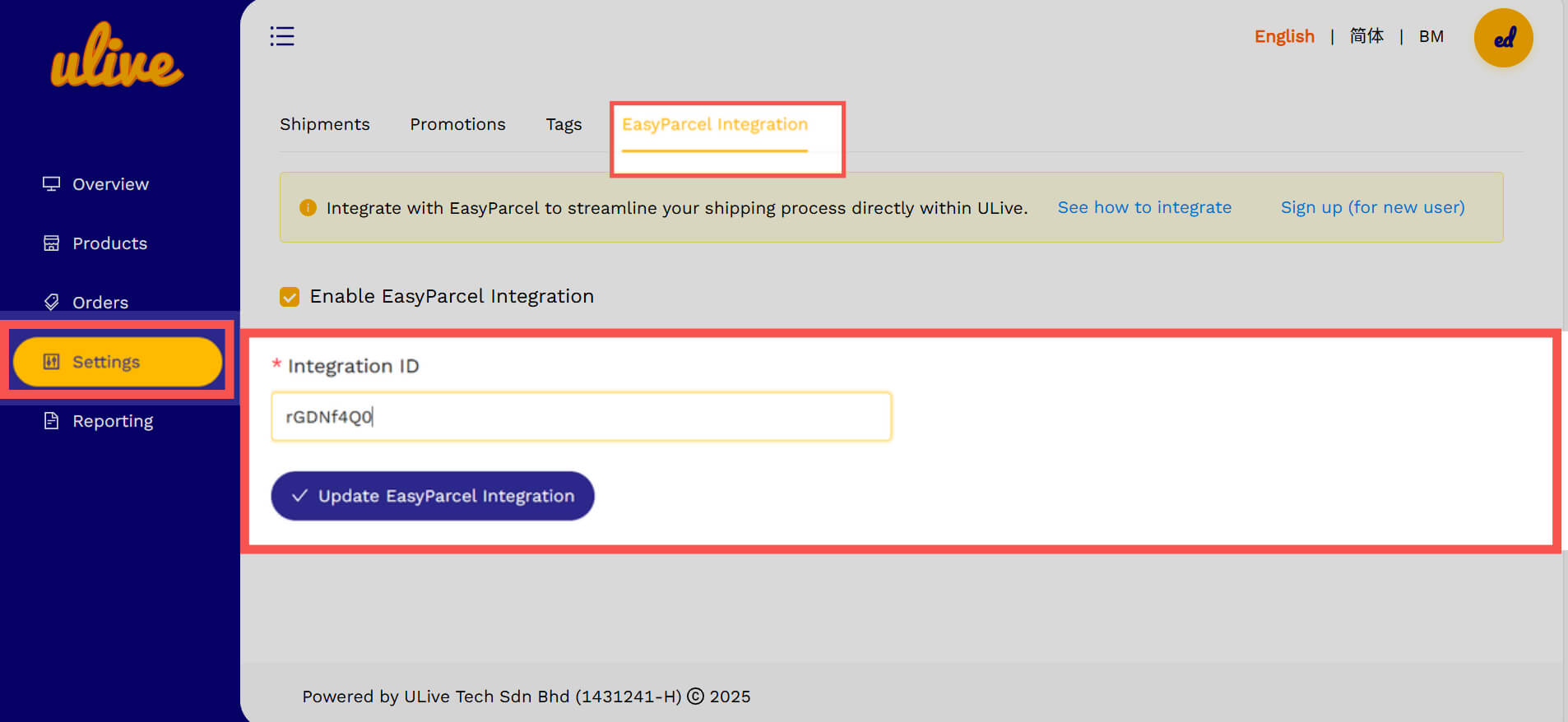
Step 5
1 / 5
dynamic_feed

EasyConnect

Integrate Ulive with EasyParcel in 5 steps.

Log in to your EasyParcel account, navigate to EasyConnect, then click 'Add Ecommerce App'. Find 'Ulive' and click 'Install App' to get started.

Step 1

Fill in your store name and store URL, then click 'Add' to proceed.

Step 2

Your store API key / Integration ID will be generated. Copy it — you'll need it in Step 5.

Step 3

Log in to your Ulive account. Go to Settings, and next to the Tags section, you'll see EasyParcel Integration. Toggle it on.

Step 4

Paste the Integration ID you copied in Step 3 into the EasyParcel Integration field in Ulive, then click 'Update EasyParcel Integration' to save.

Step 5

Hear From Our Clients

frequently-asked-questions

Frequently Asked Questions (FAQ)

Can I auto-import my orders from ULive?
Yes. You can sync your ULive website with EasyParcel, and your incoming orders will be automatically imported. Start Now.
Do I need to pay anything extra to add ULive to my EasyParcel account?
It's free! EasyParcel allows you to integrate 25+ platforms to auto-sync orders directly into the panel and ship them easily. Learn More.
How many types of integration for ULive?
We have 2 types of ULive integration in EasyParcel which are import version and plugin version. Learn more.

Connect Ulive with EasyParcel Easily

Sync your Ulive orders automatically and simplify shipping, tracking, and fulfillment in one platform.

×