

Shopify eCommerce platform
EasyParcel-logo-md
Shopify eCommerce platform
EasyParcel-logo-md

Shopify 无缝整合

使用 EasyParcel 简化您的 Shopify 店铺管理。享受自动化配送、配送状态更新,并提升客户满意度。

立即连接,助力您的电商业务更上一层楼。

EasyParcel Shopify 应用如何助力您?

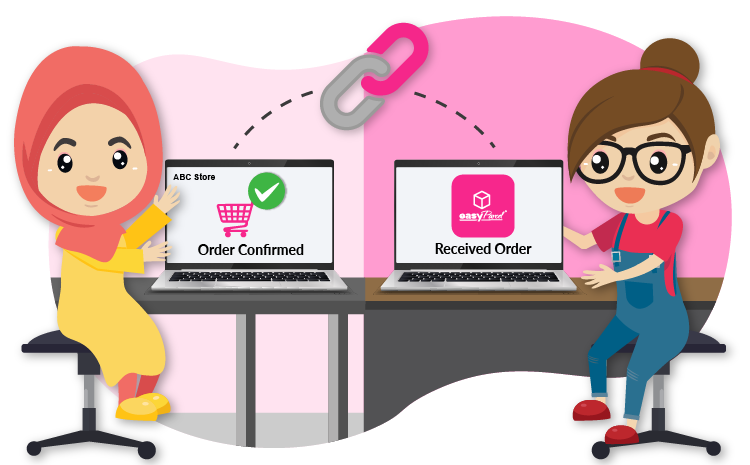
自动订单履行

订单在购买后立即自动同步至 EasyParcel,无需任何点击操作。节省时间、减少人工作业,让您更专注于业务增长。了解更多。

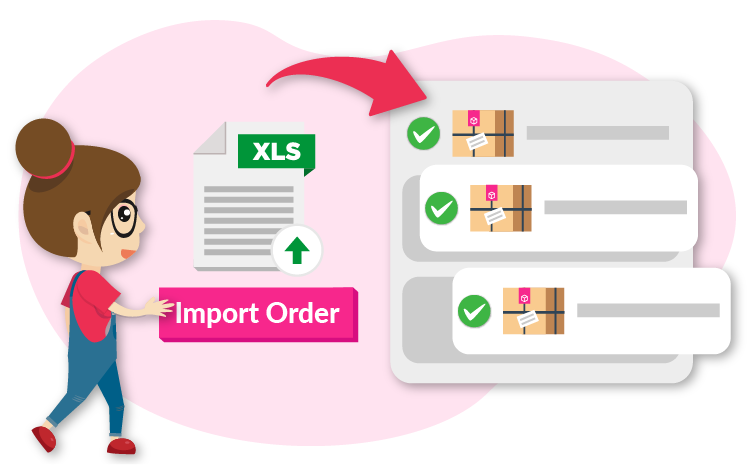
一键订单履行

只需一键即可立即履行并预订运送,无需手动输入,加快您的工作流程。 了解更多。

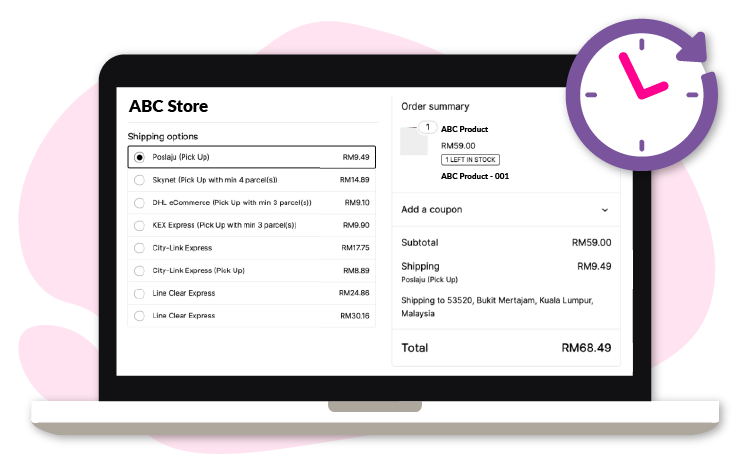
结账时显示实时运费

在您的 Shopify 结账页面显示实时运费,为顾客带来透明、无缝的购物体验。了解更多。

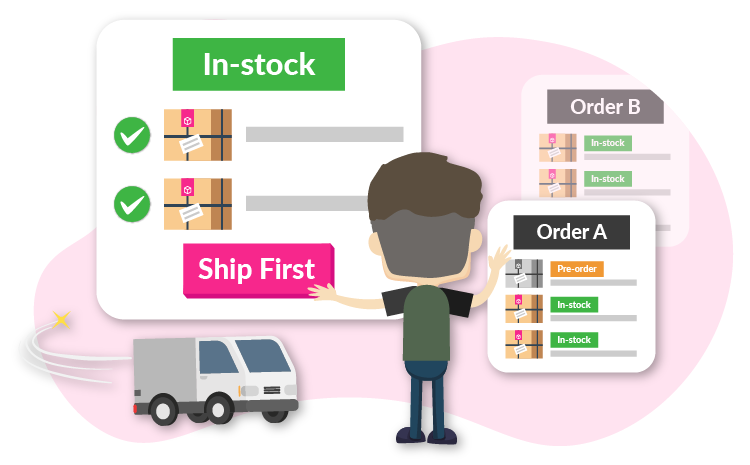
预购与缺货补单履行

轻松履行有库存的订单,同时管理预购或缺货补单商品。优先发货现有库存产品,确保顾客满意并简化您的工作流程。立即整合。

Point Image
Customizable Shipping Labels

自动订单履行

订单在购买后立即自动同步至 EasyParcel,无需任何点击操作。节省时间、减少人工作业,让您更专注于业务增长。了解更多。

Easy Order Fulfillment

一键订单履行

只需一键即可立即履行并预订运送,无需手动输入,加快您的工作流程。 了解更多。

Automate with Preset Couriers

结账时显示实时运费

在您的 Shopify 结账页面显示实时运费,为顾客带来透明、无缝的购物体验。了解更多。

Automatic Order Status Updates

预购与缺货补单履行

轻松履行有库存的订单,同时管理预购或缺货补单商品。优先发货现有库存产品,确保顾客满意并简化您的工作流程。立即整合。

Customizable Shipping Labels

自动订单履行

订单在购买后立即自动同步至 EasyParcel,无需任何点击操作。节省时间、减少人工作业,让您更专注于业务增长。了解更多。

Easy Order Fulfillment

一键订单履行

只需一键即可立即履行并预订运送,无需手动输入,加快您的工作流程。 了解更多。

Automate with Preset Couriers

结账时显示实时运费

在您的 Shopify 结账页面显示实时运费,为顾客带来透明、无缝的购物体验。了解更多。

Automatic Order Status Updates

预购与缺货补单履行

轻松履行有库存的订单,同时管理预购或缺货补单商品。优先发货现有库存产品,确保顾客满意并简化您的工作流程。立即整合。

Need Help?
WhatsApp for Premium Support!

Need Help? WhatsApp for Premium Support!

如何将 Shopify 与 EasyParcel 整合?

Shopify x EasyParcel 整合
放大截图
100%
dynamic_feed

EasyConnect

通过 9 个步骤将 Shopify 与 EasyParcel 整合。

  • login

    登录并安装 Shopify 应用

    登录 EasyParcel,前往 EasyConnect,并安装 Shopify 应用。

  • tune

    选择"无缝版本"

    在系统提示选择整合类型时,选择"无缝版本"。

  • store

    输入店铺详情

    填写店铺名称和店铺网址,然后点击"添加"。

  • key

    复制整合 ID

    系统将生成店铺 API 密钥/整合 ID。请将其复制下来。

  • install_mobile

    在 Shopify 上安装

    在 Shopify 应用商店中搜索"EasyParcel - Delivery Made Easy"并安装。

  • play_circle

    开始设置

    阅读"入门指南"标签下的说明,然后点击"开始设置"。

  • local_shipping

    配置运送设置

    选择您的发货国家,并粘贴第 4 步中的整合 ID。

  • fact_check

    检查寄件人详情

    检查自动填写的寄件人详情,如有需要请修改,然后点击"保存"。

  • check_circle

    要求结账时填写电话号码

    在 Shopify 结账设置中将"收货地址电话号码"设为"必填"。

第 1 步,共 9 步

登录并安装 Shopify 应用

登录您的 EasyParcel 账户,前往 EasyConnect,然后点击 "添加电商应用"。找到 "Shopify" 并点击 "安装应用" 即可开始。
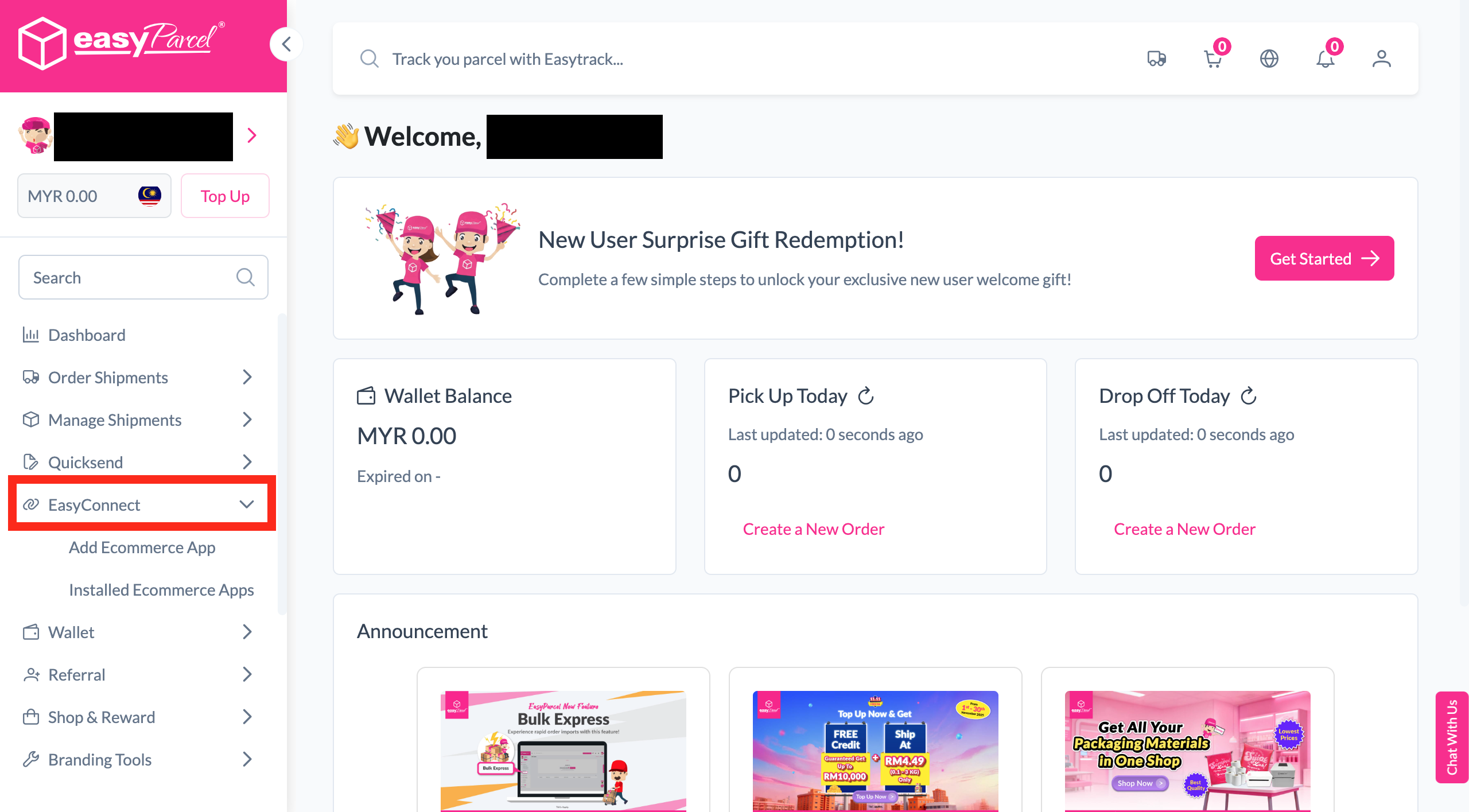
第 1 步截图
第 2 步,共 9 步

选择"无缝版本"

当系统提示您选择整合类型时,选择 "无缝版本" 以继续。
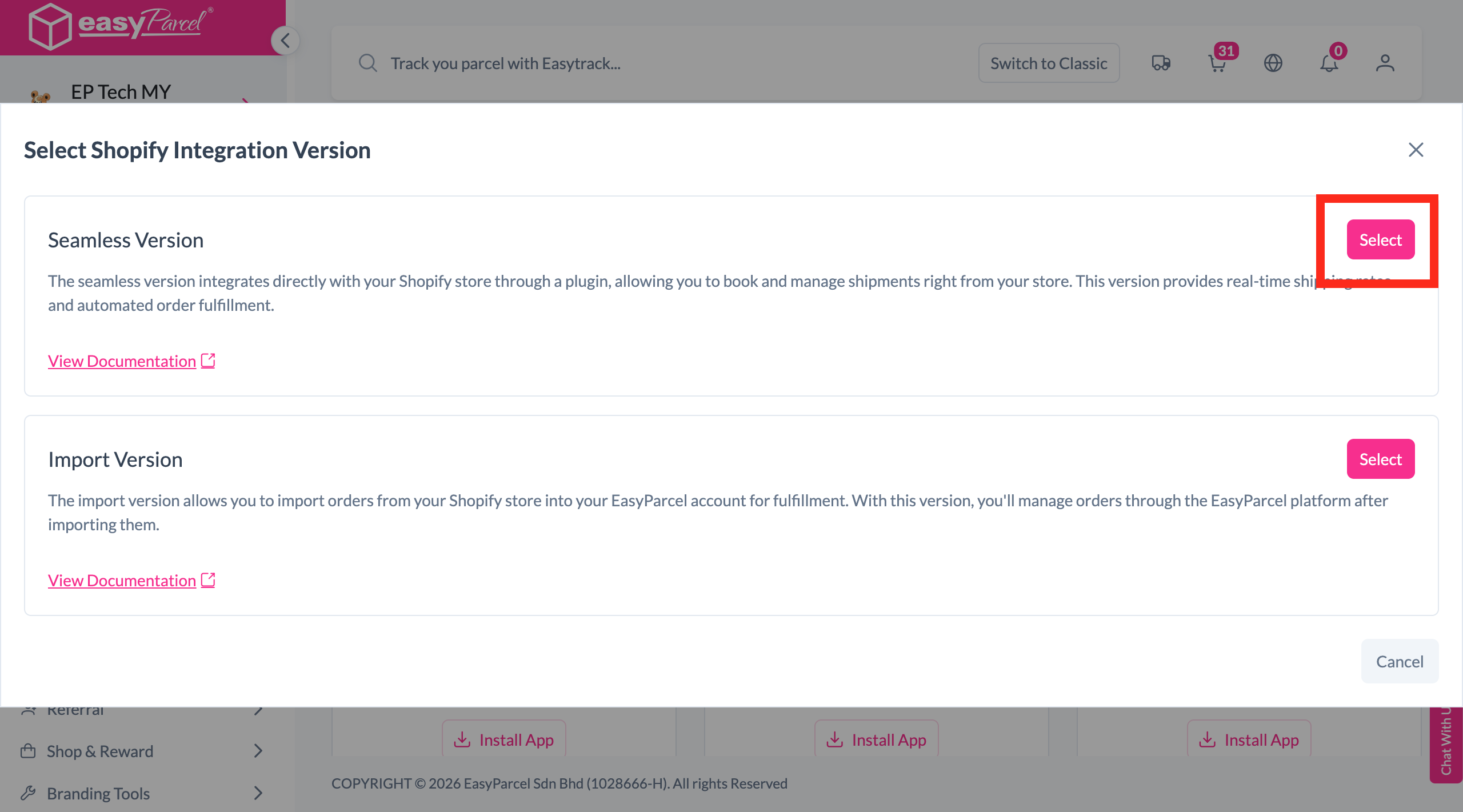
第 2 步
第 3 步,共 9 步

输入店铺详情

填写您的 店铺名称 和 店铺网址,然后点击 "添加" 继续。
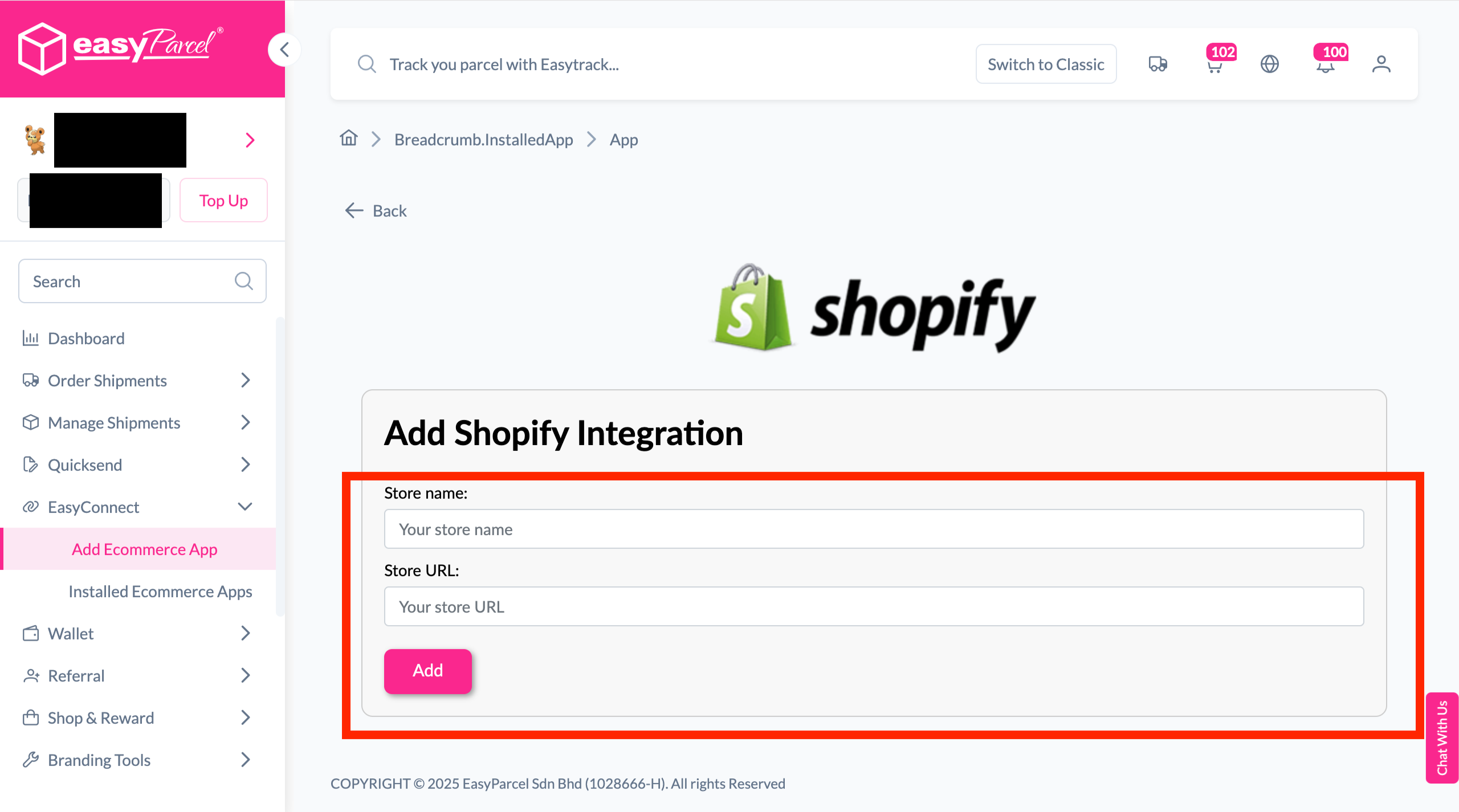
第 3 步
第 4 步,共 9 步

复制您的整合 ID

系统将生成您店铺的 API 密钥/整合 ID。请将其复制下来 —— 您稍后在第 7 步会需要用到。
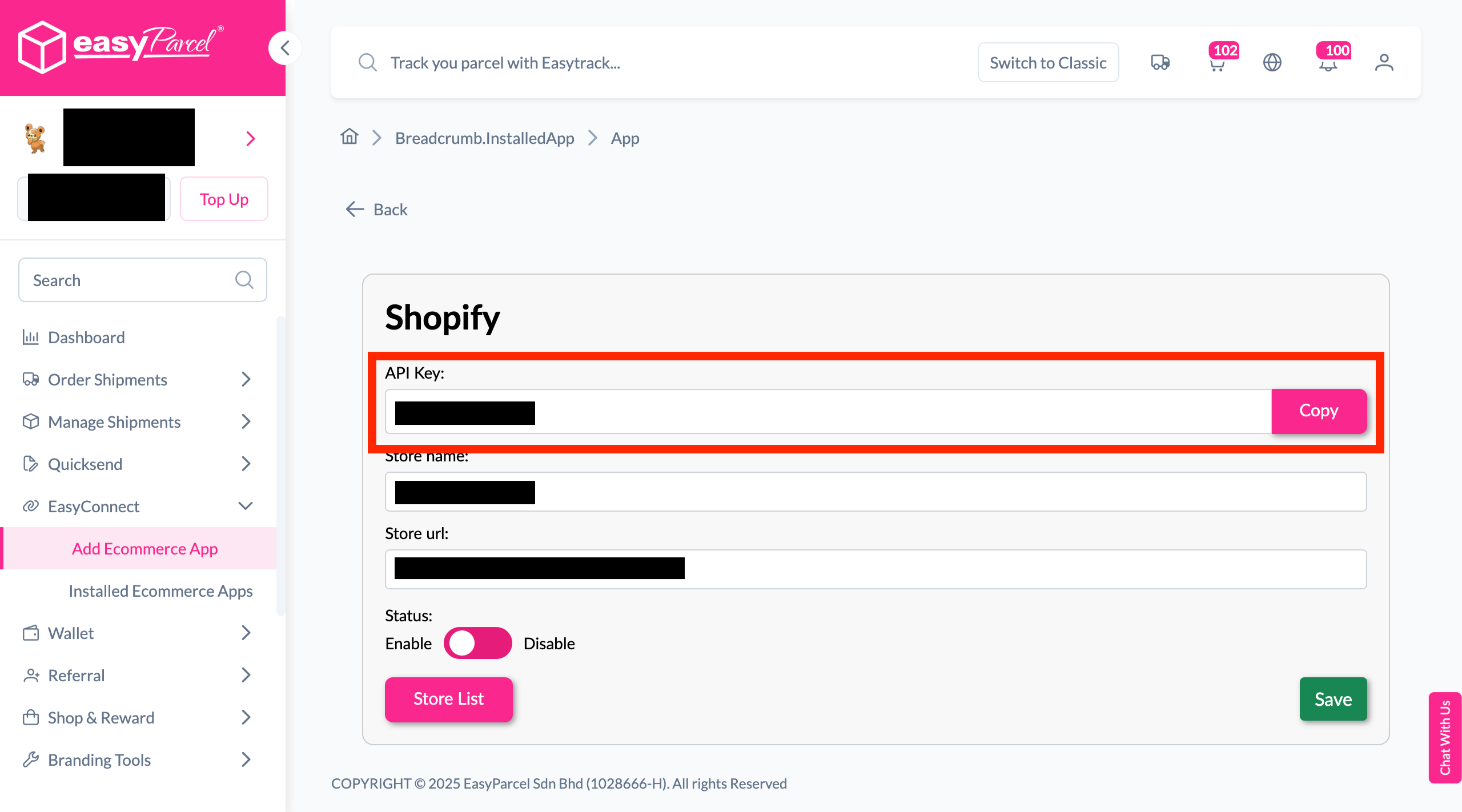
第 4 步
第 5 步,共 9 步

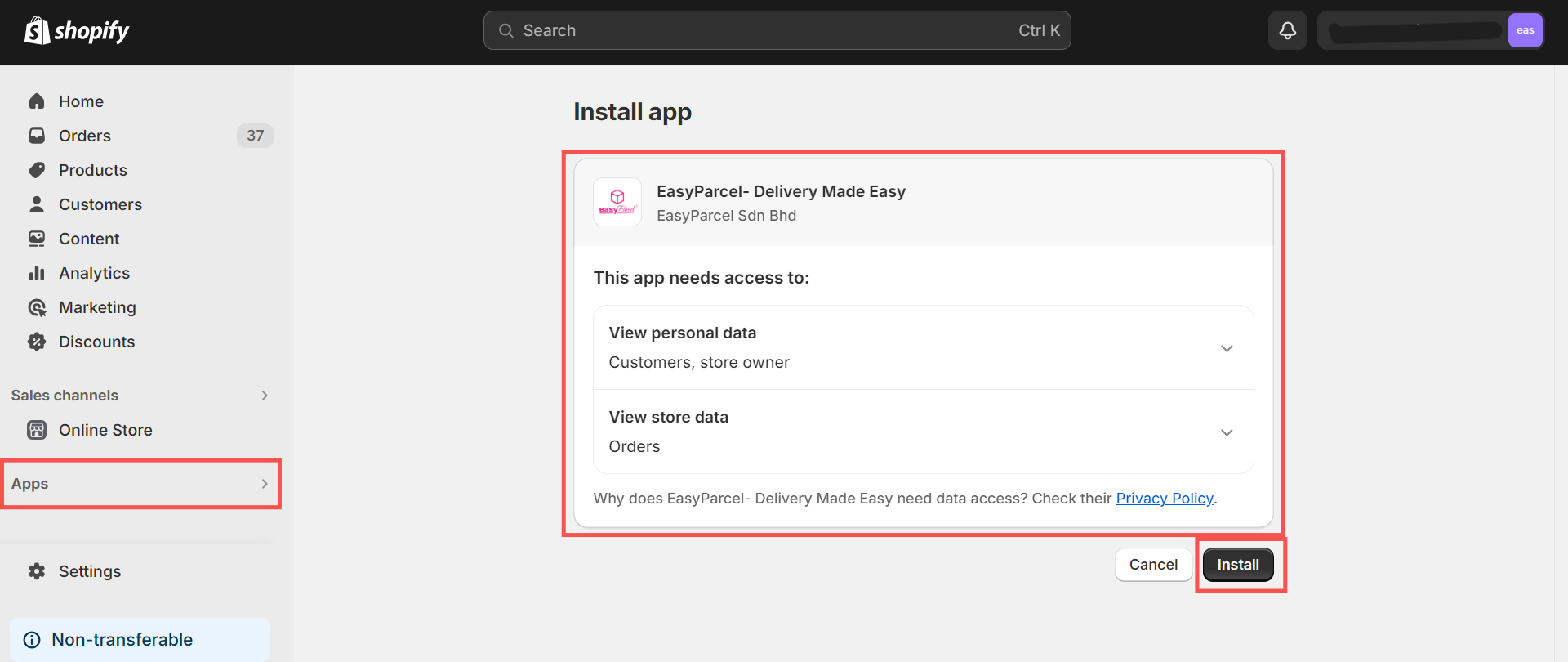
在 Shopify 上安装 EasyParcel

前往您的 Shopify 管理面板,点击 "应用",搜索 "EasyParcel - Delivery Made Easy",然后点击 "安装"。
第 5 步
第 6 步,共 9 步

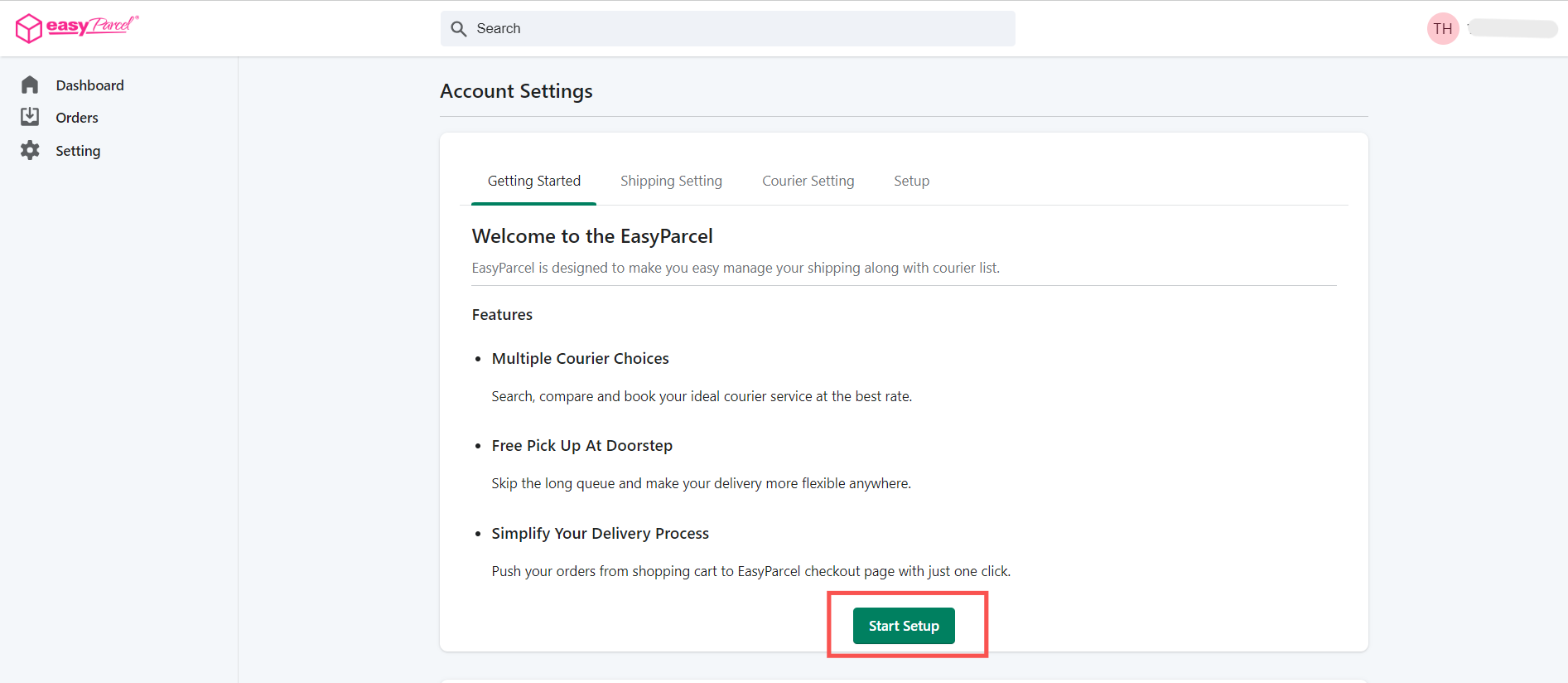
开始设置

您将被重定向至 "入门指南" 标签下的 EasyParcel 设置页面。阅读相关说明后,点击 "开始设置"。
第 6 步
第 7 步,共 9 步

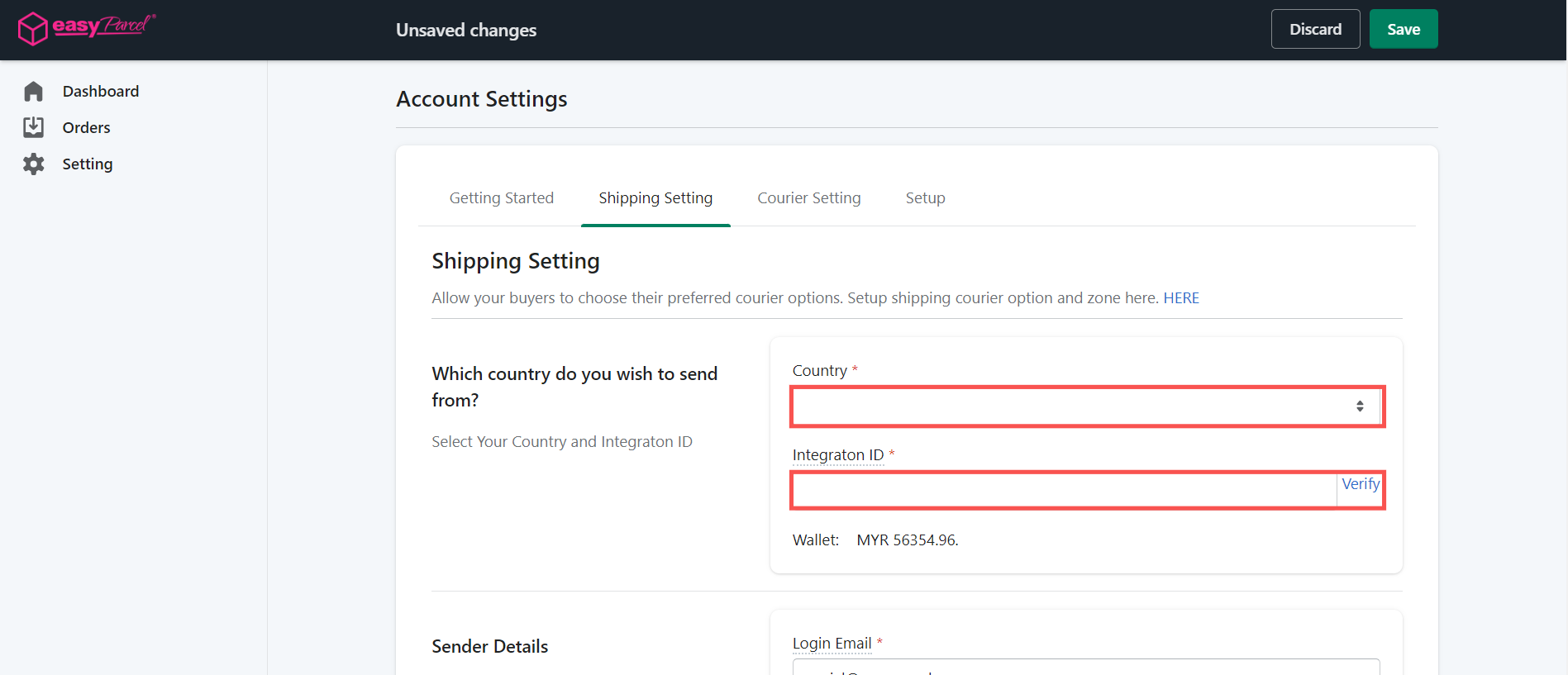
配置运送设置

在 "运送设置" 标签下,选择您的发货国家,然后粘贴您在第 4 步复制的 整合 ID。
第 7 步
第 8 步,共 9 步

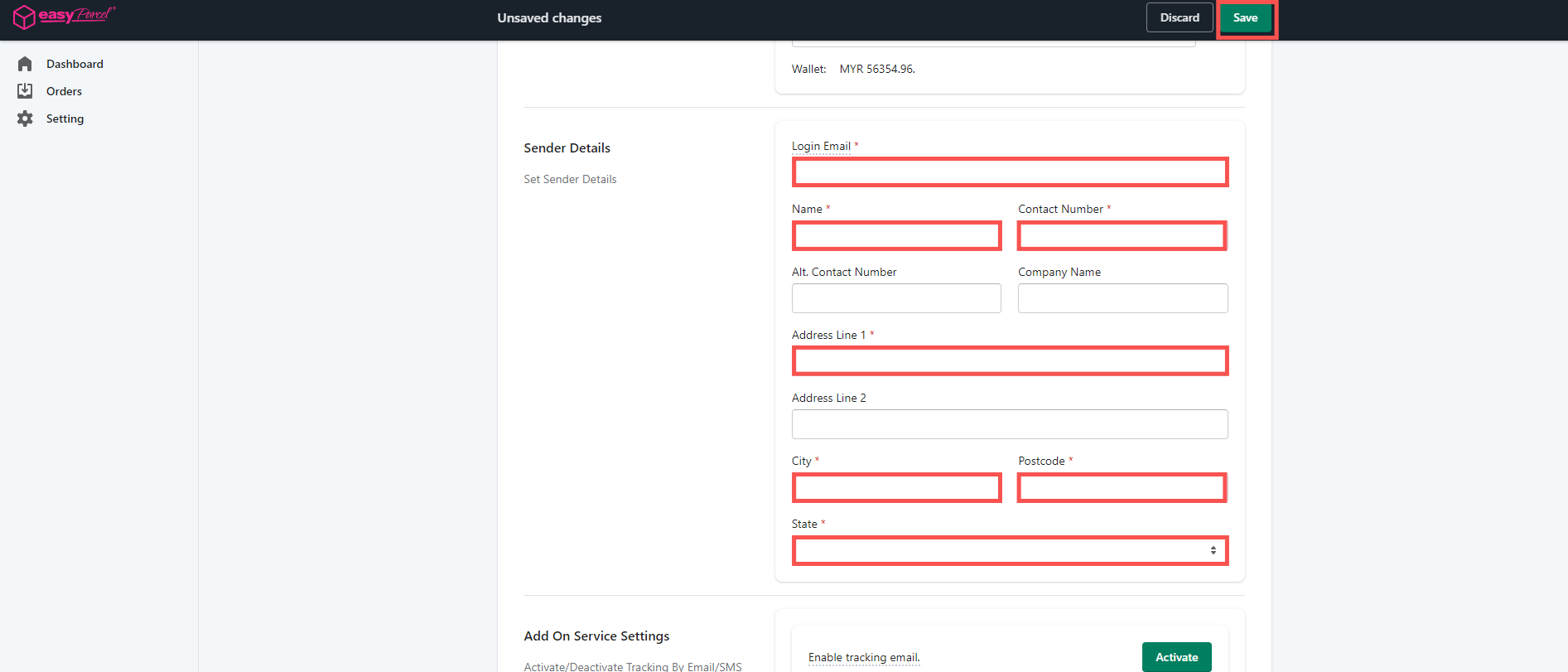
检查寄件人详情

检查自动填写的 寄件人详情 是否准确。更新任何需要修正的内容,然后点击 "保存"。
第 8 步
第 9 步,共 9 步

要求结账时填写电话号码

在您的 Shopify 管理后台中,前往 设置 → 结账。在 "收货地址电话号码" 下,将其设为 "必填"。

⚠️ 重要提示:跳过此步骤可能导致无法获取买家的联系电话。订单可能因 receiver_contact 字段为空而导入失败,且无法为顾客生成 AWB(空运提单)。
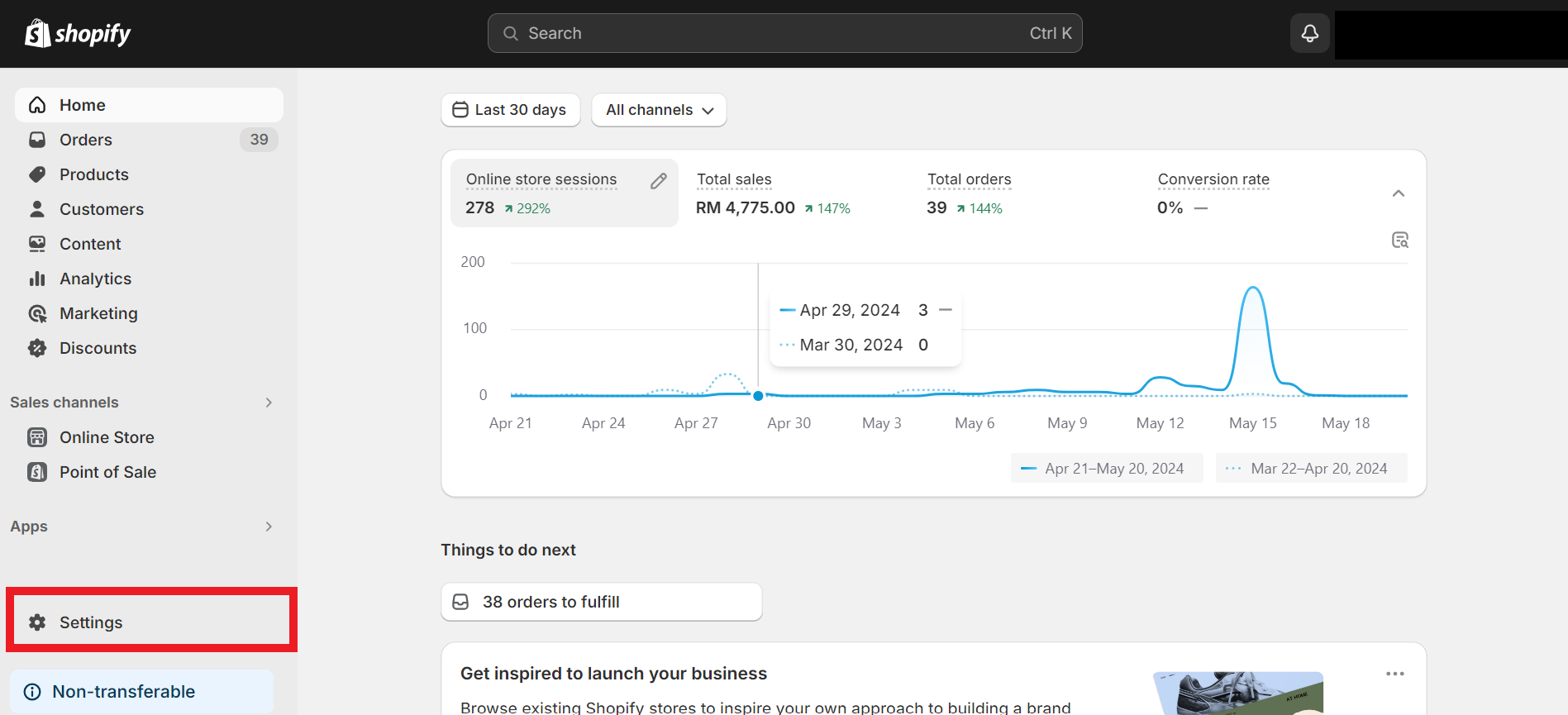
第 9 步截图
1 / 9
dynamic_feed

EasyConnect

通过 9 个步骤将 Shopify 与 EasyParcel 整合。

登录您的 EasyParcel 账户,前往 EasyConnect,然后点击 "添加电商应用"。找到 "Shopify" 并点击 "安装应用" 即可开始。

第 1 步

当系统提示您选择整合类型时,选择 "无缝版本" 以继续。

第 2 步

填写您的 店铺名称 和 店铺网址,然后点击 "添加" 继续。

第 3 步

系统将生成您店铺的 API 密钥/整合 ID。请将其复制下来 —— 您在第 7 步会需要用到。

第 4 步

前往您的 Shopify 管理后台,点击 "应用",搜索 "EasyParcel - Delivery Made Easy",然后点击 "安装"。

第 5 步

您将被重定向至 "入门指南" 标签下的 EasyParcel 设置页面。阅读相关说明后,点击 "开始设置"。

第 6 步

在 "运送设置" 标签下,选择您的发货国家,然后粘贴第 4 步中的 整合 ID。

第 7 步

检查自动填写的 寄件人详情。更新任何不正确的内容,然后点击 "保存"。

第 8 步

在您的 Shopify 管理后台中,前往 设置 → 结账。在 "收货地址电话号码" 下,将其设为 "必填"。

⚠️ 重要提示:跳过此步骤可能导致无法获取买家的联系电话。订单可能因 receiver_contact 字段为空而导入失败,且无法生成 AWB。
第 9 步

聆听我们的客户心声

Posted on Google Google
SIEW VANNY profile picture
SIEW VANNY
12 November 2026
Google star 1Google star 2Google star 3Google star 4Google star 5
Good services , fast respond .
Posted on Google Google
Sharon Tiang Qin Yee profile picture
Sharon Tiang Qin Yee
23 October 2026
Google star 1Google star 2Google star 3Google star 4Google star 5
Excellent service from Mr Hafiz. Prompt responses, resolved my courier delayed issues. Thumbs up
Posted on Google Google
zyzy kimi profile picture
zyzy kimi
22 October 2026
Google star 1Google star 2Google star 3Google star 4Google star 5
Kudos to Siti !! She help me from A to Z for international shipping , she explain you all in details and make the process so smooth . Thank you again for you kind , keep up the good work ! <3
Posted on Google Google
MIN KHIM PNEH profile picture
MIN KHIM PNEH
21 October 2026
Google star 1Google star 2Google star 3Google star 4Google star 5
Good customer service with prompt response and handled feedback seriously.
Posted on Google Google
Nurhanina Mohamad Akib profile picture
Nurhanina Mohamad Akib
11 October 2026
Google star 1Google star 2Google star 3Google star 4Google star 5
EasyParcel team was very supportive and fast in dealing with and responding to my problem. Hats off!
Posted on Google Google
Danish's Red Kitchen profile picture
Danish's Red Kitchen
29 September 2026
Google star 1Google star 2Google star 3Google star 4Google star 5
I have been using Easyparcel for years and very satisfied with their service. Most notably, their customer service. Handled any issues with utmost care and speed. Interface is very user-friendly and informative for me to choose. Tracking is accurate in real time. API is good as well. Most importantly, cheap and affordable price. Thank you for the good service o7
frequently-asked-questions

常见问题解答(FAQ)

我可以自动从 Shopify 导入订单吗?
可以。您可以将 Shopify 网站与 EasyParcel 同步,系统会自动导入您的新订单。立即开始。
将 Shopify 添加到我的 EasyParcel 账户需要额外付费吗?
完全免费!EasyParcel 支持整合 25 个以上平台,可将订单自动同步至系统面板,轻松完成发货。了解更多。
Shopify 整合有哪几种方式?
EasyParcel 提供两种 Shopify 整合方式:**导入版**和**插件版**。了解更多。

几分钟内连接 Shopify 与 EasyParcel

自动同步您的订单,并通过一个平台简化配送、追踪及订单履约流程。

×